Autonomous Incident Response Orchestrator powered by Notion MCP

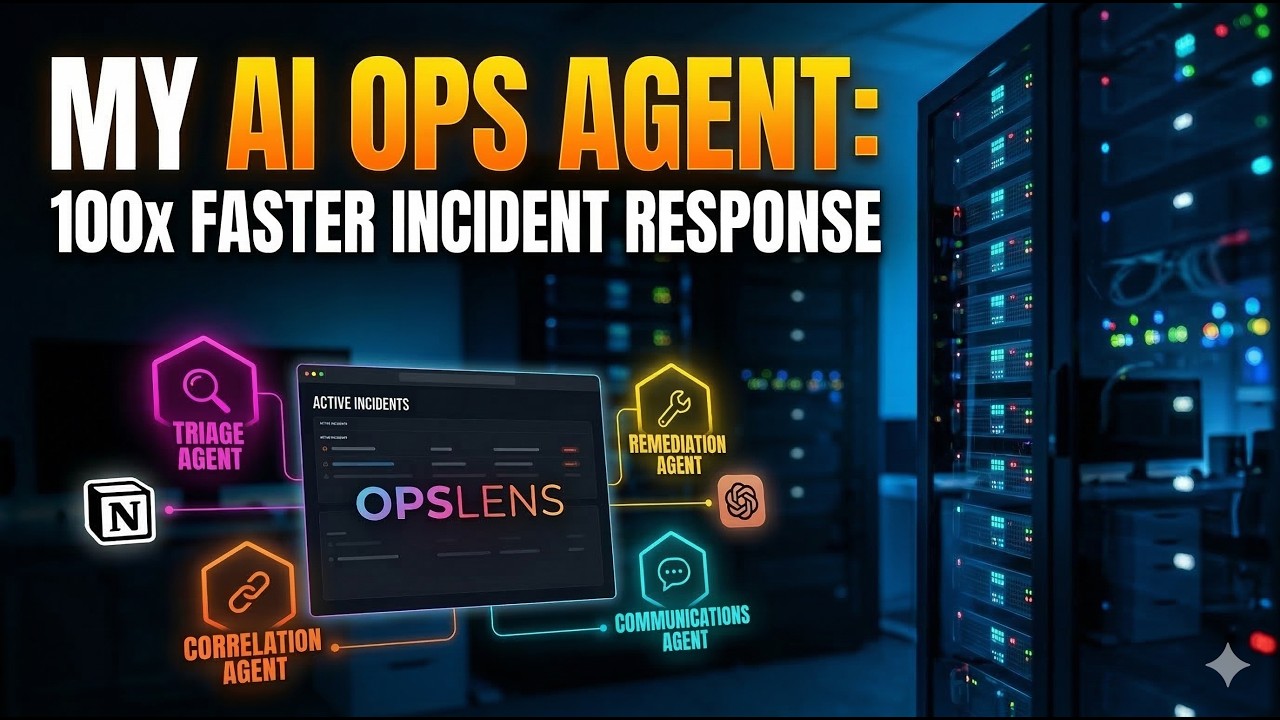
OpsLens transforms Notion into an AI-powered incident command center. It ingests alerts from monitoring tools, runs a pipeline of specialized AI agents for triage, correlation, remediation, and postmortem generation, and writes every finding back to Notion as structured, searchable knowledge. Engineers interact through a real-time dashboard or directly in Notion. The system watches for human edits and reacts, creating a true human-in-the-loop incident response workflow.
Built for the Notion MCP Challenge on DEV.to.

- Problem Statement
- How It Works
- Architecture
- Use Cases
- Features
- Tech Stack
- Project Structure
- Getting Started
- Configuration
- API Reference
- Webhook Integration
- Slash Commands
- Docker Deployment
- Development
- Author
- License
When a production incident fires at 3 AM, the on-call engineer faces a wall of context switching: triage the alert, search for past incidents, find the runbook, notify stakeholders, check recent deployments, and document everything for the postmortem. Each step is manual, scattered across different tools, and prone to human error under pressure.
OpsLens eliminates this friction. It receives the alert, runs five specialized AI agents in sequence, writes every finding to Notion, and presents the engineer with a clear picture: what happened, what is affected, what to do next, and who to call. The engineer stays in control. The AI handles the grunt work.
Alert Source                    OpsLens Backend                         Notion (via MCP)
-----------                    ---------------                         ----------------

Prometheus  ----+
Grafana     ----+---> Webhook --> Normalize --> Dedup/Group --> Create Incident Page
PagerDuty   ----+         |                                         |
Slack       ----+         |                                         |
Manual      ----+         v                                         v
                    Agent Pipeline                            Page Comments
                    1. Triage Agent ------> severity, category ------> comment
                    2. Correlation Agent -> past incidents, patterns -> comment
                    3. Remediation Agent -> runbook steps, fixes -----> comment
                    4. Comms Agent -------> escalation, notifications
                    5. Postmortem Agent --> blameless postmortem page
                          |
                          v
                    Real-time Dashboard <------- WebSocket <------- State Changes
                          |
                          v
                    Notion Watcher (polls) --> detect human edits --> re-trigger agents
- An alert arrives via webhook (Prometheus, Grafana, PagerDuty, or custom source).
- The normalizer converts it to a canonical format. The deduplicator checks for duplicates. The alert grouper checks if it belongs to an existing incident.
- A Notion page is created in the Incidents database with full alert metadata.
- Five AI agents run in sequence. Each agent uses Notion MCP tools to search the workspace, fetch runbooks, find past incidents, and cross-reference connected tools (Slack, Google Drive, Jira, Confluence).
- Every agent writes its analysis as a structured comment on the incident page.
- The dashboard receives updates in real-time via WebSocket.
- The Notion Watcher polls incident pages every 30 seconds. When a human edits severity, status, or adds an escalation comment in Notion, the system detects the change and re-triggers the appropriate agent.
+------------------+     +------------------+     +------------------+
|   Alert Sources  |     |  OpsLens Backend |     |   Notion MCP     |
|                  |     |  (FastAPI)       |     |   Server         |
|  - Prometheus    +---->+                  +---->+   (HTTP :3100)   |
|  - Grafana       |     |  Incident Mgr    |     |                  |
|  - PagerDuty     |     |  Agent Pipeline  |     |  JSON-RPC 2.0    |
|  - Slack         |     |  Notion Watcher  |     |  Streamable HTTP |
|  - Manual/API    |     |  WebSocket Hub   |     |                  |
+------------------+     +--------+---------+     +--------+---------+
                                  |                         |
                         +--------v---------+     +---------v--------+
                         |   Dashboard      |     |   Notion         |
                         |   (React + Vite) |     |   Workspace      |
                         |                  |     |                  |
                         |  - Incident List |     |  - Incidents DB  |
                         |  - Agent Feed    |     |  - Runbooks DB   |
                         |  - Commander     |     |  - Services DB   |
                         |  - Audit Trail   |     |  - Postmortems   |
                         |  - Search        |     |  - On-Call DB    |
                         |  - Playground    |     |  - Confidence DB |
                         +------------------+     +------------------+

- Notion MCP as the single source of truth. Every incident, runbook, postmortem, and service definition lives in Notion. The MCP server provides structured access via JSON-RPC 2.0 over HTTP.
- Agents write to Notion, not to a local database. All agent analyses are persisted as page comments. The knowledge is searchable, shareable, and survives restarts.
- Bi-directional sync. OpsLens does not just write to Notion. It watches for changes made by humans in Notion and reacts. This creates a collaborative loop where AI proposes and humans decide.
- Stateless restarts. On startup, OpsLens rehydrates its in-memory state from Notion by querying the Incidents database and loading page comments. No local database required.
A Prometheus alert fires for high CPU on the API gateway. OpsLens receives the webhook, creates an incident in Notion, and the Triage Agent validates the severity, identifies the affected service, and assesses blast radius. Within seconds, the on-call engineer has a categorized, contextualized incident instead of a raw alert.
The Correlation Agent searches the entire Notion workspace, including connected Slack conversations, Google Drive documents, Jira tickets, and Confluence pages, for similar past incidents. It finds that the same service had a memory leak three weeks ago and links the evidence. The engineer does not start from zero.
The Remediation Agent searches the Runbooks database and connected documentation for applicable procedures. It returns specific commands, rollback steps, and verification checks rather than vague suggestions.
When an incident is resolved, the Postmortem Agent generates a blameless postmortem from the full timeline: what happened, when it happened, root cause analysis, impact assessment, and concrete action items. It creates a new page in the Postmortems database, linked to the original incident.
An engineer reads the AI triage and disagrees with the severity. They change it from P2 to P0 directly in Notion. The Notion Watcher detects the change within 30 seconds and triggers re-triage with the updated context. The system adapts to human judgment without requiring the engineer to leave Notion.
During an active incident, the engineer opens the Commander panel in the dashboard and asks: "What changed recently in this service?" The Commander searches Notion, deployment history, and past incidents, then responds with specific findings and actionable recommendations with clickable action buttons.
An engineer notices something wrong and types /opslens create P1 payment-service Checkout flow returning 500 errors in Slack. OpsLens creates the incident, provisions a war room channel, and kicks off the full agent pipeline without leaving Slack.
Three alerts fire within minutes: Prometheus detects high error rates, Grafana catches latency spikes, and PagerDuty forwards a customer-reported issue. The alert grouper recognizes they share the same service and groups them into a single incident, preventing alert fatigue and duplicate investigation.
The GitHub integration checks for recent deployments to the affected service. If a deployment happened within the incident window, it flags the specific commit, author, and changes. The Remediation Agent can then suggest creating a rollback PR directly from the dashboard.
Every resolved incident, along with its timeline, agent analyses, and postmortem, is indexed in the knowledge base. When a similar incident occurs months later, the Correlation Agent surfaces the previous resolution, creating institutional memory that persists beyond team turnover.
- Incident lifecycle state machine: Triggered, Triaged, Investigating, Mitigated, Resolved, Postmortem
- Smart alert deduplication with configurable time windows
- Service-based alert grouping with title similarity scoring
- Full timeline tracking with 10 event types
- In-memory state with Notion persistence and startup rehydration
- Triage Agent: Severity validation, service identification, blast radius assessment
- Correlation Agent: Past incident search, pattern detection, cross-system correlation via connected tools
- Remediation Agent: Runbook discovery, specific fix proposals, rollback guidance
- Postmortem Agent: Blameless postmortem generation with root cause analysis
- Comms Agent: Stakeholder notification, escalation orchestration
- Incident Commander: Contextual AI co-pilot with structured action recommendations
- Confidence scoring (0-100%) for every agent analysis
- Unified LLM client with provider fallback (Gemini primary, Anthropic fallback)
- JSON-RPC 2.0 client over Streamable HTTP transport
- Connected tool search across Slack, Google Drive, Jira, and Confluence
- Automatic workspace setup with idempotent database creation
- Rate limiting enforcement (180 requests/min, 30 searches/min)
- Session management with automatic initialization and renewal
- Six structured databases: Incidents, Runbooks, Services, Postmortems, On-Call, Confidence
- Notion Watcher polls active incident pages every 30 seconds
- Detects human edits to severity, status, root cause, and escalation comments
- Triggers appropriate agent re-runs based on change type
- Snapshot-based diffing to prevent duplicate processing
- Prometheus AlertManager (v4 payload format)
- Grafana Unified Alerting
- PagerDuty Events API (v3)
- Generic JSON format for custom alert sources
- Manual incident creation via API and dashboard
- HMAC signature validation on webhook endpoints
- Playground API for testing without authentication
- Slack: War room auto-creation, interactive messages, thread-based timeline sync, slash commands
- GitHub: Deployment correlation, commit linking, rollback PR creation, workflow triggers
- Jira: Ticket creation, issue linking, custom field mapping
- Linear: Issue creation, team and workspace scoping
- AWS: EC2, S3, CloudWatch resource queries
- GCP: Compute Engine, Cloud Storage, Cloud Monitoring
- Azure: Virtual Machines, Storage, Monitor
- Outbound Webhooks: Configurable subscriptions with event filtering, HMAC signing, and retry logic
- Semantic embeddings via Gemini or OpenAI
- RAG pipeline for searching past incidents
- Automatic indexing of incidents, postmortems, runbooks, and comments
- React 18 single-page application with Tailwind CSS
- WebSocket connection for live incident updates with toast notifications
- Incident list with status, severity, and service filters
- Incident detail view with full timeline visualization
- Agent Activity Feed showing real-time agent actions
- Audit Trail with complete event history
- Semantic Search panel across Notion and knowledge base
- Webhook Playground for testing alert payloads
- Incident Commander conversational interface with action buttons
- Settings page for integration configuration with hot-reload
- Hot-reload settings without restart
- Structured logging via structlog
- Health check endpoint with per-integration status
- Configurable deduplication windows, escalation timeouts, and agent concurrency
- Persistent configuration via settings.json with .env fallback
| Component | Technology |
|---|---|
| Runtime | Python 3.11+ |
| Framework | FastAPI |
| HTTP Client | httpx (async) |
| Validation | Pydantic v2 |
| Logging | structlog |
| LLM (primary) | Google Gemini API |
| LLM (fallback) | Anthropic Claude API |
| Retries | tenacity |
| Server | uvicorn |
| Real-time | WebSockets |
| Component | Technology |
|---|---|
| Framework | React 18 |
| Build Tool | Vite 6 |
| Styling | Tailwind CSS 3.4 |
| Icons | Lucide React |
| Charts | Recharts |
| Component | Technology |
|---|---|
| Data Layer | Notion (via MCP Server) |
| MCP Transport | Streamable HTTP (JSON-RPC 2.0) |
| Containerization | Docker + Docker Compose |
| CI/CD | GitHub Actions |
opslens/
├── src/
│   ├── main.py                        # FastAPI app, lifespan, WebSocket hub
│   ├── config.py                      # Pydantic Settings (env + settings.json)
│   ├── agents/
│   │   ├── orchestrator.py            # Agent pipeline coordinator
│   │   ├── triage_agent.py            # Severity validation, categorization
│   │   ├── correlation_agent.py       # Past incident search, pattern detection
│   │   ├── remediation_agent.py       # Runbook discovery, fix proposals
│   │   ├── postmortem_agent.py        # Blameless postmortem generation
│   │   ├── comms_agent.py             # Notifications, escalation
│   │   ├── commander.py              # Incident Commander co-pilot
│   │   ├── llm_client.py             # Unified LLM client (Gemini + Anthropic)
│   │   ├── confidence.py             # Confidence score extraction
│   │   ├── confidence_tracker.py     # Confidence history tracking
│   │   └── alert_grouping.py         # Smart alert grouping logic
│   ├── api/
│   │   ├── router.py                  # REST endpoints (incidents, commander, playground)
│   │   ├── schemas.py                 # Request/response models
│   │   ├── settings.py               # Settings API with hot-reload
│   │   └── integrations_router.py    # Integration endpoints (Slack, GitHub, Jira)
│   ├── incidents/
│   │   ├── manager.py                 # Incident CRUD, dedup, grouping, rehydration
│   │   ├── models.py                  # Incident, TimelineEvent, UnifiedAlert models
│   │   └── state_machine.py          # FSM with validated transitions
│   ├── notion_mcp/
│   │   ├── client.py                  # Async JSON-RPC 2.0 MCP client
│   │   ├── tools.py                   # Typed tool wrappers (search, fetch, create)
│   │   └── workspace_setup.py        # Idempotent database creation
│   ├── integrations/
│   │   ├── slack_integration.py       # War rooms, interactive messages, slash commands
│   │   ├── github_integration.py      # Deploy correlation, rollback PRs, workflows
│   │   ├── jira_integration.py        # Ticket creation, issue linking
│   │   ├── linear_integration.py      # Issue creation, team management
│   │   ├── cloud_providers.py         # AWS, GCP, Azure resource queries
│   │   ├── knowledge_base.py          # Semantic embeddings, RAG search
│   │   └── outbound_webhooks.py       # Configurable webhook subscriptions
│   ├── sync/
│   │   ├── notion_watcher.py          # Bi-directional Notion polling
│   │   └── command_center.py          # Living stats page in Notion
│   └── webhooks/
│       ├── handlers.py                # Webhook route handlers
│       ├── normalizer.py              # Alert format normalization
│       ├── schemas.py                 # Webhook payload models
│       ├── templates.py               # Notion page content templates
│       └── validator.py               # HMAC signature validation
├── frontend/
│   ├── src/
│   │   ├── App.jsx                    # Main app shell with navigation
│   │   ├── api/client.js              # REST API client
│   │   ├── hooks/useWebSocket.js      # WebSocket connection hook
│   │   └── components/
│   │       ├── IncidentList.jsx       # Incident table with filters
│   │       ├── IncidentDetail.jsx     # Full incident view with timeline
│   │       ├── CommandPanel.jsx       # Incident Commander chat interface
│   │       ├── MetricsPanel.jsx       # Charts and statistics
│   │       ├── AgentActivityFeed.jsx  # Real-time agent action logs
│   │       ├── AuditTrail.jsx         # Complete event audit log
│   │       ├── SearchPanel.jsx        # Semantic search interface
│   │       ├── WebhookPlayground.jsx  # Alert testing tool
│   │       └── SettingsPage.jsx       # Integration configuration
│   ├── package.json
│   ├── vite.config.js
│   └── tailwind.config.js
├── scripts/
│   ├── setup_workspace.py            # Create Notion databases
│   ├── seed_runbooks.py              # Populate runbook templates
│   └── test_webhook.py               # Send test alerts
├── tests/
├── docker-compose.yml
├── Dockerfile
├── Makefile
├── pyproject.toml
└── .env.example
- Python 3.11 or higher
- Node.js 20 or higher
- A Notion account with an internal integration token
- A Google Gemini API key (primary LLM) or Anthropic API key (fallback)
git clone https://github.com/Sherin-SEF-AI/OpsLens.git
cd OpsLenscp .env.example .envEdit .env with your credentials. At minimum, set:
NOTION_TOKEN- Your Notion integration tokenNOTION_ROOT_PAGE_ID- A Notion page shared with the integrationNOTION_MCP_URL- MCP server URL (default:http://localhost:3100/mcp)MCP_AUTH_TOKEN- Token for MCP server authenticationGEMINI_API_KEYorANTHROPIC_API_KEY- LLM provider key
python -m venv .venv
source .venv/bin/activate
pip install -e .
pip install google-genai python-multipart slack-sdkOpen a terminal and run:
npx -y @notionhq/notion-mcp-server --transport http --port 3100This creates the required databases (Incidents, Runbooks, Services, Postmortems, On-Call) in your Notion workspace. Run once.
python scripts/setup_workspace.pyCopy the output database IDs into your .env file.
python scripts/seed_runbooks.pyOpen a second terminal:
source .venv/bin/activate
uvicorn src.main:app --reload --host 0.0.0.0 --port 8080Open a third terminal:
cd frontend
npm install
npm run devNavigate to http://localhost:5173 in your browser.
curl -X POST http://localhost:8080/api/playground/send \
  -H "Content-Type: application/json" \
  -d '{
    "source": "manual",
    "payload": {
      "title": "API Gateway: 503 error rate exceeded 15%",
      "severity": "P1-High",
      "service": "api-gateway",
      "description": "Load balancer health checks failing on 3 of 5 instances"
    }
  }'
The incident will appear in the dashboard within seconds. Watch the Agent Feed tab for real-time AI analysis.
| Variable | Description |
|---|---|
NOTION_MCP_URL |
Notion MCP server URL (default: http://localhost:3100/mcp) |
MCP_AUTH_TOKEN |
Authentication token for the MCP server |
NOTION_TOKEN |
Notion internal integration token |
NOTION_ROOT_PAGE_ID |
Root page where OpsLens databases are created |
NOTION_INCIDENTS_DB_ID |
Incidents database ID (from workspace setup) |
| Variable | Description |
|---|---|
LLM_PROVIDER |
Primary provider: gemini or anthropic |
LLM_FALLBACK_PROVIDER |
Fallback provider (optional) |
GEMINI_API_KEY |
Google Gemini API key |
GEMINI_MODEL |
Gemini model name (default: gemini-2.0-flash) |
ANTHROPIC_API_KEY |
Anthropic API key |
ANTHROPIC_MODEL |
Claude model name (default: claude-sonnet-4-20250514) |
Populated automatically by setup_workspace.py. Copy them into .env.
| Variable | Description |
|---|---|
NOTION_RUNBOOKS_DB_ID |
Runbooks database |
NOTION_SERVICES_DB_ID |
Services database |
NOTION_POSTMORTEMS_DB_ID |
Postmortems database |
NOTION_ONCALL_DB_ID |
On-Call rotations database |
NOTION_INCIDENTS_DS_ID |
Incidents data source ID (for MCP database queries) |
| Variable | Description |
|---|---|
SLACK_WEBHOOK_URL |
Slack incoming webhook URL |
SLACK_CHANNEL |
Default Slack channel (default: #incidents) |
SLACK_BOT_TOKEN |
Slack bot token for war rooms and slash commands |
GITHUB_TOKEN |
GitHub personal access token |
GITHUB_ORG |
GitHub organization name |
JIRA_BASE_URL |
Jira instance URL |
JIRA_EMAIL |
Jira user email |
JIRA_API_TOKEN |
Jira API token |
JIRA_PROJECT_KEY |
Default Jira project |
LINEAR_API_KEY |
Linear API key |
LINEAR_TEAM_ID |
Linear team ID |
| Variable | Description |
|---|---|
ALERTMANAGER_SECRET |
HMAC secret for Prometheus webhooks |
GRAFANA_SECRET |
HMAC secret for Grafana webhooks |
PAGERDUTY_WEBHOOK_SECRET |
HMAC secret for PagerDuty webhooks |
| Variable | Default | Description |
|---|---|---|
DEDUP_WINDOW_SECONDS |
300 | Time window for alert deduplication |
AUTO_ESCALATION_MINUTES |
30 | Auto-escalation timeout |
MAX_CONCURRENT_AGENTS |
5 | Maximum parallel agent runs |
NOTION_POLL_INTERVAL_SECONDS |
30 | Notion Watcher polling interval |
| Method | Endpoint | Description |
|---|---|---|
| GET | /api/incidents |
List all incidents. Query params: status, severity, service |
| GET | /api/incidents/active |
List active incidents only |
| GET | /api/incidents/{id} |
Get incident detail with full timeline |
| GET | /api/incidents/{id}/timeline |
Get timeline events for an incident |
| GET | /api/incidents/stats |
Aggregate metrics: total, active, resolved, MTTR |
| POST | /api/incidents/{id}/transition |
Transition incident status |
| POST | /api/incidents/{id}/comment |
Add a comment to an incident |
| Method | Endpoint | Description |
|---|---|---|
| POST | /api/incidents/{id}/commander |
Send a query to the Incident Commander |
| DELETE | /api/incidents/{id}/commander/history |
Clear conversation history |
| Method | Endpoint | Description |
|---|---|---|
| POST | /webhooks/alertmanager |
Prometheus AlertManager |
| POST | /webhooks/grafana |
Grafana Alerting |
| POST | /webhooks/pagerduty |
PagerDuty Events |
| POST | /webhooks/generic |
Generic JSON alerts |
| POST | /webhooks/manual |
Manual incident creation |
| Method | Endpoint | Description |
|---|---|---|
| POST | /api/playground/test |
Dry-run: normalize without creating an incident |
| POST | /api/playground/send |
Live: normalize and create a real incident |
| Method | Endpoint | Description |
|---|---|---|
| POST | /api/search |
Semantic search across Notion and knowledge base |
| GET | /api/audit-trail |
Full audit trail. Query param: incident_id |
| GET | /api/audit-trail/{id}/replay |
Replay all events for one incident |
| Method | Endpoint | Description |
|---|---|---|
| POST | /api/integrations/github/correlate |
Check recent deployments |
| POST | /api/integrations/github/rollback-pr |
Create a rollback pull request |
| POST | /api/integrations/github/workflow |
Trigger a GitHub Actions workflow |
| POST | /api/integrations/slack/war-room |
Create a Slack war room channel |
| POST | /api/integrations/slack/send |
Send a message to Slack |
| POST | /api/integrations/jira/create-ticket |
Create a Jira issue |
| POST | /api/integrations/linear/create-issue |
Create a Linear issue |
| POST | /api/integrations/webhooks/subscribe |
Subscribe to outbound webhook events |
| DELETE | /api/integrations/webhooks/{id} |
Remove a webhook subscription |
| Method | Endpoint | Description |
|---|---|---|
| GET | /api/settings |
Get all settings |
| PUT | /api/settings |
Update and hot-reload integrations |
| GET | /api/settings/{key} |
Get a specific setting |
| POST | /api/settings/test |
Test an integration connection |
| Method | Endpoint | Description |
|---|---|---|
| GET | /health |
Health check with integration status |
| WS | /ws/incidents |
WebSocket for real-time updates |
Configure AlertManager to forward alerts to OpsLens:
# alertmanager.yml
receivers:
  - name: opslens
    webhook_configs:
      - url: http://your-opslens-host:8080/webhooks/alertmanager
        send_resolved: true
Test with curl (using the playground endpoint, no HMAC required):
curl -X POST http://localhost:8080/api/playground/send \
  -H "Content-Type: application/json" \
  -d '{
    "source": "alertmanager",
    "payload": {
      "status": "firing",
      "alerts": [{
        "status": "firing",
        "labels": {
          "alertname": "HighErrorRate",
          "severity": "critical",
          "service": "payment-service",
          "instance": "payment-01:9090"
        },
        "annotations": {
          "summary": "Payment service error rate above 5%",
          "description": "The payment service is returning 500 errors on 8% of requests."
        },
        "startsAt": "2026-03-07T10:00:00Z",
        "generatorURL": "http://prometheus:9090/graph?g0.expr=rate(http_errors_total[5m])"
      }]
    }
}'curl -X POST http://localhost:8080/api/playground/send \
-H "Content-Type: application/json" \
-d '{
"source": "grafana",
"payload": {
"status": "alerting",
"alerts": [{
"status": "firing",
"labels": {
"alertname": "HighLatency",
"severity": "warning",
"service": "api-gateway"
},
"annotations": {
"summary": "API Gateway p99 latency above 2s",
"description": "p99 latency has exceeded 2 seconds for the last 10 minutes."
},
"startsAt": "2026-03-07T10:15:00Z",
"dashboardURL": "http://grafana:3000/d/abc123",
"panelURL": "http://grafana:3000/d/abc123?viewPanel=1"
}]
}
}'curl -X POST http://localhost:8080/api/playground/send \
-H "Content-Type: application/json" \
-d '{
"source": "pagerduty",
"payload": {
"event": {
"event_type": "incident.triggered",
"data": {
"id": "PD-12345",
"title": "Database connection pool exhausted",
"urgency": "high",
"service": {
"name": "user-service",
"id": "PSVC123"
},
"created_at": "2026-03-07T10:30:00Z",
"html_url": "https://mycompany.pagerduty.com/incidents/PD-12345"
}
}
}
}'curl -X POST http://localhost:8080/api/playground/send \
-H "Content-Type: application/json" \
-d '{
"source": "generic",
"payload": {
"title": "Redis cluster failover detected",
"description": "Primary node redis-01 is unreachable. Sentinel initiated failover to redis-02.",
"severity": "P1",
"service": "redis-cluster",
"labels": {"region": "us-east-1", "cluster": "cache-prod"}
}
}'curl -X POST http://localhost:8080/api/playground/send \
-H "Content-Type: application/json" \
-d '{
"source": "manual",
"payload": {
"title": "Customer reports checkout failures",
"severity": "P0-Critical",
"service": "checkout-service",
"description": "Multiple customer reports of 500 errors during checkout. Revenue impact."
}
}'OpsLens supports Slack slash commands via /opslens:
| Command | Description |
|---|---|
/opslens status |
Show active incident summary |
/opslens list |
List recent incidents |
/opslens detail OPSLENS-0001 |
Show full incident details |
/opslens create P1 payment-service Checkout returning 500s |
Create a new incident |
/opslens search memory leak |
Search past incidents |
/opslens help |
Show available commands |
To configure slash commands, create a Slack app and set the request URL to https://your-opslens-host/api/integrations/slack/slash.
# Build and start all services
docker compose up --build -d

# View logs
docker compose logs -f opslens

# Stop all services
docker compose down
Docker Compose starts two services:
- notion-mcp-server: Node.js container running the Notion MCP server on port 3100 with a health check
- opslens: Python backend on port 8000, configured to wait for the MCP server health check before starting
Build the frontend and package everything into a single Docker image:
cd frontend && npm run build && cd ..
docker build -t opslens:latest .make install # Install Python dependencies
make dev # Start backend with hot-reload
make run # Start backend (production mode)
make mcp-server # Start Notion MCP server
make setup-workspace # Create Notion databases (run once)
make seed # Populate runbook templates
make test-webhook # Send test alerts
make test # Run test suite
make frontend-install # Install frontend dependencies
make frontend-dev # Start frontend dev server
make frontend-dev # Start frontend dev server
make frontend-build # Build frontend for production
make docker-up # Start with Docker Compose
make docker-down # Stop Docker Composesource .venv/bin/activate
pytest tests/ -vpip install ruff
ruff check src/ --select E,F,I --ignore E501Valid transitions:
Triggered    --> Triaged
Triaged      --> Investigating
Investigating --> Mitigated, Resolved
Mitigated    --> Investigating, Resolved
Resolved     --> Investigating, Postmortem
Postmortem   --> (terminal)
Sherin Joseph Roy
Co-Founder and Head of Products at DeepMost AI, building enterprise AI solutions in Bangalore, India. Creator of Lexeek and lead developer of the Safety Ecosystem Framework (SEF), an AI and IoT initiative for public and industrial safety.
Specializes in autonomous systems, computer vision, robotics, SLAM, and applied machine learning. Active open-source contributor with projects spanning AI-powered developer tools, API mocking platforms, and natural language task management systems.
- GitHub: github.com/Sherin-SEF-AI
- DEV.to: dev.to/vision2030
- Portfolio: sherin-sef-ai.github.io
- LinkedIn: linkedin.com/in/sherin-roy-deepmost
- Email: sherin.joseph2217@gmail.com
- GitFlow Studio -- Enterprise-grade Git workflow CLI
- Code Genie -- Multi-agent AI coding assistant
- API Mocker -- Production-ready API mocking platform
- TalkDo -- AI-powered natural language task management
This project is open source and available under the MIT License.