



ShieldClimb's High-Risk Card Payment Gateway enables instant payouts to your USDC (Polygon) wallet while offering full chargeback protection. Accept Visa, Mastercard, Amex, Google Pay, and Apple Pay seamlessly.
- Install & Activate: Upload the plugin and activate it in WordPress.
- Configure Settings: Navigate to WooCommerce > Settings > Payments > ShieldClimb Payments Gateway.
- Enter Wallet Address: Add your USDC (Polygon) wallet to receive instant payouts.
- Customize Display: Adjust labels and descriptions for payment methods.
- Save & Accept Payments: Start processing payments instantly!

- Auto-Hide Providers: Hide options based on region and minimum balance.
- Reliable Payment Processing: Carefully selected providers ensure efficiency.
- Automatic Order Processing: Orders are confirmed automatically.
- Instant Access & No KYB: No sign-up required.
- Multi-Payment Support: Accept Visa, Mastercard, Amex, Google Pay, and Apple Pay.
- Instant Payouts: Receive USDC immediately.
- Chargeback Protection: Transactions are final and irreversible.
- Privacy-Focused: Each order gets a unique temporary wallet.
- Admin Tracking: Monitor payouts within WordPress.
- Multi-Currency Support: Accept payments in various currencies.
- Secure Transactions – End-to-end encryption ensures safe processing.
- Privacy-First – No personal data is collected or stored.
- Regulatory Compliance – Meets international standards.
No, this plugin works instantly without merchant sign-up, using fiat-to-crypto onramp providers.
Payouts are instant—every order is settled directly to your USDC wallet.
Having issues? Check our guide on Fixing WooCommerce Payment Errors.
If payments are received but orders remain pending, follow our Guide to Fix Payout Wallet Address Errors.
Anyone can use our plugin, but businesses listed in our Prohibited Business List will be blocked.
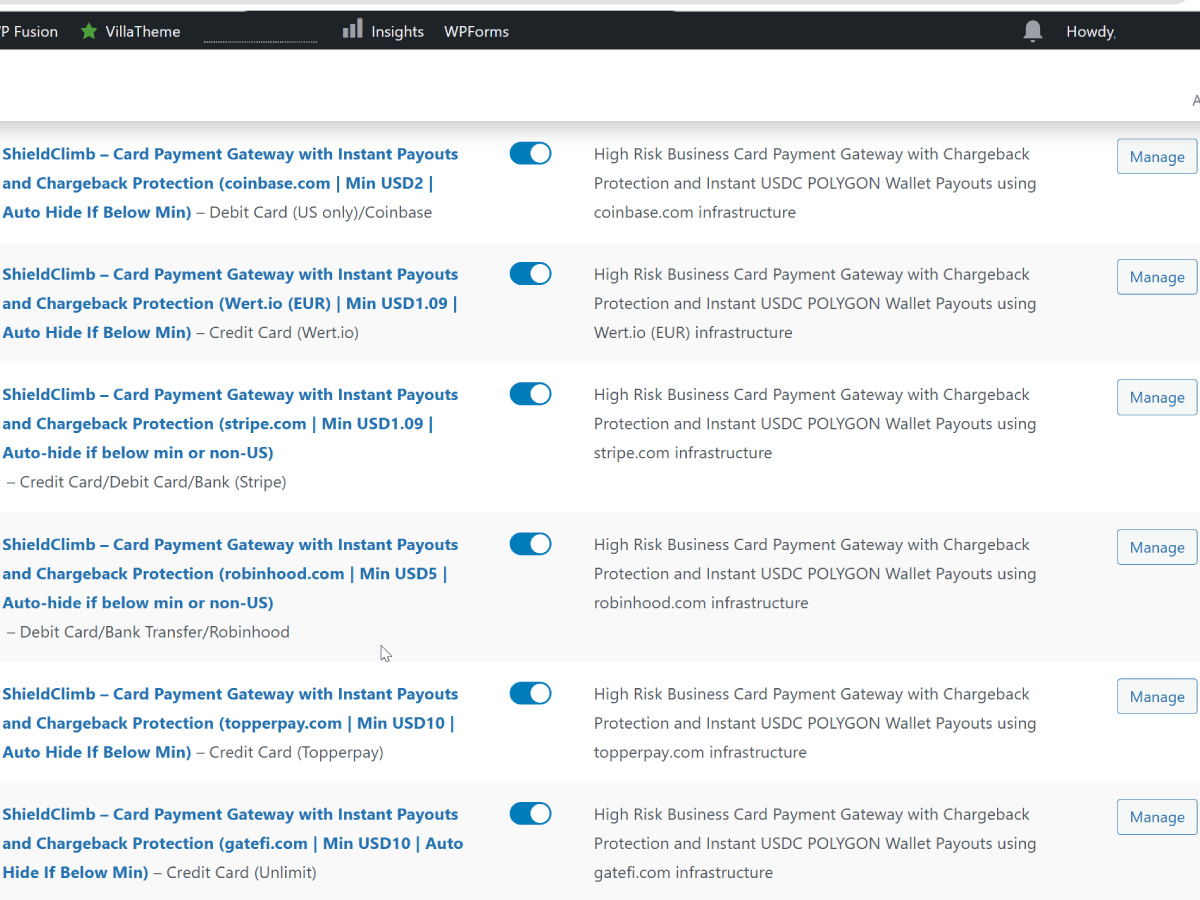
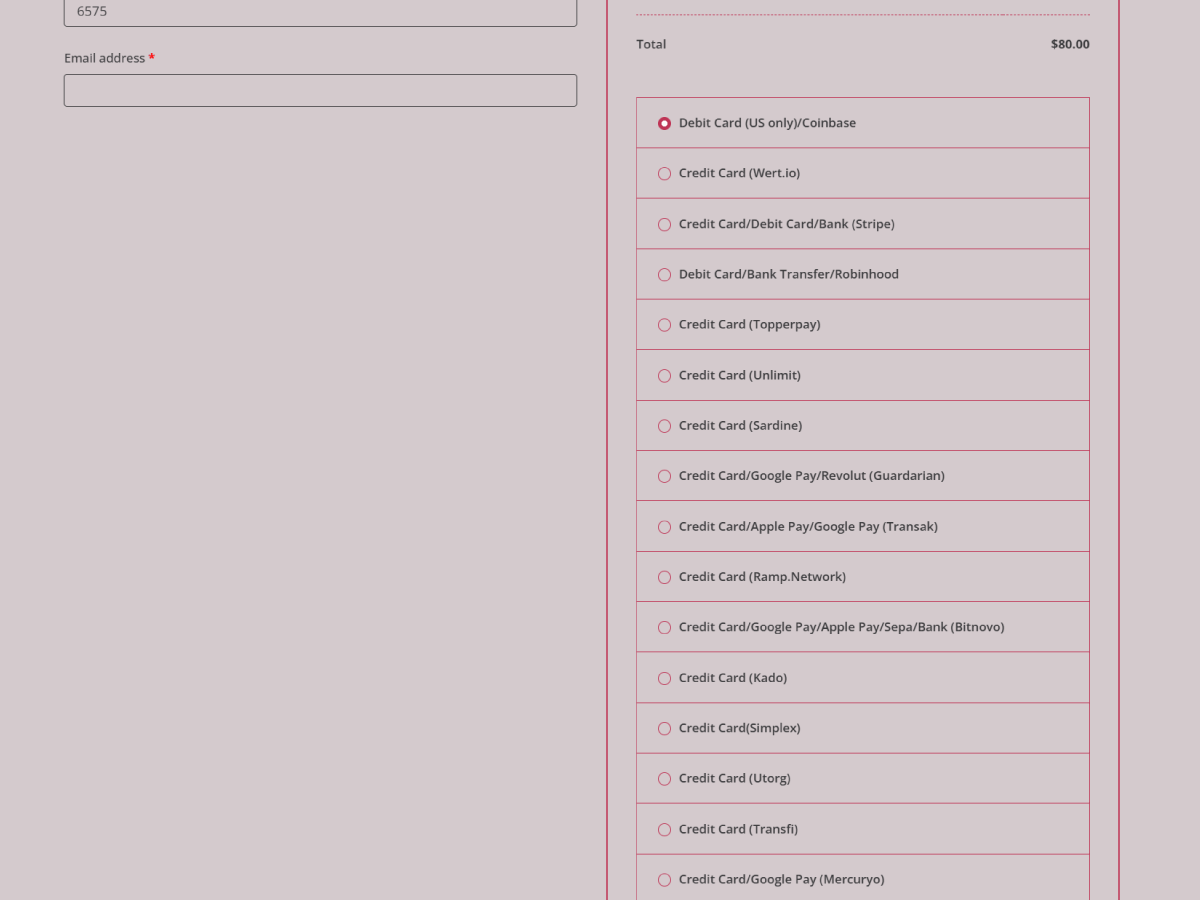
- Bug Fixed and Re-added: Hosted checkout with multiple providers
- Updated: Payment providers list
- Fixed: Bug
- Updated: Tested up to WordPress 6.9 & WooCommerce 10.3.6
- New: New providers including UPI/IMPS for India (INR), Interac for Canada (CAD), Binance, Moonpay and more
- New: Added Hosted checkout with multiple providers on one page, automatic customer location detection for higher conversions and page customization option
- New: Added Custom payment provider option
- Improved: Checkout on your own domain
- Improved: Updated minimum amount for some providers
- Fixed: USD bug for some providers
- Updated: Tested up to WooCommerce 10.2.2
- Updated: Payment providers list
- Updated: Tested up to WooCommerce 9.9.5
- Updated: Payment providers list
- Updated: Tested up to WooCommerce 9.9.3
- Fixed: Adjusted the payment gateway title to display correctly in WooCommerce settings after changes introduced in WooCommerce 9.9.3
- Updated: Payment providers list
- Updated: Readme file to include tutorial video link.
- Updated: Tested up to WordPress 6.8 and WooCommerce 9.8.1
- Improved: Code organization and optimization.
- Updated: Heading format corrections.
- Fixed: Payment options not appearing on the "Pay for Order" page.
- Automatically hide Stripe and Robinhood payment methods if the buyer is not from the US, as these options only support the US region.
- Added auto-hide feature for payment providers based on region and minimum balance.
- Initial release with USDC payouts, chargeback protection, and automatic order processing.
We welcome contributions! If you'd like to improve this plugin, feel free to submit a pull request.
- GitHub Repository – Submit issues or PRs.
- Support Forum – Get help with setup or troubleshooting.
- Documentation – Read detailed guides.
Released under GPLv3. See LICENSE for details.
- ShieldClimb High-Risk Card Payment Gateway – Learn more about our secure card processing.
- Fix WooCommerce No Payment Methods Available Error – Troubleshooting guide.
- Guide to Fix Payout Wallet Address Errors – Troubleshooting guide.
- ShieldClimb Terms of Service – Read our service policies.
- Privacy Policy – How we handle user data.
- Crypto Payment Gateway – Secure and seamless crypto payment gateway for fast, global transactions with low fees.
- ShieldClimb Free Woocommerce Plugins – Explore more free plugins.
