Activation Guide ‐ Desktop
-
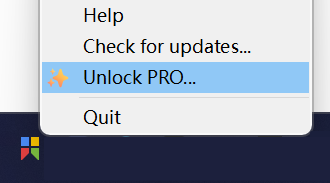
Right click the tray icon of Snipaste and choose "Unlock PRO...":
-
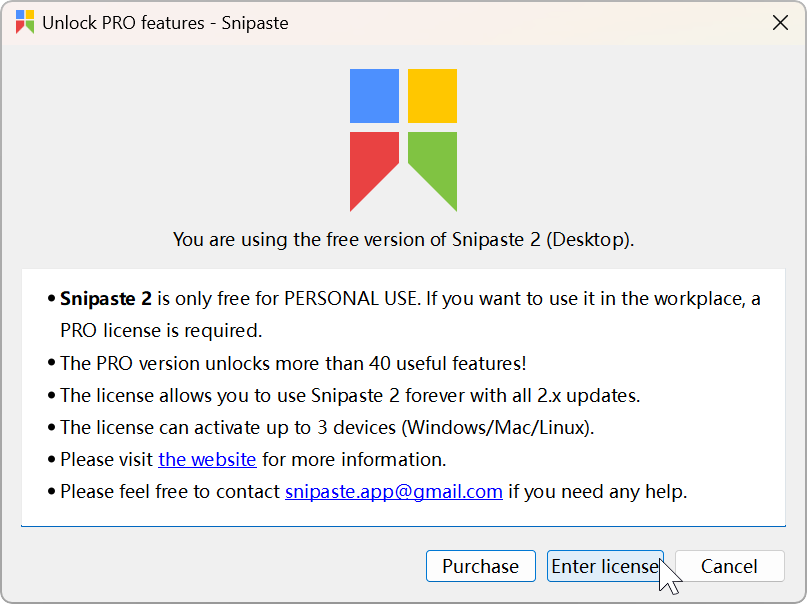
Click "Enter license" in the pop-up window:
Can't find the "Enter license" button? You're likely using the Microsoft Store version. Please refer to Activation Guide - Microsoft Store.
-
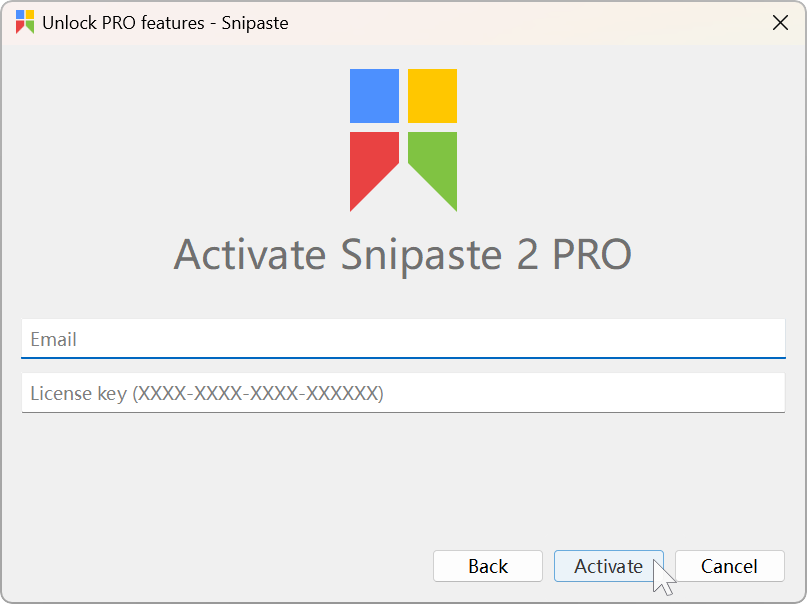
Enter your email and license key and click "Activate":
If your code looks like 'XXXXX-XXXXX-XXXXX-XXXXX-XXXXX', it belongs to a Microsoft Store redemption code. Please refer to Activation Guide - Microsoft Store.
-
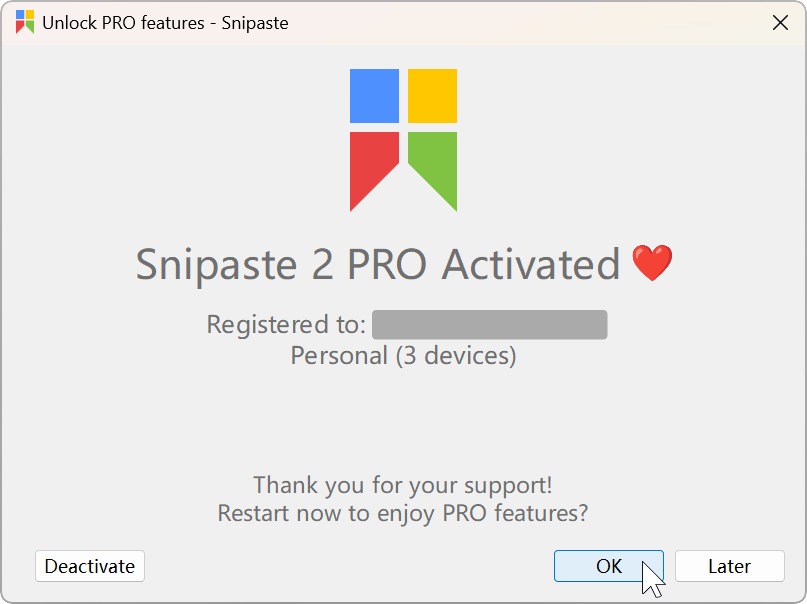
Click "OK":
-
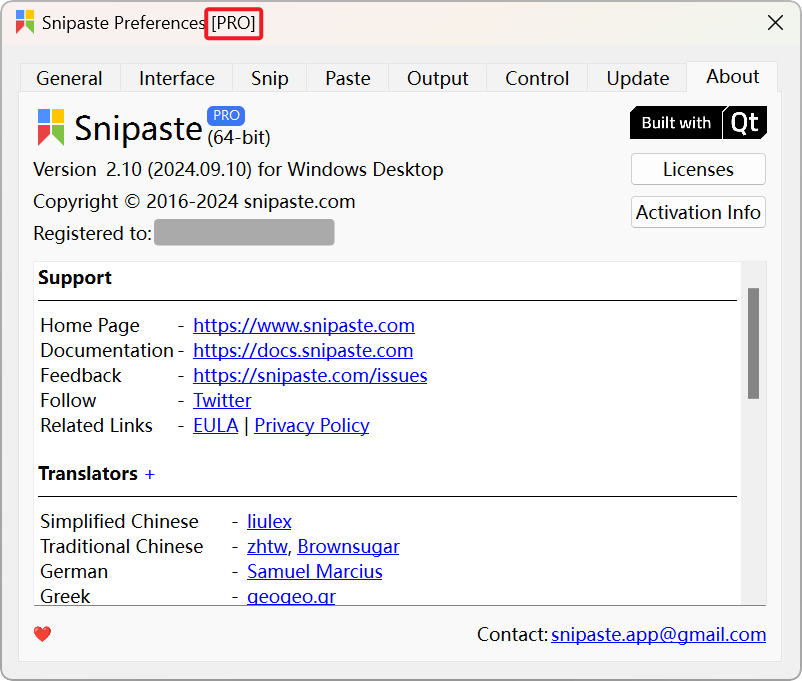
Open the Preferences dialog and check if it is recognized as the Pro version:
If it remains as the free version, it's because Snipaste is unable to store the license file:
- On Windows, if Snipaste is installed in
C:\Program FilesorC:\Program Files (x86), administrator privileges are typically required to write files. Please move Snipaste to another directory, such asD:\Snipaste. - On macOS/Linux, please check the permissions of the
~/.snipastedirectory.
- On Windows, if Snipaste is installed in
- To deactivate your current device: "Preferences" - "About" - "Activation Info" - "Deactivate"
- Reinstalling your OS might alter your device code. Remember to deactivate prior to any system reinstallation.
- Devices that have been online activated will be automatically deactivated if they haven't been online for more than one week.
- To activate without network: "Unlock PRO..." - "Enter License" - "Offline Activation" - fill in your offline activation code