




A complete local development environment for Apache Polaris with RustFS S3-compatible storage running on k3s Kubernetes.
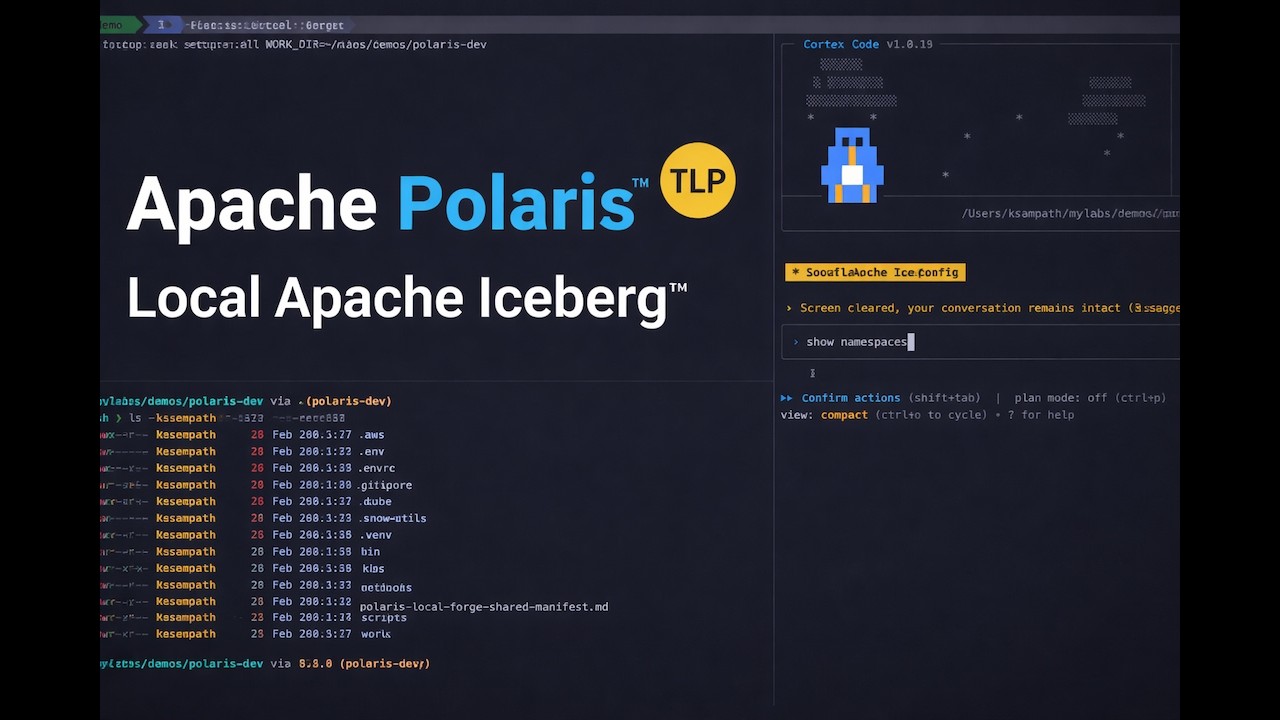
Why polaris-local-forge?
- Quickly try Apache Iceberg — Get hands-on with Iceberg tables via Apache Polaris in minutes
- Production blueprint — K8s manifests and Helm patterns transfer directly to real clusters
- Rinse-repeat PoC cycles — Isolated
WORK_DIRenvironments for easy setup/teardown/reset - K8s over Compose — Production parity without "works locally, breaks in K8s" surprises
flowchart TB
    subgraph k3d_cluster [k3d Cluster]
        Polaris[Apache Polaris<br/>REST Catalog]
        PostgreSQL[(PostgreSQL<br/>Metastore)]
        RustFS[RustFS<br/>S3 Storage]
    end

    Client[DuckDB / PyIceberg / Cortex Code]

    Client -->|"Iceberg REST API<br/>:18181"| Polaris
    Polaris --> PostgreSQL
    Polaris -->|"S3 API<br/>:19000"| RustFS
Note
Windows users: Use WSL2 with Ubuntu. All commands below work in WSL2.
| Tool | macOS | Linux | Docs |
|---|---|---|---|
| Podman (default) | brew install podman |
sudo dnf install podman or sudo apt install podman |
podman.io |
| Docker (alternative) | Docker Desktop | Docker Engine | docs.docker.com |
| k3d | brew install k3d |
curl -s https://raw.githubusercontent.com/k3d-io/k3d/main/install.sh | bash |
k3d.io |
| Python | brew install python@3.12 |
sudo apt install python3.12 |
python.org |
| uv | curl -LsSf https://astral.sh/uv/install.sh | sh |
Same | docs.astral.sh/uv |
| Task | brew install go-task |
sh -c "$(curl --location https://taskfile.dev/install.sh)" -- -d |
taskfile.dev |
| Tool | Purpose | Install |
|---|---|---|
| DuckDB CLI | SQL verification | brew install duckdb (macOS) or duckdb.org |
| direnv | Auto-load env vars | brew install direnv (macOS) or direnv.net |
# Quick health check
task doctor

# Or manually verify
podman --version  # or: docker --version
k3d version
python3 --version
uv --version
task --versionChoose your path:
git clone https://github.com/Snowflake-Labs/polaris-local-forge
cd polaris-local-forge
task setup:python

# Recommended: Use a separate work directory to keep source clean
mkdir -p ~/polaris-dev && task setup:all WORK_DIR=~/polaris-dev
Note
- Podman: Auto-detected and started via
doctor --fix. - Docker: Start Docker Desktop first.
Snowflake Cortex Code automates setup through natural language.
cortex skill add https://github.com/Snowflake-Labs/polaris-local-forgeThen just say:
| Say this... | What happens |
|---|---|
| "get started with apache polaris" | Full guided setup with cluster, storage, and catalog |
(OR)
Simply with cortex say ( will install skill and run the workflow):
get started with apache polaris using example manifest "https://github.com/Snowflake-Labs/polaris-local-forge/blob/main/example-manifests/polaris-local-forge-manifest.md"See SKILL_README.md for complete trigger list and API query examples.
After setup, services are available at:
| Service | URL | Credentials |
|---|---|---|
| Apache Polaris API | http://localhost:18181 | See k8s/polaris/.bootstrap-credentials.env |
| RustFS S3 | http://localhost:19000 | admin / password |
| RustFS Console | http://localhost:19001 | admin / password |
# Check status
task status

# Verify with DuckDB SQL
plforge catalog:verify:sql

# Or use interactive DuckDB
plforge catalog:explore:sql

# Or run the Jupyter notebook
jupyter notebook notebooks/verify_polaris.ipynbWarning
L2C is experimental. The migration workflow and Iceberg metadata rewriting approach are being validated with Apache Iceberg experts. APIs and behavior may change.
Migrate your local Polaris Iceberg tables to AWS S3 and register them as Snowflake External Iceberg Tables -- queryable in Snowflake with zero data duplication effort.
flowchart LR
    subgraph local [Local]
        Polaris["Polaris + RustFS<br/>(k3d cluster)"]
    end
    subgraph aws [AWS]
        S3["S3 Bucket"]
    end
    subgraph sf [Snowflake]
        Iceberg["External Iceberg<br/>Tables"]
    end
    Polaris -->|"plf l2c sync"| S3
    S3 -->|"plf l2c register"| Iceberg
| Requirement | Verify |
|---|---|
| Local Polaris running | task status |
| AWS CLI + profile configured | aws sts get-caller-identity |
| Snowflake CLI configured | snow connection test |
# Preview the full migration plan
plforge l2c:migrate --dry-run

# Execute: setup AWS/Snowflake infra, sync data, register tables
plforge l2c:migrate --yes

# Verify in Snowflake
snow sql -q "SELECT * FROM <DATABASE>.L2C.<TABLE> LIMIT 10;" --role <SA_ROLE>For a guided, interactive experience, use the enhanced L2C workbook:
# Open the L2C workbook in Jupyter
jupyter notebook user-project/notebooks/l2c_workbook.ipynb
The workbook provides:
Core Features:
- Step-by-step migration guidance with detailed explanations
- Interactive data exploration and verification across local/cloud
- Built-in utility functions for common L2C operations
- Visual comparisons between local Polaris and Snowflake data
- AWS credential isolation handling for seamless cloud operations
Workflow Sections:
- Local Inventory - Discover tables available for migration
- Initial Migration - Setup AWS/Snowflake infrastructure and sync data
- Migration Status - Monitor sync and registration progress
- Sync Verification - Compare local RustFS vs AWS S3 object counts
- Query from Snowflake - Verify data accessibility in Snowflake
- Incremental Update Demo - Demonstrate zero-downtime data updates
- Reset and Reload - Clean slate for iterative development
Utility Functions:
rustfs_env()- Context manager for AWS credential isolationsetup_duckdb_polaris_connection()- DuckDB connection with Polaris RESTget_table_count_via_duckdb()- Query table row countscreate_snowflake_connection()- Snowflake connection managementscrubbed_aws_env()- Clean AWS environment for cloud operationscount_objects()- S3 object counting for sync verification
| Command | Description |
|---|---|
plforge l2c:inventory |
List tables in local Polaris catalog |
plforge l2c:setup |
Provision AWS + Snowflake infrastructure |
plforge l2c:setup:aws |
Create S3 bucket + IAM role/policy |
plforge l2c:setup:snowflake |
Create external volume, catalog integration, SA_ROLE, DB/Schema |
plforge l2c:sync |
Copy Iceberg data from local RustFS to AWS S3 (smart sync) |
plforge l2c:register |
Register synced tables as Snowflake External Iceberg Tables |
plforge l2c:refresh |
Update registered tables to latest metadata (zero-downtime) |
plforge l2c:update |
Combined: sync + refresh + register (for incremental updates) |
plforge l2c:migrate |
Full pipeline: setup + sync + register |
plforge l2c:status |
Show migration state (AWS, Snowflake, per-table status) |
plforge l2c:clear |
Remove migrated data, keep infrastructure (for iteration) |
plforge l2c:cleanup |
Full teardown of all L2C infrastructure and data |
Tip: Use
plforge l2c:<name> --summaryfor detailed help on any L2C task.
L2C includes advanced features for efficient data migration:
Smart Sync: Only transfers new or changed files by comparing keys and sizes between local RustFS and AWS S3. Includes snapshot-aware fallback to detect table changes that key+size comparison might miss.
Zero-Downtime Refresh: After local data changes, use plforge l2c:refresh to update Snowflake table metadata pointers without dropping tables, ensuring continuous availability for applications.
After mutating data locally (adding rows, changing schema), push changes to Snowflake with zero downtime:
plforge l2c:update --force --yesThis syncs the delta to S3, refreshes the metadata pointer in Snowflake, and registers any new tables.
Development Iteration Loop:
# 1. Make changes to local data
plforge catalog:query SQL="INSERT INTO polaris_catalog.wildlife.penguins VALUES (...)"

# 2. Sync changes to S3 and refresh Snowflake
plforge l2c:update --force --yes

# 3. Verify in Snowflake
snow sql -q "SELECT COUNT(*) FROM <TABLE>;"
Reset and Re-demo:
# Clear migrated data but keep infrastructure
plforge l2c:clear --yes

# Re-run migration with fresh data
plforge l2c:sync --yes
plforge l2c:register --yes
Status Monitoring:
# Check overall migration state
plforge l2c:status

# List available tables for migration
plforge l2c:inventory
For full design details, see docs/cli-design.md.
The CLI auto-detects the container runtime during init based on what's actually running:
flowchart TD
    Start[init command] --> CheckDockerRunning{Docker Desktop<br/>running?}
    CheckDockerRunning -->|Yes| UseDocker[Use Docker]
    CheckDockerRunning -->|No| CheckPodmanRunning{Podman machine<br/>running?}
    CheckPodmanRunning -->|Yes| UsePodman[Use Podman]
    CheckPodmanRunning -->|No| CheckInstalled{What's installed?}
    CheckInstalled -->|Both| PromptUser[Prompt user<br/>to choose]
    CheckInstalled -->|Podman only| UsePodmanInstalled[Use Podman<br/>doctor --fix starts it]
    CheckInstalled -->|Docker only| UseDockerInstalled[Use Docker<br/>start manually]
    CheckInstalled -->|Neither| Fail[Fail with error]
    PromptUser --> UserChoice{User choice}
    UserChoice -->|1| UseDockerInstalled
    UserChoice -->|2| UsePodmanInstalled
Detection priority:
- Running runtime preferred over just installed
- Docker preferred when both are running
- User prompted when both installed but neither running
Override auto-detection by setting PLF_CONTAINER_RUNTIME=docker or PLF_CONTAINER_RUNTIME=podman in .env.
Tip
First-time Podman users: See docs/podman-setup.md for machine setup, cgroup configuration, and network creation.
All operations are available via Task commands:
| Command | Description |
|---|---|
task podman:setup |
Full Podman setup (machine + cgroup + network + verify) |
task podman:setup:machine |
macOS: create dedicated k3d Podman machine (4 CPUs / 16GB) |
task podman:setup:cgroup |
Configure cgroup v2 delegation for rootless k3d |
task podman:setup:network |
Create DNS-enabled k3d network |
task podman:check |
Verify Podman machine is ready with sufficient resources |
| Command | Description |
|---|---|
task setup:all WORK_DIR=/path |
Complete setup with manifest tracking (recommended) |
task setup:all |
Complete setup in current directory |
task setup:replay WORK_DIR=/path |
Resume/replay from manifest |
task teardown |
Teardown with confirmation prompt |
task teardown -- all |
Teardown + clean local directory |
task reset:all |
Teardown and setup fresh |
Tip: Use
task <name> --summaryfor detailed help on any task, including available variables and examples.
| Command | Description |
|---|---|
task doctor |
Check system prerequisites and health |
task doctor:json |
Prerequisites check with JSON output |
task status |
Show cluster and Apache Polaris status |
task status:detailed |
Detailed kubectl output |
task config |
Show current configuration |
task urls |
Display service URLs |
| Command | Description |
|---|---|
plforge cluster:create |
Create k3d cluster |
plforge cluster:delete |
Delete cluster |
plforge cluster:bootstrap-check |
Wait for bootstrap deployments |
plforge cluster:polaris-check |
Wait for Apache Polaris deployment |
plforge cluster:reset |
Delete and recreate cluster |
| Command | Description |
|---|---|
plforge polaris:deploy |
Deploy Apache Polaris to cluster |
plforge polaris:check |
Verify Apache Polaris deployment |
plforge polaris:reset |
Purge and re-bootstrap Apache Polaris |
plforge polaris:purge |
Purge Apache Polaris data |
plforge polaris:bootstrap |
Bootstrap Apache Polaris |
| Command | Description |
|---|---|
plforge catalog:setup |
Setup demo catalog |
plforge catalog:cleanup |
Cleanup catalog resources |
plforge catalog:reset |
Cleanup and recreate catalog |
plforge catalog:list |
List catalogs |
plforge catalog:verify:sql |
Verify with hybrid PyIceberg + DuckDB (fixes metadata staleness) |
plforge catalog:query SQL="..." |
Execute read-only SQL query (no inserts) |
plforge catalog:explore:sql |
Explore with DuckDB (interactive) |
plforge catalog:verify:duckdb |
Verify with Python DuckDB |
plforge catalog:generate-notebook |
Generate verification notebook |
plforge catalog:info |
Show catalog configuration |
| Command | Description |
|---|---|
task bump:polaris |
Update Apache Polaris to latest Docker Hub version |
task bump:polaris:dry-run |
Preview Apache Polaris version update |
task bump:k3s |
Update K3S to latest Docker Hub version |
task bump:k3s:dry-run |
Preview K3S version update |
| Command | Description |
|---|---|
task logs:polaris |
Stream Apache Polaris logs |
task logs:postgresql |
Stream PostgreSQL logs |
task logs:rustfs |
Stream RustFS logs |
task logs:bootstrap |
View bootstrap job logs |
task logs:purge |
View purge job logs |
task troubleshoot:polaris |
Diagnose Apache Polaris issues |
task troubleshoot:postgresql |
Check PostgreSQL connectivity |
task troubleshoot:rustfs |
Verify RustFS connectivity |
task troubleshoot:events |
Show recent events |
The Task workflow tracks progress using a manifest file at .snow-utils/snow-utils-manifest.md. This enables:
- Progress tracking: Each resource (k3d cluster, RustFS, PostgreSQL, Polaris, Catalog, Principal, Demo data) is marked PENDING → DONE
- Resume/replay: If setup is interrupted, use
task setup:replayto continue from where you left off - Cross-workflow compatibility: The same manifest is used by Cortex Code (AI-assisted) workflows
| Status | Meaning |
|---|---|
PENDING |
Initial state, setup not started |
IN_PROGRESS |
Setup in progress |
COMPLETE |
All resources created successfully |
REMOVED |
Teardown completed, ready for replay |
# Fresh setup with manifest tracking
task setup:all WORK_DIR=~/polaris-dev

# Resume interrupted setup
task setup:replay WORK_DIR=~/polaris-dev

# Teardown (prompts for confirmation)
task teardown WORK_DIR=~/polaris-dev

# Teardown with full directory cleanup
task teardown WORK_DIR=~/polaris-dev -- all

# After teardown, replay from existing config
task setup:replay WORK_DIR=~/polaris-devFor detailed help on any task, including available variables and options:
task setup:all --summary
task teardown --summary
task prepare --summaryThe polaris-local-forge CLI provides programmatic control with JSON output support:
uv run polaris-local-forge --help| Command | Description |
|---|---|
polaris-local-forge init |
Initialize project directory with .env and configuration |
polaris-local-forge init --runtime docker|podman |
Initialize with explicit runtime (skips interactive prompt) |
polaris-local-forge doctor |
Check system prerequisites and health |
polaris-local-forge doctor --fix |
Auto-fix issues (create/start Podman machine, kill gvproxy) |
polaris-local-forge doctor --output json |
Prerequisites as JSON (for automation/skills) |
polaris-local-forge prepare |
Generate configuration files from templates |
polaris-local-forge teardown --yes |
Execute teardown (stops Podman by default on macOS) |
polaris-local-forge cluster create |
Create k3d cluster |
polaris-local-forge cluster delete --yes |
Delete cluster |
polaris-local-forge cluster status |
Cluster status |
polaris-local-forge cluster status --output json |
Cluster status as JSON |
polaris-local-forge polaris deploy |
Deploy Apache Polaris to cluster |
polaris-local-forge polaris bootstrap |
Run Apache Polaris bootstrap job |
polaris-local-forge polaris purge |
Delete Apache Polaris deployment |
polaris-local-forge catalog setup |
Configure Apache Polaris catalog |
polaris-local-forge catalog cleanup --yes |
Clean up catalog resources |
polaris-local-forge catalog verify-sql |
Run DuckDB verification (loads + inserts data) |
polaris-local-forge catalog query --sql "..." |
Execute read-only SQL query (no inserts) |
polaris-local-forge runtime detect |
Detect and display container runtime |
polaris-local-forge runtime detect --json |
Detection result as JSON (for agents) |
polaris-local-forge runtime docker-host |
Output DOCKER_HOST for current runtime |
All destructive commands support --dry-run to preview and --yes to skip confirmation.
📖 See Flag Usage Patterns for detailed guidance on when to use --force and --yes.
Configuration is managed via .env file. Copy the example and customize:
cp .env.example .envKey settings:
| Variable | Default | Description |
|---|---|---|
PLF_CONTAINER_RUNTIME |
(auto-detect) | podman or docker; auto-detected during init based on what's running |
PLF_PODMAN_MACHINE |
k3d |
Podman machine name (macOS only) |
K3D_CLUSTER_NAME |
polaris-local-forge |
Cluster name |
K3S_VERSION |
v1.31.5-k3s1 |
K3S version |
AWS_ENDPOINT_URL |
http://localhost:19000 |
RustFS S3 endpoint |
POLARIS_URL |
http://localhost:18181 |
Apache Polaris API endpoint |
Note
PLF_CONTAINER_RUNTIME is auto-detected during init. It prefers running runtimes over installed ones.
Set it manually in .env only to override auto-detection.
View current configuration:
task config
# or
uv run polaris-local-forge configtask status # Check deployment status
task troubleshoot:events # View recent events
task logs:polaris # Stream Apache Polaris logsWarning
Apache Polaris pod stuck in ContainerCreating
kubectl get events -n polaris --sort-by='.lastTimestamp'
plforge polaris:deploy  # Re-apply deployment
Warning
RustFS not accessible
kubectl get pods -n rustfs
task troubleshoot:rustfs
Warning
Bootstrap job fails
task logs:bootstrap
plforge polaris:reset  # Reset Apache Polaris
Caution
Port 19000 blocked by gvproxy (Podman)
When using Podman, the gvproxy network proxy may occupy port 19000 (needed by RustFS).
This happens when a previous Podman machine session didn't clean up properly.
# Option 1: Let doctor fix it (recommended)
task doctor -- --fix

# Option 2: Stop the Podman machine
podman machine stop k3d

# Option 3: Switch to Docker
# Edit .env and set PLF_CONTAINER_RUNTIME=dockerkubectl get all -n polaris
kubectl get all -n rustfs
kubectl logs -f -n polaris deployment/polaris
kubectl describe pod -n polaris -l app=polaris# Cleanup catalog only (keep cluster)
plforge catalog:cleanup
# Reset catalog (cleanup + setup)
plforge catalog:reset
# Complete teardown (prompts to stop Podman machine on macOS)
task teardown WORK_DIR=~/polaris-dev
# Or just delete cluster (prompts to stop Podman machine on macOS)
task clean:all
# Delete cluster and stop Podman machine without prompts
polaris-local-forge cluster delete --yes --stop-podmanFor development and testing without polluting the source tree, use isolated test environments:
# Create an isolated test environment in /tmp
task test:isolated

# This creates /tmp/plf-test-<pid>/ with:
# - Symlinked Taskfile.yml pointing to source
# - Fresh .env with auto-detected runtime
# - Isolated .kube/, k8s/, work/ directories

# Run full setup in the isolated environment
cd /tmp/plf-test-*
task setup:all

# Clean up all isolated test folders
task test:isolated:clean

# List existing test folders
task test:isolated:list
The isolated environment protects the source directory from accidental initialization. Commands like init, doctor, prepare, and cluster create will refuse to run in the source directory without --work-dir.
Issue: DuckDB v1.4.4 has a UUID generation bug during INSERT/UPDATE/DELETE operations on Iceberg tables.
- Problem: DuckDB generates new table UUIDs during mutations, violating the Iceberg specification
- Impact: Causes metadata staleness when syncing to Snowflake via L2C migration
- Tracking: duckdb/duckdb-python#356
- Workaround: Use PyIceberg for data loading, DuckDB for read-only analysis only
Issue: PyIceberg versions > 0.10.0 have REST API compatibility issues with Polaris.
- Problem: PyIceberg 0.11.0+ validation errors: 'PUT' is not a valid HttpMethod
- Impact: Cannot connect to Polaris REST API for table operations
- Workaround: Pin to PyIceberg 0.10.0 in
user-project/pyproject.toml - Resolution: Upgrade when Polaris server compatibility is resolved
Recommendation: Use the hybrid approach implemented in this project:
- Data Loading: PyIceberg (
scripts/pyiceberg_data_loader.py) for proper metadata handling - Data Analysis: DuckDB (
scripts/analyze_catalog.sql) for read-only queries and verification - L2C Migration: Works correctly with PyIceberg-loaded data
- Apache Polaris - Iceberg REST Catalog
- Apache Iceberg - Open table format
- RustFS - S3-compatible object storage
- k3d - k3s in Docker
- PyIceberg - Python Iceberg library
- DuckDB - In-process SQL database
Thanks to the contributors and reviewers who provided feedback, testing, and ideas that helped shape this project.
Copyright (c) Snowflake Inc. All rights reserved. Licensed under the Apache 2.0 license.
Contributions welcome! Please submit a Pull Request.