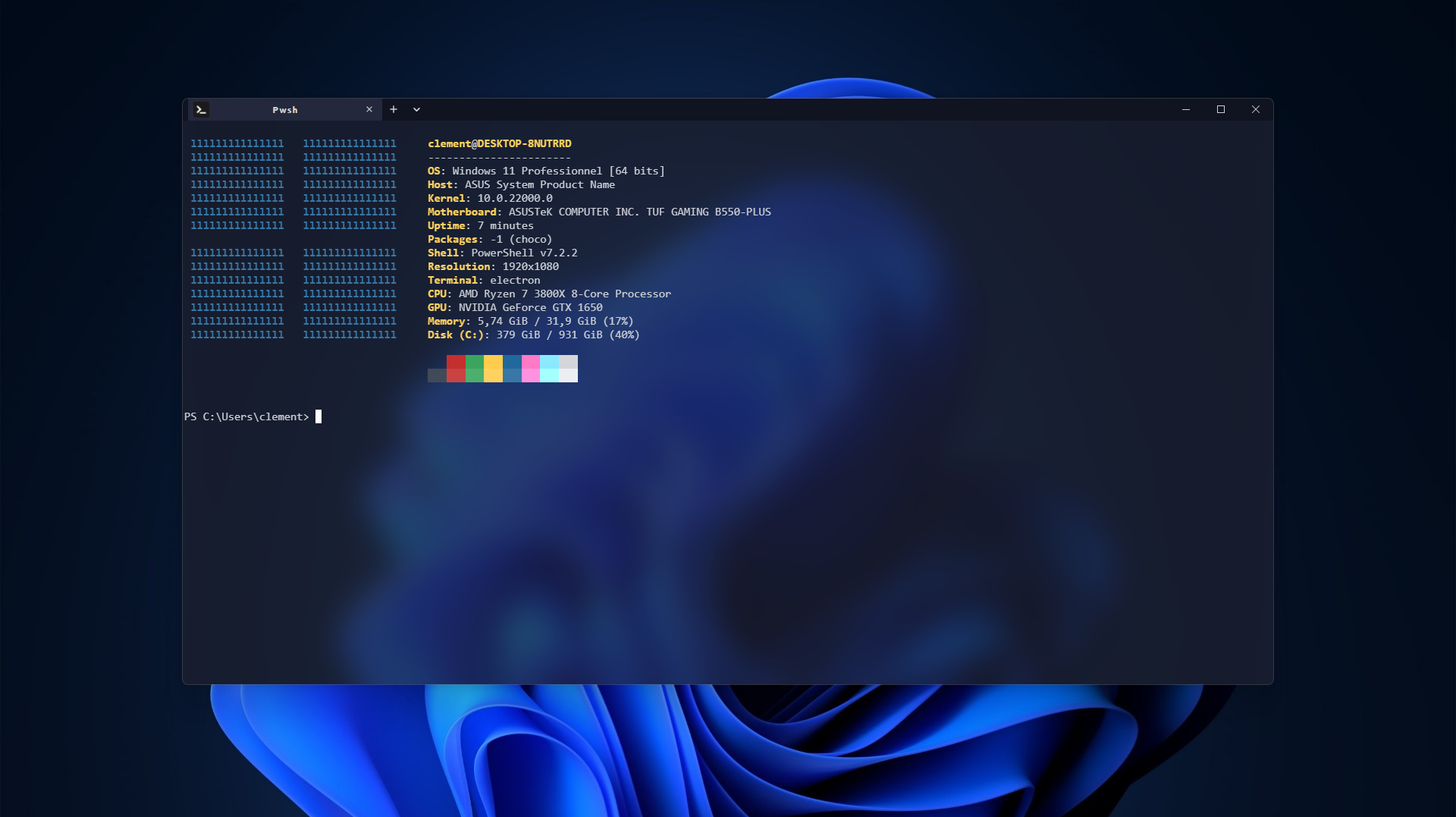
Tess was mainly built in order to offer you a new, intuitive, fully customizable, and blazing fast terminal app by using the power of web technologies.
Why not give it a try? We've worked on this for more than 2 years, and we've been relied on by thousands of users.
Tess is currently officially tested on Windows and Linux, but it should also work on other platforms. If you do not have access to Tess yet, open an issue, and we'll try to provide you with the best cross-platform experience by creating new packages or helping you install Tess manually.
- An OS with
x86architecture webkit2gtkandgtk3installed
We provide packages for most major distributions; simply select the one that matches your distro and install it.
If you prefer using apt over downloading and installing the deb archive, you could set up the PPA and download Tess using the following commands.
apt install curl apt-transport-https gnupg2

curl -s https://apt.tessapp.dev/key.gpg | gpg --dearmor | tee /usr/share/keyrings/tess.gpg > /dev/null

echo 'deb [signed-by=/usr/share/keyrings/tess.gpg] https://apt.tessapp.dev stable main' >> /etc/apt/sources.list.d/tess-packages.list

apt update && apt install tessOn Arch Linux, the recommended way to install Tess is to use an AUR package manager like yay
yay -S tess-gitIf you are on RHEL-derived distros, you may also want to add our RPM repository to install Tess and receive updates automatically with your package manager.
yum install curl

curl https://rpm.tessapp.dev/tess.repo > /etc/yum.repos.d/tess.repo

yum check-update && yum install tessWindows 10 64-bitor later
Simply download and execute the installer, available on the releases page.
If you are running Windows 10 1709 (build 16299) or later, you could download Winget. It may also already be installed on your system.
Next, execute the following command.
winget install Squitch.TessFirst, download Chocolatey.
Next, you can run the following command.
choco install tessYou can also find the package here.
Want to contribute to Tess? Find something to improve and help us with this project.
- You've found a mistake in documentation, sources, or the wiki; let us know by opening an issue.
- You've got an amazing feature idea; simply post your suggestion by creating an issue too.
- You want to help us close an issue, implement a feature, or do something else related to code, follow the guide below.
Please, search for a similar issue before creating a new one.
First and foremost, you need to ensure that you have installed the necessary tools:
- Rust & Cargo
- Node.js
- Tauri CLI
cargo install tauri-cli
Start by downloading the source code.
git clone -b dev https://github.com/Squitch1/TessNext, set up the project. This will install required dependencies and set up the Git hooks.
npm iFinally, test your setup by running this command. If everything was done correctly, it should launch Tess.
cargo tauri devImportant notice:
- As Tess is cross-platform, when you implement a new feature, try to make it available everywhere. If, despite all your efforts, you are unable to make it cross-platform, let us know the supported platforms when submitting your changes.
- If you update the code, explain why you think this change is important and what you've done.
- Ensure that
cargo fmtandeslintdo not emit any errors or warnings. The pre-commit hook will also prevent committing malformed code, and your PR will be refused if the linter complains.
Simply open a pull request to submit your changes.
As long as Tess is in beta, many bugs may occur, and some of them have not yet been fixed.
Many features are not yet available; here's a quick recap of the major features that we'll integrate into Tess.
| Features | Electron | Tauri |
|---|---|---|
| Translation | ❌ | ⌛ |
| Tabs | ✔️ | ✔️ |
| Move tabs between windows | ❌ | ⌛ |
| Administrator tabs | ❌ | ⌛ |
| Tabs split | ❌ | ✔️ |
| Command line interface | ✔️ | ⌛ |
| Notifications | ❌ | 🟠 |
| Macros | ❌ | ✔️ |
| Plugins | 🟠 | ⌛ |
| Themes | 🟠 | 🟠 |
| Config page | ✔️ | ⌛ |
| Config watching | 🟠 | ⌛ |
| Image display | ❌ | ⌛ |
| Font ligatures | 🟠 | ⌛ |
| Animated background | ❌ | ✔️ |
| URI scheme API | ❌ | ⌛ |
| Search in a shell | ❌ | ⌛ |
| Marketplace | ❌ | ⌛ |
❌ Not available
🟠 Partially integrated
⌛ Planned / In progress
✔️ Integrated