Skip to content

Fix screenshot sizes#3061

Closed
gzotti wants to merge 3 commits into
masterfrom
fix/screenshot-size
Closed

Fix screenshot sizes#3061
gzotti wants to merge 3 commits into
masterfrom
fix/screenshot-size

Conversation

@gzotti
Copy link
Copy Markdown
Member

@gzotti gzotti commented Feb 15, 2023

Description

This is an attempt to fix a scaling issue where scaling was never expected: screenshots.

  • A regular screenshot of the full-size screen shall have as many pixels as the screen, or less if screen scaling is set in the OS. In this case the image will have less pixels.
  • A screenshot of a window smaller than screen size is expected to have just as many pixels as the window.
  • A screenshot with custom size has just that: a user-configured pixel count. Whatever screen scaling is set in the OS should not matter.
  • There are technical limits to screenshot sizes. Setting hardware maximum and then multiply by a scale factor is an obvious bug.

Please explain why fiddling with a scaling factor here was important in the first place.

For a first test, I have trivially set the pixelScale for screenshots to 1. Of course, remove code before merge.

Fixes #2926 (issue)

Screenshots (if appropriate):

Type of change

  • Bug fix (non-breaking change which fixes an issue)
  • New feature (non-breaking change which adds functionality)
  • Breaking change (fix or feature that would cause existing functionality to change)
  • This change requires a documentation update

How Has This Been Tested?

Test Configuration:

  • Operating system: Windows 11
  • Graphics Card: (Geforce)

Checklist:

  • My code follows the code style of this project.
  • I have performed a self-review of my own code
  • I have commented my code, particularly in hard-to-understand areas
  • I have made corresponding changes to the documentation (header file)
  • I have updated the respective chapter in the Stellarium User Guide
  • My changes generate no new warnings
  • I have added tests that prove my fix is effective or that my feature works
  • New and existing unit tests pass locally with my changes
  • Any dependent changes have been merged and published in downstream modules

@gzotti gzotti added enhancement Improve existing functionality importance: medium A bit annoying, minor miscalculation, but no crash labels Feb 15, 2023
@gzotti gzotti added this to the 23.1 milestone Feb 15, 2023
@gzotti gzotti self-assigned this Feb 15, 2023
@github-actions github-actions Bot requested review from 10110111 and alex-w February 15, 2023 00:47
@github-actions
Copy link
Copy Markdown

Great PR! Please pay attention to the following items before merging:

Files matching src/**/*.cpp:

  • Are possibly unused includes removed?

This is an automatically generated QA checklist based on modified files.

@10110111
Copy link
Copy Markdown
Contributor

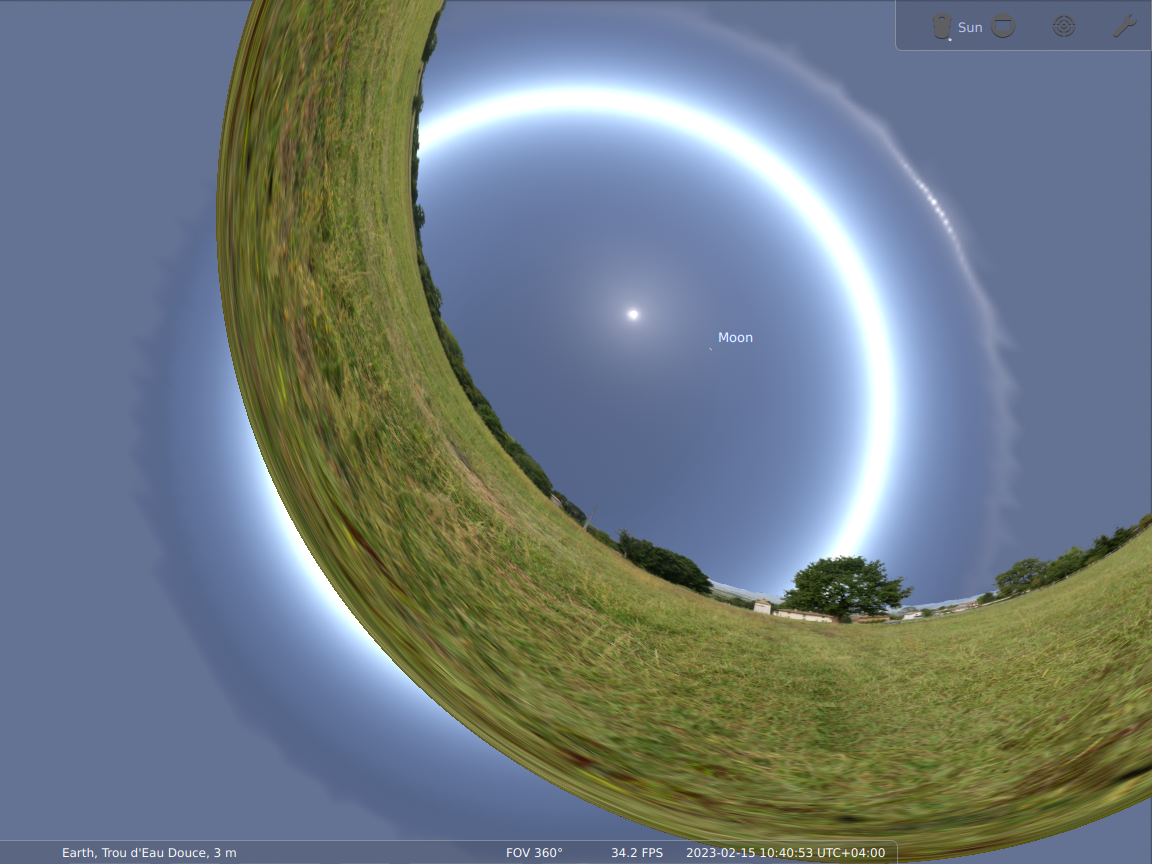
Apparently, it's there for a reason, otherwise I get this:

stellarium-007

@10110111
Copy link
Copy Markdown
Contributor

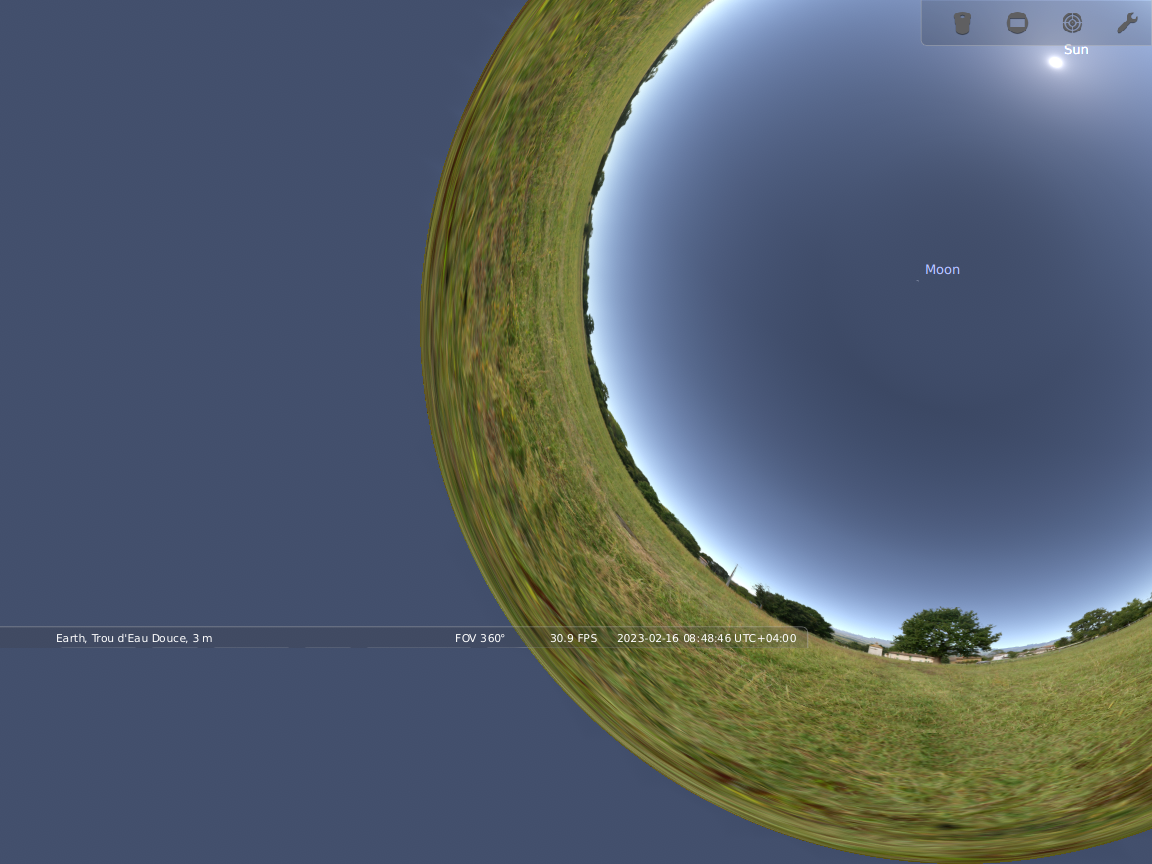
With the latest commit it looks like this:

stellarium-009

@gzotti
Copy link
Copy Markdown
Member Author

gzotti commented Feb 16, 2023

Is this a regular screenshot (unexpected) or a custom-sized one (what I have commented as still buggy)?
The key question is what messes this up. IMHO we both know what a user expects, but something in the elaboration of projection parameters breaks.

@10110111
Copy link
Copy Markdown
Contributor

In both cases it was custom size (1152×864 was chosen in the GUI). The default size works fine. Didn't notice the comment (and still don't find it).

@gzotti
Copy link
Copy Markdown
Member Author

gzotti commented Feb 16, 2023

Second line in my commit message. You must click on the dots in the GH page to see.
I think we need to configure the sParams variable properly, also with custom dimensions.

@gzotti gzotti force-pushed the fix/screenshot-size branch from ac5a6a3 to 8a887b1 Compare February 19, 2023 14:00
@gzotti
Copy link
Copy Markdown
Member Author

gzotti commented Feb 19, 2023

@alex-w , @10110111 is it OK to disable scaling for screenshots entirely? I don't see the point for scaling when we have a preset window size or a configuration for custom screenshot size. And also a scaled full-screen window just has a limited native size (smaller than the screen resolution).
Obviously I will clean up the current messy state. Else I need your comments/input/alternative solution.

@10110111
Copy link
Copy Markdown
Contributor

The custom size could be at 100% scale, but the window-based size should still use the scaling of the window. This would ensure consistency between what we'd get when taking screenshots via PrtScr and via Ctrl+S.

@gzotti
Copy link
Copy Markdown
Member Author

gzotti commented Feb 19, 2023

But when I have set a window size of 1920x1080 to always have FullHD screenshots in non-fullscreen operation, this would result in oversized images. This comes unexpected IMHO. If scaling depends on actual monitor, this may also lead to weird behaviour on multi-monitor setups with mixed scaling (it then depends on which monitor the window happens to be). Likewise, when I run 125% scaling in full screen on a 3440x1440 monitor, the GL window is actually only 2752x1152. Why should a screenshot then become larger in resolution? Yes, a system screenshot makes it 3440x1440. I would leave this to the users to make system screenshots in the physical resolution of the monitor.

@10110111
Copy link
Copy Markdown
Contributor

10110111 commented Feb 19, 2023

But when I have set a window size of 1920x1080 to always have FullHD screenshots in non-fullscreen operation, this would result in oversized images.

This is not the expected behavior. A decorated window with size 1920x1080 has OpenGL viewport with a smaller size. This is the size for the screenshot.

If scaling depends on actual monitor, this may also lead to weird behaviour on multi-monitor setups with mixed scaling (it then depends on which monitor the window happens to be).

If the current window has e.g. button size of 40 px, the same should be in the screenshot. We just assume that the monitor that contains this window will be the monitor on which the screenshot will be viewed.

Likewise, when I run 125% scaling in full screen on a 3440x1440 monitor, the GL window is actually only 2752x1152.

This is the point of view of QtWidgets. From OpenGL perspective (e.g. glGetViewport) we should see the physical resolution. This resolution is what should be the size of the window-sized screenshot.

Yes, a system screenshot makes it 3440x1440. I would leave this to the users to make system screenshots in the physical resolution of the monitor.

This goes against the principle of least surprise.

@gzotti
Copy link
Copy Markdown
Member Author

gzotti commented Feb 20, 2023

But when I have set a window size of 1920x1080 to always have FullHD screenshots in non-fullscreen operation, this would result in oversized images.

This is not the expected behavior. A decorated window with size 1920x1080 has OpenGL viewport with a smaller size. This is the size for the screenshot.

At least not on Windows. In my config.ini I have

[video]
screen_h                                  = 1080
screen_w                                  = 1920

and screenshots while in windowed mode at 125% scaling now (with this branch) are back to 1920x1080. The given dimensions are the viewport area. The image has no window decorations. If I use Greenshot to create an image of the upscaled window with decoration, it is sized 2402x1398.
Do you have a window of 1920x1080 including decoration on Linux when set with these configs?

If scaling depends on actual monitor, this may also lead to weird behaviour on multi-monitor setups with mixed scaling (it then depends on which monitor the window happens to be).

If the current window has e.g. button size of 40 px, the same should be in the screenshot. We just assume that the monitor that contains this window will be the monitor on which the screenshot will be viewed.

Usually a screenshot will be printed on paper or placed e.g. in a slide show to be displayed elsewhere. (Other screen, other potential scaling, ...) The relative size of buttons in the upscaled window or in the correct-sized image are now the same.

Likewise, when I run 125% scaling in full screen on a 3440x1440 monitor, the GL window is actually only 2752x1152.

This is the point of view of QtWidgets. From OpenGL perspective (e.g. glGetViewport) we should see the physical resolution. This resolution is what should be the size of the window-sized screenshot.

I have to check that sometime next weekend.

Yes, a system screenshot makes it 3440x1440. I would leave this to the users to make system screenshots in the physical resolution of the monitor.

This goes against the principle of least surprise.

Currently I am very surprised about a mismatch between configured window size and screenshot size when I have some scaling set.

@10110111
Copy link
Copy Markdown
Contributor

Do you have a window of 1920x1080 including decoration on Linux when set with these configs?

Stellarium fails to apply this size, just maximizes the window whenever the size of contents + decorations exceeds the screen size. But, if I choose something smaller to fit in the screen, like 1920×1000, I get total decorated size of 1920×1042 (and xwininfo reports 1920×1000). So decoration doesn't count in this setting (which I didn't expect). This was with 100% scaling. And with 150% scaling the physical size is upscaled from this setting. I.e. with the size 800×400 in the settings I get 1208×642 total size of the decorated window on the screen (xwininfo reports 1200×600).

Usually a screenshot will be printed on paper or placed e.g. in a slide show to be displayed elsewhere.

Well it's one possible use case of course, but even then using 100% scale for screenshots might be even less desirable unless you want to emphasize pixelization of the GUI. Just look into the SUG and notice how pixelized the screenshots look (figures 3.1, 3.2, chapter backgrounds etc.). To get nicer illustrations in the books the creators should want higher scale factors, allowing for higher DPI on printing and leaving the GUI elements of readable size.

Currently I am very surprised about a mismatch between configured window size and screenshot size when I have some scaling set.

Me too. This is due to the very unintuitive behavior of the whole pixel-ratio kludge. I'd really like to be able to simply get the correct scale factor, a single number, from Qt and then have Qt behave as if it was 100%. Then it'd be possible to do all the required scaling in a custom, well thought out, way. But alas, Qt either reports the correct scaling factor and additionally distorts all the sizes in an inconsistent way, or doesn't support scaling at all.

@gzotti
Copy link
Copy Markdown
Member Author

gzotti commented Feb 20, 2023

Do you have a window of 1920x1080 including decoration on Linux when set with these configs?

Stellarium fails to apply this size, just maximizes the window whenever the size of contents + decorations exceeds the screen size. But, if I choose something smaller to fit in the screen, like 1920×1000, I get total decorated size of 1920×1042 (and xwininfo reports 1920×1000). So decoration doesn't count in this setting (which I didn't expect). This was with 100% scaling. And with 150% scaling the physical size is upscaled from this setting. I.e. with the size 800×400 in the settings I get 1208×642 total size of the decorated window on the screen (xwininfo reports 1200×600).

OK, so at least this is consistent between Win and Linux.

Usually a screenshot will be printed on paper or placed e.g. in a slide show to be displayed elsewhere.

Well it's one possible use case of course, but even then using 100% scale for screenshots might be even less desirable unless you want to emphasize pixelization of the GUI. Just look into the SUG and notice how pixelized the screenshots look (figures 3.1, 3.2,

These are ancient (2008, when screens were often 1280x768 or so, and no custom resolution was available.)

chapter backgrounds etc.). To get nicer illustrations in the books the creators should want higher scale factors, allowing for higher DPI on printing and leaving the GUI elements of readable size.

We have introduced custom size in 0.18.2 and user-controlled dpi (metadatum only) in 0.22.0. The chapter heads are from 0.14 or so. So yes, we could care to remake custom-sized hi-res screenshots for the Guide.

Currently I am very surprised about a mismatch between configured window size and screenshot size when I have some scaling set.

Me too. This is due to the very unintuitive behavior of the whole pixel-ratio kludge. I'd really like to be able to simply get the correct scale factor, a single number, from Qt and then have Qt behave as if it was 100%. Then it'd be possible to do all the required scaling in a custom, well thought out, way. But alas, Qt either reports the correct scaling factor and additionally distorts all the sizes in an inconsistent way, or doesn't support scaling at all.

The scaling is an ugly mess, also as it was introduced within the platforms, as it appears to differ by-platform. However, Qt has improved documentation a lot. See https://doc.qt.io/qt-5/highdpi.html and https://doc.qt.io/qt-6/highdpi.html. I never saw the point for 21" 4k screens that then needed upscaling to be usable. I prefer good colorspace coverage over excessive pixel count.

So, we could decide to even wrap one of the environment variables around the program and fully activate and follow one option. However, I have no overdense screens and always run at 100%, so did not care until now when I saw this oversize fbo issue which really is a bug.

For me as user, I see a window size is configured in pixels, is apparently upscaled by OS setting, but a Ctrl-S snapshot of this window from within our program can be expected to have the size given in the configuration file, regardless on which monitor the window was displayed (see https://github.com/Stellarium/stellarium/wiki/Common-Problems-for-the-current-version#mixing-screens-or-projectors-with-high-and-normal-resolutions). Capturing the monitor with system tools may provide something else. The scaling apparently should influence GUI elements like buttons and font size only. Screenshots with visible buttons are IMO aimed at documentation/tutorials and are rarely hi-res, and a very high-res (8k or better) screenshot is aimed for large poster prints, i.e. usually goes without any GUI. We should then maybe even consider adding a switch or percentage setting to upscale GUI in screenshots or not (but how to re-arrange GUI panels from a horizontal screen onto a vertical poster?), i.e. make huge fonts on a poster print, or leave them in original size to have more and smaller labels. But this is a next round, which would require a deeper HiDPI redesign of deciding which screen element has to be scaled in which context.

@10110111
Copy link
Copy Markdown
Contributor

10110111 commented Feb 20, 2023

For me as user, I see a window size is configured in pixels, is apparently upscaled by OS setting, but a Ctrl-S snapshot of this window from within our program can be expected to have the size given in the configuration file

Does moving the window to another display change its physical size? I'd expect that no, at least if the enlarged fonts don't force it to expand.

In any case, as a user, if I see something configured in pixels, I expect it to work in physical—monitor-level—pixels, not some fictional shmixels that make no sense except inside the program. So if the window moved to another screen doesn't get automatically resized to scale times virtual size, the settings option should be treated as physical size, and should be divided by pixel ratio in the code to yield the value to pass into QtWidgets API. Similarly with saving settings, of course.

In other words, users don't care, and shouldn't care about virtual pixels. Let the kludge remain inside the code.

@alex-w
Copy link
Copy Markdown
Member

alex-w commented Feb 22, 2023

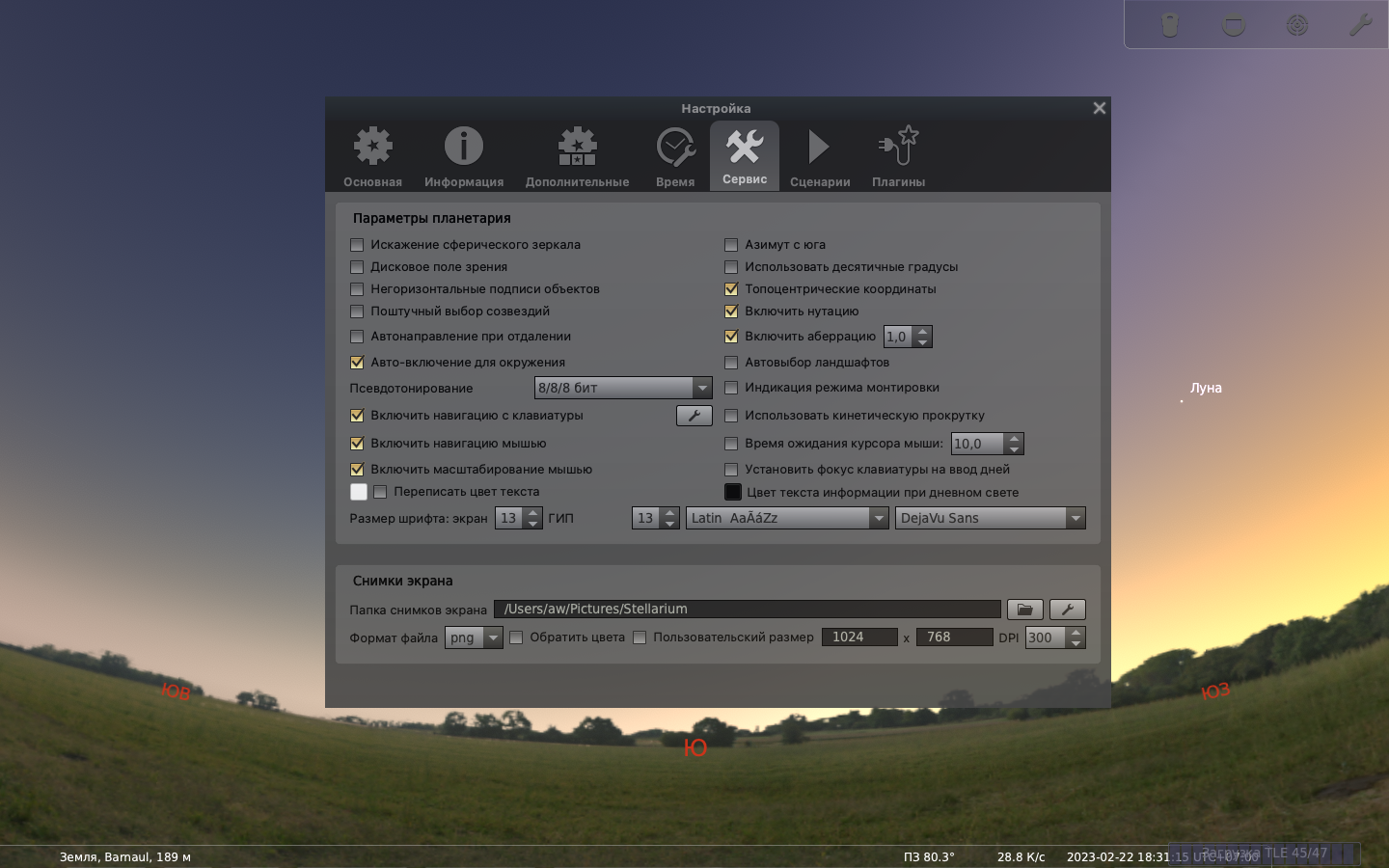
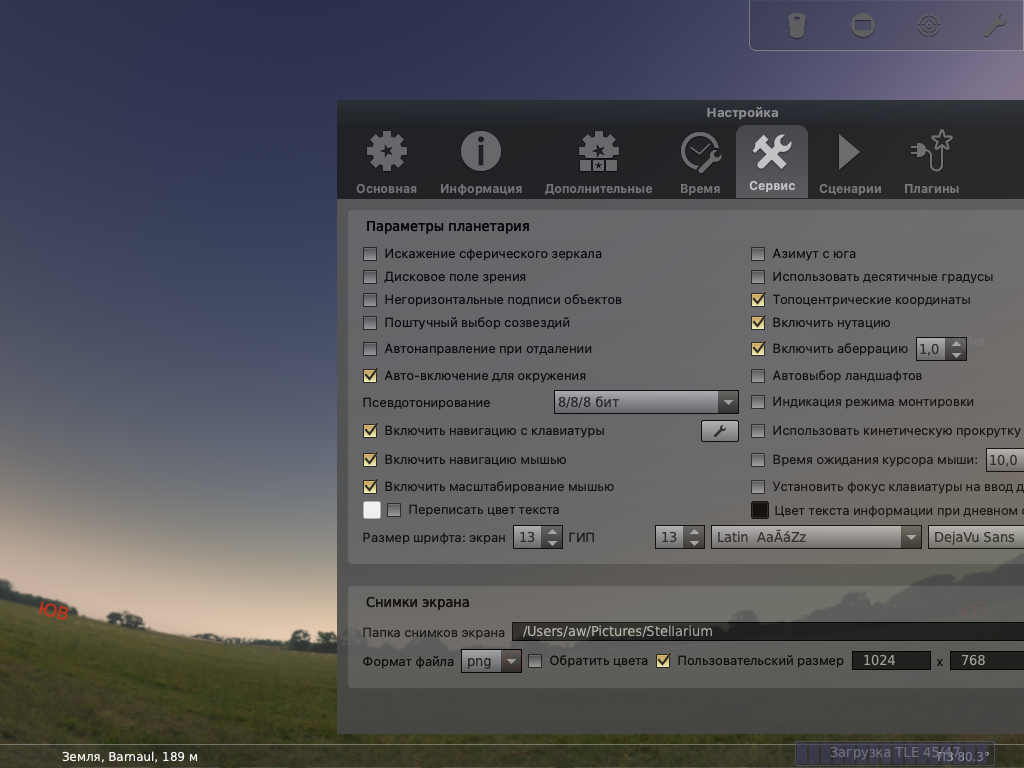
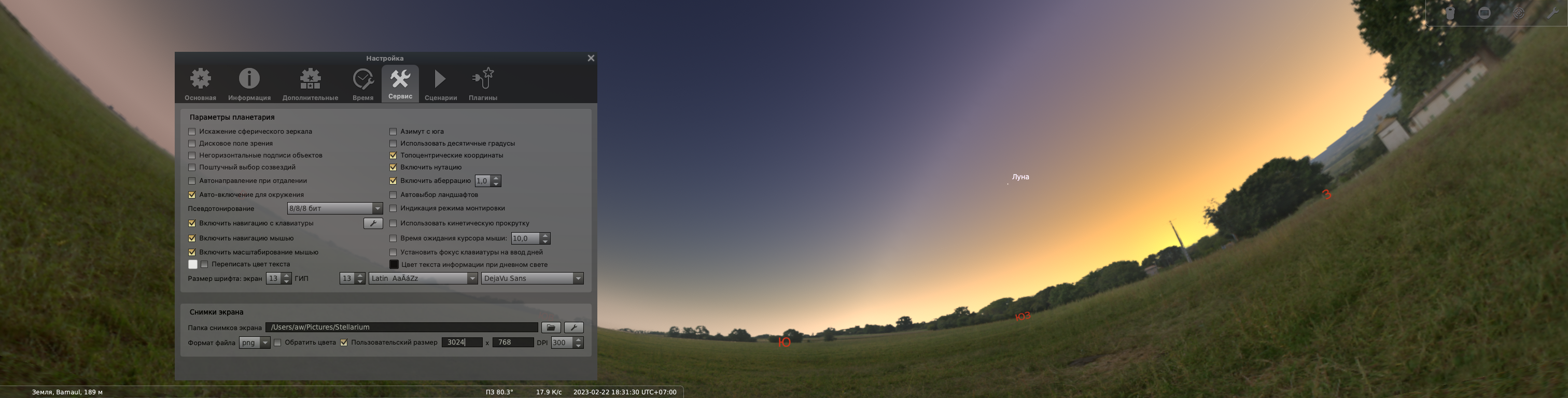
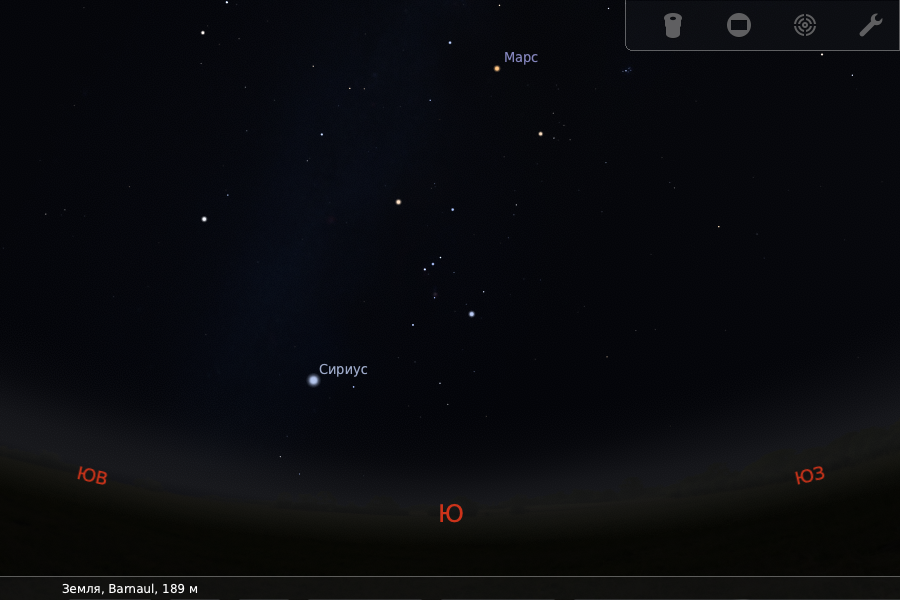
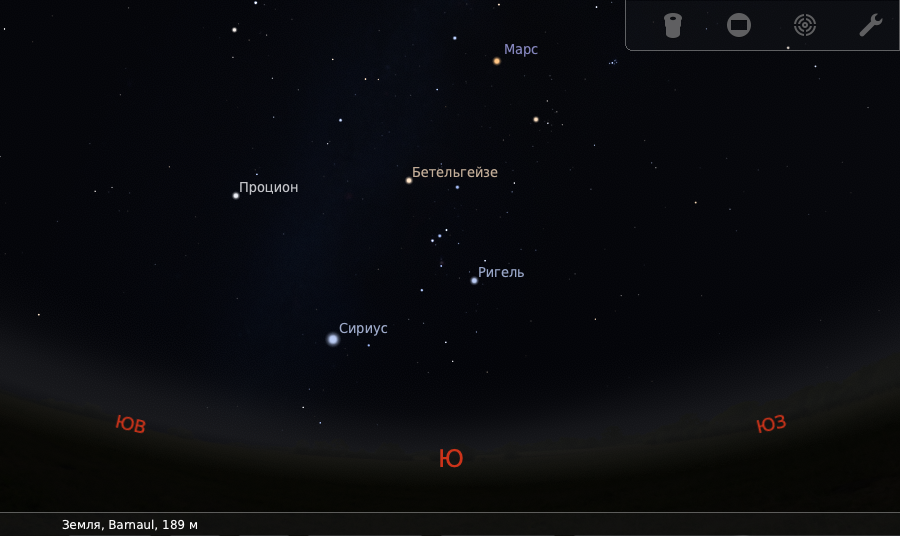
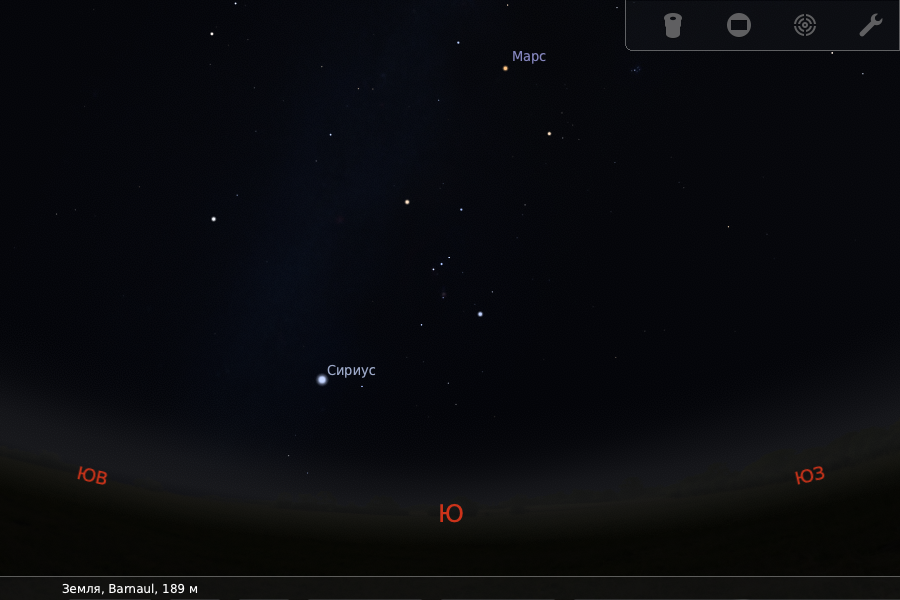
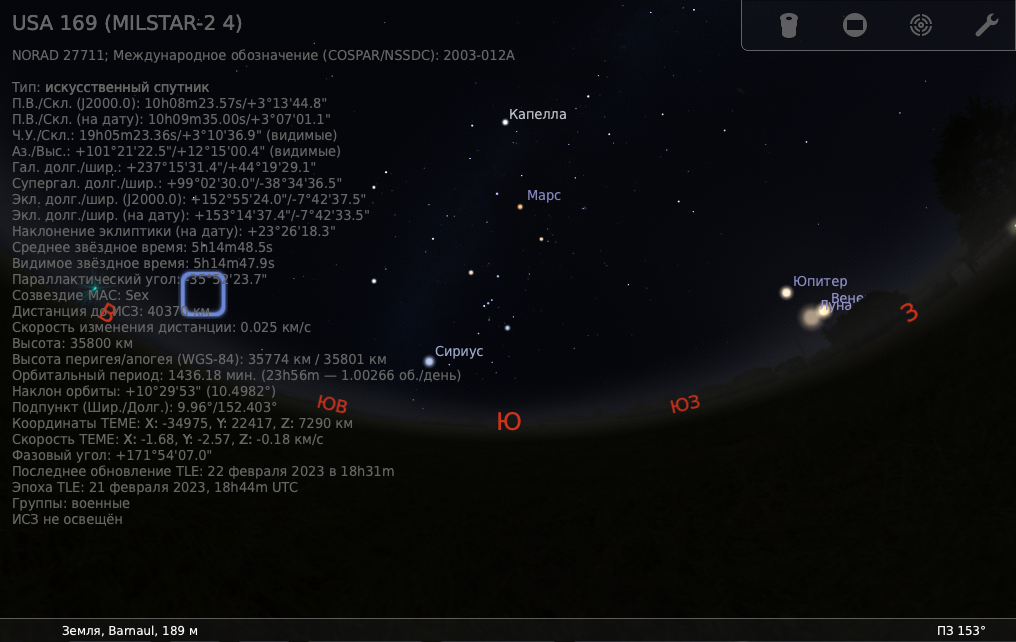
Screenshots from macOS 13.2.1

stellarium-005
stellarium-006
stellarium-007

@gzotti
Copy link
Copy Markdown
Member Author

gzotti commented Feb 22, 2023

I cannot see clearly, is that OK then? Looks good to me.
The question is, if you have configured your window to be 1200x800 in config.ini, run Stellarium in windowed mode on a 4k screen at scaling 150% so that it appears with 1800x1200 screen pixels, and make a regular screenshot, is the screenshot to be expected by the user to be 1200x800, or 1800x1200?

If you then have a setup with one screen at 100%, the other at 150%, prepare some presentation, and you move an 800x600 Stellarium window from one screen to the other and make the next default-size screenshot, would you expect the screenshot dimensions to become larger when the screenshot was made when Stellarium was displayed on the scaled screen? I would be surprised and would report it as bug.

@alex-w
Copy link
Copy Markdown
Member

alex-w commented Feb 22, 2023

I cannot see clearly, is that OK then? Looks good to me.

It's OK here

The question is, if you have configured your window to be 1200x800 in config.ini, run Stellarium in windowed mode on a 4k screen at scaling 150% so that it appears with 1800x1200 screen pixels, and make a regular screenshot, is the screenshot to be expected by the user to be 1200x800, or 1800x1200?

If you then have a setup with one screen at 100%, the other at 150%, prepare some presentation, and you move an 800x600 Stellarium window from one screen to the other and make the next default-size screenshot, would you expect the screenshot dimensions to become larger when the screenshot was made when Stellarium was displayed on the scaled screen? I would be surprised and would report it as bug.

config.ini: 900x600

standard resolution (1440x900), windowed mode, MBP:
stellarium-002

low resolution (1024x640), windowed mode, MBP:
stellarium-005

hi resolution (1680x1050), windowed mode, MBP:
stellarium-006

standard resolution, windowed mode, iPad as second monitor:
stellarium-001

@10110111
Copy link
Copy Markdown
Contributor

10110111 commented Feb 22, 2023

Current state of this branch results in 1280×720 screenshot with 100%-scaled GUI, when default size is specified (non-custom) and the window is 1920×1080 fullscreen with scale factor 150%.
This is unacceptable, whatever decision for custom-sized screenshots is taken.

Similarly with windowed mode: the screenshot size doesn't match physical window size when default screenshot size is used. Anything that's specified in pixels must work in physical pixels. So current state here is also unacceptable.

@10110111 10110111 mentioned this pull request Feb 25, 2023
13 tasks
@gzotti
Copy link
Copy Markdown
Member Author

gzotti commented Mar 5, 2023

Maybe #3071 is the better solution.

@gzotti gzotti closed this Mar 5, 2023
@gzotti gzotti deleted the fix/screenshot-size branch March 5, 2023 09:26
@github-actions
Copy link
Copy Markdown

Hello @gzotti!

The enhancement or feature has been merged into source code and you may test it via building Stellarium from source code or wait the weekly development snapshot...

@github-actions
Copy link
Copy Markdown

Hello @gzotti!

The fix has been merged into source code and you may test it via building Stellarium from source code or wait the weekly development snapshot...

@alex-w alex-w added state: published The fix has been published for testing in weekly binary package and removed state: fixed labels Mar 13, 2023
@github-actions
Copy link
Copy Markdown

Hello @gzotti!

Please check the fresh version (development snapshot) of Stellarium:
https://github.com/Stellarium/stellarium-data/releases/tag/weekly-snapshot

@alex-w alex-w removed the state: published The fix has been published for testing in weekly binary package label Mar 27, 2023
@github-actions
Copy link
Copy Markdown

Hello @gzotti!

Please check the latest stable version of Stellarium:
https://github.com/Stellarium/stellarium/releases/latest

Sign up for free to join this conversation on GitHub. Already have an account? Sign in to comment

Labels

enhancement Improve existing functionality importance: medium A bit annoying, minor miscalculation, but no crash

Projects

None yet

Development

Successfully merging this pull request may close these issues.

It is abnormal to generate large screenshots

3 participants