
Advanced Brute Force Attack Testing Framework
A professional multi-protocol brute force attack testing tool built for security researchers and penetration testers.











Auth Nexus is a powerful brute force attack testing framework designed for security professionals and penetration testers.
It supports multiple protocols such as:
- HTTP / HTTPS
- SSH
- FTP
- SMTP
The tool is designed with high performance asynchronous architecture, smart login detection, automatic CSRF handling, and memory-safe credential streaming.
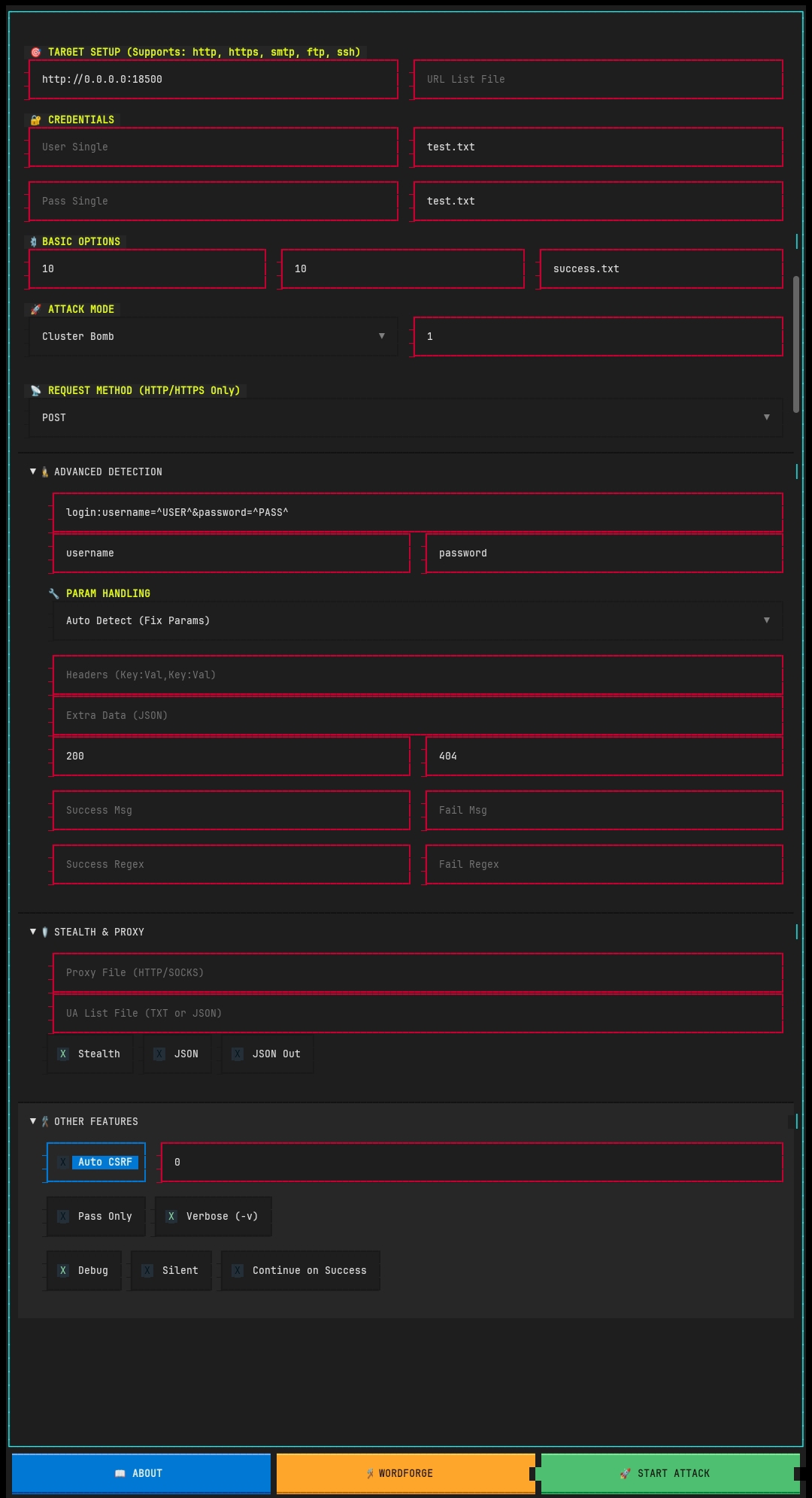
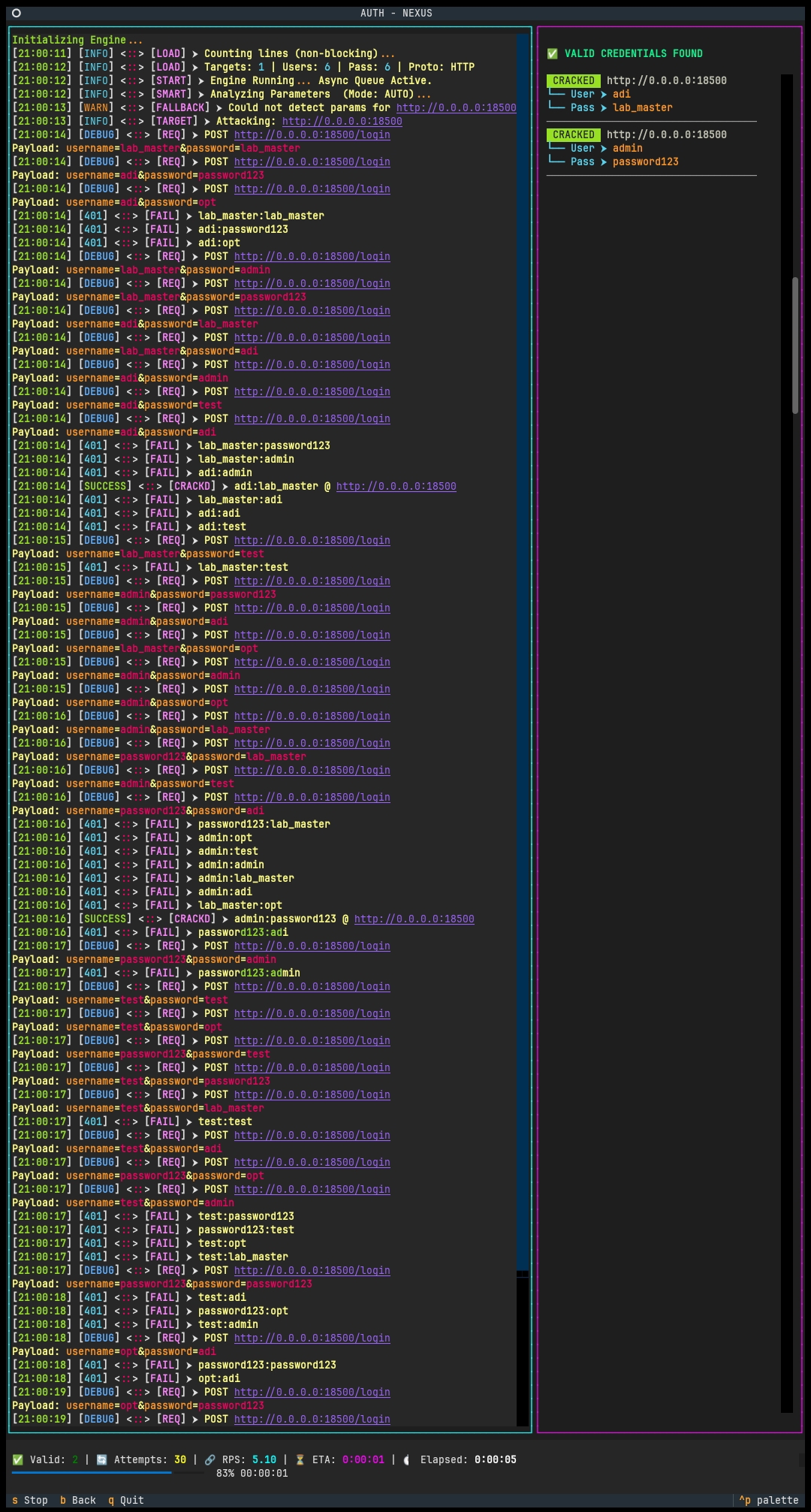
Auth Nexus provides a modern TUI (Terminal User Interface) for easy configuration and monitoring.
Supports authentication testing for multiple protocols:
- HTTP / HTTPS login forms
- SSH authentication
- FTP authentication
- SMTP authentication
- Automatic username/password field detection
- Automatic CSRF token detection
- Cookie session handling
- Smart redirect analysis
- Asynchronous architecture
- Multi-threaded request handling
- High RPS processing
- Optimized network operations
Large credential lists can be used safely.
Example:
rockyou.txt (140MB+)
The tool reads credentials line-by-line instead of loading everything into memory.
Auth Nexus supports:
- HTTP proxies
- SOCKS4 / SOCKS5 proxies
- Randomized requests
- Delay control
- Stealth headers
Modern terminal interface with:
- live logs
- progress tracking
- RPS monitoring
- ETA calculation
- valid credential display
- Python 3.10+
- Linux / Termux / macOS
pkg update && pkg upgrade
pkg install clang libxml2 libxslt libiconv -y
pkg install binutils rust build-essential -y
pkg install python-lxml -y
pkg install python-cryptography -y
pkg install python3 -y
pkg install git -y
git clone https://github.com/TEAMBCS/AUTH-NEXUS.git
cd AUTH-NEXUS
chmod +x *
chmod 777 *
pip install -r auth-nexus.txt
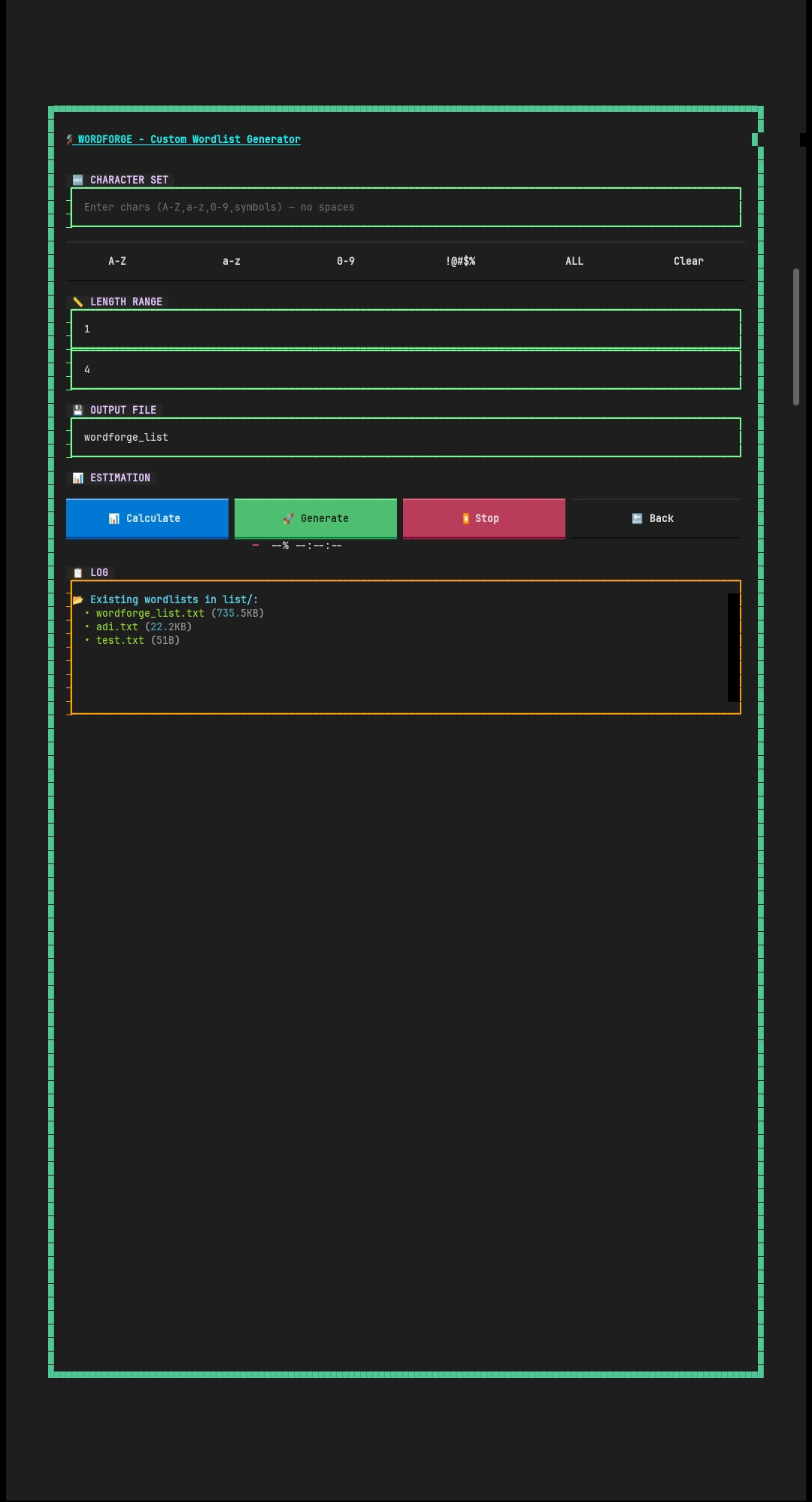
python3 auth-nexus.pyWordForge is a powerful built-in wordlist generator designed for creating custom password lists with high flexibility and performance. It allows you to generate targeted wordlists based on specific character sets and length ranges.
- 🔤 Custom Character Set (A-Z, a-z, 0-9, symbols or custom input)
- 📏 Adjustable Length Range (min → max)
- 📊 Real-time Combination & Size Estimation
- 🚀 High-Speed Async Generation Engine
- 💾 Auto-save to
list/<filename>.txt - ⏹ Stop Generation Anytime
- 🔄 Auto Integration with Main Tool (User/Pass List)
- Open WordForge from the main menu.
- Enter your desired character set.
- Set minimum and maximum length.
- Click Calculate to estimate:
- Total combinations
- File size
- Click Generate to start creating the wordlist.
Charset: abc123
Length: 1 → 3
Generated output:
a
b
c
1
2
3
aa
ab
ac
...
- Large charset + high length = huge file size
- Avoid generating more than 100M+ combinations unless आवश्यक
- Storage and time consumption may increase significantly
list/<your_filename>.txt
After generation, you can:
- 🔑 Use as Password List
- 👤 Use as Username List
- 🔑👤 Use for Both
Use smaller, targeted wordlists for better performance instead of massive random lists.
⚡ WordForge is optimized for speed, stability, and seamless integration with the attack engine.
Auth Nexus supports three major credential attack strategies.
Tests every username with every password
Example
User1 : Pass1
User1 : Pass2
User1 : Pass3
User2 : Pass1
User2 : Pass2
User2 : Pass3
Best for:
Multiple usernames × password list
Runs username and password lists in parallel
Example
User1 : Pass1
User2 : Pass2
User3 : Pass3
Best for:
Paired credential lists
Uses the same value for both username and password
Example
admin : admin
test : test
user : user
Best for:
Default credential testing
Target can be provided as:
Single URL
http://target.com/login
Or URL list
targets.txt
Example formats:
http://site.com/login
ssh://192.168.1.10:22
ftp://127.0.0.1:21
smtp://mail.server.com:587
Auth Nexus supports both single credentials and wordlists.
Single credential:
User : admin
Pass : password123
Credential lists:
users.txt
passwords.txt
Example login form configuration:
/login:user=^USER^&pass=^PASS^:F=Invalid or /login:user=^USER^&pass=^PASS^:S=Success
Explanation
| Part | Meaning |
|---|---|
| /login | form path |
| ^USER^ | username placeholder |
| ^PASS^ | password placeholder |
| F=Invalid | failure message |
| S=Success | success meassage |
Examples :➤
Cpanel : /login/:user=^USER^&pass=^PASS^:F=invalid
Wp : /wp-login.php:log=^USER^&pwd=^PASS^&wp-submit=Log+In:F=Invalid username
The Auto Param system analyzes the target request and automatically extracts possible authentication parameters such as:
• username fields
• password fields
• token parameters
• login form inputs
This helps speed up authentication testing without requiring manual parameter configuration.
Auth Nexus allows advanced success and failure detection using:
• HTTP status code
• Response text matching
• Regular expressions (Regex)
This helps the engine accurately detect whether an authentication attempt succeeded or failed.
You can define success indicators using plain text or regex.
Examples: "status"\s*:\s*"success", Login successful\. Redirecting, (?i)(logout|dashboard|welcome)
Define failure patterns to improve accuracy.
Examples: (?i)(error|wrong|incorrect), (?i)invalid
• Success patterns are checked first
• Failure patterns override success when matched
• Case-insensitive matching supported with (?i)
• Supports both plain text and regex patterns
This system improves detection accuracy for complex authentication responses.
Auth Nexus
│
├── Engine
│   ├── HTTP Module
│   ├── SSH Module
│   ├── FTP Module
│   └── SMTP Module
│
├── Smart Detection
│   ├── Parameter Detection
│   ├── CSRF Detection
│   └── Cookie Handling
│
├── Credential System
│   ├── Wordlist Streaming
│   ├── Cluster Bomb
│   ├── Pitchfork
│   └── Battering Ram
│
├── WordForge ⚒️
│   ├── Custom Charset Builder
│   ├── Length Range Control
│   ├── Combination Estimation
│   ├── High-Speed Generator
│   ├── File Output (list/)
│   └── Auto Integration (User/Pass List)
│
├── Networking
│   ├── Async Requests
│   ├── Proxy Support
│   └── Retry System
│
└── Interface
    ├── TUI Dashboard
    ├── Live Logs
    ├── Progress Tracking
    └── Results Display
Auth Nexus provides real-time attack statistics:
| Metric | Description |
|---|---|
| Attempts | Total attempts |
| RPS | Requests per second |
| ETA | Estimated time remaining |
| Hits | Valid credentials found |
AUTH-NEXUS
│
├── auth-nexus.py #main tool
├── auth-nexus.txt #requirements
├── auth-nexus-ua.json #User agent list
├── passlist.txt #A common password list
├── README.md
│
├── Image
|   ├──  auth-nexus-v2.0-2.jpg #Tool Image
|   ├── auth-nexus-v2.0-1.jpg #Tool image
|   ├── auth-nexus-v2.0-3.jpg #wordforge image
│   └── auth-nexus-logo.png #logo image
│
├── AUTH-NEXUS-CSS
|   ├── WordForgeScreen.css #wordforge css
|   ├── UI.css #main UI css
|   ├── about.css #about info css
│   ├── attack-ui.css #attack panel ui css
│   └── app.css #app css
│
└── output
    └── success.txt
Edit CSS Code as your wish.
If you found textual library install problem in kali linux machines or debian machines
- use
pip install textual --break-system-packages --ignore-installed pygments
If you found any problem to install cryptography Library in Termux
- use
export ANDROID_API_LEVEL=24
This tool is developed for:
- Cybersecurity research
- penetration testing
- authorized security assessments
Unauthorized usage against systems without permission is illegal.
Owner : TEAM BCS
Developer : BLACK ZER0
This project is licensed under the GNU General Public License v3.0 (GPLv3).
Licensed under the GNU General Public License v3.0 (GPLv3).

This license allows users to use, modify and distribute the software,
but any modified version must also be released under the same GPLv3 license.
If you like the project consider giving a star on GitHub.
Stay secure.
Stay ethical.