Asset Auditor is a module for Foundry Virtual Tabletop. The idea arose because I kept wondering why my music playlists would stop playing all the time. At some point I noticed that they do so once they try to load a file that doesn't exists. Checking all files by hand is a pain, though. So here we are.
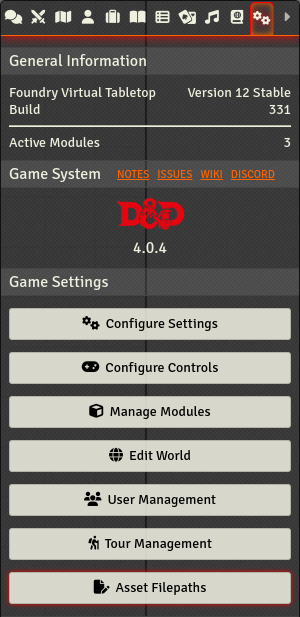
Once you have enabled the module for a world, the settings tab contains an "Asset Filepaths" button.
It opens a list of all assets, sorted by type and name.
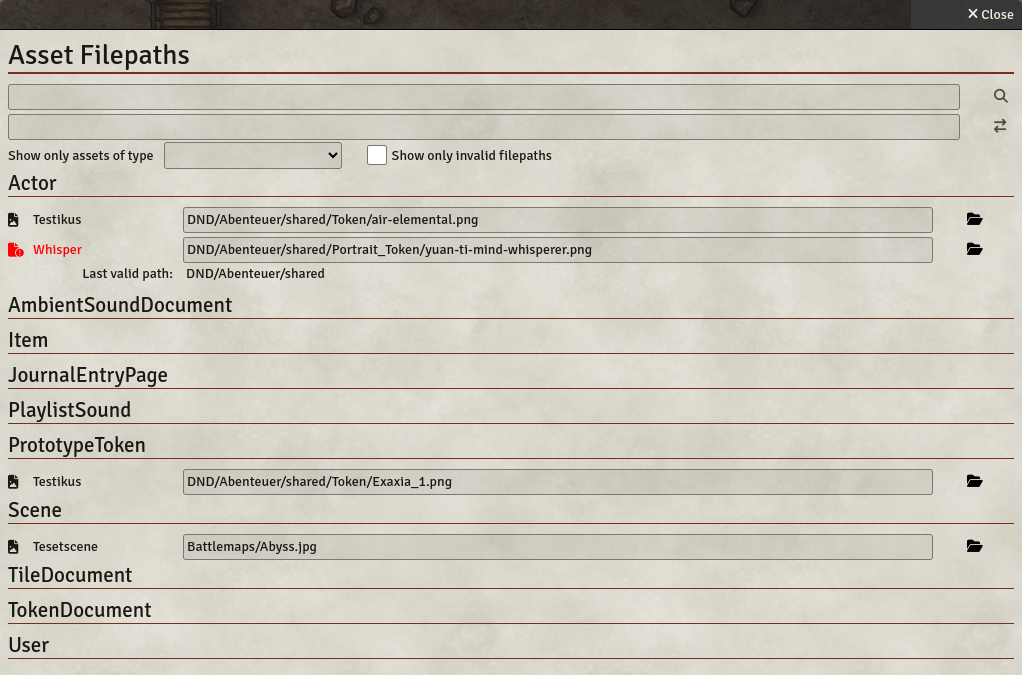
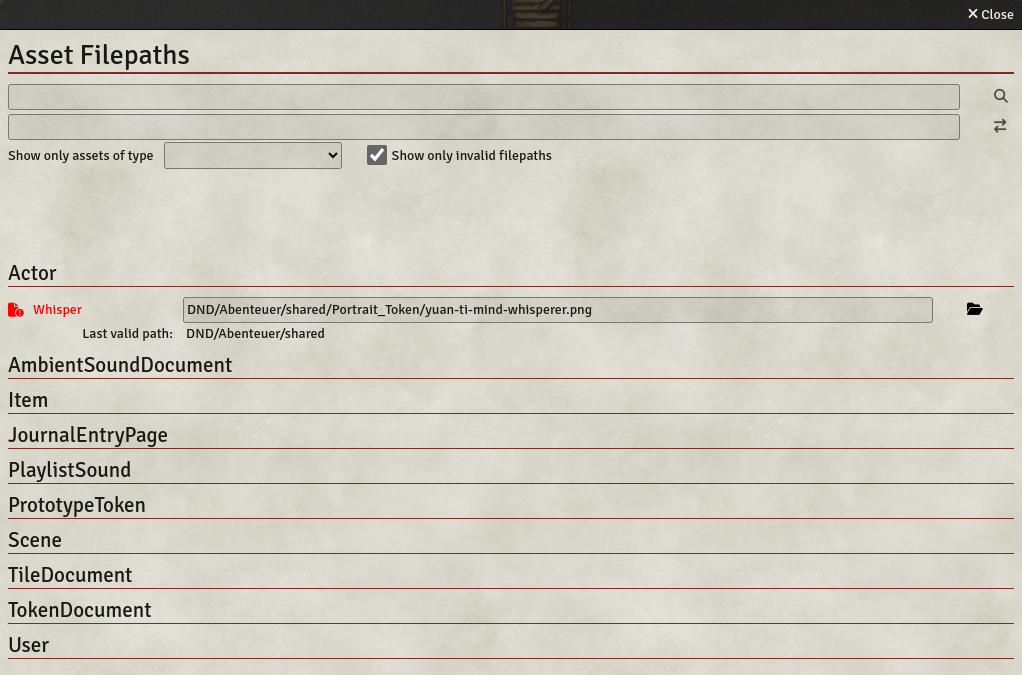
Any assets whose paths could not be located are marked by red color and a different icon. Furthermore, the last path in the directory tree that could be validated is displayed below it, to ease locating the problem.
Online resources, i.e. paths beginning with "http://" or "https://" are also checked for validity, but only on the domain level. Checking if the complete URL is valid is prevented by Foundry's CORS policy.
Klicking the browse button opens a file browser. In case of invalid paths it opens it at the last valid path.
Alternatively, the path can be edited in place. It can then either be reset or saved by the corresponding icons.

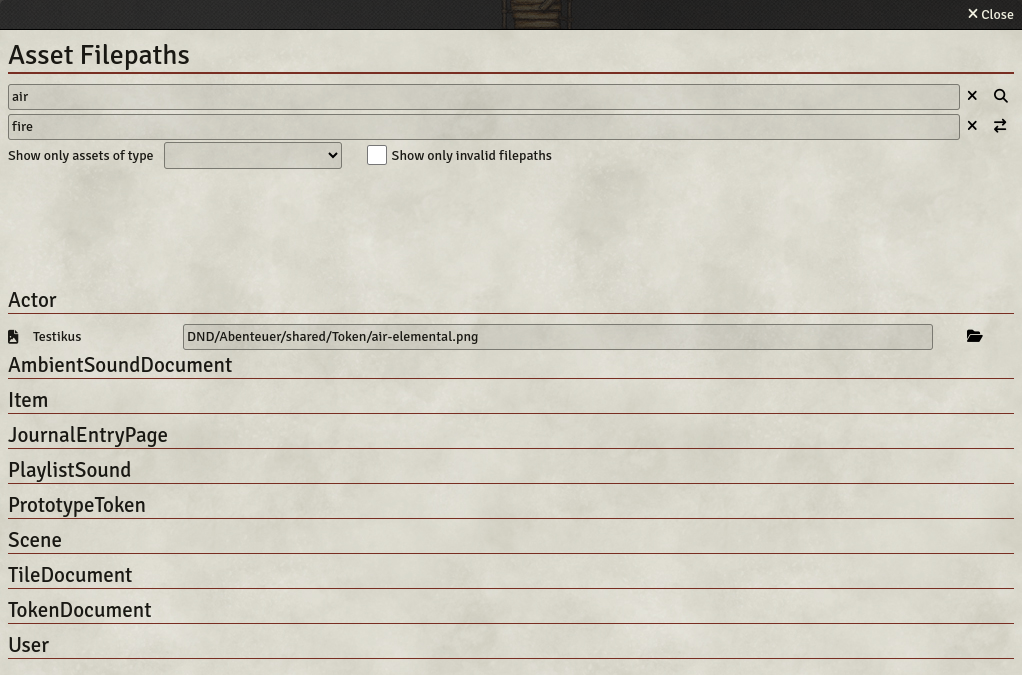
At the top of the window is an input field for searching and replacing. The search is not performed before either clicking the search button or hitting the enter key. The same is true for replacing all occurences of the search term. Both fields can be cleared by the clear button, or by hitting escape.
The checkbox at the top allows to display only assets with an invalid path.
In the module settings a checkbox can be ticked to run a check of all asset filepaths on every startup and display an error message if some paths are not valid.

Asset Auditor is very close to feature complete in my opinion. If you disagree, either because you are missing some functionality, because I have overlooked an asset type, or because you suspect a bug, please let me know by creating an issue. Also have a look at the existing issues and let me know if you want me to prioritize one of them.
I am also open to pull requests.
If you want to add a new language, add a file called src/lang/<new-lang>.json, where <new-lang> is the corresponding two-letter ISO 639-1 language code. In src/module.json, add a new entry in the "languages" array. Running foundry_scripts/check_localizations_consistency.sh will list all keys that are not translated into your language. It will also discover some typos.
To manually install Asset Auditor (e.g. for development), copy the src/ folder of this repository to the {userData}/Data/modules/ folder of Foundry, and then rename it to 'asset-auditor' (the id declared in module.json).
On POSIX compliant operating systems like Linux and Mac you can alternatively use a symbolic link. It can be created via e.g.
ln -s {folder containing git repo}/AssetAuditor/src {Foundry user data}/Data/modules/asset-auditorThis software is distributed under the MIT license. In a nutshell this means that all code is made public, and you are free to use it without any charge.