
Sends out a personalized email appreciating the contribution with some Badges and Image Processed Personalized Material.
This action will help #️⃣ maintainers to improve the outreach and Public Relations.


- Just open a new issue on this YouRock Repo.
- You'll receive a personalized email (email account linked to your Github)

- Clone the repository.
- Copy the repository contents to your repository where you wish to add the You Rock - Appreciator.
- Create a new gmail account for sending the emails.
- Authorize Gmail to send automated emails via this tool https://myaccount.google.com/lesssecureapps
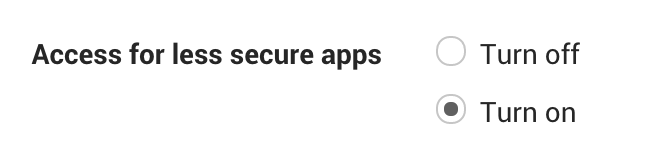
-
Create a Github Secret Called
GKEYand add your gmail password to it. -
Unlock the captcha link on sender account: https://accounts.google.com/DisplayUnlockCaptcha
-
Make sure your repository contains all the necessary files present in this repository.
-
Click on Actions and
create an action. -
Add code in
Appreciate.ymlto your workflowymlfile.


-
- Replace the
senders_emailinRock.pywith your newly createdemail address(on line 65) - Replace the
msg['From']value with your email display name.
- Replace the
-
You can change the
glasses.pngwith your Mask image. (make sure you rename it back toglasses.png) -
You can change the
gold.pngwith your Mask image. (make sure you rename it back togold.png)
-
If you changed the file name of
glasses.pngandgold.pngmake sure to reflect in yourworkflow/.yml. -
The
glasses.pngwill get placed on users face (in github avatar) and It will be sent only if there is a face in the users github avatar.
you can edit the Appreciate.yml by changing the triggering conditions.
on:
  issues:
    types: opened
  pull_request:
    types: opened
    branches:
      - master
The default triggering conditions are -
- Issues - Opened
- Pull Request - Opened
You can change the job triggers according to your need.