
When access to the app's signaling servers is blocked in your country, proxies can bypass these blocks in many circumstances and allow you to communicate privately. In addition to the in-app proxies, you can create your own or use a proxy created by someone else. Proxies cannot access the contents being exchanged under any circumstances.
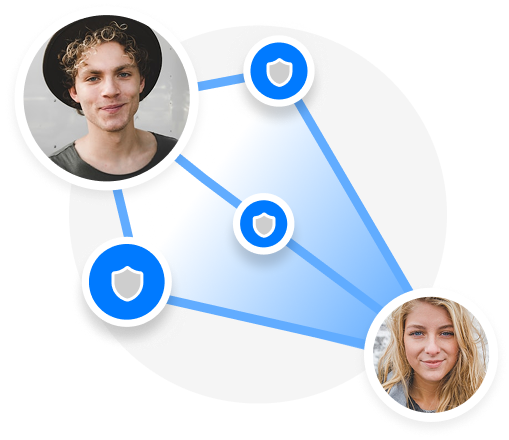
To run a Twinlife proxy, you will need a host that has port 443 available and optionally a domain name that points to that host. The proxy is only used to communicate with our signaling server and messages, audio and video calls are exchanged only between devices and not through the proxy. Expect a limited traffic per user so that a small VPS can be enough.
- Install Docker by following the instructions at https://docs.docker.com/engine/install/
- Clone this repository
- Run the
setup.shscript to configure the nginx proxy for your custom SNI docker compose builddocker compose up --detach
Your proxy is now running! You can share this with these URLs:
- For twinme:
https://proxy.twin.me/<your_host_name|IP>,<custom-SNI>,<STUN-port> - For Skred:
https://proxy.skred.mobi/<your_host_name|IP>,<custom-SNI>,<STUN-port>
When using the IP address format, make sure to use the public IP address of your server. You can also specify the TCP/IP port number if
you decided to change it. Example: https://proxy.twin.me/1.2.3.4:8443.
If you've previously run a proxy, please update to the most recent version by pulling the most recent changes from main, then restarting your Docker containers:
git pull
docker compose down
docker compose build
docker compose up --detachWe want this proxy to be simple to deploy for a broad population, but we know that it won’t fit all deployments—especially advanced users that already have running servers or specific technology preferences. We welcome contributions that make incremental improvements, updates, and improve compatibility, but aren’t considering significant architectural changes.
Our Twinlife proxy is a simplified version of the excellent Signal TLS proxy. The main difference is that Twinlife proxy doesn't require to setup a Let's encrypt certificate nor a domain name. The drawback is that the TLS handshake will still show the connection to our servers.