UniRTOS is a unified embedded development kit developed by Quectel for its full range of cellular communication modules. It provides consistent APIs and component architecture, supports cross-platform development and efficient porting, and integrates rich middleware, drivers, protocol stacks, and application examples to accelerate the development and deployment of intelligent embedded devices.
- 🎯 Create New Project: Clone and create a new UniRTOS project.
- 🏛️ Create Demo Project: Choose a demo project and add to your current unirto proejct, or start from scratch.
- ⛩️ Build SDK: Build SDK from your unirtos project.
- 📸 Flash Firmware to Module: Flash your UniRTOS firmware to the module.
- 📜 Requirements: Follow the steps, to prepare your machine to build UniRTOS project.
📰 Create New Project
- From UniRTOS menu -> Development -> New Project
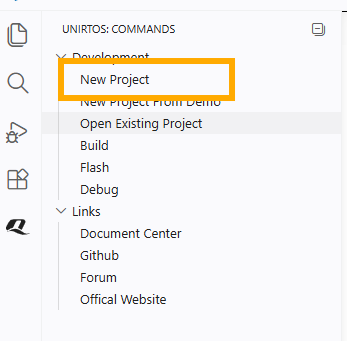
- Required fields will show in the panel
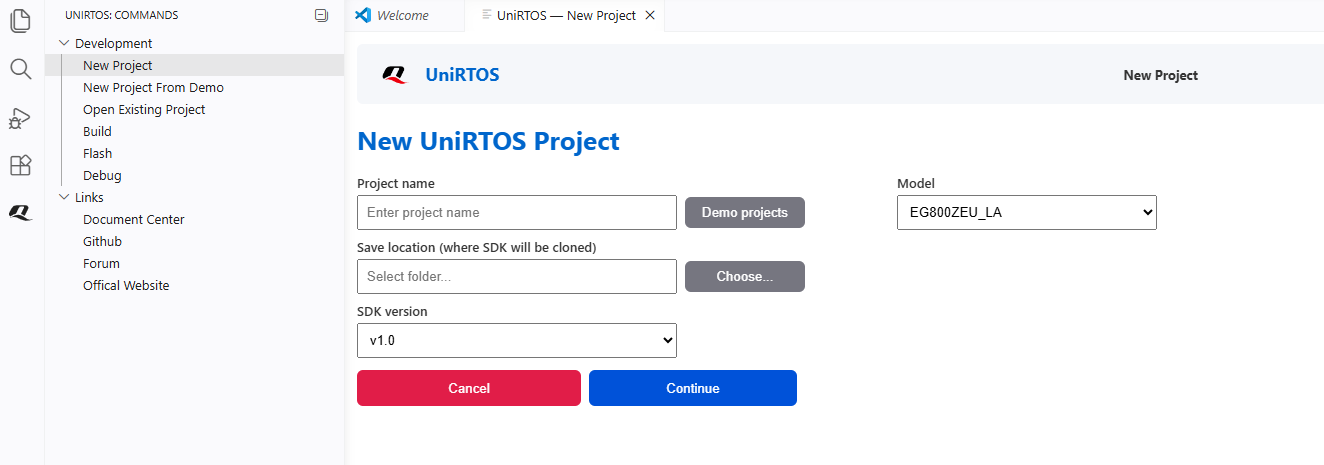
- Fill in the required fields, and push continue. The new project will open when cloning is done
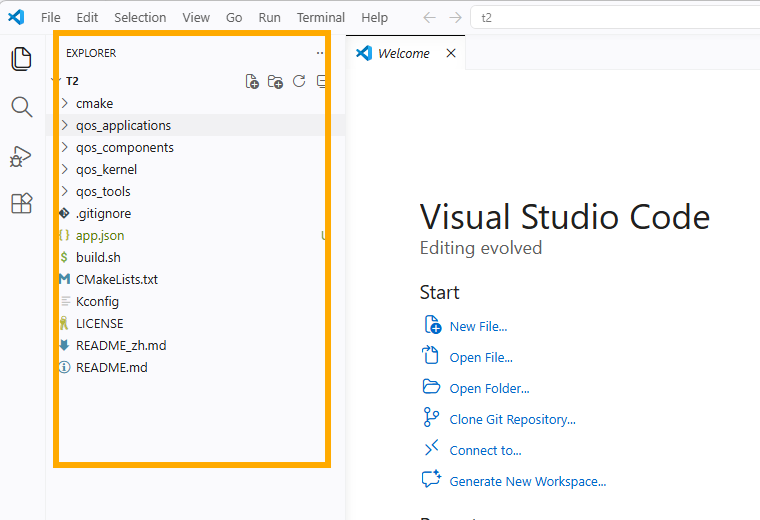
🪧 Create Demo Project
- From UniRTOS menu -> Development -> New Project From Demo.
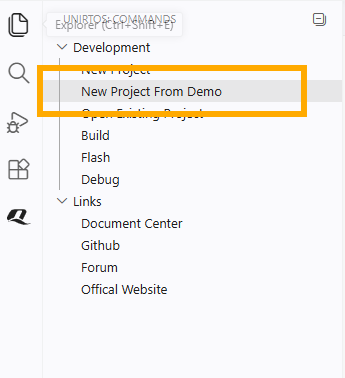
- Required fields will show in the panel, please choose to create a new project or use the current one.
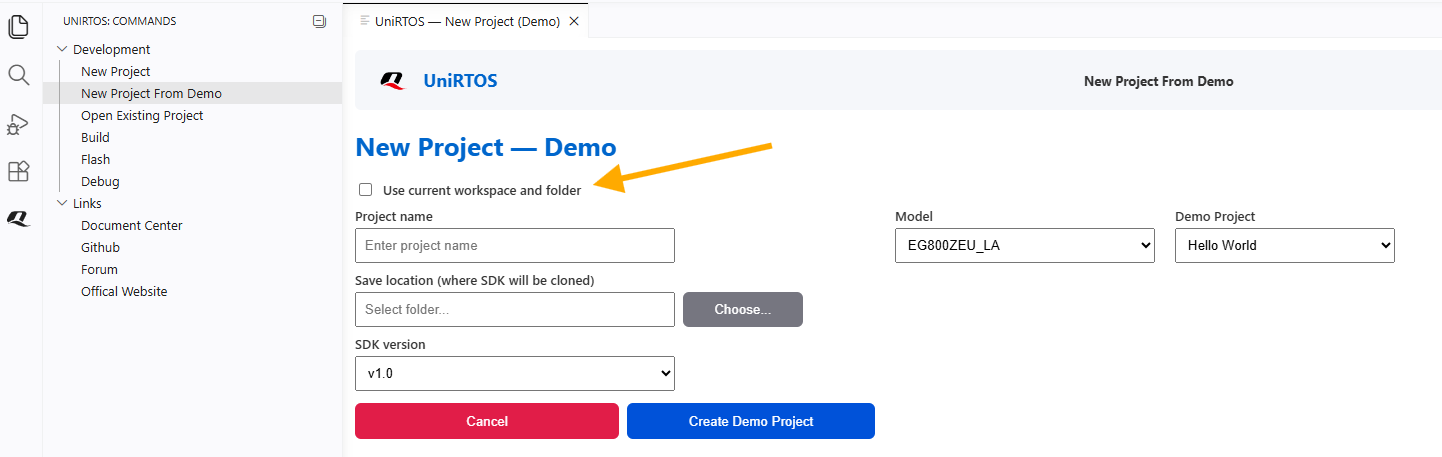
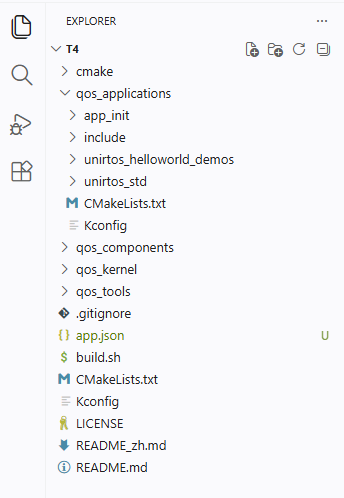
- Fill in the required fields, and push continue. The demo project will open when cloning is done for the sdk and demo project.
👷 Build UniRTOS Project
Note:
- Please install all requirements before building the sdk (For More info, check requirements guide)
- Please open UniRTOS project to use this feature
- From UniRTOS menu -> Development -> Build.
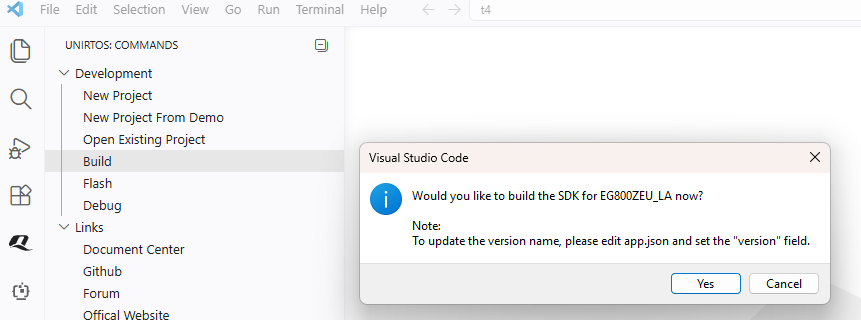
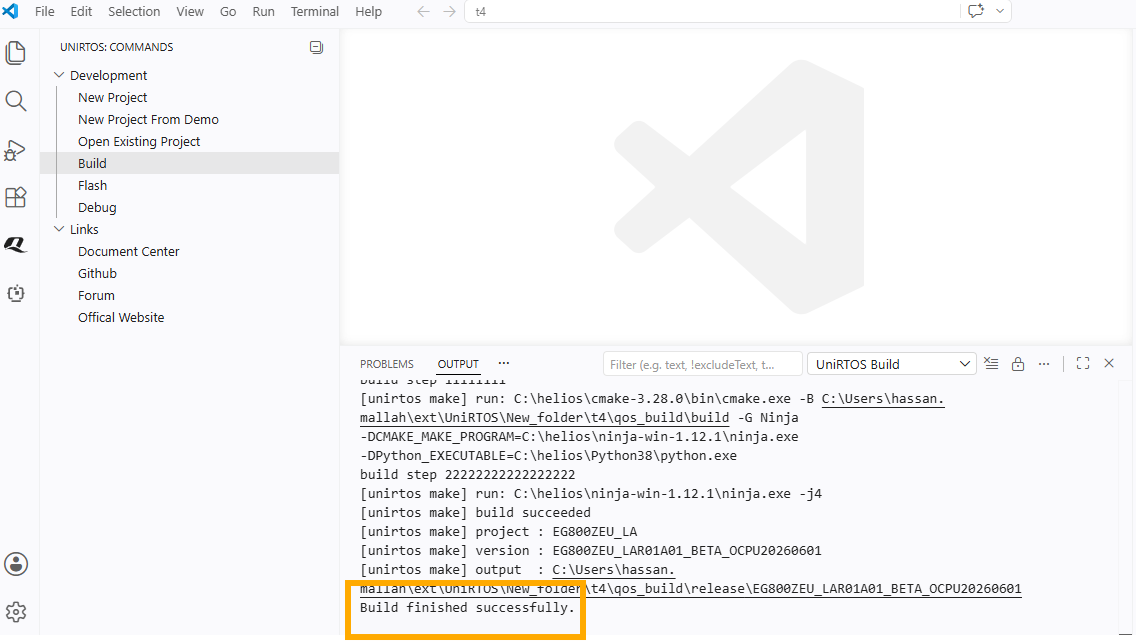
- Output tab will open and will show the process, with successful message at the end.
🔦 Flash UniRTOS Firmware
Note:
- Please install all requirements before building the sdk (For More info, check requirements guide)
- Please open UniRTOS project to use this feature
- From UniRTOS menu -> Development -> Flash.
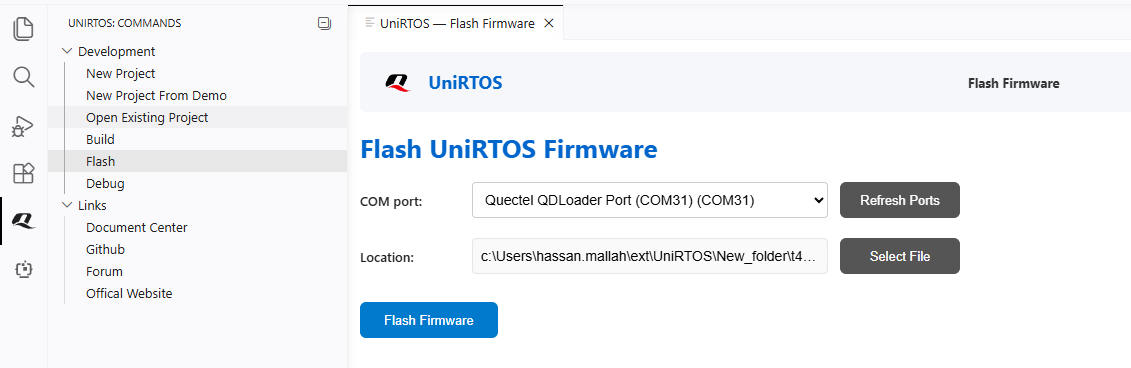
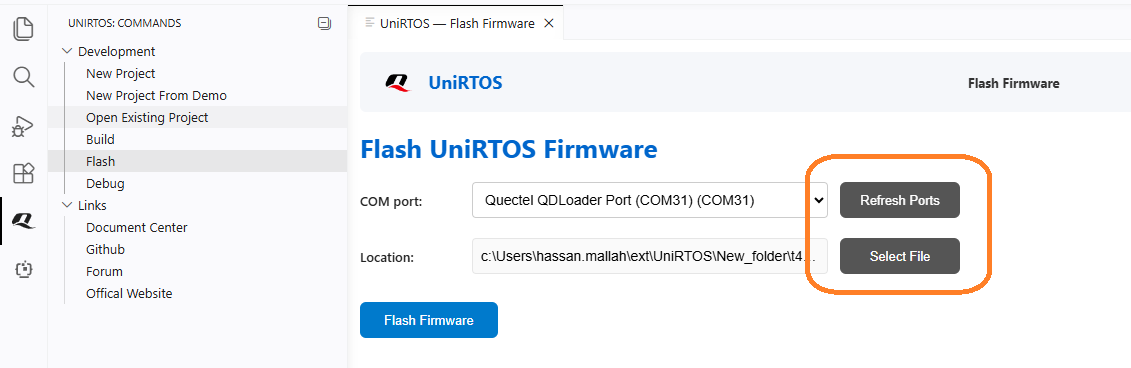
2. The extension will find the port + the config file. Or you can find config file manually: Find quec_download_usb.ini or at_command.hbinpkg
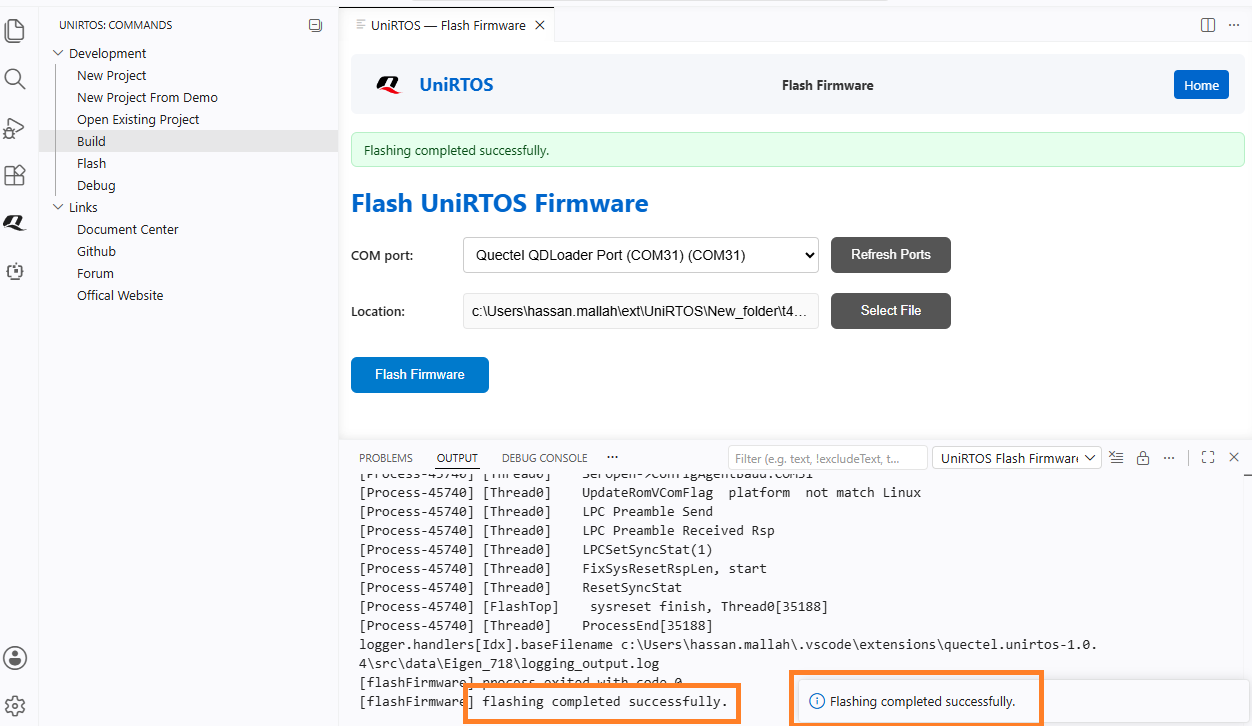
- Output tab will open and will show the process, with successful message at the end.
✔️ UniRTOS Requirements
- unirtos-toolchain download link:https://www.quectel.com.cn/wp-content/uploads/2026/04/unirtos-toolchain_1.0.3.zip
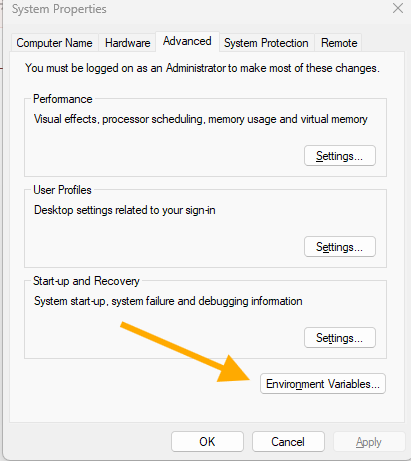
- download and install unirtos toolchain and add unirtos bin folder to Environment Variables (e.g. C:\unirtos-toolchain\bin)
- git
- python
See the LICENSE file.