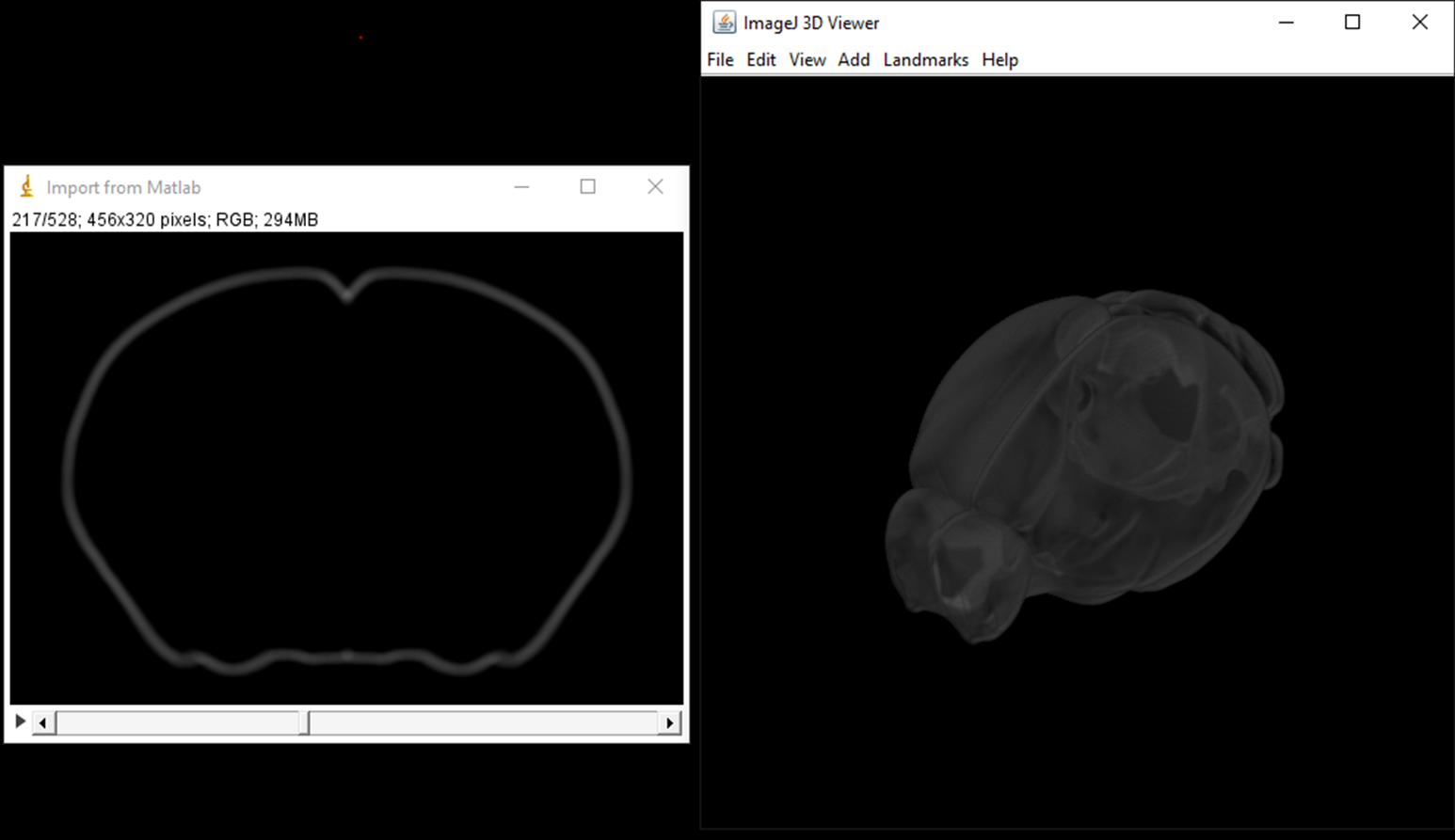
This is a description of how to create a rotating brain in FIJI
Example image: Allen CCFv3 annotation map 25 um/voxel
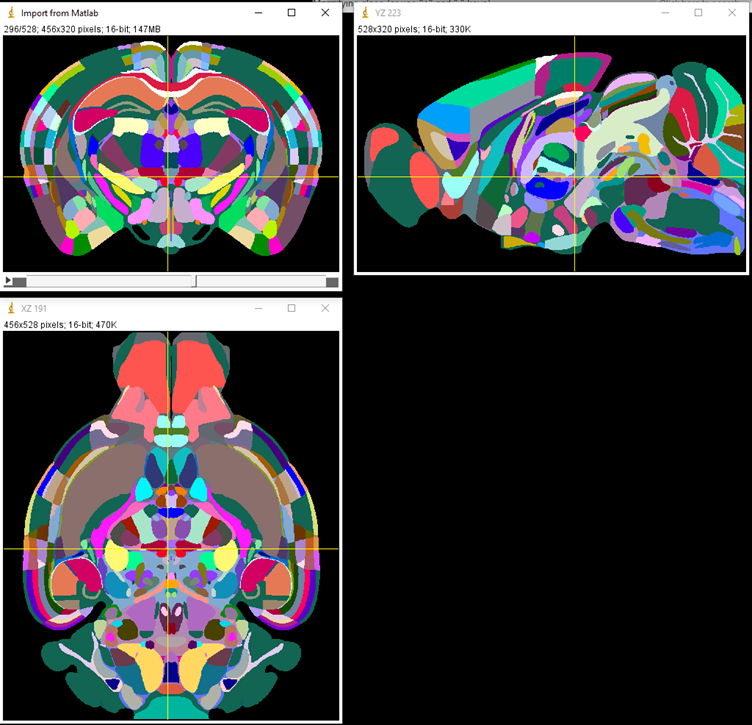
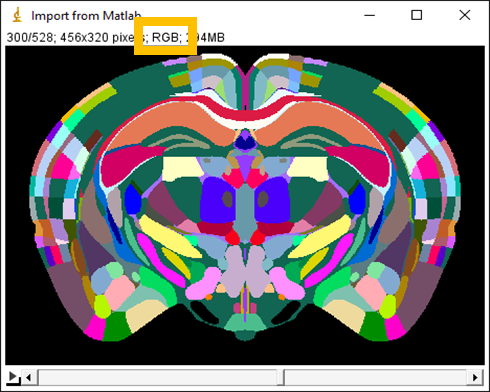
Method 1: Image > Color > Stack to RGB

Method 2: Type > RGB Color

(Skip this step may result of automatic contrast adjustment in later step)
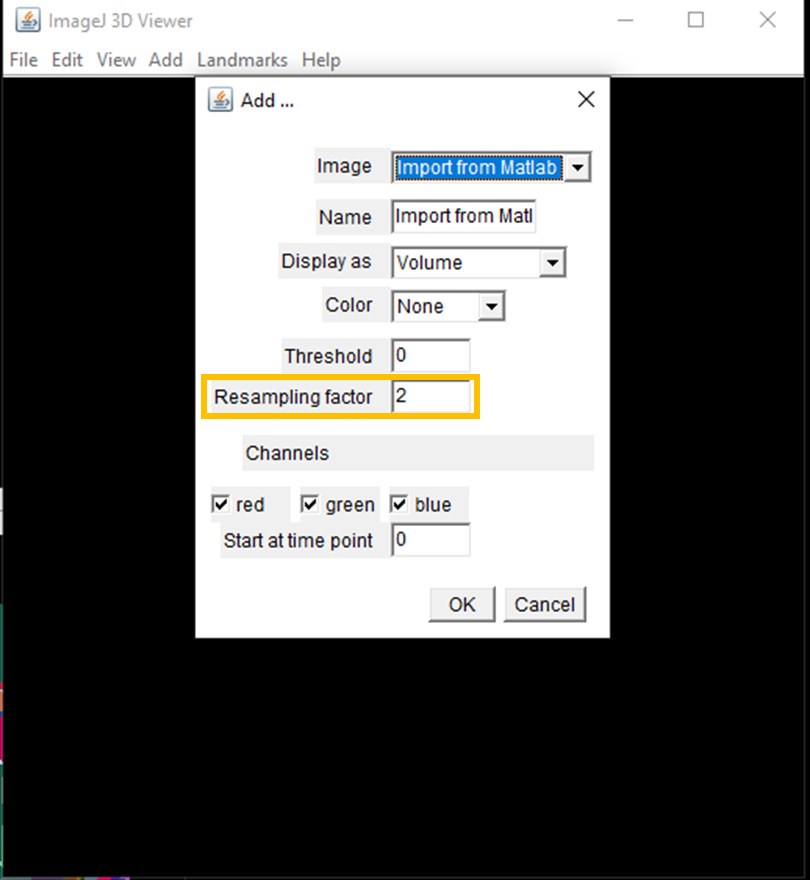
Plugins > 3D Viewer

Resolution is better when the Resampling factor = 1, but the computation time is longer.
Sometimes if the stacks is very big, Resampling factor = 1 may not work (program freezes)
With resampling factor = 1, it will give you the 3D version of the image as below
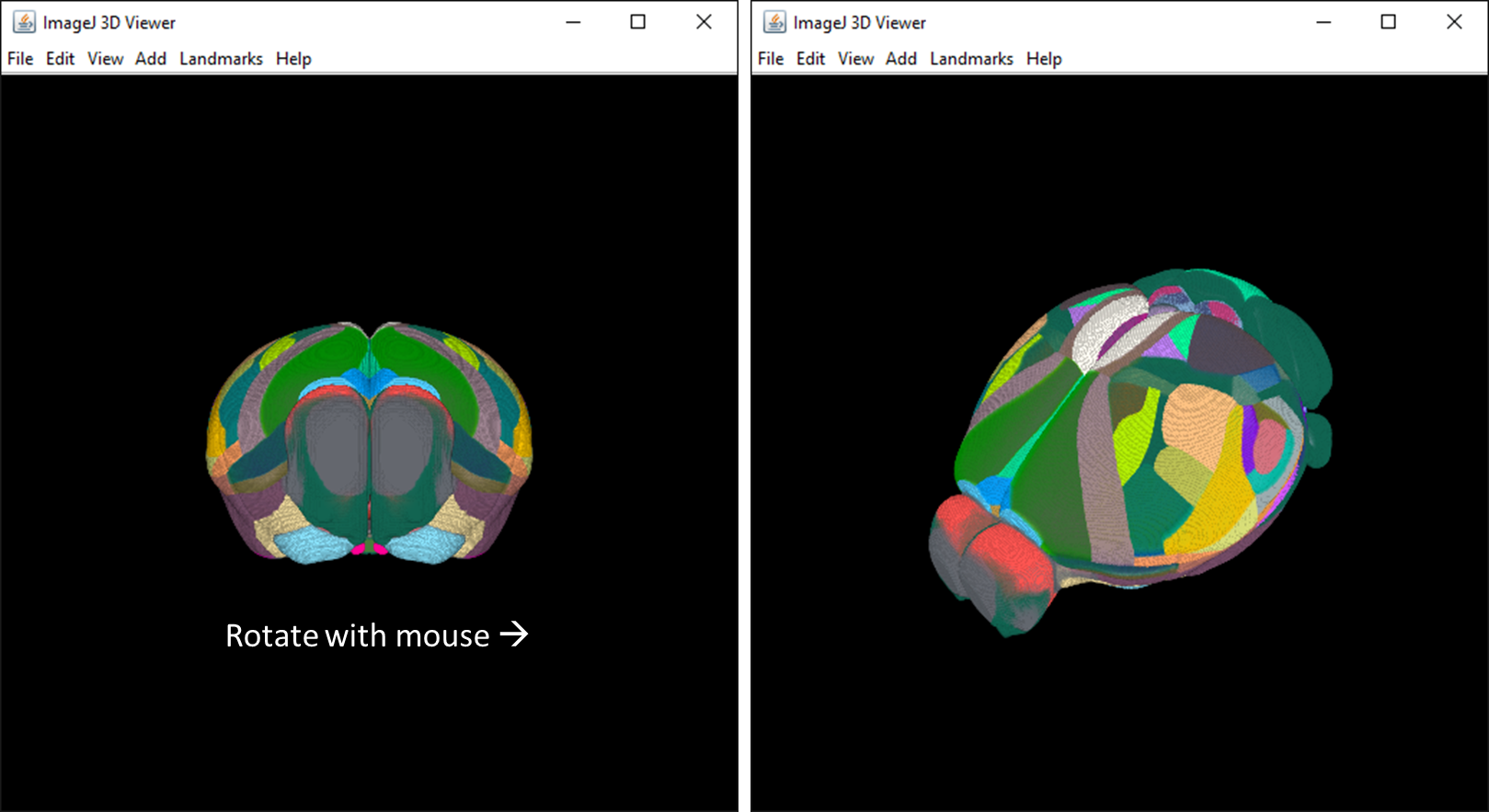
View > Record 360 deg rotation
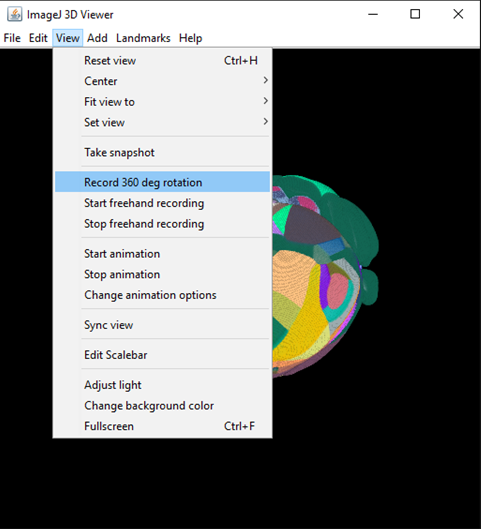
Once the recording started, you can see the brain is rotating. When it finished, the output is a timelapse movie

Note: You can record a Movie with bigger view by simply maximizing the window to full screen before start recording.

Right click the 'play' button, you can see options for adjusting speed and other features

Method 1: to .gif: File > Save As > Gif...
  When there are too many colors, the color of gif may be off. You can try Method 2 described below.

Method 2: to .avi: Plugins > Bio-Format > Bio-Format Exporter and export to .avi
          to .mp4: open the avi in Windows Video Editor > New Video Project > Add the avi to 'Project library' > drag it to the 'Storyboard' > Select 'Finish Video' and save it as mp4 file.
1. When there are multiple channels, the images can be changed into Hyperstacks. You can adjust the LUT/Brightness/Contrast for individual channels. Once the adjustments are done, convert it to RGB.
2. If you feel the movie is silight too dark or there something you want to adjust, you can use ImageJ function within a for loop in Macro.
Example for brightness adjustment:
    for (i = 1; i <=180; i++) {
        setSlice(i);
        setMinAndMax(0, 150);
    }
Link: http://help.brain-map.org/display/mouseconnectivity/API
You can find the links here:
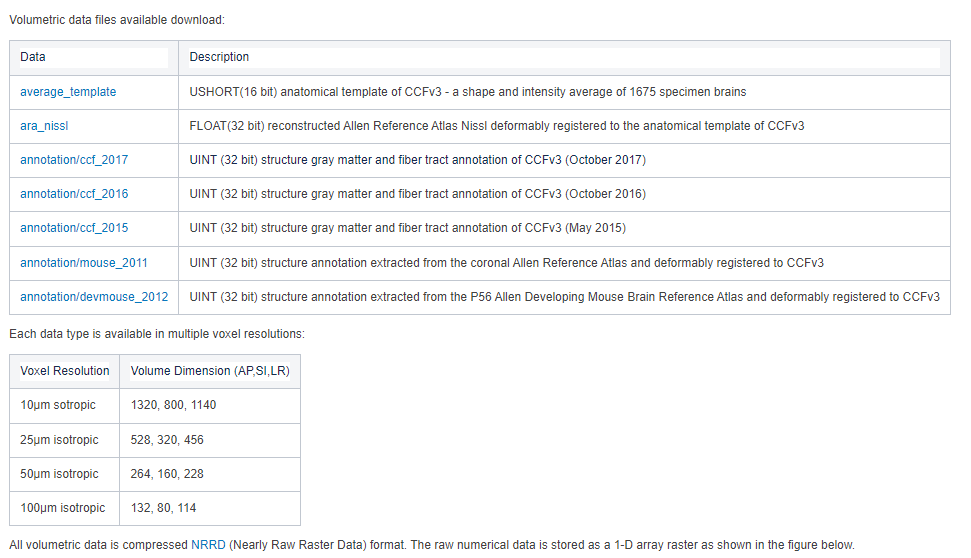
You can get the brain outline by getting the edge between zero and non-zero voxel in Allen annotation map. (Optional: after getting the edge, filter the edge with a 3D average filter.)
This can be done in ImageJ Macro or other language/software.

Example in ImageJ:
    setMinAndMax(0, 1);
    run("Apply LUT", "stack");          // Thresholding zero and non-zero voxel
    run("Find Edges", "stack");         // Get outline
    run("8-bit");                       // (For adjusting 3D transparentcy using intensity, 8-bit saturation = 255)
    run("Mean 3D...", "x=5 y=5 z=5");   // Average filter
    setMinAndMax(0, 400);               // (For adjusting 3D transparentcy)
    run("RGB Color");