2.0.6

Installation
This is the last version of the devtools that works with apollo-client 1.*. If you are still on a pre 2.* version of apollo-client, download the attached zip file and install it to chrome.
Once you have the zip file saved, unzip it and then go to chrome://extensions (or find it in your menu in more tools > extensions), then activate the developer mode on the top right of the page:
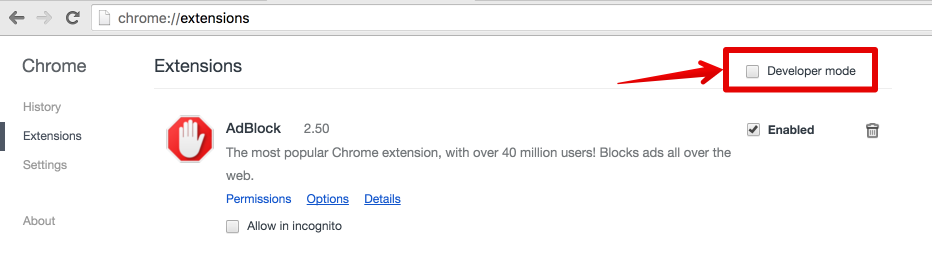
Then to install the extension, you just have to click on the recently unzipped folder on your computer:

Once you choose the folder, you should see the Apollo tab in your devtools when looking at your app!