- Tomorrow Night Eighties inspired themes
- Omnifocus inspired default searches and tags/contexts
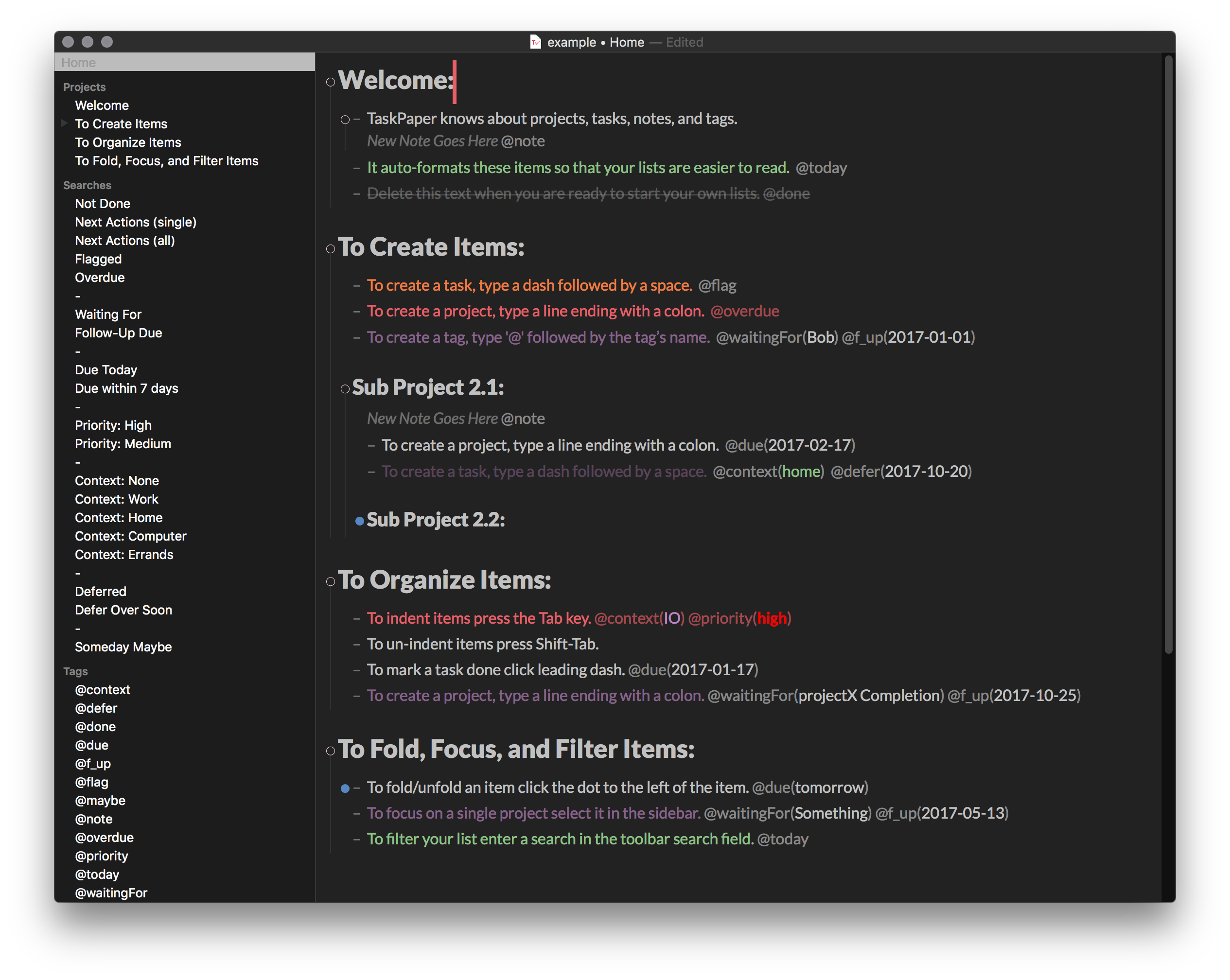
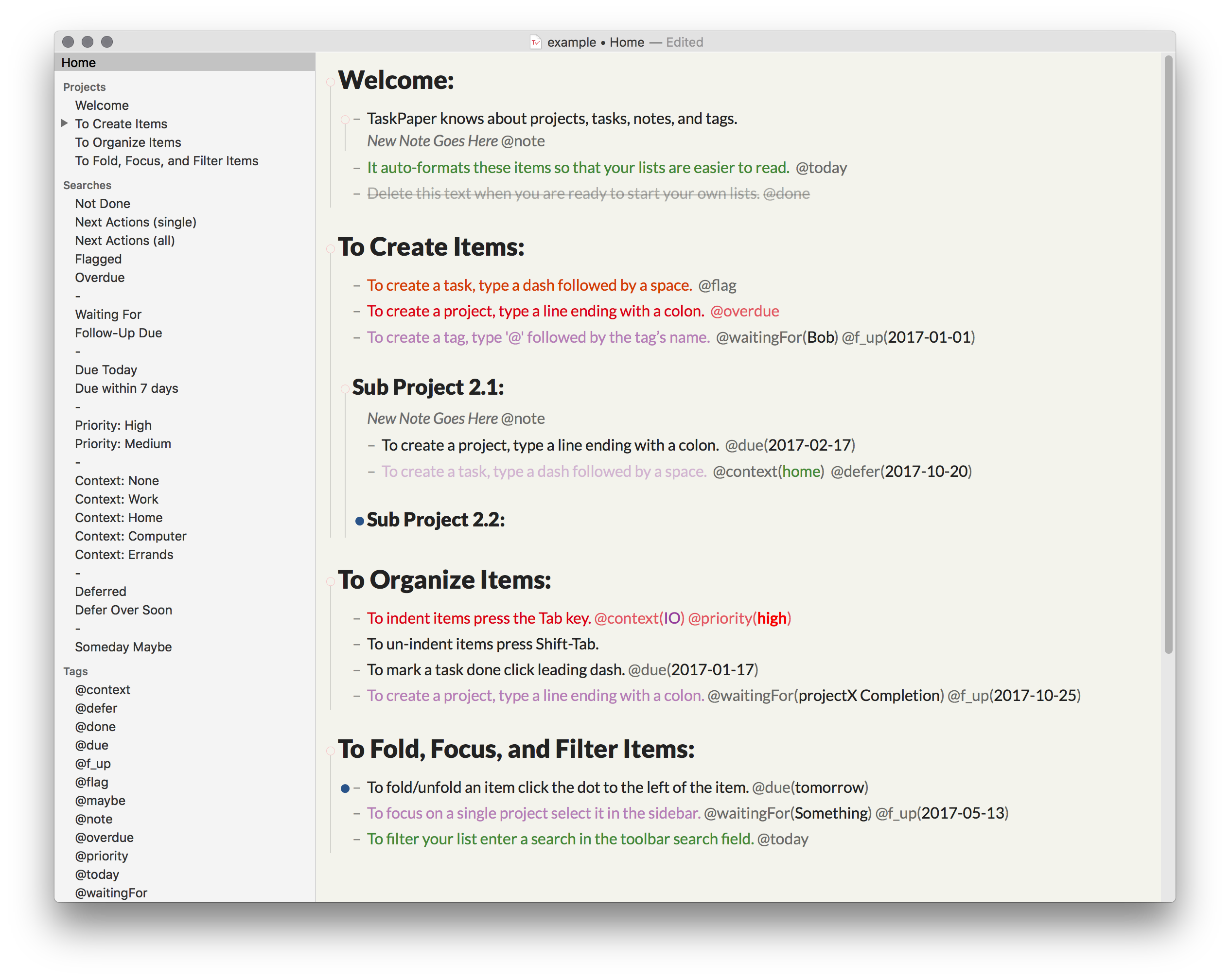
These StyleSheets and Configuration Files for TaskPaper is great if:
- You are a "Tomorrow Night Eighties" theme enthusiast
- You like Omnifocus style default searches
- You like having similar color scheme between your Day/Night time themes
- Download the zip and open the zip file
Windowmenu >StyleSheet>Open StyleSheet directory<-- from within TaskPaper- Copy both
.lessfiles from the zipStyleSheetdirectory to the TaskPaperStyleSheetdirectory Windowmenu >StyleSheet>.less<-- also from within TaskPaper
- Download the zip and open the zip file
Windowmenu >StyleSheet>Open StyleSheet directory<-- from within TaskPaper- Go back a level in the
StyleSheetdirectory and open theConfigurationsdirectory- You should now be located in
/Application Support/Taskpaper/Configurations
- You should now be located in
- Copy and overwrite both
searches.taskpaperandtags.taskpaperfiles from the zipConfigurationsdirectory to the TaskPaperConfigurationsdirectory- I recommend backing up the files in
/Application Support/Taskpaper/Configurationsbefore proceeding in case you need to revert to the default settings at a later date.
- I recommend backing up the files in
- Done.
- Download the zip and open the zip directory
- The scripts and Keyboard Maestro macros are accessible in the
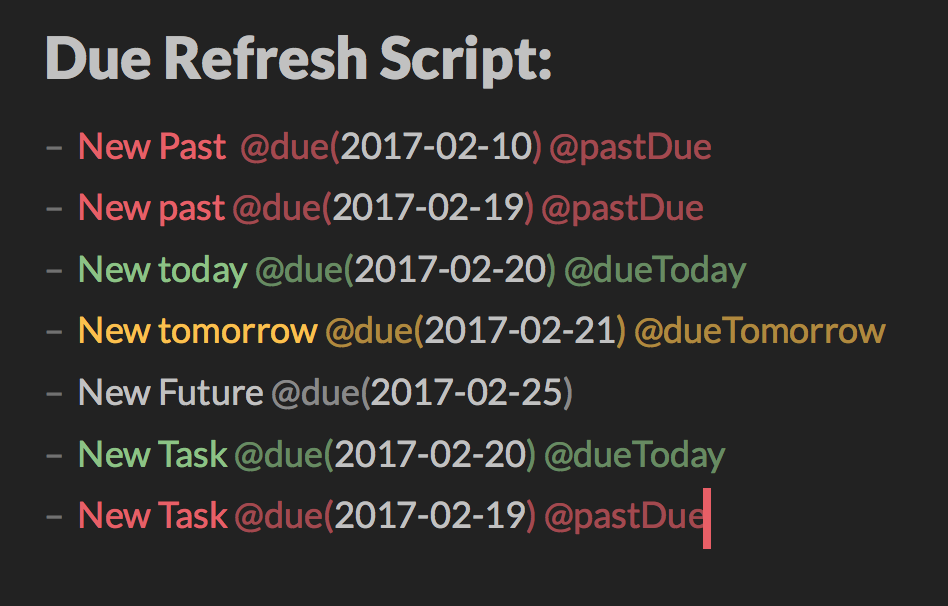
scriptsdirectory from the zip:- dueRefresh = Script that add/amend/remove tags to
@dueTomorrow,@dueTodayand@pastDueitems when the due tag/date match@tagName(yyyy-mm-dd).- It remove any
@defertags if the tag date expired (ex.@defer(2011-03-02)where the date is <= today) - It does not add @pastDue tags on items tagged with
@done,@status(completed),@status(delivered)or@status(cancelled)
- It remove any
- doneSort = Script that group and sort
@done(date)items at the bottom of the project list of items in ascending order by date. Items with a@statustag are then pushed at the bottom and sorted by ascending@done(date)as well.
- dueRefresh = Script that add/amend/remove tags to
- General script usage instructions available on TP3 guide and support forum.

Thanks Jesse Grosjean for TaskPaper 3.