Automatic, encrypted local backups for your Bitwarden vaults - without your master password.
🎉 Available on Windows, macOS, and Linux! 🎉

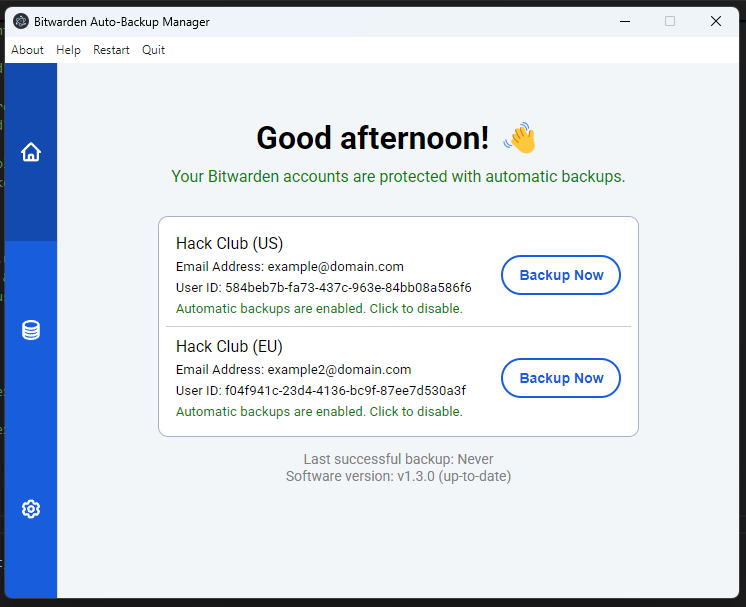
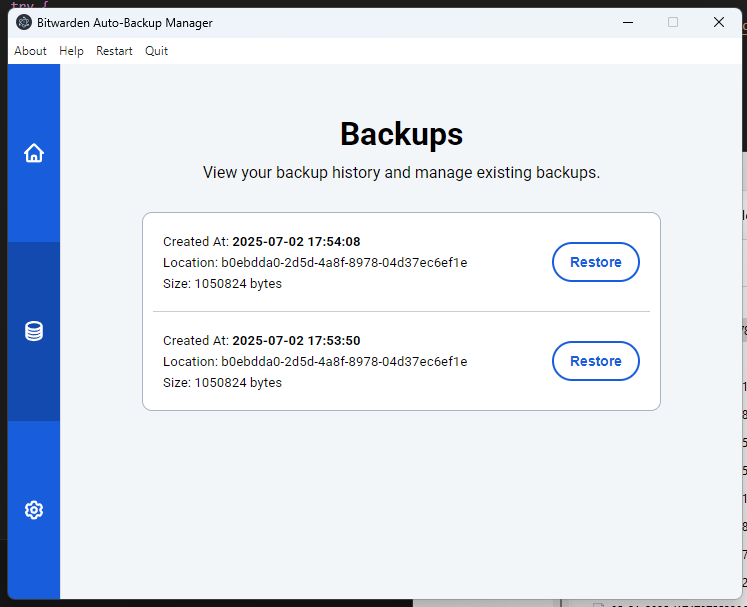
- Create encrypted backups of your Bitwarden vaults, scheduled daily, weekly, or monthly.
- Restore your Bitwarden vault from any backup within seconds (fully local, no internet connection needed).
- No master password required! Backups are created using your existing Bitwarden Desktop session for authentication and the Bitwarden API.
- Enable scheduled backups for multiple Bitwarden accounts from a single interface.
- Full support for self-hosted Bitwarden servers, including Vaultwarden.
You'll need the Bitwarden Desktop app installed and logged in before using this tool. The app is used to discover your logged-in accounts and securely authenticate with the Bitwarden API, allowing vault syncing without unsafely storing your master password.
Warning
Linux users: Snap and Flatpak installations of Bitwarden Desktop store credentials in an isolated keychain that cannot be accessed externally. If you encounter issues retrieving your refresh token, please install Bitwarden Desktop using a .deb or .rpm package instead.
Caution
This project currently supports personal Bitwarden accounts, utilizing the PBKDF2 KDF algorithm (Argon2id is not supported). You can click here to view and update your current KDF configuration.
Download the latest installer for your platform from the releases page, launch the app, and configure your backup settings. Windows, macOS, and Linux is currently supported at this time.
This tool communicates directly with the Bitwarden API to fetch and save the latest encrypted version of your vaults, using the accounts logged in through Bitwarden Desktop.
This project was made possible thanks to these projects:
electron| The framework that powers this desktop app across Windows, macOS, and Linux!bitwarden/clients| The Bitwarden client library (incl.@bitwarden/sdk-internal) is used for proper vault data formatting and compatibility.electron-builder| Packages and builds native installers for all supported platforms.electron-log| Handles logging throughout the app for debugging and diagnostics.jquery| Used throughout the front-end UI for updating the UI and event handling.
... and much more (refer to the package.json for more information)!
Bitwarden Desktop is used to access your logged-in accounts and their configuration, which allows this tool to communicate with the Bitwarden API and sync your vault.
Yes! You can set up automatic and manual backups for multiple accounts. Just make sure each one is logged in through the Bitwarden Desktop app first.
No, you will not receive backups if your computer isn't turned on. The app needs to be running in the background to create backups.
An internet connection is only required for creating backups, because your vault needs to be synced via the Bitwarden API. Restoring from an existing backup file works entirely offline.
Looks like your maximum backup threshold has been reached and your old backups are being deleted to free up space for new ones. To modify this limit, open settings and update the number under "Number of backups to keep".
The answer is, nobody knows! There currently is no way to create automatic backups in the Bitwarden Desktop app, which is why this tool exists. If you'd like to submit your feedback directly to Bitwarden, you can click here.
This app checks for updates automatically on launch and displays your version at the bottom of the window, ensuring you're always up-to-date.
That's awesome to hear! You can submit bug reports and feedback on the issues page.
If you find this project useful, you can buy me a coffee :)
