An artist image inventory system with Instagram integration
Helodali is a SPA style webapp using re-frame backed by server-side clojure, Route 53, AWS Elastic Beanstalk, DynamoDB, S3, Cognito, and Lambda. The server is deployed using a single docker container with load balancing and auto-scaling managed by Elastic Beanstalk.
Artwork images are uploaded directly or imported from an Instagram feed and annotated according to exhibitions, purchases, etc. Basic revenue and expense is tracked as well as artist CV information. See REQUIREMENTS for more detail.
Users of the application are stored in an AWS Cognito User Pool which is configured to allow native account creation along with
external identity provider authentication with Google or Facebook. The Oauth2 authorization_code grant type is used with the helodali
server component performing the request for an access token on behalf of the user. The token is stored in a DynamoDB session table and also
returned to the client for resubmission on future requests. Any authenticated request from a user must include the access token which
is compared by the server against the session table.
When registering users natively or through Google or Facebook, only email and name values are requested and stored in the helodali
database. This information is later available upon every user sign-in via the OIDC
ID Token which is acquired by the helodali server from Cognito. In this token is also the sub claim which defines the subject identifier that
is stored in the helodali database as the user's uuid value. Helodali does not request or desire write or post permission to
services such as Google, Facebook, or Instagram. Facebook is only used for authentication purposes.
The helodali clojurescript application communicates directly with AWS S3 when fetching or storing images and documents.
Because images and documents are sensitive information they are stored in private S3 buckets and are under user-level access control
based on the pathname of the files (S3 keys). For example, the bucket helodali-images contains the key
us-east-1:28c22d0b-e40b-4533-a067-23a07660254f/1041b850...a2b/1041b8...3fa2b/some-image.jpg
which has a top-level basename of us-east-1:28c22d0b-e40b-4533-a067-23a07660254f. This value is the Identity Id which is created
by Cognito and stored in an Identity Pool when temporary credentials are needed. The IAM policy definition resource reference is
"arn:aws:s3:::/${cognito-identity.amazonaws.com:sub}/*" which is confusing since the value is not the sub claim from OIDC.
See the Cognito_HelodaliIdentityPoolAuth_Role role defined in IAM.
A drawback of image privacy is the need to continually refresh the secure URLs provided by S3. The default one-hour timeout of the URLs is excessive for the purposes of this application so we set it to the maximum 12 hour value.
It is conceivable that a user may want to switch external IdPs yet preserve the Helodali account login, say login with Google after originally using Facebook.
In this case a one-time external identity linking request must be made by a Helodali administrator (until an user-facing mechanism
can be put in place). The user's record in the Cognito User Pool would then show two values in identities, not to be confused with the
Identity Pool records.
As mentioned above, the web application uploads and deletes images directly against S3, specifically the helodali-raw-images bucket. The events trigger the s3-image-conversion AWS Lambda function which makes corresponding changes to the user's DynamoDB artwork item. An upload results in the Lambda function creating mutiple smaller, web-friendly, versions of the image and storing them in separate S3 buckets.
The ability to let the helodali user import images from Instagram is a convenience in managing the inventory. Instagram integration
is performed on the helodali server using the Oauth2 authentication_code flow, redirecting the user's browser to Instagram for authentication
and approval, returning an authorization code to the helodali server. The server will then exchange the code for an Instagram access
token which is stored in the accounts database table for reuse.
Users can select individual Instagram posts to import into helodali with basic attempts at parsing title, medium, and dimensions from the post comment.
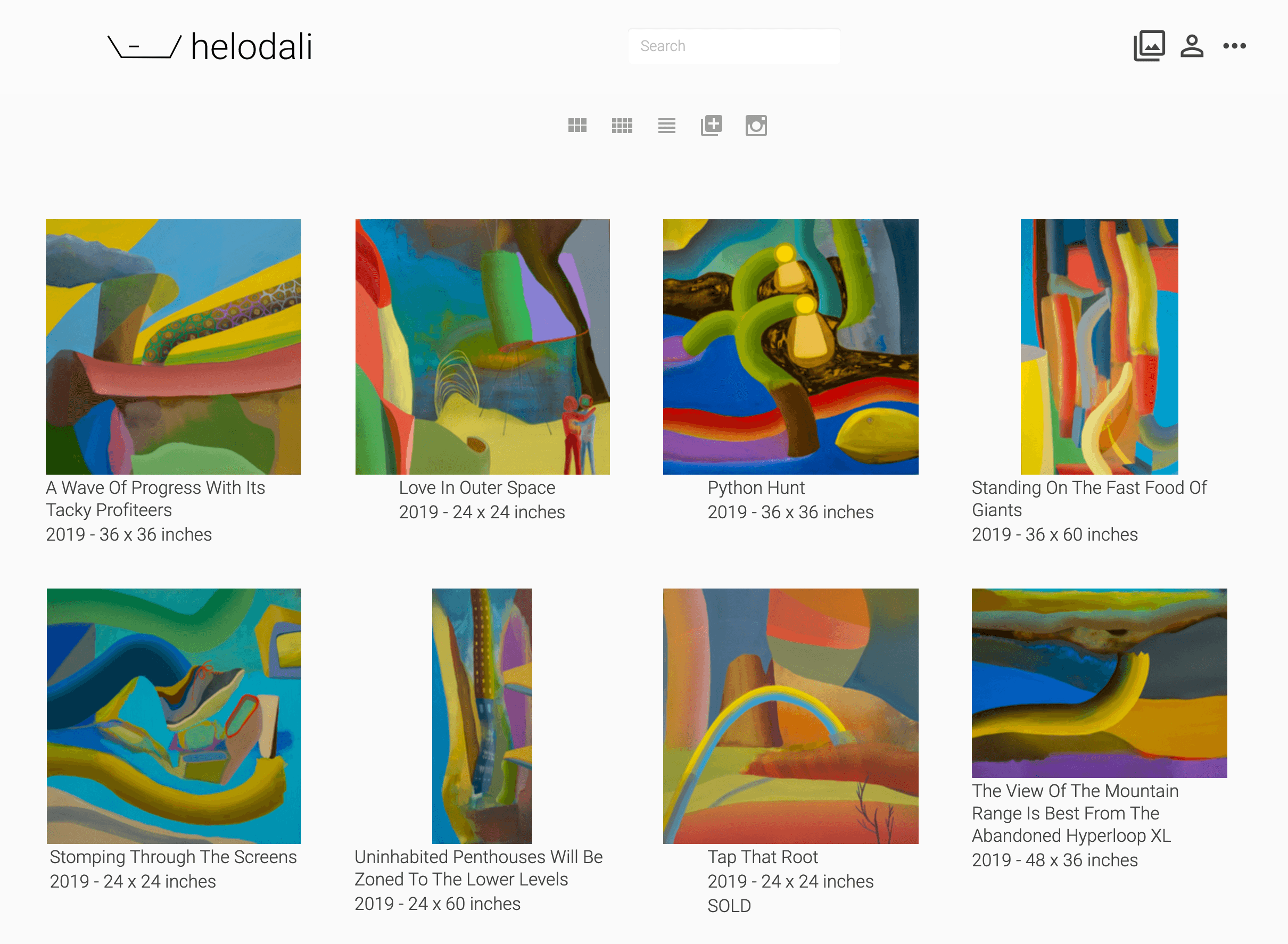
Helodali can also produce an artist website, as seen here. The generation of the website is handled by multiple AWS Lambda functions: public-page-generator, ribbon-maker, and contact-form.
The application can be run locally though it points to AWS for dynamodb and cognito. Define the following environment variables before proceeding (the INSTAGRAM values are optional):
export AWS_ACCESS_KEY=...
export AWS_SECRET_KEY=...
export AWS_DYNAMODB_ENDPOINT=dynamodb.us-east-1.amazonaws.com

export HD_INSTAGRAM_CLIENT_ID=...
export HD_INSTAGRAM_CLIENT_SECRET=..
export HD_INSTAGRAM_REDIRECT_URI=http://localhost:9500/instagram/oauth/callback

export HD_COGNITO_CLIENT_ID=...
export HD_COGNITO_CLIENT_SECRET=...
export HD_COGNITO_REDIRECT_URI=http://localhost:9500/login

export HD_CREATE_RIBBON_TOPIC_ARN=<arn for hd-create-ribbon only needed for website deployment>
Once the environment is defined, you can run figwheel with:
clojure -A:fig:build
This will launch a browser to http://localhost:9500.
To deploy to an AWS Elastic Beanstalk application environment, first configure the aws eb cli. The eb cli requires python3. There is a convenience script to set this up via python3 virtual env. Run:
./scripts/eb-cli-setup.pl <application-name>
Where application-name is likely helodali-prod or helodali-test. The application should already be configured in AWS Elastic Beanstalk.
The eb-cli-setup.pl script will install a local python3 environment with aws eb cli and
shell python3-venv/bin/activate to activate it. It will output your next command which is an invocation of eb init to
configure your environment context. You should define your eb application and environment (as a default environment) using eb init
and confirm it with eb status.
Other parameters of the eb init to be aware of are:
- The platform is Docker
- Enable ssh access (if prompted)
With the eb client configured, we can now deploy the application to AWS EB with the following. Ensure all changes are committed. Provide an environment name if no default environment has been configured.
scripts/eb-deploy.pl [environment-name]
Until the issue with the externs file is addressed, there is a modified copy of aws-sdk-js required. The process is described here.