🔤 English | 🀄 简体中文
- Heroku
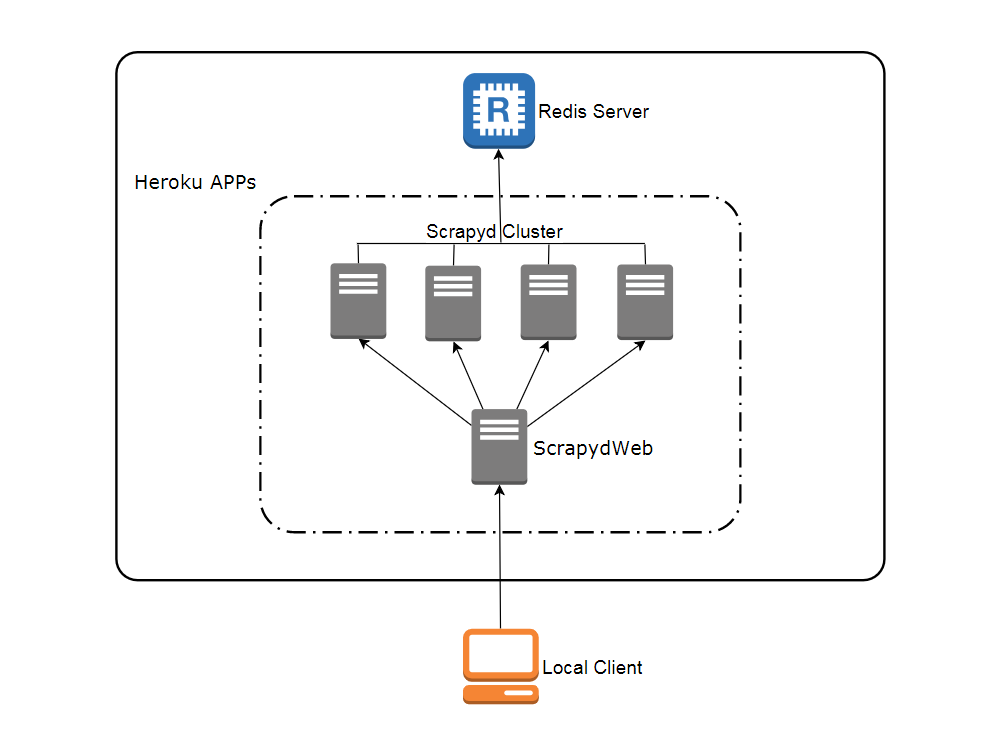
Visit heroku.com to create a free account, with which you can create and run up to 5 APPs.
- Redis Labs (optional)
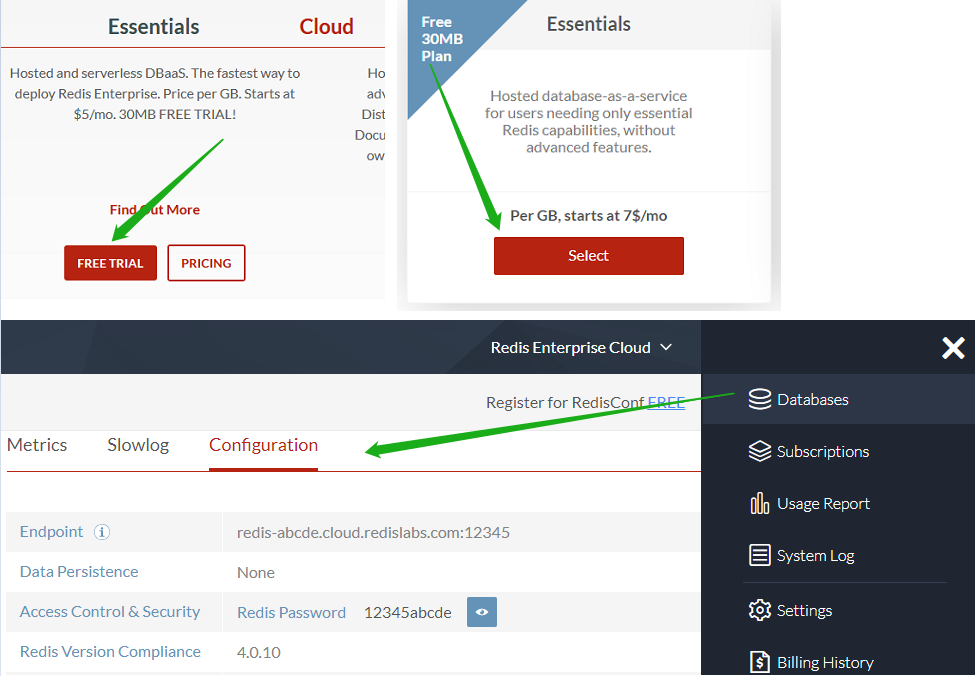
Visit redislabs.com to create a free account, which provides 30MB storage and can be used by scrapy-redis for distributed crawling.
- Git
- Heroku CLI
- Python client for Redis: Simply run the
pip install rediscommand.
Open a new terminal:
git clone https://github.com/my8100/scrapyd-cluster-on-heroku
cd scrapyd-cluster-on-heroku
heroku login
# outputs:
# heroku: Press any key to open up the browser to login or q to exit:
# Opening browser to https://cli-auth.heroku.com/auth/browser/12345-abcde
# Logging in... done
# Logged in as username@gmail.com
- New Git repo
cd scrapyd
git init
git status
git add .
git commit -a -m "first commit"
git status
- Deploy Scrapyd APP
heroku apps:create svr-1
heroku git:remote -a svr-1
git remote -v
git push heroku master
heroku logs --tail
# Press ctrl+c to stop logs outputting
# Visit https://svr-1.herokuapp.com
-
Add environment variables
- Timezone
# python -c "import tzlocal; print(tzlocal.get_localzone())" heroku config:set TZ=US/Eastern # heroku config:get TZ- Redis account (optional, see settings.py in the scrapy_redis_demo_project.zip)
heroku config:set REDIS_HOST=your-redis-host heroku config:set REDIS_PORT=your-redis-port heroku config:set REDIS_PASSWORD=your-redis-password -
Repeat step 2 and step 3 to get the rest Scrapyd APPs ready:
svr-2,svr-3andsvr-4
- New Git repo
cd ..
cd scrapydweb
git init
git status
git add .
git commit -a -m "first commit"
git status
- Deploy ScrapydWeb APP
heroku apps:create myscrapydweb
heroku git:remote -a myscrapydweb
git remote -v
git push heroku master
-
Add environment variables
- Timezone
heroku config:set TZ=US/Eastern- Scrapyd servers (see scrapydweb_settings_v8.py in the scrapydweb directory)
heroku config:set SCRAPYD_SERVER_1=svr-1.herokuapp.com:80
heroku config:set SCRAPYD_SERVER_2=svr-2.herokuapp.com:80#group1
heroku config:set SCRAPYD_SERVER_3=svr-3.herokuapp.com:80#group1
heroku config:set SCRAPYD_SERVER_4=svr-4.herokuapp.com:80#group2
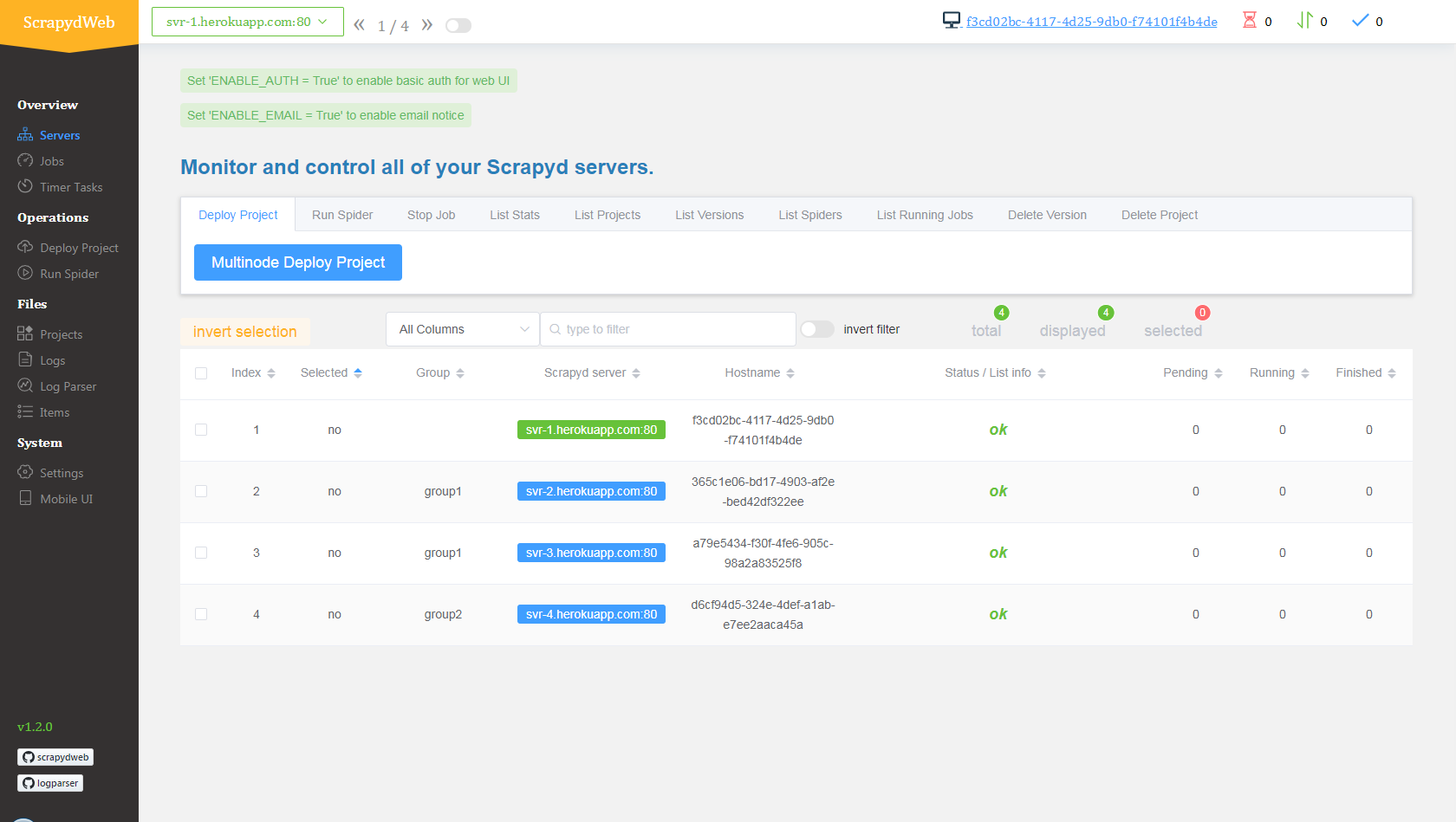
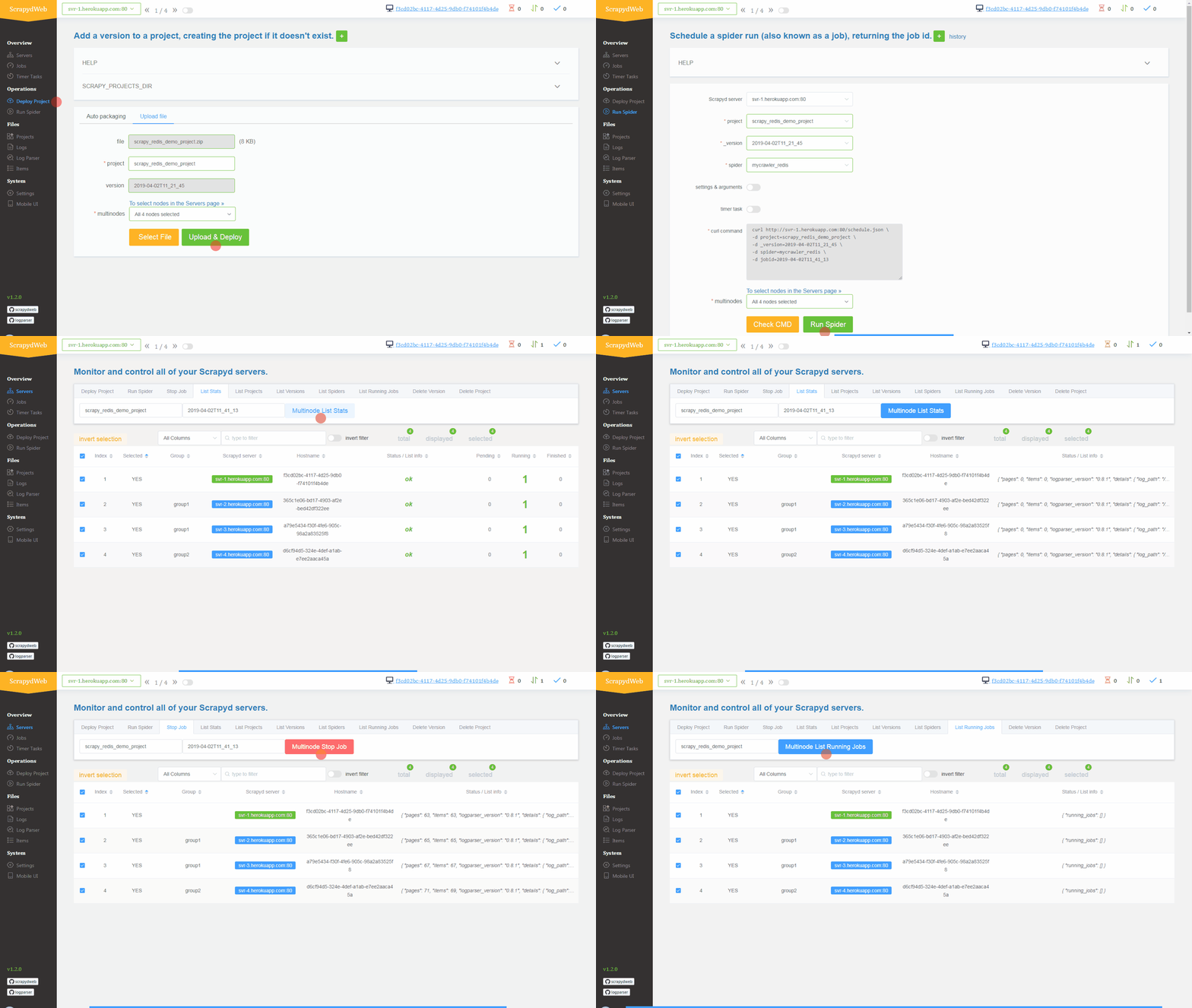
- Simply upload the compressed file scrapy_redis_demo_project.zip which resides in the scrapyd-cluster-on-heroku directory
- Push seed URLs into
mycrawler:start_urlsto fire crawling and check out the scraped items
In [1]: import redis

In [2]: r = redis.Redis(host='your-redis-host', port=your-redis-port, password='your-redis-password')

In [3]: r.delete('mycrawler_redis:requests', 'mycrawler_redis:dupefilter', 'mycrawler_redis:items')
Out[3]: 0

In [4]: r.lpush('mycrawler:start_urls', 'http://books.toscrape.com', 'http://quotes.toscrape.com')
Out[4]: 2

# wait for a minute
In [5]: r.lrange('mycrawler_redis:items', 0, 1)
Out[5]:
[b'{"url": "http://quotes.toscrape.com/", "title": "Quotes to Scrape", "hostname": "d6cf94d5-324e-4def-a1ab-e7ee2aaca45a", "crawled": "2019-04-02 03:42:37", "spider": "mycrawler_redis"}',
 b'{"url": "http://books.toscrape.com/index.html", "title": "All products | Books to Scrape - Sandbox", "hostname": "d6cf94d5-324e-4def-a1ab-e7ee2aaca45a", "crawled": "2019-04-02 03:42:37", "spider": "mycrawler_redis"}']
- Pros
- Free
- Scalable (with the help of ScrapydWeb)
- Cons
- Heroku APPs would be restarted (cycled) at least once per day and any changes to the local filesystem will be deleted, so you need the external database to persist data. Check out devcenter.heroku.com for more info.