
Cerb automates helpdesk inboxes and workflows. It has evolved continuously for over 24 years based on the feedback of thousands of teams; from solo founders to 1,000+ person enterprises managing millions of customer requests.
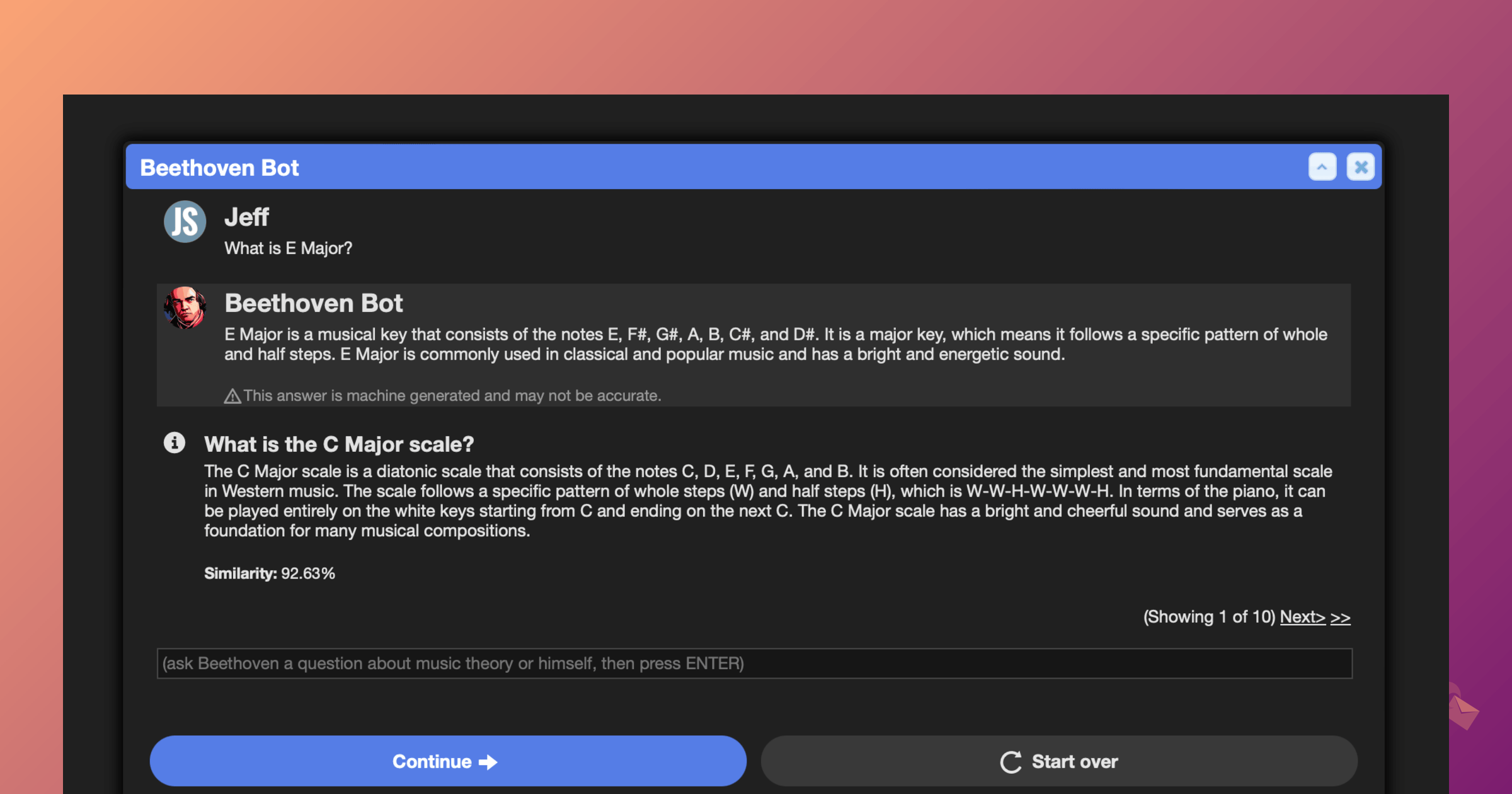
In Cerb 12.0, AI agents are ordinary members of your team. An agent is a worker record with an is_ai flag rather than a separate kind of thing, so it can own tickets, be @mentioned, join groups, and hold API credentials like anyone else. It can read and write its own files, run tools you define, and work alongside people in the same inbox.
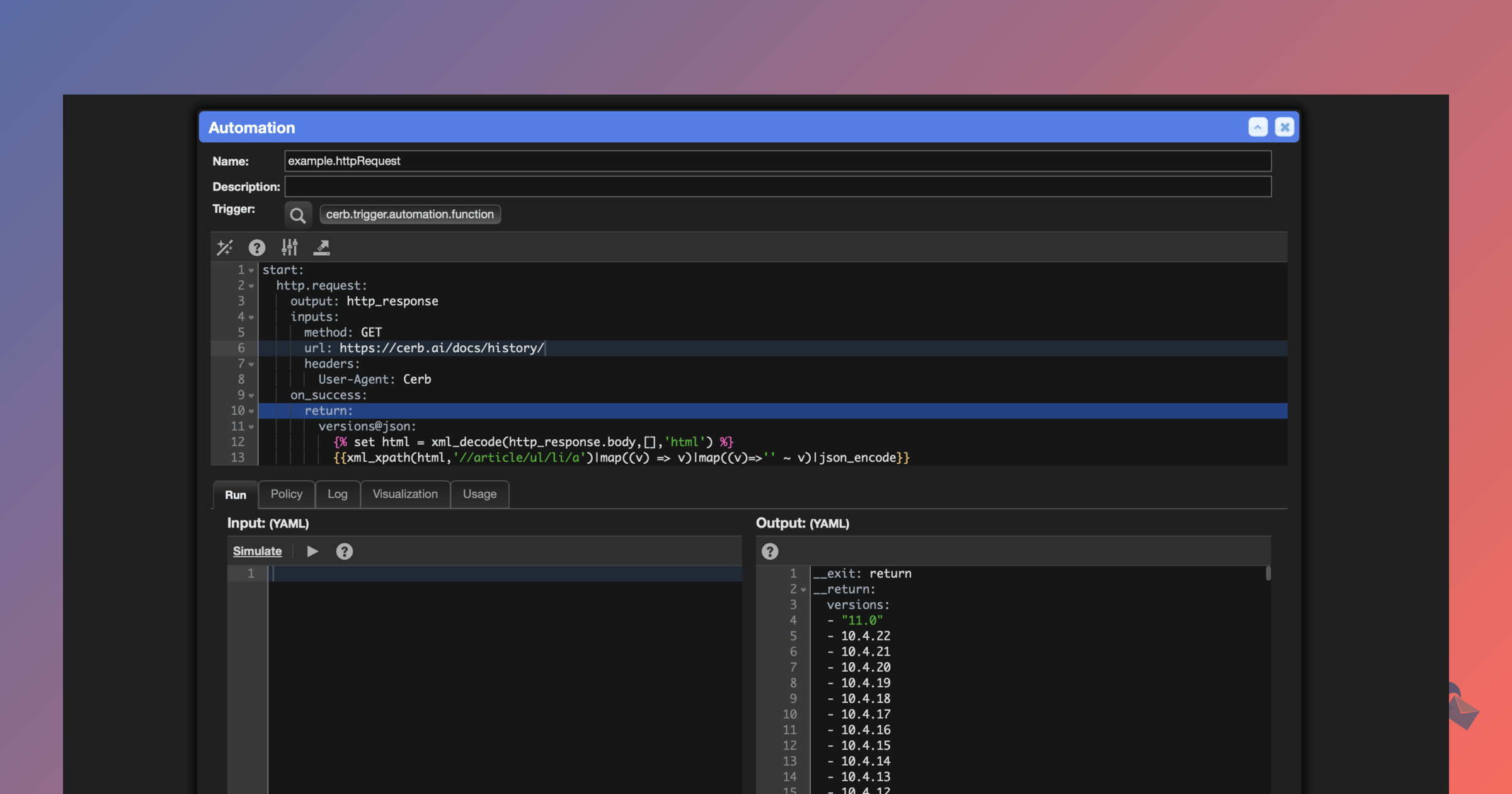
Cerb integrates with any API-based service. It can automate nearly any repetitive digital process with its specialized KATA language and browser-based coding tools. Any toolbar in the UI can be extended with interactive multistep workflows that include human approval.
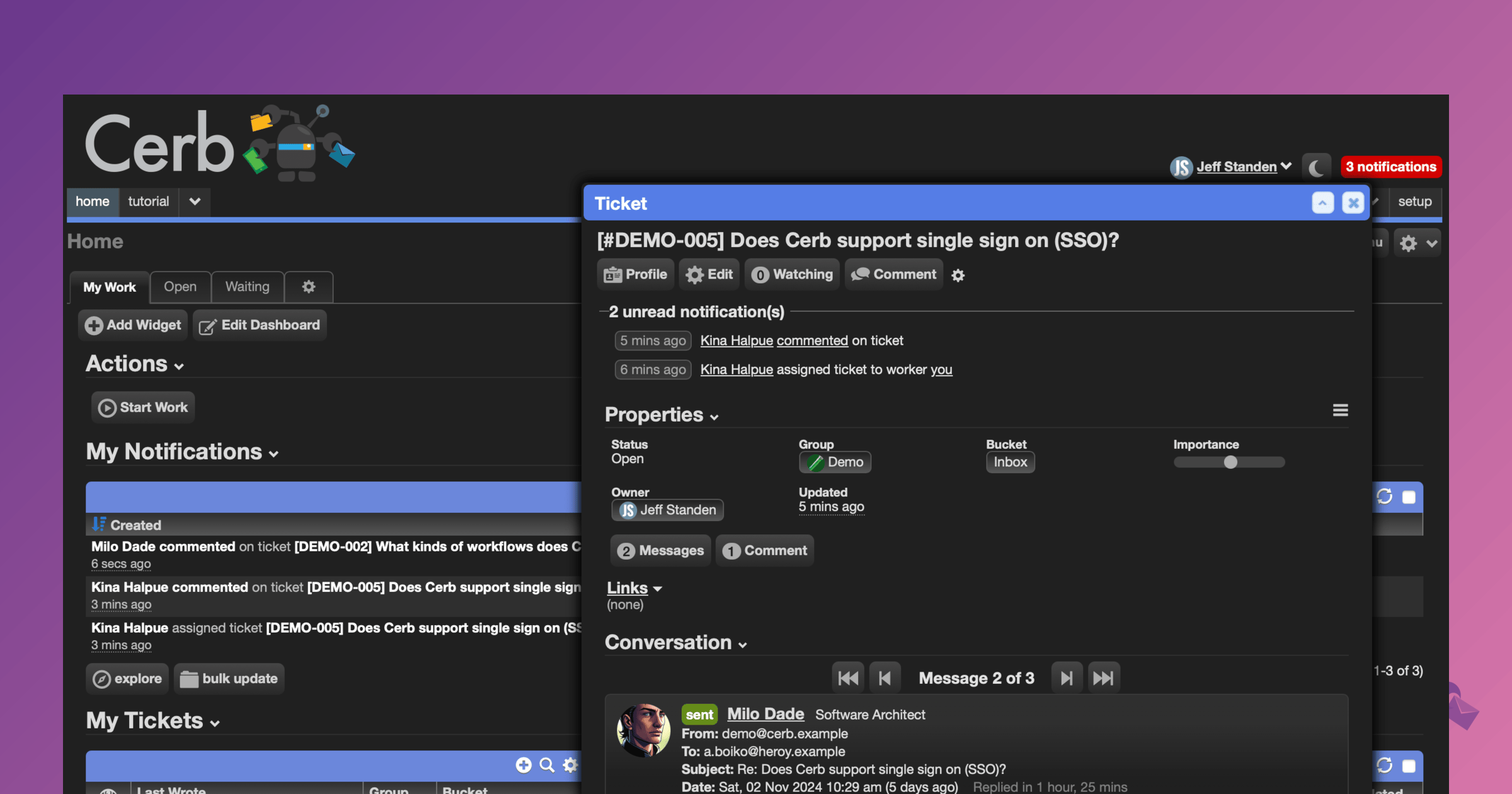
Teams and individuals can build a personalized "mission control" using a wide array of configurable widgets to stay focused on their most important tasks. Custom records and fields organize any kind of task (email, social posts, orders, surveys, calls, tasks, text messages). Pre-built solutions can be easily shared within the community using workflows.
Try Cerb in Docker or Cerb Cloud for free with no time limit. 100% of the source code is available on GitHub.
- Self-hosting is free forever with unlimited workers and seats, and no license or registration required.
- A subscription removes the concurrency limit, so background work and AI agent turns run more in parallel, and lets you decide how that capacity divides between them.
- Seats are self-reported and never enforced. No login is refused and no session is ended over seat count.
- Every member of your team can run a free local copy of Cerb for testing, development, and staging.
- Downgrade to a community license from self-hosted or Cerb Cloud at any time and retain permanent free access to your data.
- Academic institutions, non-profits, charities, and open source projects are eligible for additional concurrency or discounts.


Full details are in the 12.0 release notes.
AI workers are real workers. Agent model records hold each LLM's provider, credentials, endpoint, and capabilities in one place, so an automation asks for the model it needs -- hasVision:yes intelligence:>=advanced privacy:>=zdr -- instead of naming one and hoping it exists on the install it's running against. Point a model record at a self-hosted or proxied endpoint and a local model works the same way.
Agents mount filesystems they can read and write, and work in them with familiar commands (ls, find, read, write, edit). They call tools you define as automations. An agent pane puts a chat beside the editor you're already in, and the agent edits what you're working on rather than telling you what to change.
New automations start from templates rather than an empty editor, and a read-only control-flow graph maps a script's decisions, outcomes, and loops so you can see the shape of one you didn't write.
Background work runs in parallel rather than one job at a time, with FIFO ordering, first-class queue jobs you can watch and cancel, and consumer extensions for your own work. Concurrency divides into lanes, so a queue of long AI agent turns can't take every slot and leave imports, exports, and bulk updates waiting behind it.
Search Index records manage a custom search filter on any record type, so full-text search is configurable per install rather than fixed.
Cerb's interface is now built on its own component library instead of inherited third-party widgets -- charts, editors, dialogs, choosers, and calendars that share one design system, one stylesheet, and one dark mode.
Cerb can be installed on your own hardware or deployed as a fully managed service in Cerb Cloud.
Cerb Cloud is a subscription-based service that provides a finely tuned, ready-to-use instance of Cerb in an ideal environment. All you need is a web browser and your team can start putting Cerb’s tools to work. We’ll handle everything else.
-
Fully managed: We install Cerb and its dependencies in an ideal environment, apply updates and security patches, monitor and scale the infrastructure, optimize performance, maintain backups, interface with email service providers for deliverability, provide application support and other technical services, and everything else. You can focus on what you do best.
-
Highly available: Failed components are automatically replaced and redundant capacity allows your service to continue uninterrupted. Databases recover from failures automatically.
-
Scalable: Your Cerb environment can scale seamlessly from a single worker who sends a couple of messages per day, to hundreds of concurrent workers with a history spanning millions of conversations. Resources can seamlessly “scale up” and “scale out”. New resources are automatically provisioned and added to load balancers in response to traffic needs (web servers, cache servers, incoming and outgoing mail servers, etc).
-
High performing: Cerb is already designed to be fast and efficient. Cerb Cloud further accelerates performance by optimizing the underlying infrastructure and taking advantage of distributed services in the cloud. The database is continuously tuned for your workload. Resource requests (images, scripts, stylesheets, and fonts) are served instantly from a memory cache. Frequently accessed application data is retrieved from a memory-based cache cluster to reduce database latency. Background jobs are managed by an automated scheduler.
-
Secure: All traffic between you and your Cerb instance is encrypted with SSL. We support “Perfect Forward Secrecy”, which is a strategy that protects your past encrypted transmissions even if they are intercepted and recorded (even we can’t decrypt them once your session ends). Our resources operate in a “private cloud” with private networks for traffic between components, and firewall rules in front of public components that expose a minimally necessary attack surface. Our own access to those resources requires RSA keys and two-factor authentication.
-
Durable: We archive a sequence of full daily database backups, as well as the incremental point-in-time changes in between. Long term object storage (like attachments) are redundantly stored in several geographically separate locations. We can also arrange for backups to be routinely transfered to you.
You can sign up for a free Cerb Cloud trial with no time limit.
We provide Cerb Cloud SMTP (outbound) and MX (inbound), or you can bring your existing email accounts (Gmail, Office365, etc). You can also bring your own domain (e.g. support.example.com).
You can choose to store your data in one of three self-contained regions: U.S., Europe (Frankfurt), or Asia Pacific (Sydney).
At any time, your data in Cerb Cloud can be migrated to a different region, or to a self-hosted environment.
Cerb ships with a Docker configuration for local evaluation, development, and testing. This creates preconfigured containers for Nginx (web server), PHP/FPM (code), and MySQL (database). By default, data is stored in two volumes (one for the database and the other for the ./storage/ directory). A virtual network is created to connect the containers.
First, make sure Docker Desktop is installed.
Navigate to the directory where you want to install a copy of Cerb. Then run the following commands:
git clone -b v12.0 https://github.com/cerb/cerb-release.git v12.0

# ... or download + unzip: https://codeload.github.com/cerb/cerb-release/zip/refs/heads/v12.0.zip

cd v12.0

cd install/docker

cp .env.template .env

docker compose up
It will take a few minutes to build the container images the first time you run them. Afterward, the containers will start almost instantly.
Once the containers are running, open your browser to: http://localhost/
The guided installer will finish installing Cerb based on your needs. For testing we recommend disabling outbound email when prompted (this can always be re-enabled later). At the end of the installer you can also choose "Demo" mode to have test data to experiment with.
If you're already using port 80 for a different project, set a different port in .env before running docker compose up:
CERB_PORT=8080The same file names the environment. Each name gets its own containers, network, and volumes, so changing CERB_ENV and CERB_PORT together lets you run several copies of Cerb side by side on one machine.
The template lists the rest of what you can set: the database credentials, a service token for external schedulers, and the PHP and nginx process pool sizes. Its comments explain each one, and customizing the environment covers them in more detail. Set the database credentials before your first docker compose up -- MySQL creates that user once, when it initializes the database.
To connect the MySQL console:
docker compose exec mysql mysql -u cerb -p cerbThe default password is s3cr3t, or whatever you set for MYSQL_PASSWORD in .env.
You can edit files in your local filesystem and the changes will be reflected instantly within the containers.
To pause the containers, use the Ctrl+C keyboard shortcut or stop them from Docker Desktop. Resume them later with docker compose up or the play button in Docker Desktop.
To delete the containers and their data, use the command:
docker compose down --volumesThe basic installation guide walks through the steps to install Cerb's components on a single server. This will be performant enough for dozens of concurrent workers, but it will not be resilient to failure.
In mission-critical environments we recommend using highly available and scalable architecture to separate each component and add redundancy.
For example, in Amazon Web Services (AWS) you'd use EC2 or ECS/Fargate for nginx and PHP/FPM containers, ALB for load balancing, RDS/Aurora for the database server cluster, Elasticache for memcached, EFS for a shared ./storage mount between containers, S3 for long-term storage/backups, and CloudWatch for monitoring.
If you do not have experience with deploying scalable web apps, we strongly recommend that you use Cerb Cloud.
Read the documentation to get started.
The software is distributed under the Devblocks Public License as a commercial open source project. The full source code is publicly available on GitHub.
Self-hosting is free forever. Unlimited workers, unlimited seats, no license key, and no registration. A community install runs three concurrency slots -- enough to use every feature in the product, just less of it at once.
A subscription removes that limit. It gives you unlimited concurrency slots, control over how they divide between background work and AI agent turns, and direct email support. It is priced per seat, self-reported, and never enforced in the software: no login is refused, no session is ended, and nothing is gated behind a seat count.
Cerb Cloud is the same software, fully managed, with its capacity provisioned by us.
See pricing for current plans.
Cerb is developed in the PHP programming language. Relational data is stored in MySQL. See the credits for a full list of third-party libraries, resources, and contributors.