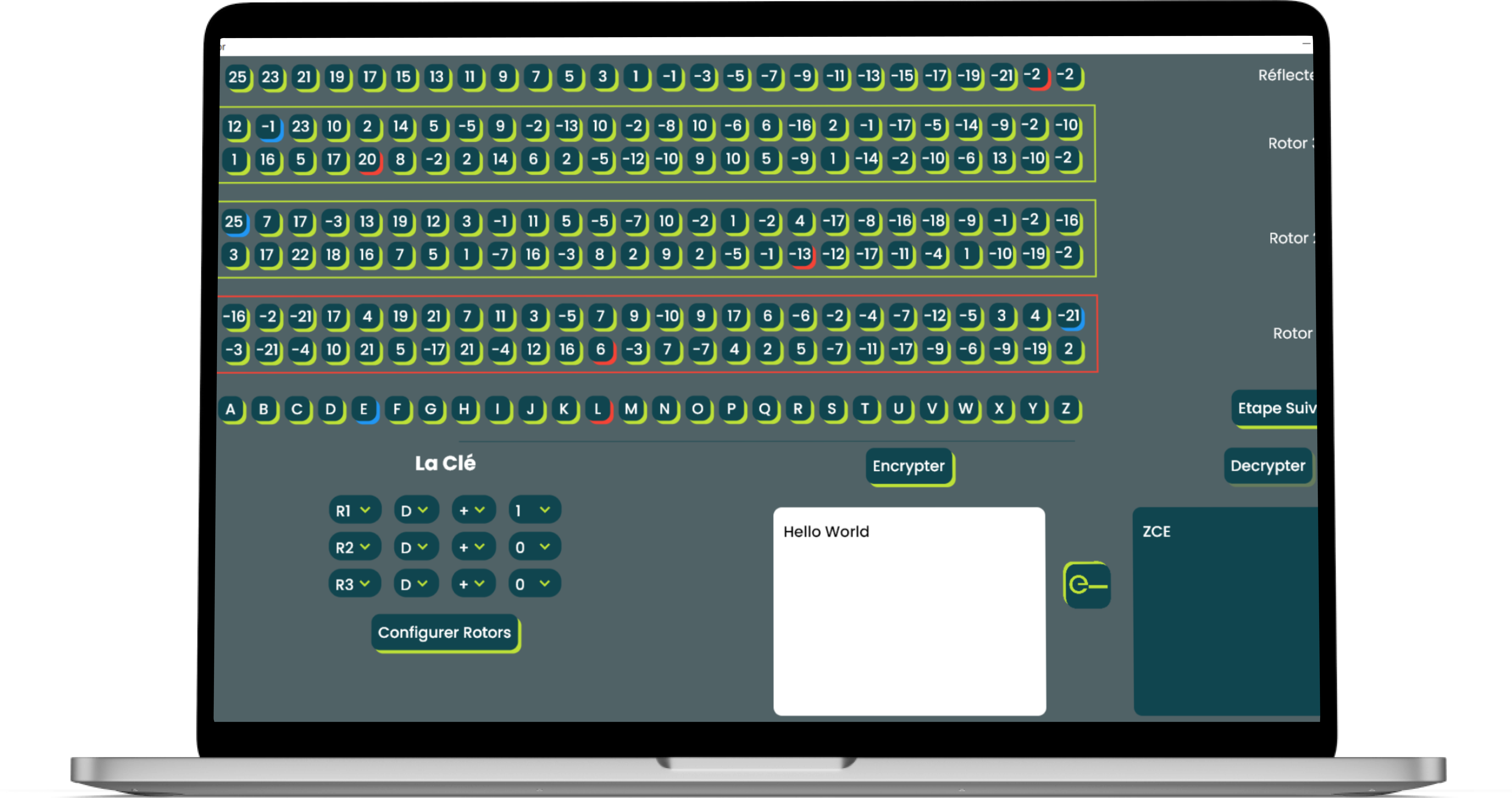
Enigma Simulator is a desktop application that faithfully simulates the Enigma encryption machine used during World War II. Explore the fascinating world of cryptography with this educational tool.
- Enigma Machine Simulation: Experience the Enigma machine's functionality and learn how it worked.
- Educational: Ideal for students and history enthusiasts interested in cryptography and World War II history.
- User-Friendly Interface: Intuitive design for easy navigation and usage.
- Flutter: A popular framework for building natively compiled applications for desktop, mobile, web, and more.
To get started with Enigma Simulator, follow these steps:
- Clone this repository to your local machine.
- Ensure you have Flutter installed. If not, you can install Flutter here.
- Navigate to the project root folder.
- Run
flutter pub getto install the required packages. - Build and run the application using
flutter run.
You can install Enigma Simulator by following these steps:
- Download the latest release from the Releases page.
- Install the application by following the provided installation instructions for your platform (Windows, macOS, Linux).
- Launch the Enigma Simulator application.
- Explore the Enigma machine simulation.
- Experiment with different settings and configurations to understand how it encrypted messages during World War II.
Contributions to Enigma Simulator are welcome! If you'd like to contribute, please follow these guidelines:
- Fork the repository.
- Create a new branch for your feature or bug fix.
- Make your changes and ensure that the code is well-documented.
- Open a pull request describing your changes.
This project is licensed under the MIT License. You are free to use, modify, and distribute this software.