This is the repository containing the ROS driver, configurations and additional packages of the TORsten mobile intralogistics robot. You can find additional informations and specifications of the system at http://torsten.torwegge.de/en/.
The torsten_robot repository provides the following packages for ROS integration of the TORsten mobile intralogistics robot:
| Package | Description |
|---|---|
| torsten_description | Provides the mesh files and the static and dynamic transformation tree based on URDF description of the robot. |
| torsten_driver | The package contains the low-level communication to components with the CAN interface to the SEW Eurodrive motion PLC. The package maps the motion commands and system state into the ROS ecosystem and provides functionalities e.g. for moving bolts up and down. |
| torsten_msgs | Provides message types for controlling e.g. the bolts of the system or providing system state information. |
| torsten_navigation | Contains launch-files for the integration of the system into the ROS navigation stack |
| torsten_robot | Meta-package |
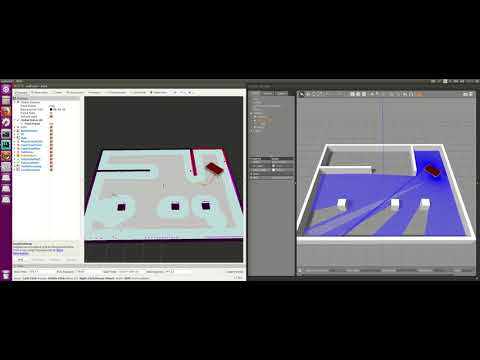
| torsten_simulation | Integration of the TORsten mobile intralogistics robot in the gazebo simulation environment |
The following instructions describes the installation procedure of the TORsten base computation unit. The base system is connected via CAN bus with the motion controller (SEW - PLC) of the vehicle. Additional communication is performed via Ethernet (e.g. connecting to laser scanners - SICK TIM571).
If you haven't installed the Robot Operating System (ROS) on your PC you can follow the instructions of the ros.org homepage (http://wiki.ros.org/kinetic/Installation/Ubuntu). The torsten_robot packages has been tested and deployed with ROS Kinetic Kame under Ubuntu 16.04.
The base navigation unit is connected with the motion controller via CAN. The used interface module is PCAN USB adapter of PEAK Systems. For installation use the following link to download the "Driver Package for Proprietary Purposes":
Extract the driver package in your download directory:
tar -zxvf peak-linux-driver-8.8.0.tar.gz
Enter the driver package directory and install the driver:
cd peak-linux-driver-8.8.0/
make clean
make
sudo make install
The torsten_robot packages can be compiled from source. Therefor generate a new catkin workspace, clone the repository, resolve dependencies and compile the packages.
mkdir -p ~/catkin_ws_torsten/src
cd ~/catkin_ws_torsten/src
git clone https://github.com/chenke-de/torsten_robot.git
cd ~/catkin_ws_torsten
rosdep install --from-paths src --ignore-src --rosdistro kinetic -y
catkin_make
Now source the bash file.
source ~/catkin_ws_torsten/devel/setup.bash
You can now run examples like the robot description:
roslaunch torsten_description display_torsten_urdf.launch
There is also a Gazebo simulation environment for test purposes:
roslaunch torsten_gazebo_robot torsten_base_sim.launch
The connected vehicle (SEW CAN bus and Sick LiDAR scanner) can be started with:
roslaunch torsten_navigation torsten_navigation.launch
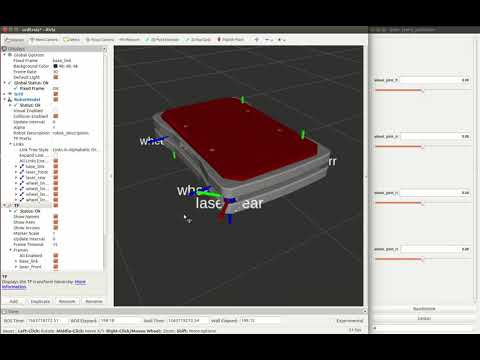
The package contains the URDF description files of the TORsten mobile robot. You can run the description including RViz visualization using:
roslaunch torsten_description display_torsten_urdf.launch
The torsten mobile robot is integrated in the move_base (http://wiki.ros.org/move_base) for navigation. The teb_local_planner (http://wiki.ros.org/teb_local_planner) is used for trajectory planning and collision avoidance. For localization AMCL (http://wiki.ros.org/amcl) is used.
roslaunch torsten_gazebo_robot torsten_base_sim.launch