This lovelace card displays the Octopus Energy rate prices per each 30 minute slot, pulling the data from sensors of the the excellent BottlecapDave/HomeAssistant-OctopusEnergy integration.
This provides a convenient, at a glance way to observe the prices on tariffs that change their price every 30 minutes, for example Octopus Agile.
The easiest way to install it is via HACS (Home Assistant Community Store). This will ensure you get updates automatically too.
In the Home Assistant UI:
- use HACS -> Frontend -> Top Right Menu -> Custom repositories
- Enter a repo of
chris2172/octopus-energy-rates-cardand category of "Lovelace", and click the Add button - Click "Explore & Download Repositories" and start searching for "octo" and you should see the entry.
- Click "Download" in the bottom right
This should automatically configure all the resources, so you can now skip to Configuration
You can also install manually by downloading/copying the Javascript file in to $homeassistant_config_dir/www/community/ and then add the Javascript file to Lovelace in the Home Assistant UI by using
Settings -> Dashboards -> Top Right Menu -> Resources
Add the card to your dashboard using Add Card -> Custom: Octopus Energy Rates Card
You'll need to then configure the yaml yourself - the type part is filled out for you.
The only required key is the name of the entity sensor that contains the rates
The easiest way to find that entity name is by opening the Search within Home Assistant: search for current_rate -> click the chosen result -> choose the Settings tab -> copy Entity ID
(The format is sensor.octopus_energy_electricity_{{METER_SERIAL_NUMBER}}_{{MPAN_NUMBER}}_current_rate)
Here's an example yaml configuration:
entity: sensor.octopus_energy_electricity_<your_id_here>_current_rate
type: custom:octopus-energy-rates-card
cols: 2
showday: true
showpast: false
Here's a breakdown of all the available configuration items:
| Name | Optional | Default | Description |
|---|---|---|---|
| entity | N | N/A | Name of the sensor that contains the rates you want to render, generated from the HomeAssistant-OctopusEnergy integration |
| cols | Y | 1 | How many columns to break the rates in to, pick the one that fits best with how wide your card is |
| showpast | Y | false | Show the rates that have already happened today. Provides a simpler card when there are two days of dates to show |
| showday | Y | false | Shows the (short) day of the week next to the time for each rate. Helpful if it's not clear which day is which if you have a lot of rates to display |
| title | Y | "Agile Rates" | The title of the card in the dashboard |
| mediumlimit | Y | 20 (pence) | If the price is above mediumlimit, the row is marked yellow |
| highlimit | Y | 30 (pence) | If the price is above highlimit, the row is marked red. |
| roundUnits | Y | 2 | Controls how many decimal places to round the rates to |
| showunits | Y | true | Controls whether the prices are printed with the unit (p/kWh) |
| export | Y | false | Flips the colour when export is ture making higher values as Green |
- The card is hardcoded to display plunge pricing (e.g, below 0p/kWh) as blue.
- If the price is above
highlimit, then the row is in red - If the price is above
mediumlimit, then the row is coloured orange/yellow - Otherwise, the row is coloured is green.
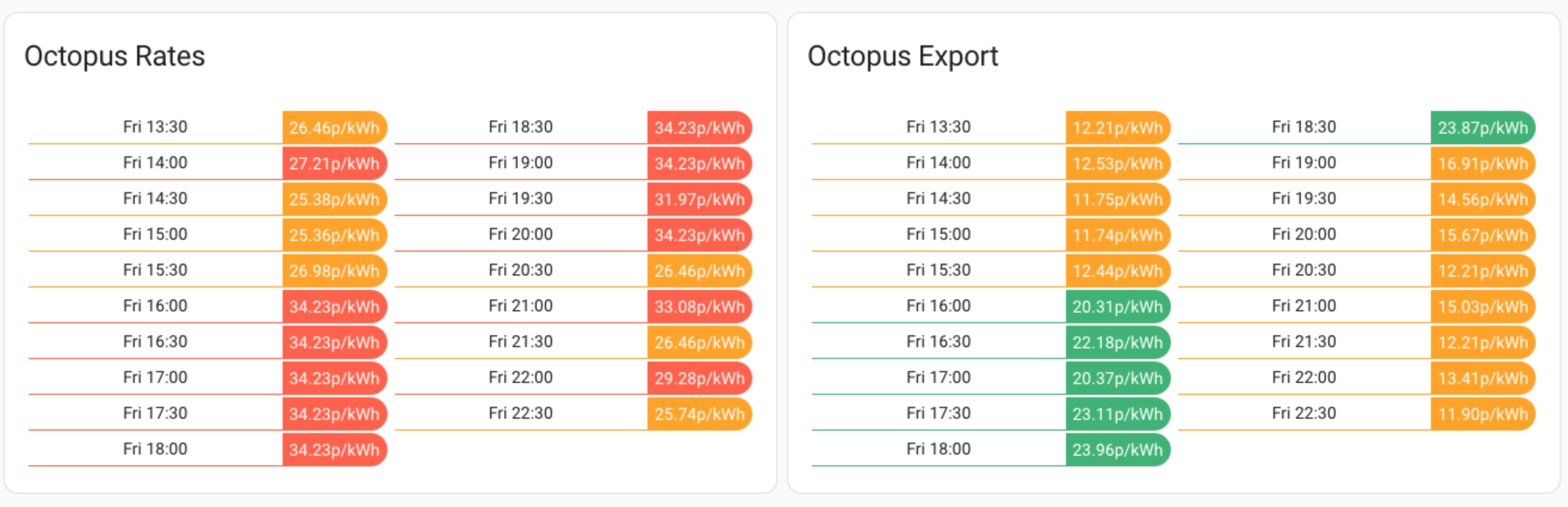
Personalised this card from https://github.com/lozzd/octopus-energy-rates-card
This card was based on and reworked from the code markgdev/home-assistant_OctopusAgile which is no longer maintained.