

A Unity tool that will allow you to easily implement Twitch chat commands into your game!
Unity Twitch Chat Interactions focuses on ease of integration for the developer.
[TwitchCommand("join", "j")]
public void Join(string playerName, int skin)
{
    // Spawn player instance for Twitch viewer with specified name and skin
}
In this example, every time a viewer types !join <player-name>, the Join method is executed automatically provided with the viewer's input for the playerName and skin arguments.
Adding new commands is as simple as adding TwitchCommand attributes on any script* attached to an active GameObject in a scene.
Note
Scripts containing TwitchCommand methods must inherit from TwitchMonoBehaviour!
You must register your game on Twitch. Follow this link for guidance:
https://dev.twitch.tv/docs/authentication/register-app
Upon registration, your game will be assigned a Twitch Client ID, which you must copy and paste into the Game Twitch Client ID field in the Settings tab of the tool's editor window, accessible through the toolbar in Unity (Dan's Tools > Twitch Commands).
Before any streamer can download your game and immediately have their chat interacting, they must authorize with your game on Twitch.
Assets/TwitchIntegrationDemo/Scenes contains the Authentication scene, from which you can copy the prompt/logic into your game's scenes.
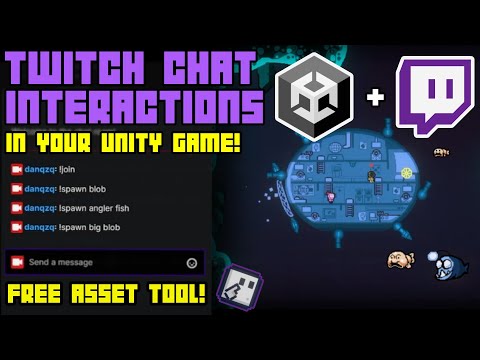
Follow the YouTube video guide below on how to set up the tool completely:
Access viewer info by setting the first parameter as TwitchUser user:
[TwitchCommand("echo")]
public void Echo(TwitchUser user, string msg)
{
    Debug.Log($"{user.displayname} says {msg}");
}Currently there are two modes for command behaviour:
- Limitless
- Cooldown (commands enter a specified cooldown upon execution)
You can customize this in the Settings menu of the tool's editor window, accessible through the toolbar in Unity.
You can listen to C# events provided to perform custom actions:
public static class TwitchManager
{
  ...
  // Gets triggered when the Twitch client connects to the chat.
  public static event System.Action OnTwitchClientJoinedChat;

  // Gets triggered when a message is received from the Twitch chat.
  public static event System.Action<TwitchUser, string> OnTwitchMessageReceived;

  // Gets triggered when a command is received from the Twitch chat.
  public static event System.Action<TwitchUser, TwitchCommand> OnTwitchCommandReceived;

  // Gets triggered when the Twitch client fails to connect to the chat.
  public static event System.Action OnTwitchClientFailedToConnect;
  ...
}To send messages from the Twitch client, make use of this function:
TwitchManager.SendChatMessage("Your message here");It is recommended that you download the latest Unity Package provided in Releases.
Optionally, you can clone this repository and copy contents of Assets into your Unity project's Assets folder.
See Assets/TwitchIntegrationDemo for demo scenes:
- Twitch authentication
- Ready-to-use prefabs (e.g chat box, command display, etc).
This tool is under the MIT License
Don't hesitate to reach out to me for any questions, feedback or concerns. Shoot me an email!
- If you want to add a new feature - raise an issue, let's talk about it!
- Encountered a bug? Raise an issue, label it as a
bug. - Want to improve this library? See new feature discussions and/or existing bugs to be resolved.
Before you start adding something of your own, read the Contribution Guidelines
Enjoy building cool stuff,
Dan

