A blog-oriented static site generation engine built in Python.
Important
This project is built almost 100% using "AI". Every other Python project you will find in my repository is good old human-built code. This project is the complete opposite: as much as possible I'm trying to write no code at all as an experiment in getting to know how this process works, how to recognise such code, and to understand those who use this process every day to, in future, better guide them.
If "AI-written" is a huge red flag for you I suggest you avoid this project; you'll find plenty of other pure-davep-built projects via my profile.
BlogMore is a blog-oriented static site generation engine built in Python. It transforms your Markdown files into a complete, modern blog website with a clean, responsive design—no database, no server-side runtime required.
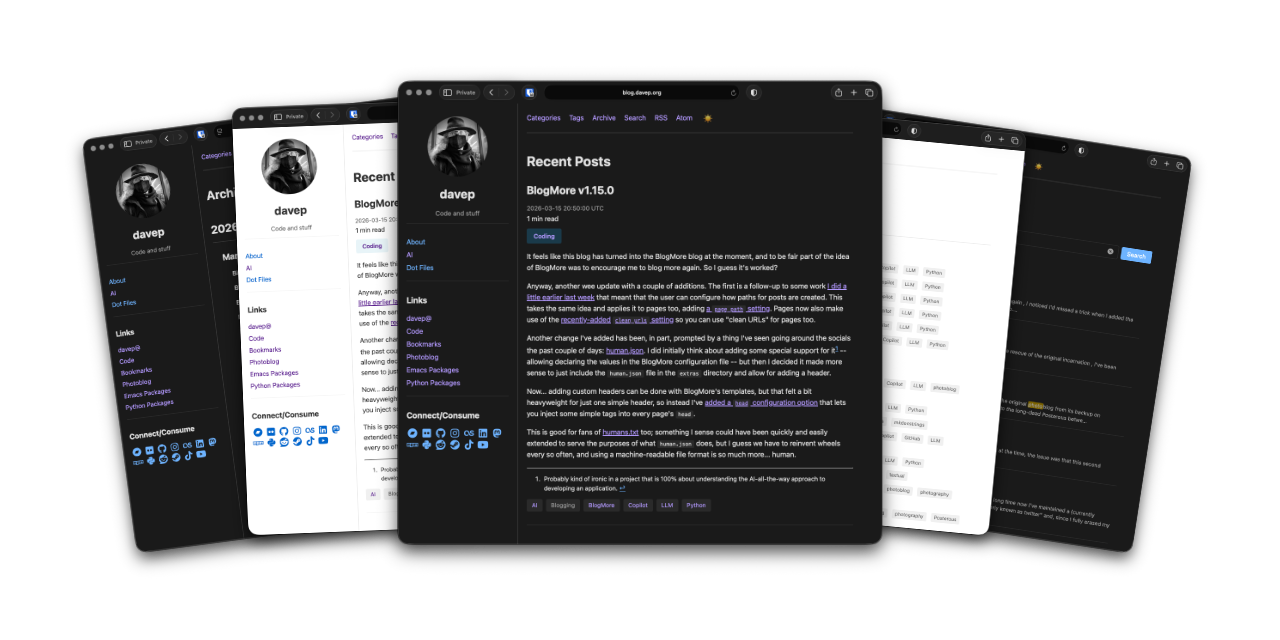
See my own blog for an example of a site created with BlogMore (the site is hosted on GitHub pages, with the repository over here).
- Static site generator — produces plain HTML/CSS/JS that can be hosted anywhere
- Markdown-based content — write all your posts in Markdown with support for code highlighting, tables, and footnotes
- Frontmatter metadata — control post metadata (title, date, tags, category, author) through YAML frontmatter
- Jinja2 templating — fully customisable templates for complete control over your site's appearance
- Client-side search — optional full-text search across post titles and content, running entirely in the browser with no external services
- Automatic icon generation — generate favicons and platform-specific icons (iOS, Android/Chrome, Windows) from a single source image
- Automatic image optimisation — optional multi-size "ladder" generation and
next-gen WebP conversion for local images in Markdown posts; simple
<img>tags are replaced with stable, responsive<picture>elements - CSS minification — optional minification of the generated stylesheet
- JavaScript minification — optional minification of generated scripts
- HTML minification — optional minification of every generated HTML page
- Flexible post URL format — fully configurable post output paths and URLs
via the
post_pathoption; choose date-based paths, per-post directories, category-based layouts, and more - URL redirection — redirect older or alternative URLs to posts and pages
using a
redirect_fromlist in frontmatter - Post series — group multi-part articles into a cohesive series with automatic top and bottom navigation banners and paginated series archives
- Optional reading time display — estimated reading time shown next to the post date, based on 200 words per minute
- GitHub-style admonitions — alert boxes (note, tip, important, warning,
caution) rendered from standard
> [!TYPE]blockquote syntax - RSS and Atom feeds — built-in feed generation for syndication
- XML sitemap — optional
sitemap.xmlfor search engine indexing - Blog statistics page — optional stats page with histograms, word counts, reading times, lifespan, top linked domains, and more
- Calendar view — optional full-history year calendar showing all posts, with links to day, month, and year archives; responsive design adapts from four months per row down to one
- Post graph — optional interactive force-directed graph connecting posts, tags, and categories via internal links; click any node to navigate to it; respects the active light/dark theme
- Related posts — automatically find and display contextually relevant posts for each entry using a build-time TF-IDF and cosine similarity engine
- Diagrams (Mermaid) — optional support for rendering Mermaid diagrams and flowcharts from fenced code blocks (enable with
with_mermaid: truein configuration) - LaTeX Math Rendering — optional support for rendering LaTeX equations and formulas using KaTeX or MathJax (enable with
with_maths: truein configuration) - SEO optimisation — meta tags, Open Graph tags, and Twitter Card support
- Automatic organisation — tag pages, category pages, and chronological archives generated automatically
- GitHub Pages integration — one-command publishing to GitHub Pages (or any git branch)
- Live preview server — local development server with automatic rebuilding on file changes
- Built-in linter — check your site for broken internal links, missing metadata, duplicate titles, and other common issues
- External link checking — check the reachability and HTTP status of all external URLs found in posts to detect broken links
- External link dumping — export a CSV list of all external links found in posts along with the files they appear in
- YAML configuration file — keep all your settings in
blogmore.yamlinstead of repeating them on the command line
BlogMore requires Python 3.12 or later.
The fastest and most modern way to install BlogMore is with uv:
uv tool install blogmoreIf you don't have uv installed you can use uvx.sh to
perform the installation. For GNU/Linux or macOS or similar:
curl -LsSf uvx.sh/blogmore/install.sh | shor on Windows:
powershell -ExecutionPolicy ByPass -c "irm https://uvx.sh/blogmore/install.ps1 | iex"pipx install blogmoregit clone https://github.com/davep/blogmore.git
cd blogmore
uv syncFull documentation -- including a getting-started guide, day-to-day usage, a complete configuration reference, and the command-line reference -- is available at blogmore.davep.dev.
- Feature requests, questions and discussion — GitHub Discussions
- Bug reports — GitHub Issues
BlogMore is released under the GPL-3.0-or-later licence.

