The purpose of this project is to globally replace the script editor in ThingWorx Composer with a better one. The new code editor is based on Monaco Editor, the same editor used in Visual Studio Code.
This project offers compatibility with both the Old Composer and the New Composer (8.4 release only). Please refer to the installation guide for more information. A mashup builder widget is also available to display code in a mashup runtime.
-
Download the zip package listed under the downloads section under Releases. It should be the one named MonacoScriptEditor-VERSION.zip
-
Import the zip package into Thingworx as an extension. After importing the following changes should occur:
- In the old composer, the Monaco Script Editor is being used when editing services and subscriptions.
- In the Mashup Builder, a widget called Monaco Code Editor appears.
-
If you are using ThingWorx 8.4.X and want to use Monaco Script Editor within the New Composer, also do the following steps.
- Navigate to the tomcat where thingworx is deployed, under
apache-tomcat/webapps/Thingworx/Composer. - Edit the file
index.html. - After line 9, after the existing
<script>tag, add the following:
<script type="text/javascript" src="../Common/extensions/MonacoScriptEditor/ui/MonacoScriptEditor/newComposer.bundle.js" charset="UTF-8"></script>Since version 8.4.5 it has been found that this method does not work in a consistent fashion. Please refer to option 2 if you are having issues.
Install a browser userscript extension. One popular one is TamperMonkey Chrome firefox Install the following script:
// ==UserScript==
// @name         Load Monaco Remote
// @namespace    http://tampermonkey.net/
// @version      0.1
// @description  Loads the monaco editor in the new composer
// @author       You
// @match        */Thingworx/Composer/*
// @grant        none
// ==/UserScript==

var script = document.createElement("script");
script.src = "/Thingworx/Common/extensions/MonacoScriptEditor/ui/MonacoScriptEditor/newComposer.bundle.js";
script.charset = "UTF-8";
document.getElementsByTagName("head")[0].appendChild(script);
Please note that in the New Composer, all editors will be replaced with the Monaco editor, including the script editor, subscription editor, CSS editor, expression editor and other JSON/XML editors.
To remove the extension, just delete it using the Extension Management in Thingworx. Optionally, you can also undo the changes in step 3. above.
After installing a new version of the widget, make sure you clear the browser cache. Here is an example of how to do that.
When updating to a new version of Thingworx of the 8.4.x line, step 3.3 needs to be redone.
As it's based on the Visual Studio Code, most basic code editor features are inherited from there. See the official page for a list of keyboard shortcuts, as well as detailed explanations of other features like:
The editor supports multiple cursors for fast simultaneous edits. You can add secondary cursors (rendered thinner) with Alt+Click. Each cursor operates independently based on the context it sits in. A common way to add more cursors is with Ctrl+Alt+Down or Ctrl+Alt+Up that insert cursors below or above.
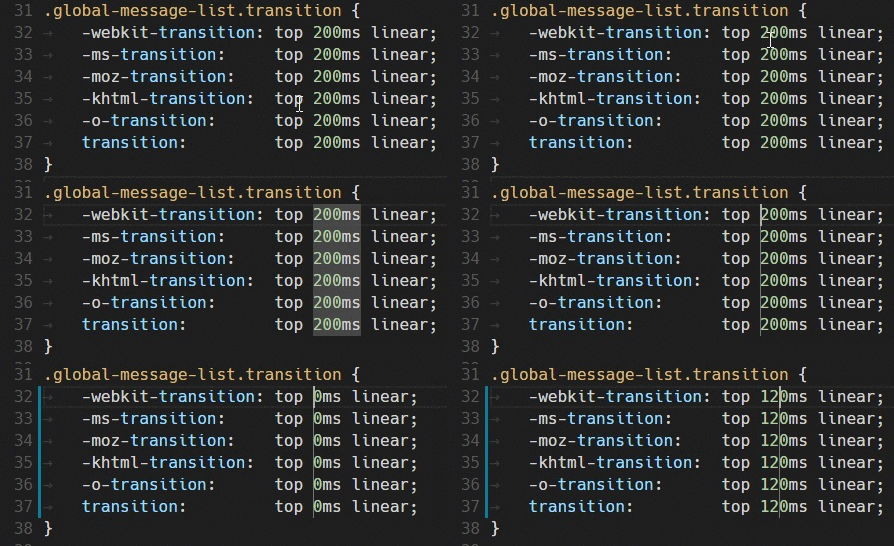
Ctrl+D selects the word at the cursor, or the next occurrence of the current selection.
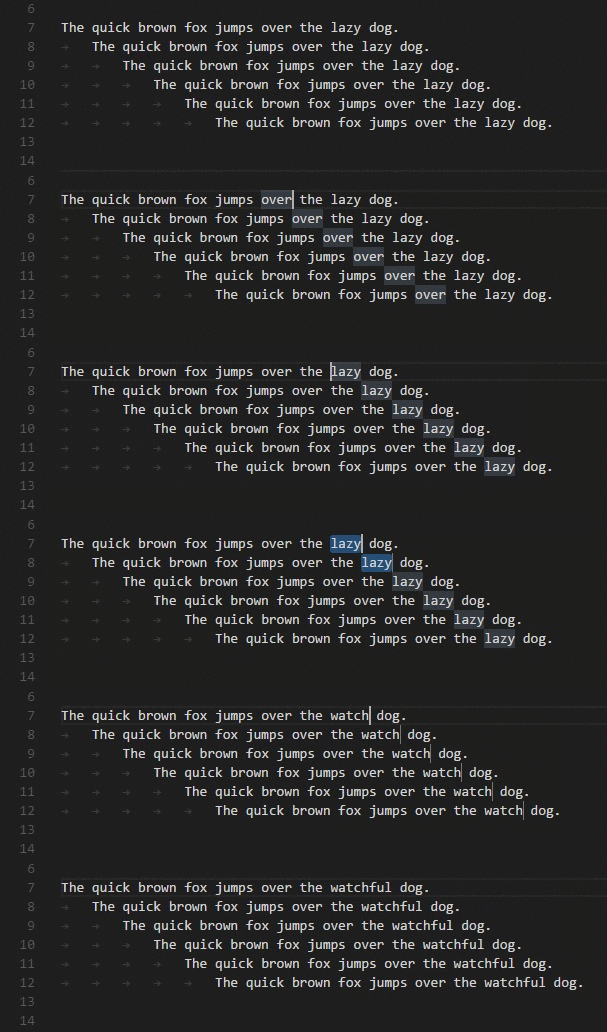
Tip: You can also add more cursors with
kb(editor.action.selectHighlights), which will add a selection at each occurrence of the current selected text.
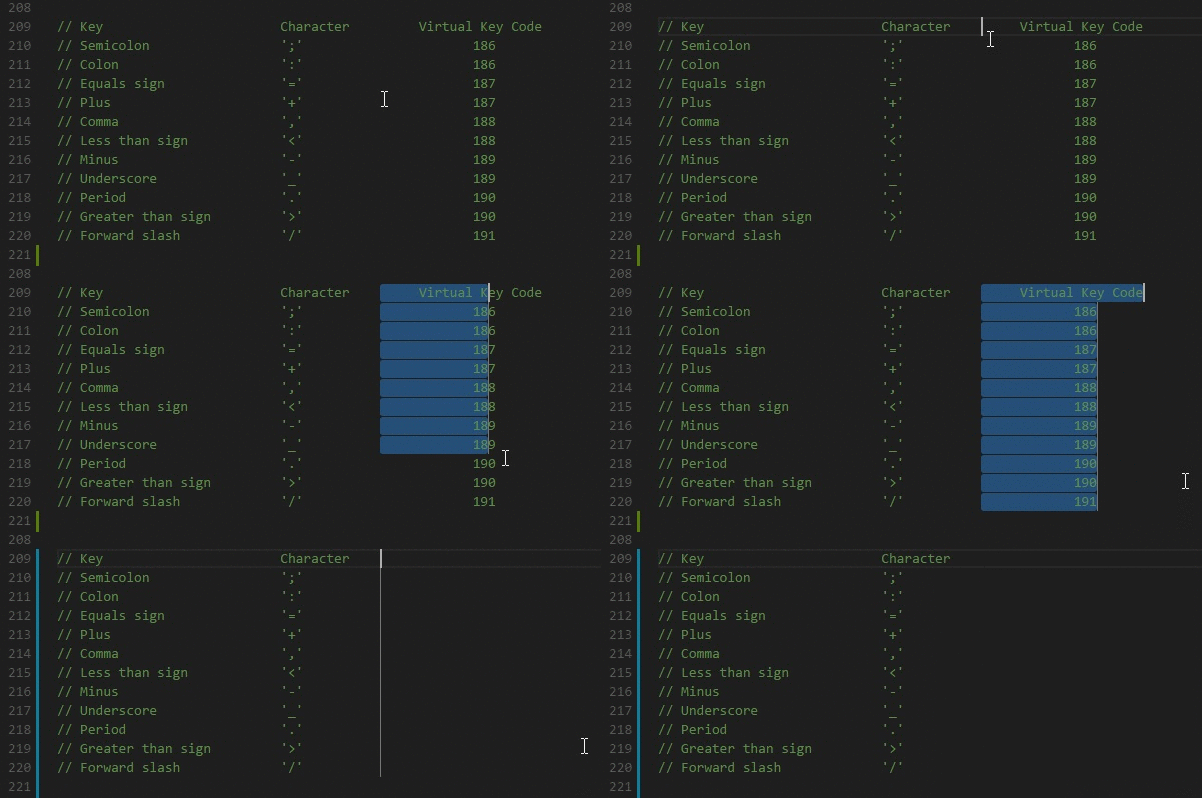
Hold Shift and Alt while dragging to do column selection:
You can fold regions of source code using the folding icons on the gutter between line numbers and line start. Move the mouse over the gutter to fold and unfold regions. The folding regions are evaluated based on the indentation of lines. A folding region starts when a line has a smaller indent than one or more following lines, and ends when there is a line with the same or smaller indent.
The code editor offers a lot of features related to code intelligence: code completion, parameter info, quick info, and member lists.
You can trigger completions in any editor by typing Ctrl+Space or by typing a trigger character (such as the dot character (.) in JavaScript).
The editor offers optimized completions for all of the JavaScript functions, as well as the ones that ThingWorx has:

The script editor is fully aware of the context and all of the entities in the platform, allowing search and on demand generation of completions based on what the user has written

In the case of services that return infotables, or infotable properties with known datashapes, it offers advanced intellisense for the datashape fields, including completion of methods on the value collection, as well as snippets to ease the work

-
Quick actions: Save (
CTRL+S), Cancel (CTRL+Q), Test (CTRL+Y), Save and Close (CTRL+ENTER) -
Diff editor: view changes since you started editing (
CTRL+K) -
Config editor: Configure themes and all aspects of the editor, and viewing the changes in realtime (``CTRL+```)


The developer can also write ThingWorx services using typescript, a typed superset of JavaScript that compiles to plain JavaScript. Whether you want to use all the features of typescript, or just the latest ECMAScript features, this allows you to write more concise and better code that is automatically transpiled to JavaScript. This feature does not rely on any serverside component. The editor automatically converts your code into JavaScript and that is what is being executed.
In the old composer, you can trigger this change similarly to how you would switch from JavaScript to SQL.
In the new composer, press F1, select Switch to Typescript. The reverse action is also available.

- Thingworx snippets (iterate infotable, create infotable, iterate infotable fields)
- In the new composer, the expression editor is also replaced with a proper editor
Issues and suggestions can be reported at Issues. They will be resolved if there is time available.
The Monaco Editor for Thingworx is not official Thingworx product. It is something developed to improve the life of a Thingworx developer and he needs to understand that it is not supported and any issues encountered are his own responsability.