
Require password confirmation before high-risk changes go through on your WordPress site — even from an already-authenticated admin session. Sudo also lets site owners define the shape of their administrative attack surface across admin UI, AJAX, REST, WP-CLI, Cron, XML-RPC, Application Passwords, and WPGraphQL. Built-in activity visibility, audit hooks, and governance controls help administrators see who is attempting sensitive actions and decide which users can manage Sudo policy.










Playground demo credentials are admin / password. When Sudo asks for reauthentication, enter the same password: password.
 |
 |
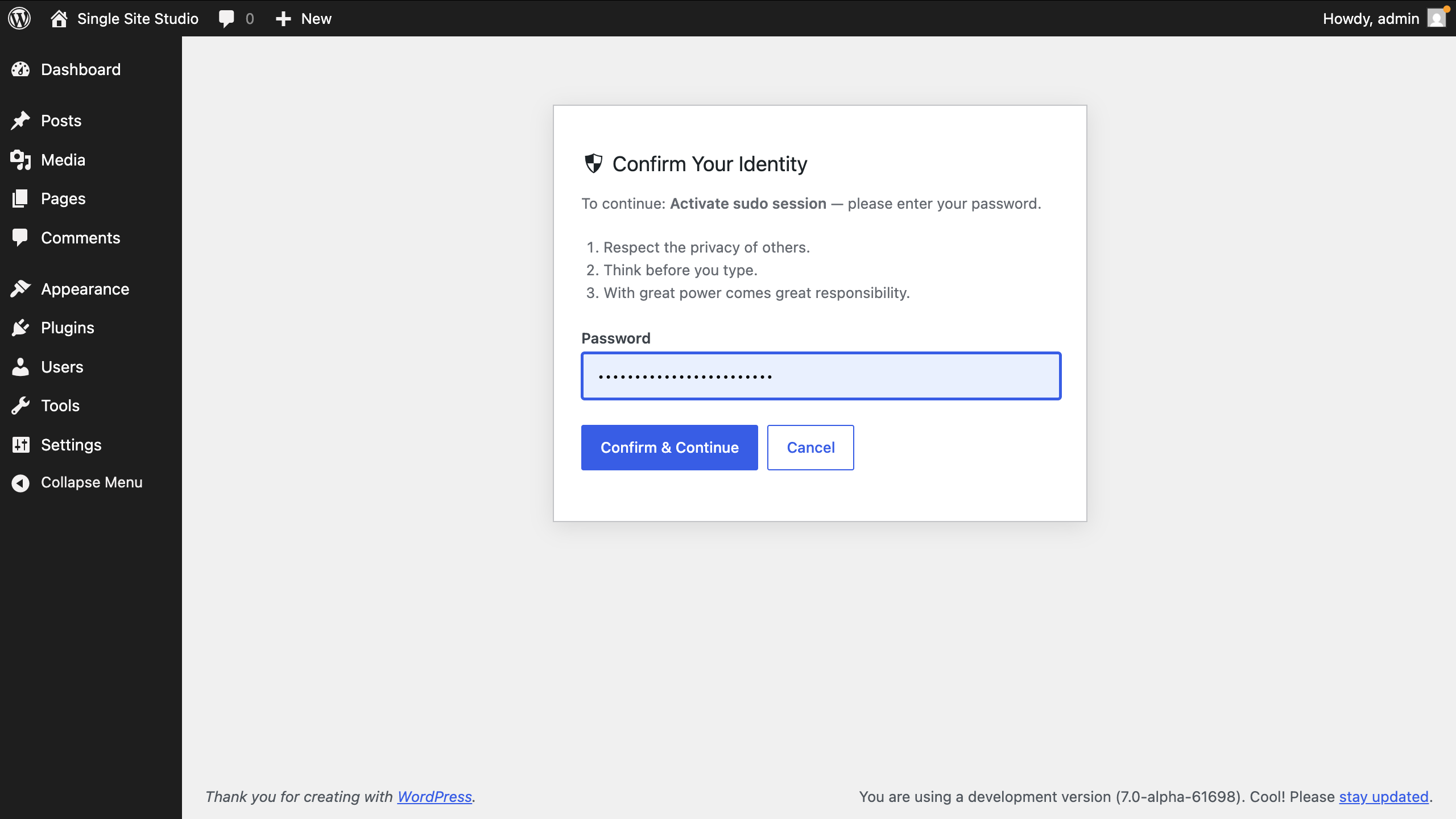
| Challenge page | Gated plugin activation |
 |
 |
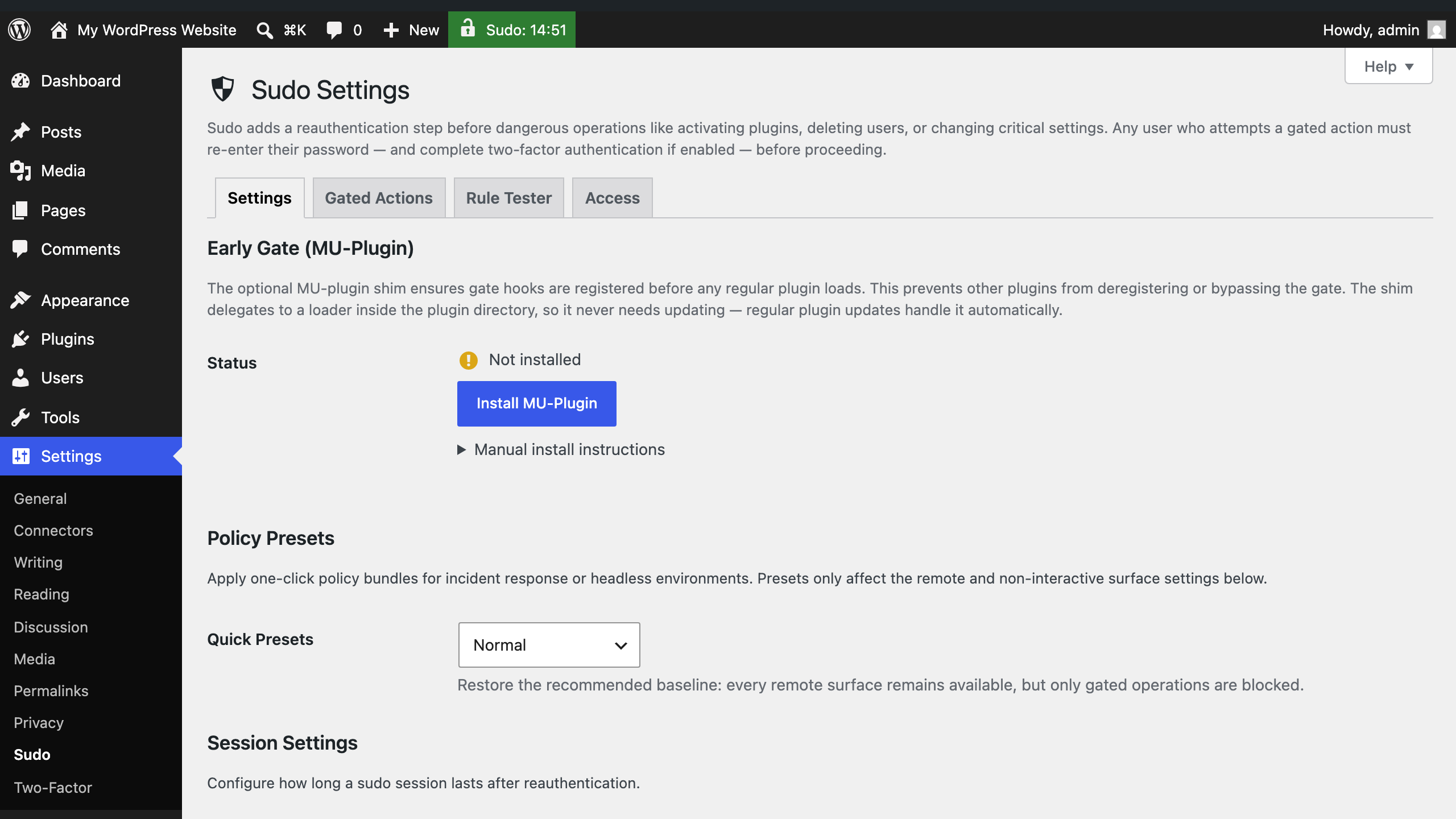
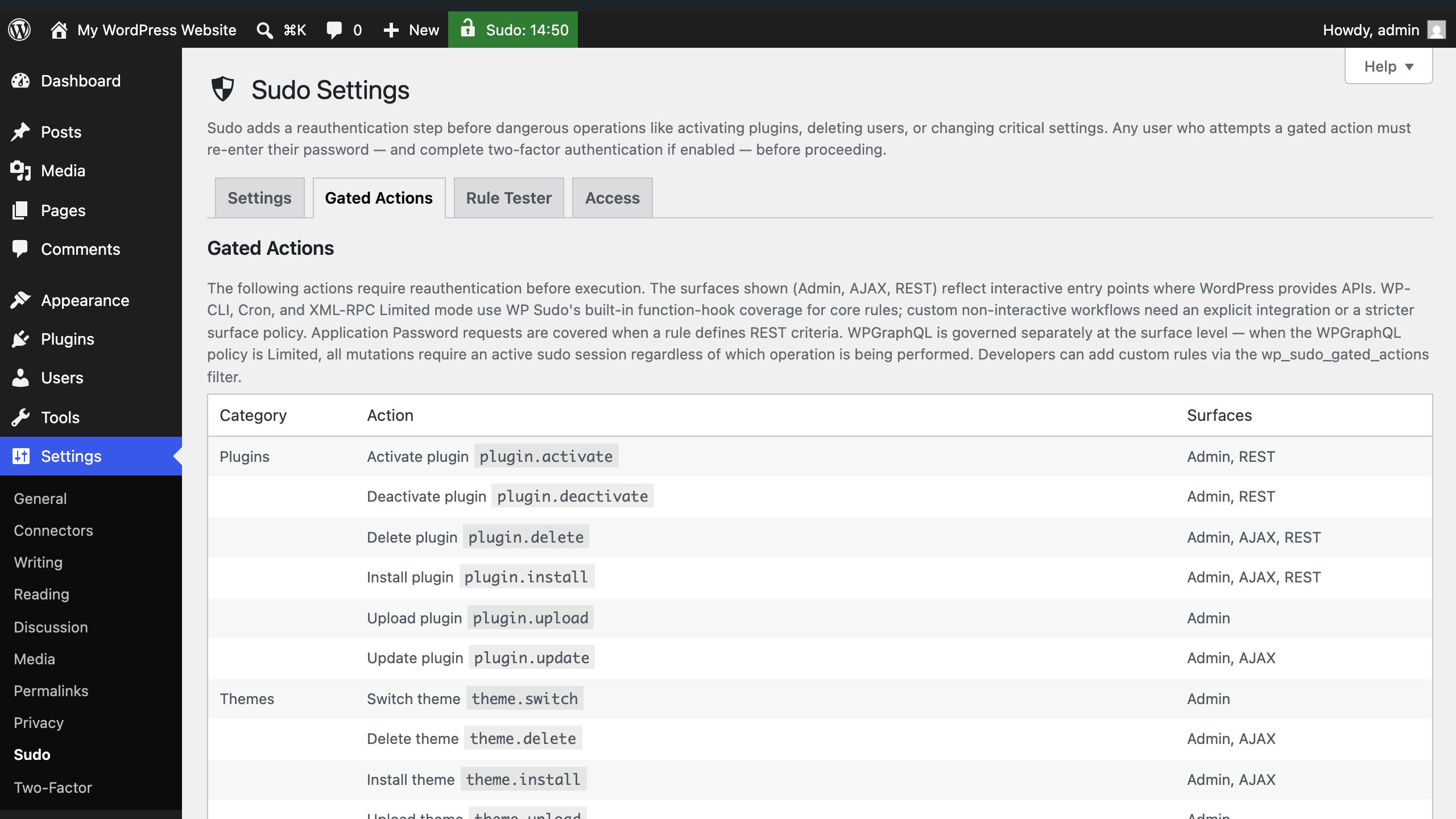
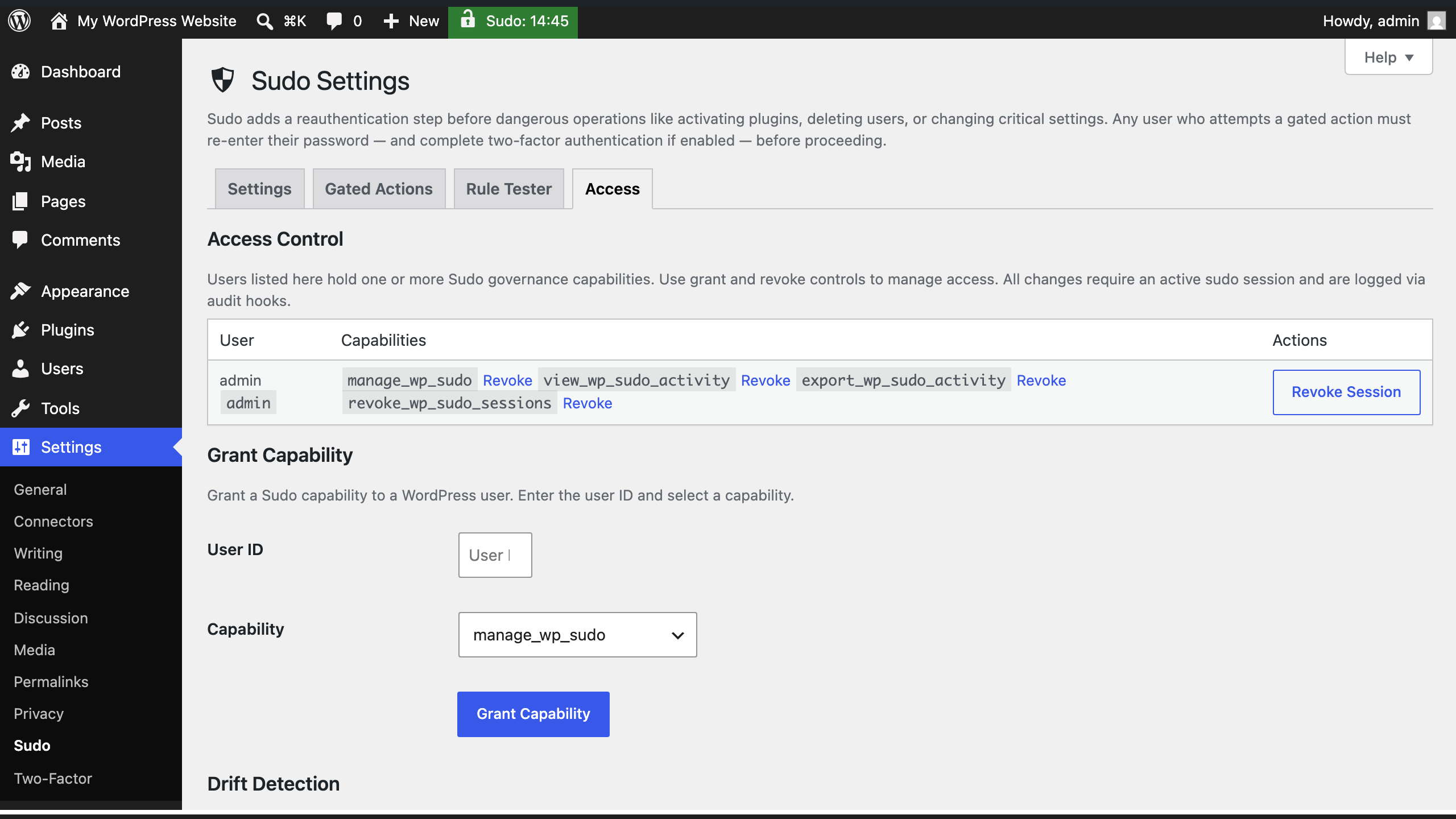
| Settings tab | Gated Actions tab |
 |
 |
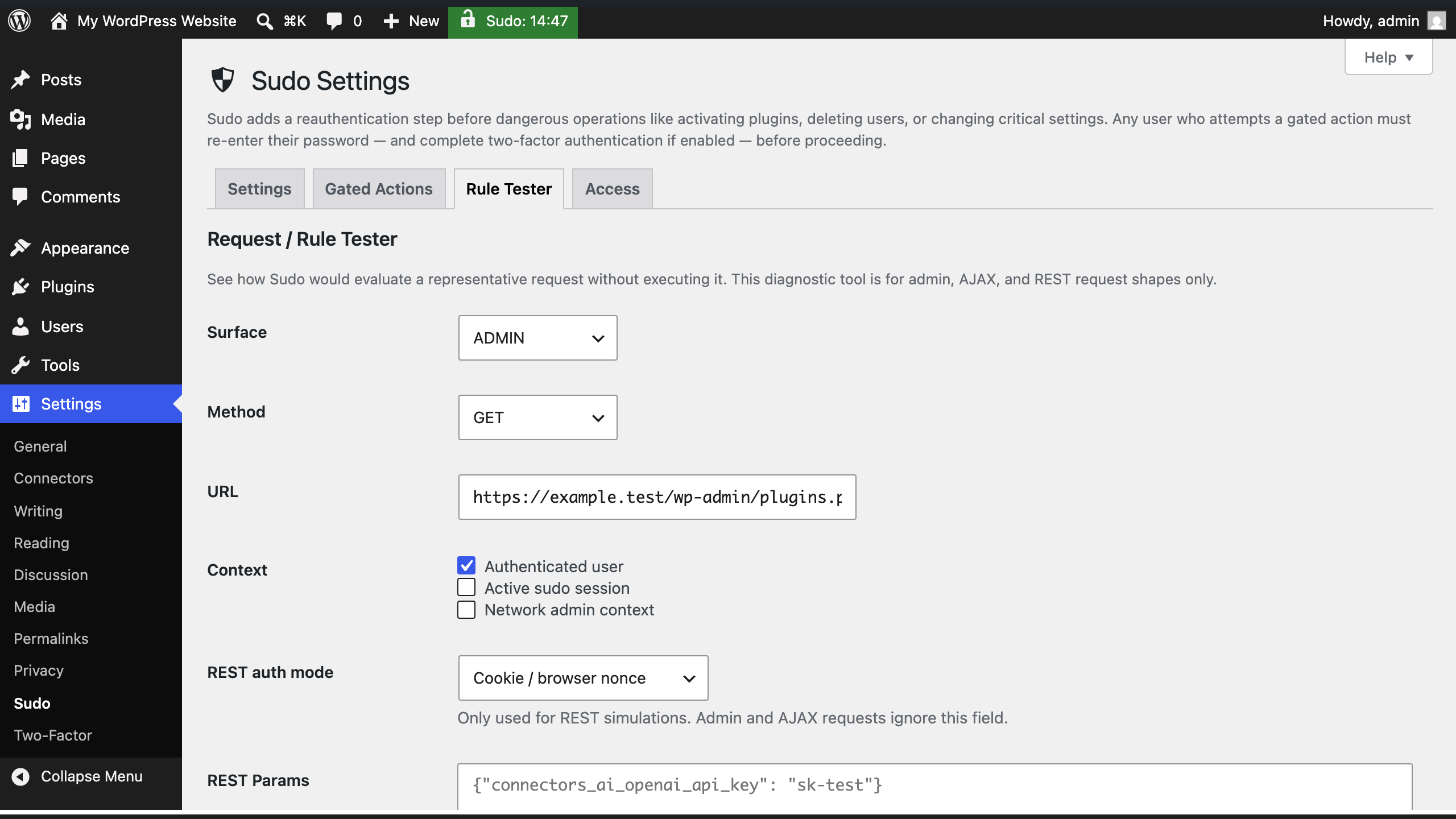
| Rule Tester tab | Access tab |
 |
 |
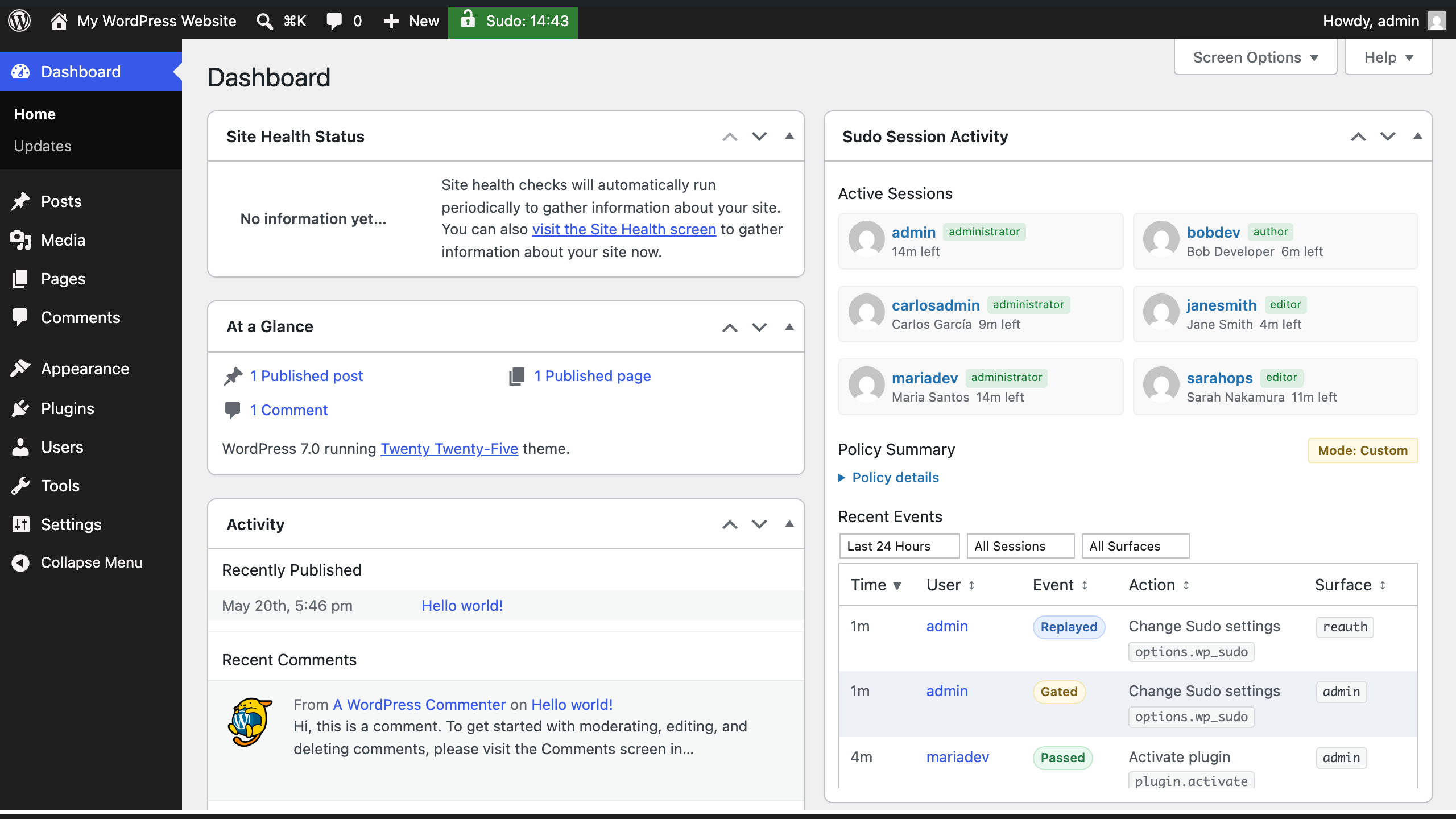
| Dashboard widget | Admin bar timer |
 |
|
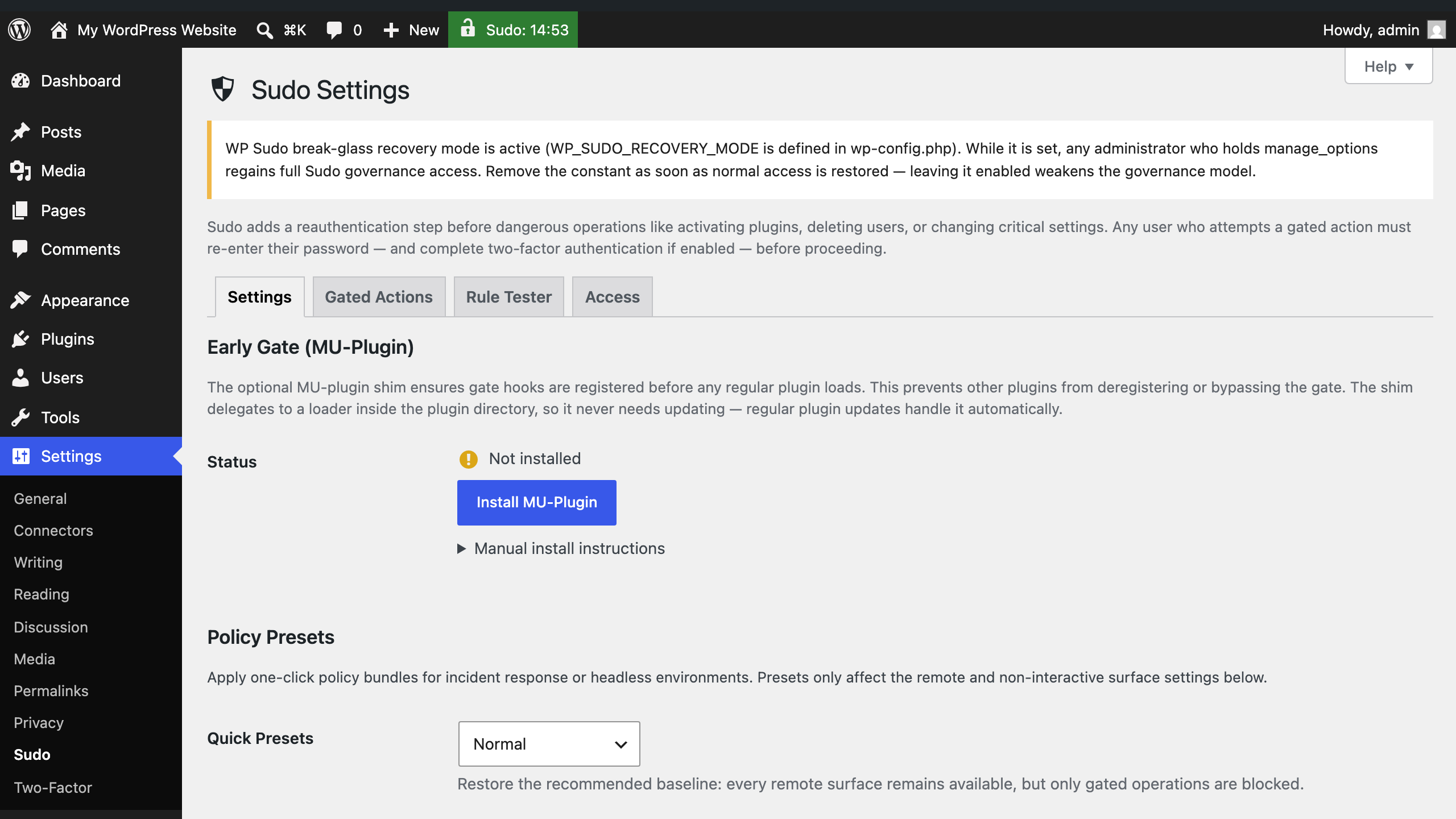
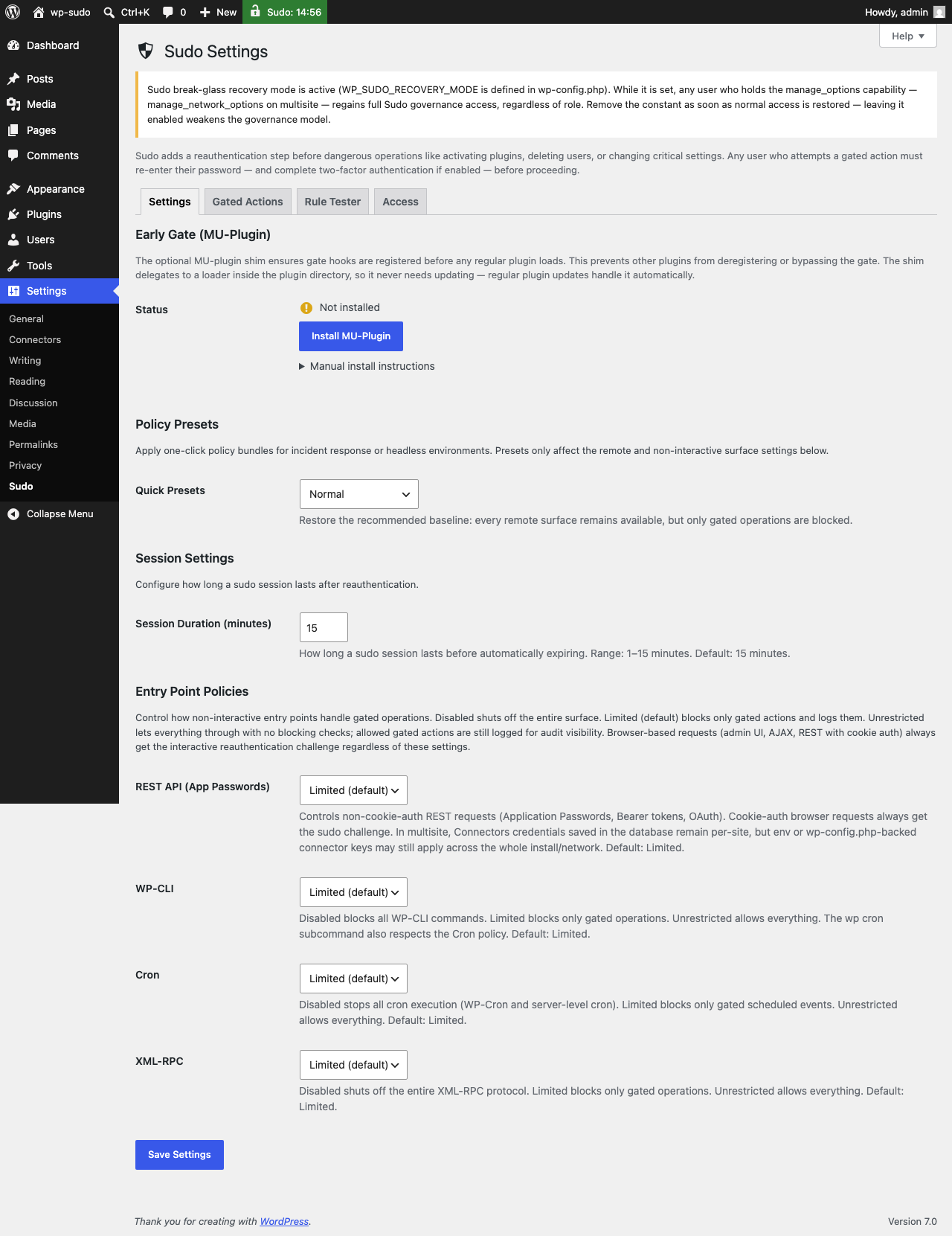
| Break-glass recovery notice |
- Confirmation before destructive actions — plugin installs/deletions, user management, settings changes, core updates, and more all require a fresh password before proceeding
- Two-factor support — integrates with the Two Factor plugin so the challenge includes your second factor when active
- Short sudo window — one confirmation covers 1–15 minutes of related work (your choice) so admins can work without interruption following one reauthentication challenge before being challenged again
- Per-surface policies — configure WP-CLI, Cron, XML-RPC, REST App Passwords, and WPGraphQL independently as Disabled, Limited, or Unrestricted
- Governance controls — manage which users and roles can administer Sudo settings via a dedicated Access tab
- Activity visibility — audit hooks fire on every gated event; works with WP Activity Log, Stream, and similar plugins
- Multisite support — network-aware; super admins governed separately from per-site admins
- Install and activate Sudo.
- Go to Settings → Sudo.
- Choose a session duration.
- Review the default policies for non-interactive surfaces.
- Optionally install the bundled mu-plugin loader from the settings page for earlier hook registration.
- Test a covered action such as plugin activation or a protected settings change.
- Two Factor — strongly recommended for password + second-factor challenge flows.
- WP Activity Log or Stream — recommended if you want audit visibility from Sudo's action hooks.
Sudo gates built-in operations across categories including:
- plugin and theme installation, activation, and deletion
- user creation, deletion, and role changes
- file editor access
- critical option changes
- WordPress core updates
- export flows
- Sudo settings themselves
- selected Multisite network actions
- connector credential writes via the REST settings endpoint
For the full rule list and surface counts, see docs/current-metrics.md.
WordPress has roles, capabilities, and authentication, but no native way to say "a logged-in session alone isn't enough for this action." Sudo adds that missing checkpoint for the parts of WordPress where a mistake, hijacked session, stale browser, or over-broad automation token can do the most damage.
That helps site owners, agencies, network operators, and teams with multiple administrators reduce the blast radius of privileged accounts. It is especially useful on sites where people, scripts, application passwords, WP-CLI jobs, Cron tasks, XML-RPC clients, WPGraphQL clients, or AI/agentic tooling can all reach administrative surfaces.
Sudo also makes privilege use more visible. The dashboard widget shows active sudo sessions, policy posture, and recent privileged activity; audit hooks and bundled bridges let logging plugins such as WP Activity Log and Stream record sudo sessions, gated requests, policy changes, and governance events.
The result is not just another password prompt. It is a way to define the shape and size of your site's administrative attack surface: close a surface entirely, limit it to non-destructive operations, require sudo for covered actions, or leave it unrestricted when that is the deliberate operational choice.
Active sudo is per browser session, not site-wide. Sudo works alongside your existing roles and capabilities — it does not replace them.
More technically, Sudo is a Multisite-compatible, zero-trust-aligned security-hardening plugin for WordPress. It adds action-gated reauthentication, enables attack surface definition (open, closed, or sudo-gated), gives visibility to privileged action requests, and confines Sudo administration to explicitly designated users.
Browser (wp-admin): gated actions redirect to a challenge screen. After successful reauthentication, the original request replays automatically.
AJAX and REST: blocked requests receive a sudo_required error until reauthentication occurs.
Non-interactive surfaces (WP-CLI, Cron, XML-RPC, REST App Passwords, WPGraphQL): each can be set independently to Disabled, Limited, or Unrestricted under Settings → Sudo.
Before a covered high-risk action continues, the current user must reauthenticate by entering their password, followed by any active and compatible two-factor challenge. Successful reauthentication starts a short, configurable window of 1–15 minutes for additional covered actions in that browser session. WordPress core and the target feature still own their normal capability and authorization checks; Sudo adds the fresh-identity checkpoint before the covered action is allowed to continue.
Sudo gates specific operations on specific surfaces. It is not a firewall, exploit detector, malware scanner, or fix for authorization vulnerabilities inside third-party plugin code.
"With great power comes great responsibility," so users with the capability to change Sudo settings, view sudo session activity, kill sudo sessions, or export sudo activity logs are limited by default:
- On single sites, the installing administrator receives all four caps. Other admins receive none until explicitly granted.
- On multisite networks, super administrators receive all four caps at network scope by default. Per-site admins receive none until explicitly delegated.
(Export privileges are separated from view privileges because a portable export artifact is a distinct governance concern — SOC2/GDPR audits treat "can read" and "can take a copy offsite" differently.)
Sudo integrates with the Site Health tool in WordPress core for rich security diagnostics and advisory notifications.
In a lost, last administrator scenario where no one has access to Sudo's settings, the break-glass mechanism is to set WP_SUDO_RECOVERY_MODE in wp-config.php. This is Sudo's break-glass governance recovery path, not WordPress core's WP_Recovery_Mode. It requires filesystem access to activate, so it is not a remote-escalation vector. The grant is role-gated: while the constant is defined, the current user receives the master manage_wp_sudo capability only if they also hold manage_options (single-site) / manage_network_options (multisite), so a locked-out administrator recovers while non-admins gain nothing. A permanent non-dismissible notice appears on the Sudo settings screen while it is active, and the wp_sudo_recovery_mode_active audit hook fires so the usage is logged. The role gate does not eliminate the residual risk — every administrator regains full Sudo governance while the constant is set — so remove it the moment normal access is restored.
Sudo exposes a small, stable API. Custom gated rules are plain associative arrays registered via the wp_sudo_gated_actions filter, with per-surface matchers for admin, AJAX, REST, and CLI. The wp_sudo_can() helper centralizes all governance checks — super-admin short-circuit, recovery-mode bypass, and strict/compatibility mode — so integrations don't touch capability internals directly. Audit hooks fire on every session event, capability grant or revoke, tamper detection, and policy change; bridge classes for WP Activity Log and Stream are bundled. The wp_sudo_grant_session_on_login filter lets SSO and kiosk integrations suppress the automatic browser-login session grant. All of this is covered by a dual-layer test suite (unit tests + a full integration matrix) and PHPStan level 6.
- WordPress: 6.4+
- PHP: 8.2+
- Multisite: supported
For current release posture, supported lanes, and forward main notes, see docs/release-status.md.
- docs/security-model.md — threat model, boundaries, and environmental assumptions
- docs/FAQ.md — practical questions and operational caveats
- docs/release-status.md — current stable release state and forward-lane posture
- docs/developer-reference.md — hooks, filters, custom rule structure, and integration API details
- docs/two-factor-integration.md — Two Factor integration behavior
- docs/connectors-api-reference.md — connector credential gating notes
- docs/ai-agentic-guidance.md — AI and agent tooling guidance
- tests/MANUAL-TESTING.md — manual verification procedures
- docs/current-metrics.md — canonical current counts and architectural facts
- docs/ROADMAP.md — roadmap and backlog
- CHANGELOG.md — release history
- docs/sudo-architecture-comparison-matrix.md — comparison with other sudo/reauth approaches
- docs/abilities-api-assessment.md — WordPress Abilities API assessment
- docs/core-action-gate-proposal.md — longer-form core proposal and design thinking
- docs/llm-lies-log.md — verification discipline and past documentation failures
- docs/archive/project-introduction.md — the longer conceptual introduction, graphic, poem, and gate metaphor preserved from the earlier README
Quick local checks:
composer install
composer test:unit
composer lint
composer analyse
For full setup, integration tests, E2E workflows, and contributor expectations, see CONTRIBUTING.md.
GPL-2.0-or-later.