
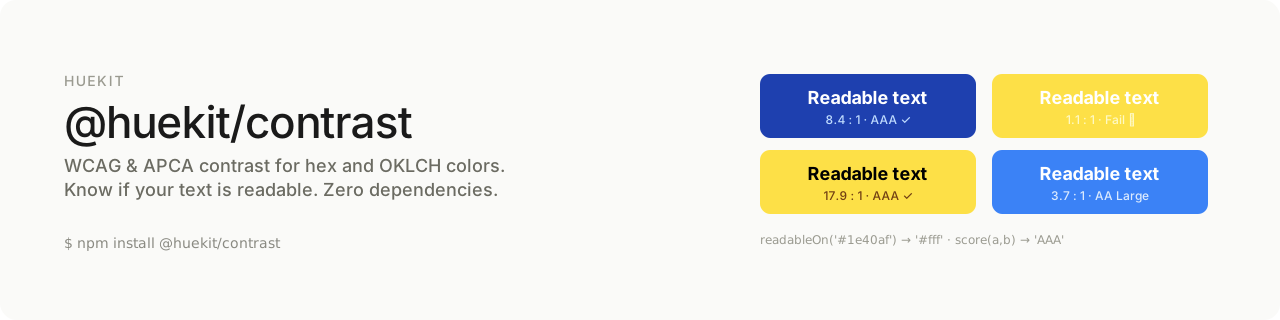
WCAG & APCA contrast for hex and OKLCH colors, with readability helpers. Zero dependencies. Part of huekit, the OKLCH toolkit for designers.
import { contrast, readableOn, isReadable, score } from '@huekit/contrast'

contrast('#ffffff', '#3b82f6')              // → 3.68   (WCAG ratio)
contrast('#ffffff', '#3b82f6', { algorithm: 'apca' }) // → -66.4 (APCA Lc)
readableOn('#1e40af')                       // → '#ffffff'
isReadable('#ffffff', '#1e40af')            // → true
score('#ffffff', '#3b82f6') // → 'AA Large'Accessibility checks are usually bolted onto hex workflows as an afterthought. But if you're building palettes in OKLCH — where lightness is an explicit, controllable channel — contrast becomes something you can reason about and adjust directly.
@huekit/contrast accepts both hex strings and OKLCH objects, so it drops into either workflow. It ships the classic WCAG 2.x ratio everyone knows, plus the newer APCA algorithm for when you need perceptually accurate results, plus the helpers you actually reach for: pick a readable text color, check pass/fail, or grade a pair.
npm install @huekit/contrastReturns the contrast between two colors. Inputs can be hex strings or { l, c, h } objects.
- WCAG (default): a ratio from
1(none) to21(black on white). 4.5:1 is the AA threshold for normal text. - APCA (
{ algorithm: 'apca' }): a signedLcvalue (roughly -108 to 106). Positive = dark text on light background; negative = light on dark. UseMath.abs()for thresholding.
contrast('#000000', '#ffffff')                          // → 21
contrast({ l: 0.2, c: 0.1, h: 260 }, '#ffffff')         // → 12.4
contrast('#ffffff', '#000000', { algorithm: 'apca' }) // → -107.9Returns '#000000' or '#ffffff' — whichever has better contrast on the given background.
readableOn('#1e40af')  // → '#ffffff'  (black wins on lighter blues like #3b82f6)
readableOn('#fde047') // → '#000000'Boolean pass/fail against a WCAG level. Options: level ('AA' default, or 'AAA') and large (true for large-text thresholds).
isReadable('#ffffff', '#3b82f6')                  // → false (3.68 < 4.5)
isReadable('#ffffff', '#3b82f6', { large: true }) // → true  (3.68 ≥ 3)
isReadable('#ffffff', '#1e40af', { level: 'AAA' })// → true| Level | Normal text | Large text |
|---|---|---|
| AA | 4.5:1 | 3:1 |
| AAA | 7:1 | 4.5:1 |
Grades a pair for normal-text use: 'AAA', 'AA', 'AA Large', or 'Fail'.
score('#ffffff', '#1e40af')  // → 'AAA'
score('#ffffff', '#3b82f6')  // → 'AA Large'
score('#ffffff', '#fde047') // → 'Fail'import { scale } from '@huekit/scale'
import { readableOn } from '@huekit/contrast'
// Generate a scale, then auto-pick readable text for each step
const palette = scale('#3b82f6')
const labels = Object.fromEntries(
Object.entries(palette).map(([stop, color]) => [stop, readableOn(color)])
)| Package | What it does |
|---|---|
@huekit/hex |
hex → oklch() conversion |
@huekit/scale |
perceptual lightness scale from one color |
@huekit/contrast ← you are here |
WCAG & APCA contrast + readability helpers |
@huekit/mix |
blend OKLCH colors, no muddy midpoint (soon) |
@huekit/tailwind |
brand hex → Tailwind v4 @theme block (soon) |
@huekit/tokens |
design tokens → CSS custom properties (soon) |
APCA is the candidate contrast method for WCAG 3. This package implements the core APCA-W3 0.1.9 lightness-contrast formula for convenience. For formal conformance testing, refer to the official APCA tooling.
MIT