Track, trend, and elevate your grow — all in one place.



🌐 Official Site · 🐛 Report a Bug · 💡 Request a Feature
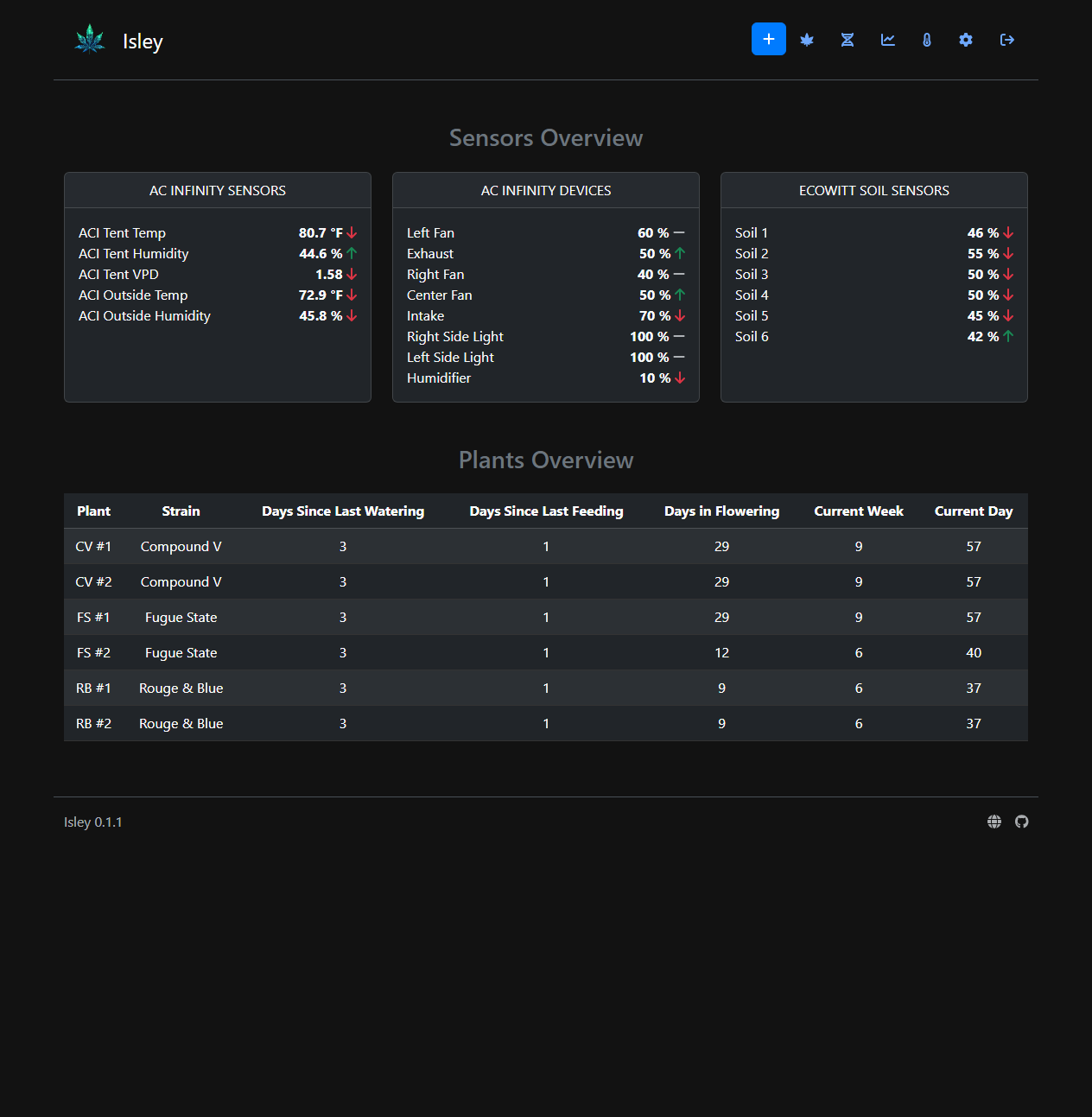
I built Isley because the tool I wanted didn't exist. Every existing option was either a phone app with a bad UX, a cloud service I didn't trust, or a spreadsheet held together with duct tape. I wanted one self-hosted solution to replace all three:
| Before Isley | With Isley |
|---|---|
| 🌡️ Vendor apps for sensor graphs | Unified environmental dashboard |
| 📝 Spreadsheets for seeds & harvests | Structured grow journal with charts |
| 🗒️ Notepads for feeding & watering history | Timestamped activity logs per plant |
Isley doesn't try to revolutionize your grow — it centralizes your tools so you can focus on what matters.
| Feature | Description | |
|---|---|---|
| 📒 | Grow Logs | Track plant growth, watering, and feeding with custom activity types |
| 🌡️ | Environmental Monitoring | Real-time sensor data from AC Infinity and EcoWitt, plus custom HTTP ingest |
| 📸 | Image Uploads | Attach photos with captions; add text overlays and watermarks |
| 📷 | Webcam Integration | Capture periodic snapshots from camera streams via FFmpeg |
| 🌱 | Seed Inventory | Manage strains, breeders, and seed stock with Indica/Sativa and autoflower tracking |
| 📊 | Harvest Tracking | Record harvest dates, yields, and full cycle times |
| 📈 | Graphs and Charts | Visualize sensor data over time with configurable retention windows |
| ⚙️ | Customizable Settings | Define custom zones, activities, metrics, and camera streams |
| 🌍 | Internationalization | Available in English, German, Spanish, and French |
| 🔓 | Guest Mode | Optional read-only access for unauthenticated visitors |
| 📱 | Mobile-Friendly | Responsive layout for desktop and mobile |
- 🔔 Alerts and Notifications — Set custom thresholds and get notified when conditions go out of range.
- 📦 Export and Backup — Download your full grow history for offline archiving.
Isley runs in Docker and is up in minutes. PostgreSQL is recommended for production; SQLite works great for local testing.
Prerequisites: Docker and docker-compose
# docker-compose.postgres.yml
version: '3.8'

services:
  isley:
    image: dwot/isley:latest
    ports:
      - "8080:8080"
    environment:
      - ISLEY_PORT=8080
      - ISLEY_DB_DRIVER=postgres
      - ISLEY_DB_HOST=postgres
      - ISLEY_DB_PORT=5432
      - ISLEY_DB_USER=isley
      - ISLEY_DB_PASSWORD=supersecret
      - ISLEY_DB_NAME=isleydb
      - ISLEY_SESSION_SECRET=change-me-to-a-long-random-string
    depends_on:
      - postgres
    volumes:
      - isley-uploads:/app/uploads
    restart: unless-stopped

  postgres:
    image: postgres:16
    environment:
      - POSTGRES_DB=isleydb
      - POSTGRES_USER=isley
      - POSTGRES_PASSWORD=supersecret
    volumes:
      - postgres-data:/var/lib/postgresql/data
    restart: unless-stopped

volumes:
  postgres-data:
  isley-uploads:
docker-compose -f docker-compose.postgres.yml up -dThen open http://localhost:8080 — default login is admin / isley. You'll be prompted to change your password on first login.
# docker-compose.sqlite.yml
version: '3.8'

services:
  isley:
    image: dwot/isley:latest
    ports:
      - "8080:8080"
    environment:
      - ISLEY_PORT=8080
      - ISLEY_DB_DRIVER=sqlite
    volumes:
      - isley-db:/app/data
      - isley-uploads:/app/uploads
    restart: unless-stopped

volumes:
  isley-db:
  isley-uploads:
docker-compose -f docker-compose.sqlite.yml up -dNote: SQLite is not recommended for production due to write contention under concurrent load.
Already running Isley with SQLite? Isley handles the migration automatically.
Use docker-compose.migration.yml — it mounts both your existing SQLite volume and the new PostgreSQL instance. On startup, if Isley finds existing SQLite data and an empty PostgreSQL instance, it will import everything automatically.
# docker-compose.migration.yml
version: '3.8'

services:
  isley:
    image: dwot/isley:latest
    ports:
      - "8080:8080"
    environment:
      - ISLEY_PORT=8080
      - ISLEY_DB_DRIVER=postgres
      - ISLEY_DB_HOST=postgres
      - ISLEY_DB_PORT=5432
      - ISLEY_DB_USER=isley
      - ISLEY_DB_PASSWORD=supersecret
      - ISLEY_DB_NAME=isleydb
    depends_on:
      - postgres
    volumes:
      - isley-db:/app/data
      - isley-uploads:/app/uploads
    restart: unless-stopped

  postgres:
    image: postgres:16
    environment:
      - POSTGRES_DB=isleydb
      - POSTGRES_USER=isley
      - POSTGRES_PASSWORD=supersecret
    volumes:
      - postgres-data:/var/lib/postgresql/data
    restart: unless-stopped

volumes:
  isley-db:
  postgres-data:
  isley-uploads:
Tip: Back up your
isley-dbvolume before running migration, just in case.
After migration completes, switch back to docker-compose.postgres.yml for your regular deployment.
Most settings are managed through the Settings panel in the app — enable integrations, set device IPs, scan for sensors, and more.
For environment-level configuration, the full reference is below:
| Variable | Default | Description |
|---|---|---|
ISLEY_PORT |
8080 |
Port Isley listens on |
ISLEY_SESSION_SECRET |
(random) | Session encryption key — set this in production |
| Variable | Default | Description |
|---|---|---|
ISLEY_DB_DRIVER |
sqlite |
Database backend: sqlite or postgres |
ISLEY_DB_FILE |
data/isley.db |
SQLite database path |
ISLEY_DB_HOST |
— | PostgreSQL host |
ISLEY_DB_PORT |
5432 |
PostgreSQL port |
ISLEY_DB_USER |
— | PostgreSQL username |
ISLEY_DB_PASSWORD |
— | PostgreSQL password |
ISLEY_DB_NAME |
— | PostgreSQL database name |
ISLEY_DB_SSLMODE |
require |
PostgreSQL SSL mode (require, disable, verify-full, etc.) |
Isley exposes an HTTP API for pushing sensor data from custom devices, IoT hardware, or home automation systems.
- Log in as an admin and go to Settings → API Settings.
- Click Generate New Key and copy it somewhere safe.
- Include the key as an
X-API-KEYheader on all API requests.
POST /api/sensors/ingest
{
  "source": "custom",
  "device": "Arduino Sensor",
  "type": "temperature",
  "value": 25.5,
  "name": "Temperature Sensor 1",
  "new_zone": "Tent 1",
  "unit": "°C"
}
Use this for: Arduino/ESP32 sensors, Home Assistant, Node-RED, or any off-the-shelf sensor not natively supported by Isley.
- Use Docker with PostgreSQL behind a reverse proxy (Nginx, Traefik) for TLS termination and clean URL routing.
- Back up these volumes on a regular schedule:
postgres-data— databaseisley-uploads— plant photos and images
- Set
ISLEY_SESSION_SECRETto keep sessions valid across container restarts.
- Isley is in active development 🚧 — breaking changes may occasionally occur between releases.
- Found a bug or have a feature request? Open an issue — contributions welcome.
🌐 For screenshots, feature highlights, and the latest news: isley.dwot.io