Work in progress. This is an active port of HTCommander by Ylian Saint-Hilaire from C#/Avalonia to Flutter/Dart with native platform plugins for Linux, Windows, and macOS. Many features are partial or in flight. Expect bugs, incomplete platform parity, and breakage between commits. Misuse could brick the radio. Use at your own risk.

- Cross-platform UI built on Flutter, replacing both the original WinForms and the Avalonia interim port. The Avalonia branch is preserved at
origin/avaloniafor reference. - macOS support with a native Swift backend:
CoreBluetoothfor BLE/GAIA control,IOBluetoothRFCOMM for audio,AVAudioEnginefor output and microphone capture, BlueZlibsbcvendored for SBC encode and decode. No Python, PortAudio, or sounddevice dependency. - Linux backend in Dart with
dart:ffiover libc for RFCOMM sockets,paplayandparecordfor audio I/O, espeak-ng for TTS, and optional whisper-cli for STT. - Windows backend in Dart with
dart:ffiover Winsock2 for RFCOMM,waveOutandwaveInfor audio, System.Speech for TTS, and optional whisper-cli for STT. - APRS implementation audited against the wb2osz/aprsspec v1.2c document. Coverage of sections 6 through 17 includes status reports, the REPLY-ACK extension, object and item reports, telemetry (T# data plus PARM, UNIT, EQNS, BITS definitions, plus Base91 comment telemetry), uncompressed position transmission, weather (positionless and position-with-symbol forms), PHG / RNG / DFS data extensions, position ambiguity, station capabilities, queries, raw GPS, and DF Bearing/NRQ.
- Communication pane refresh: VFO A/B displays with active-slot indicator, channel-group switcher (six 30-channel groups), VFO-to-channel and channel-to-VFO transitions, audio level controls (volume, squelch, output, mute, mic gain), confirmation prompt before overwriting a saved channel slot.
- APRS pane refresh: resizable splitter between the feed and the map, dark-mode OpenStreetMap tiles via CartoDB Dark Matter, marker tap to highlight the corresponding feed packet, shift-click multi-select on the feed and packet tables.
- MCP (Model Context Protocol) server for AI-assisted control and inspection from clients such as Claude Code.
| Platform | UI | Bluetooth | Audio | Notes |
|---|---|---|---|---|
| macOS | Yes | CoreBluetooth + IOBluetooth | AVAudioEngine + libsbc | Pair the radio in System Settings before launch. |
| Linux | Yes | dart:ffi RFCOMM + BlueZ D-Bus | paplay / parecord | espeak-ng TTS, optional whisper-cli STT. |
| Windows | Yes | Winsock2 RFCOMM via dart:ffi | waveOut / waveIn | System.Speech TTS, optional whisper-cli STT. |
| Android | Partial | Stub | Stub | Compiles, transport not yet wired. |
Binary releases of the Flutter version are not yet published. Build from source for now:
git clone https://github.com/eivory/HTCommander-X.git
cd HTCommander-X/htcommander_flutter
flutter pub get
flutter run -d macos       # or -d linux, -d windows
Release builds:
flutter build macos --release
flutter build linux --release
flutter build windows --release
The legacy Avalonia/C# release pipeline lives on the avalonia branch and continues to publish AppImage, .deb, .rpm, .pkg.tar.zst, and Windows zip artifacts at the Releases page. Those builds do not include any Flutter port changes.
HTCommander-X can act as a bridge between the radio and external ham software (fldigi, WSJT-X, VaraFM, Direwolf, etc.).
Most ham software speaks rigctld over TCP. Enable it under Settings > Servers. Works on all platforms with no additional drivers.
Virtual serial ports and audio devices are created automatically.
Virtual serial bridges and virtual audio cables require third-party drivers:
- com0com for virtual COM ports. Create a port pair (e.g. COM10 and COM11), point the CAT Server at one end, point your external software at the other.
- VB-CABLE A+B (paid) for virtual audio routing. The free single-cable version cannot do bidirectional radio audio. Configure your external software and HTCommander-X audio routing to use the two cables for RX and TX respectively.
Virtual serial and virtual audio routing on macOS are not yet wired. The rigctld TCP path works today; for serial-only software, run the Linux or Windows version under a VM.
HTCommander-X embeds a Model Context Protocol server. AI assistants such as Claude Code can connect, inspect application state, and control the radio.
To enable it:
- Open Settings > Servers.
- Check Enable MCP Server (AI Control).
- Set the port (default 5678).
- Optionally check Enable debug tools for full DataBroker inspection.
Connecting Claude Code:
claude mcp add htcommander --transport http http://localhost:5678/The project also ships an .mcp.json at the repository root. Claude Code will prompt to approve the project-scoped server on first launch in this directory.
Available tools:
| Category | Tools |
|---|---|
| Radio queries | get_connected_radios, get_radio_state, get_radio_info, get_radio_settings, get_channels, get_gps_position, get_battery, get_ht_status |
| Radio control | connect_radio, disconnect_radio, set_vfo_channel, set_vfo_frequency, write_channel, set_volume, set_squelch, set_audio, set_mute, set_output_volume, set_dual_watch, set_scan, set_gps, set_ptt, send_chat_message, send_morse, send_dtmf, set_software_modem |
| Debug (opt-in) | get_logs, get_databroker_state, get_app_setting, set_app_setting, dispatch_event |
Built-in skills:
/radio-statusreports a live summary across connected radios./debug-radioinspects logs and DataBroker state for connection issues.
For implementation details and removal instructions, see docs/MCP-Integration.md.
- Ylian Saint-Hilaire, original HTCommander author and maintainer.
- Kyle Husmann, KC3SLD, benlink Python library, GAIA protocol decoding and audio codec reference.
- SarahRoseLives, flutter_benlink, Flutter/Dart implementation reference.
- Lee, K0QED, APRS-Parser.
- BlueZ project, libsbc (LGPL).
- John Langner, WB2OSZ, aprsspec protocol reference.
- OpenStreetMap, free geographic data.
Provided as-is, without warranty. Authors are not liable for damage to equipment, software, or data resulting from use of this software. Installation and use are entirely at your own risk.
Information below is from the original project:
The following radios should work with this application:
- BTech UV-Pro
- BTech UV-50Pro (untested)
- RadioOddity GA-5WB (untested)
- Radtel RT-660 (Contact Developers)
- Vero VR-N75
- Vero VR-N76 (untested)
- Vero VR-N7500 (untested)
- Vero VR-N7600
Handi-Talky Commander is starting to have a lot of features.
- Bluetooth Audio. Uses audio connectivity to listen and transmit with your computer speakers, microphone or headset.
- Speech-to-Text. Open AI Whisper integration will convert audio to text, a Windows Speech API will convert text to speech.
- Channel Programming. Configure, import, export and drag & drop channels to create the perfect configuration for your usages.
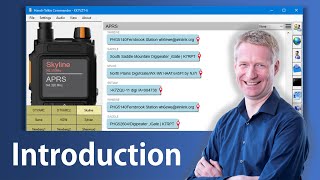
- APRS support. You can receive and sent APRS messages, set APRS routes, send SMS message to normal phones, request weather reports, send authenticated messages, get details on each APRS message.
- BSS support. Support for the propriatary short message binary protocol from Baofeng / BTech.
- APRS map. With Open Street Map support, you can see all the APRS stations at a glance.
- Winlink mail support. Send and receive email on the Winlink network, this includes support to attachments.
- SSTV send and receive images. Reception is auto-detected, drag & drop to sent.
- Torrent file exchange. Many-to-many file exchange with a torrent file transfer system over 1200 Baud FM-AFSK.
- Address book. Store your APRS contacts and Terminal profiles in the address book to quick access.
- Terminal support. Use the terminal to communicate in packet modes with other stations, users or BBS'es.
- BBS support. Built-in support for a BBS. Right now it's basic with WInLink and a text adventure game. Route emails and challenge your friends to get a high score over packet radio.
- Packet Capture. Use this application to capture and decode packets with the built-in packet capture feature.
- GPS Support. Support for the radio's built in GPS if you have radio firmware that supports it.
- Audio Clips record and playback short voice clips on demand.
- AGWPE Protocol. Supports routing other application's traffic over the radio using the AGWPE protocol.
- APSK 1200 Software modem with ECC/CRC error correction support.
This tool is based on the decoding work done by Kyle Husmann, KC3SLD and this BenLink project which decoded the Bluetooth commands for these radios. Also APRS-Parser by Lee, K0QED.
Map data provided by openstreetmap.org, the project that creates and distributes free geographic data for the world.