SBShortcutMenuSimulator is a tweak for the iPhone Simulator that allows you to simulate the new UIApplicationShortcutItem API for iPhone with 3D Touch enabled.
- Xcode 7 GM or later, set as your default version of Xcode
git clone https://github.com/DeskConnect/SBShortcutMenuSimulator.git
cd SBShortcutMenuSimulator
make
Note: If you installed SBShortcutMenuSimulator using the old method, go here and follow the uninstallation directions.
For a detailed breakdown of the setup steps, please take a look at the Usage section below, otherwise, do:
- Activate a simulator
- Add this to your
bash_profile(please modifyPATH_TO_3D_TOUCHto whatever is on your machine):
export PATH_TO_3D_TOUCH="~/git/esplorio/SBShortcutMenuSimulator"

alias setup-3d-touch="cd $PATH_TO_3D_TOUCH && xcrun simctl spawn booted launchctl debug system/com.apple.SpringBoard --environment DYLD_INSERT_LIBRARIES=$PWD/SBShortcutMenuSimulator.dylib && xcrun simctl spawn booted launchctl stop com.apple.SpringBoard"

alias 3d-touch="echo 'io.esplor.ios' | nc 127.0.0.1 7007"
- In the command line, run
makeunderPATH_TO_3D_TOUCH - Run
setup-3d-touchto set up the 3D touch server - Run
3d-touchto make a call to summon the 3D touch menu
First, start SpringBoard with SBShortcutMenuSimulator enabled (run this from the cloned directory):
xcrun simctl spawn booted launchctl debug system/com.apple.SpringBoard --environment DYLD_INSERT_LIBRARIES=$PWD/SBShortcutMenuSimulator.dylib
xcrun simctl spawn booted launchctl stop com.apple.SpringBoard
Now, to show an app's quick action menu, send the app's bundle identifier over TCP to port 8000. For example, running this command will show the shortcut menu for Calendar:
echo 'com.apple.mobilecal' | nc 127.0.0.1 7007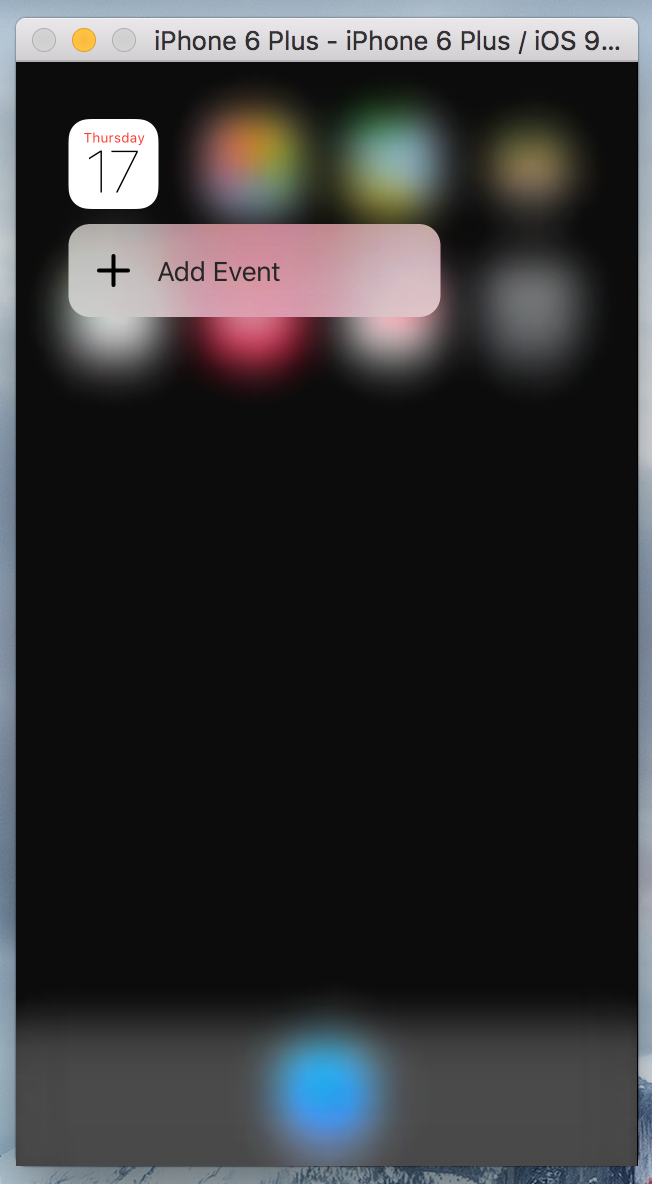
NOTICE: For our own (Esplorio) fork, I have updated the port number from 8000 to 7007 so that we can avoid clashing with the Django server port
SBShortcutMenuSimulator is available under the MIT license. See the LICENSE file for more info.