Extract public hotel reviews from both Trip.com and Ctrip (携程) in a single run — with per‑review sub‑ratings, hotel owner responses, reviewer IP‑location, and an LLM‑ready markdown field for direct RAG ingestion. Runs on Apify.


This repo is the developer entry point for the Trip.com & Ctrip Reviews Scraper actor: the output shape, copy‑paste API snippets, a full field dictionary, and a short how‑to. The actor itself runs on Apify — no login, proxy, or anti‑bot setup required.
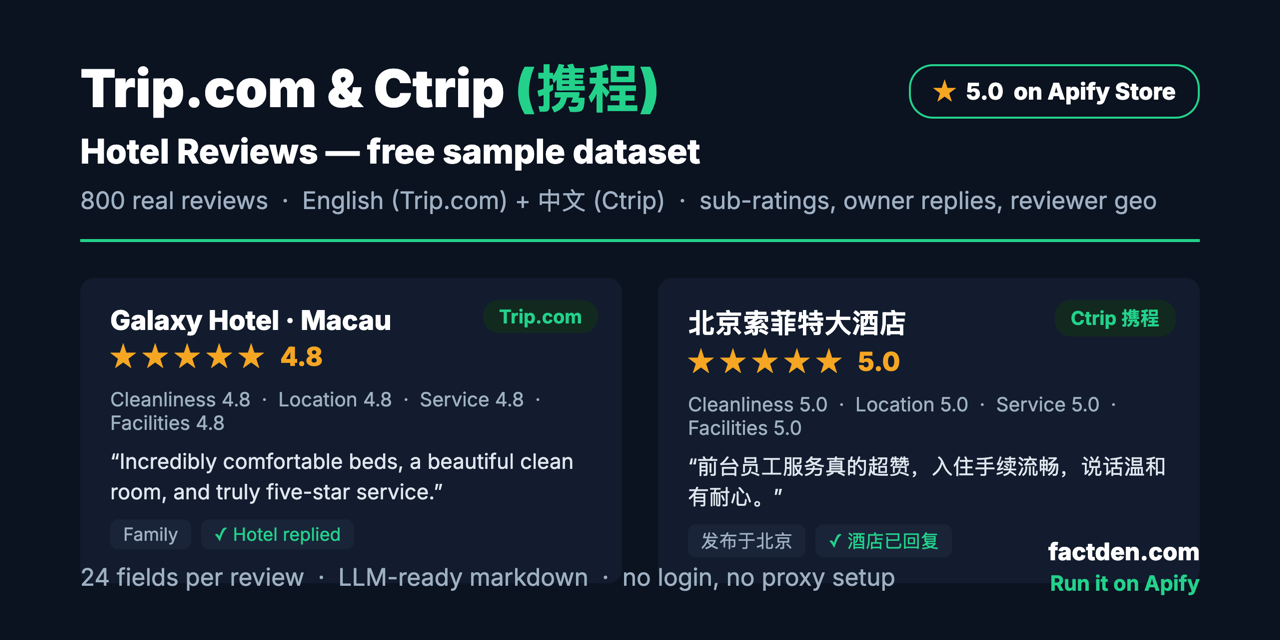
Give it Trip.com hotel URLs, Ctrip (hotels.ctrip.com) hotel URLs, or a mix of both — each URL is processed in
its native locale (Trip.com returns English reviews, Ctrip returns Chinese) — and get every public review as a clean,
structured row: 32 data points including 4 sub‑ratings, hotel owner responses, reviewer IP‑location, travel type,
machine‑translation, and an LLM‑ready markdownContent field.
🌏 Both platforms in one run — Trip.com (international, English) and Ctrip / 携程 (Chinese domestic) share the same
hotel inventory but split the review corpus by locale. Mix both URL types in a single startUrls list and get a
unified dataset. No other Apify actor covers the Ctrip side.
🤖 LLM‑ready markdownContent per review — a self‑contained markdown block, ready for direct vector‑DB / RAG
ingestion with zero formatting work.
Plus per‑review depth most scrapers drop: a clubbed subRatings array (Cleanliness / Location / Service /
Facilities), the hotel's ownerResponse ({ text, date }), reviewer.ipLocation (Chinese province, Ctrip rows),
travelType, and recommends.
from apify_client import ApifyClient

client = ApifyClient("<YOUR_APIFY_TOKEN>")
run = client.actor("factden/ctrip-trip-reviews-scraper").call(run_input={
    "startUrls": [
        "https://www.trip.com/hotels/macau-hotel-detail-344983/galaxy-hotel/",
        "https://hotels.ctrip.com/hotels/1286148.html",
    ],
    "maxReviewsPerHotel": 100,
    "sortBy": "mostRecent",
})
for row in client.dataset(run["defaultDatasetId"]).iterate_items():
print(row["overallRating"], row["hotelName"], "—", row["source"])Sample input and output live in examples/:
examples/input.json— a ready‑to‑run input (one Trip.com hotel + one Ctrip hotel)examples/reviews-output.sample.json— 3 real review rows (Trip.com + Ctrip) showing the full output shape (32 data points) incl. nestedreviewer/ownerResponseand thesubRatingsarrayexamples/reviews-sample.csv— 100 real reviews (4 hotels, both locales), browsable right in GitHub's table view
📊 Full 800-review sample (CSV / JSON / JSONL + per-hotel summary) on HuggingFace and Kaggle.
Every field is documented in FIELDS.md. From Apify you can download results as JSON, CSV, Excel,
or HTML.
- Hospitality competitive intelligence — track guest sentiment, sub‑ratings, and owner‑response rates across competitor hotels on both Trip.com and Ctrip.
- Voice‑of‑customer / property research — structured ratings + free‑text across hundreds of reviews per hotel.
- AI / RAG pipelines — drop
markdownContentstraight into a vector DB. - China‑market analysis — the Ctrip / 携程 corpus (with
reviewer.ipLocation) that English‑only scrapers miss.
Pay‑per‑event on Apify: $0.004 per review, no per-run start fee (down to $0.0025 on higher plans). New Apify accounts get $5 in free credit. See the actor page for current pricing.
Is scraping Trip.com / Ctrip reviews legal? The actor collects only publicly available review data. As with any scraping, review the platforms' Terms of Service and your local regulations, and use the data responsibly.
Do I need a Trip.com / Ctrip account or proxies? No. Everything runs inside the actor on Apify's infrastructure.
Can I mix Trip.com and Ctrip URLs? Yes — that's the point. Put both in startUrls; each is handled in its native
locale and the source field tells you which platform each row came from.
Found a bug or want a field added? Open an issue here, or use the Issues tab on the Apify actor page.
- Google Hotels Scraper (docs)
- G2 Reviews Scraper (docs)
- Indeed Jobs Scraper (docs)
- Expedia Hotel Reviews Scraper (docs)
- All FactDen actors →
Docs & guides:
The examples/ files are real public review data collected with the actor, provided for documentation/evaluation.
Run the actor on Apify to pull live data for any hotel, at any scale.
Found this useful? A star on this repo helps other people find it.