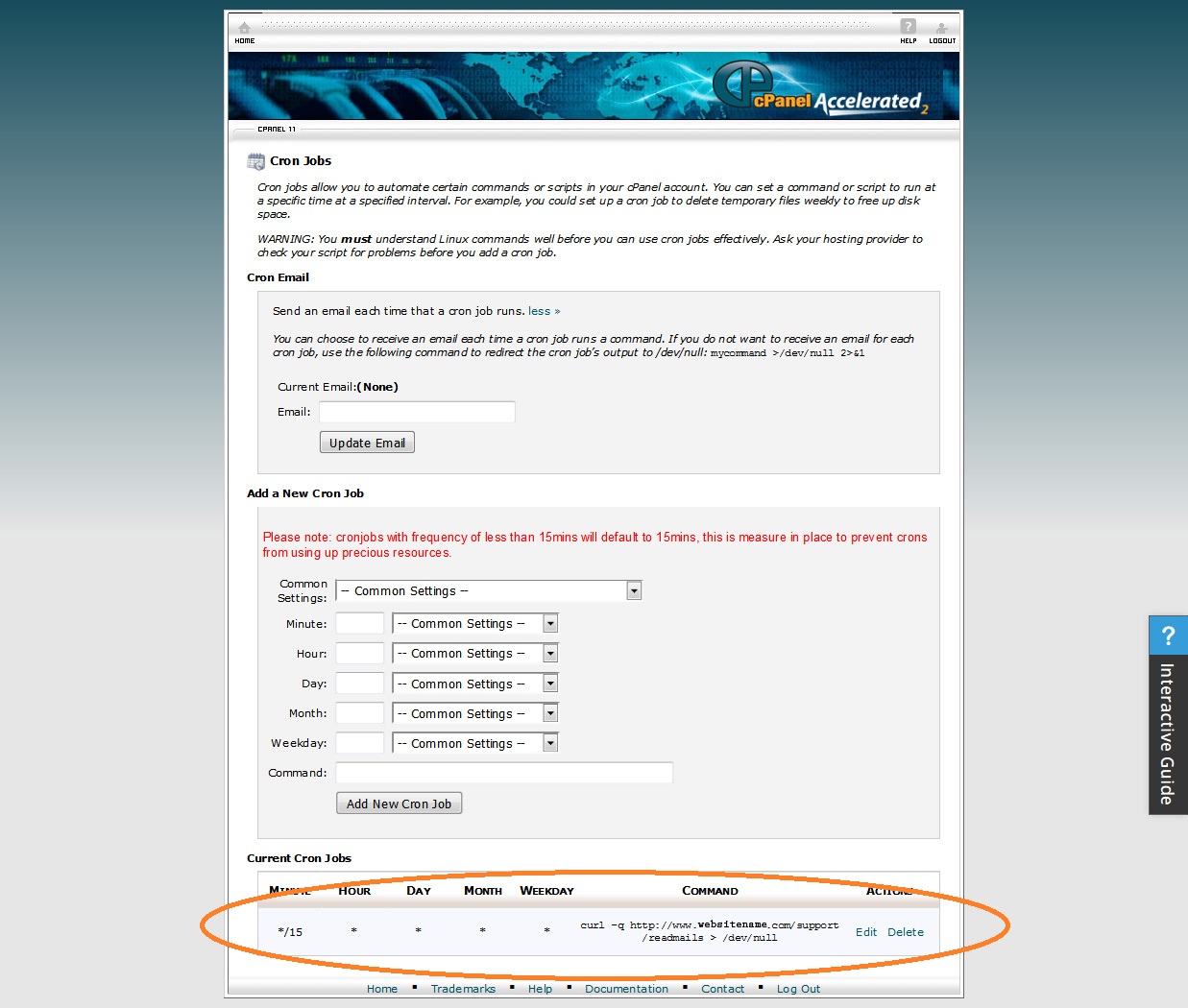
Cron Job or any Job scheduler
After Faveo has been installed & configured, a Job scheuler needs to be configured to run the script for Faveo to read emails and also to send daily report to all admin's and agents.
PS: If Job scheduler is not configured Faveo will not be able to read emails nor send daily email notification report
Any job scheduler can be used, we are using Cron job in this article as it's one of the popular ones.
To know your Cron Job URL go to follwing path in Faveo
Path: Admin Panel >> Setting >> Cron
There are two cron url's Use either one
CLI Cron - This is a single cron URL for all services. This is preferred URL and use this link in cron job.
Curl Cron - This has multiple cron URL's for different services. This is not preferred, for some reason if CLI doesn't work on your server then use this
Screenshot of cron page from cPanel