- ASP.NET Core 2.0
- Docker - Tested on Docker client 17.04.0-ce, Docker server 17.05.0-ce, Docker Machine 0.10.0 and Docker Compose 1.12.0
- Kubernetes - Tested on Kubernetes v1.7.0, kubectl v1.7.0 and Minikube v0.21.0
Note that you may need to increase your VM memory limit to 4GB or higher.
$ ./build.ps1
$ ./run.ps1
$ ./tests.ps1
$ dotnet restore
$ dotnet publish -o build -c Release
$ docker build -t fkhoda/checkout-shoppinglist-api .
With ELK monitoring:
$ docker-compose -f docker-compose-with-monitoring.yml up
Without ELK monitoring:
$ docker-compose up
- API: http://{docker-machine-ip}:8080
- Elasticsearch: http://{docker-machine-ip}:9200
- Kibana: http://{docker-machine-ip}:5601
- Please allow Kibana a few minutes to optimize its assets before accessing the dashboard.
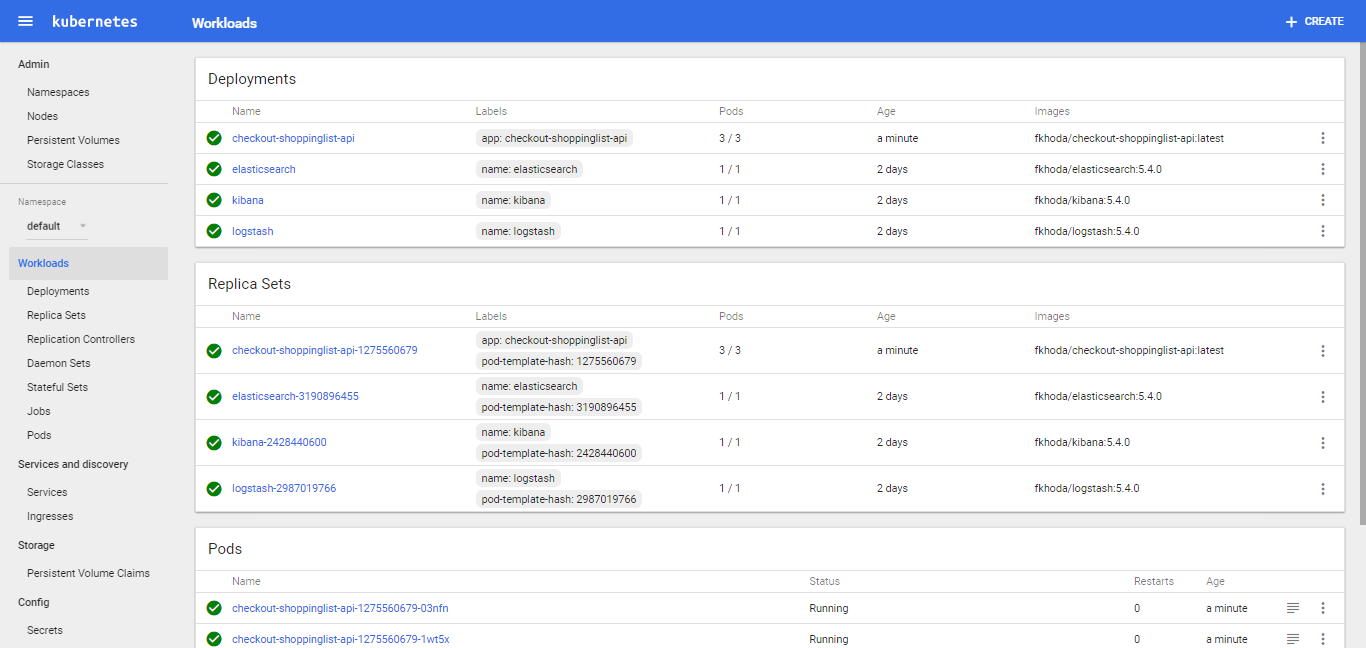
$ docker push fkhoda/checkout-shoppinglist-api
Deploy ELK for monitoring (Optional)
$ git clone https://github.com/fkhoda/elk-kubernetes.git
$ cd elk-kubernetes
$ kubectl create -f .\kubefiles\ -R --namespace=default
Deploy Shopping List API with ELK monitoring
$ kubectl create -f ./kubefiles/sl-deployment-with-monitoring.yaml --namespace=default
$ kubectl create -f ./kubefiles/sl-service.yaml --namespace=default
Deploy Shopping List API without ELK monitoring
$ kubectl create -f ./kubefiles/sl-deployment.yaml --namespace=default
$ kubectl create -f ./kubefiles/sl-service.yaml --namespace=default
- API: http://{minikube-ip}:30080
- Elasticsearch: http://{minikube-ip}:30920
- Kibana: http://{minikube-ip}:31601
- Please allow Kibana a few minutes to optimize its assets before accessing the dashboard.
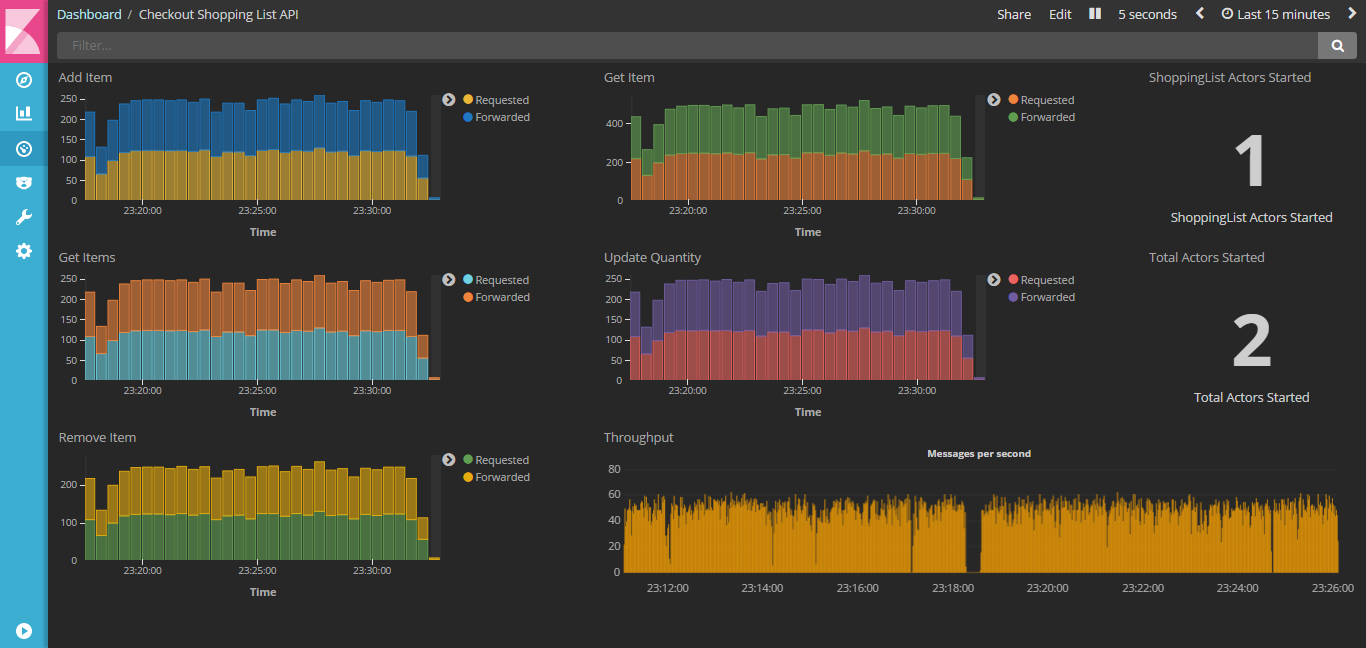
- Onion Architecture
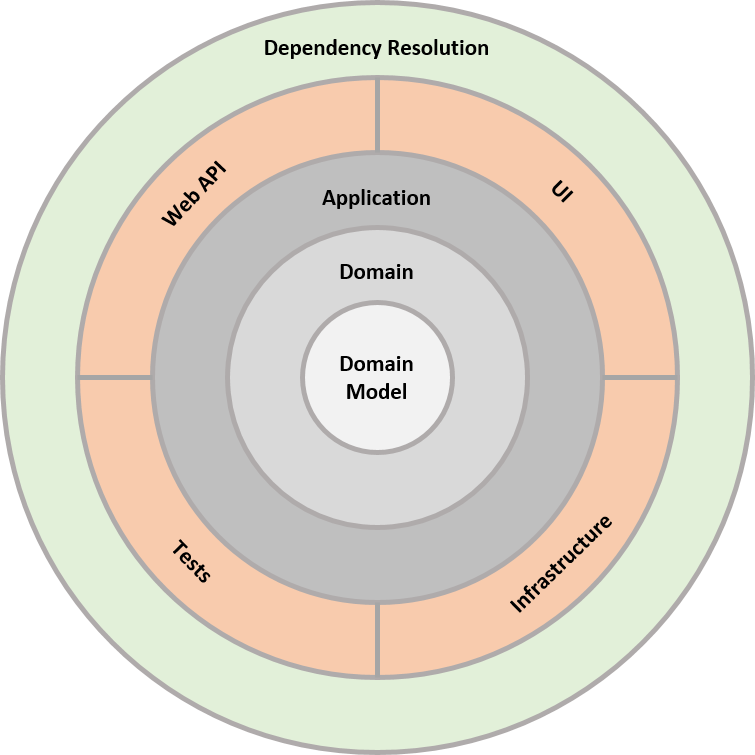
- Actor Model with in-memory Event Sourcing and Snapshotting using Proto Actor (http://proto.actor)
- Validation using Fluent Validation (https://github.com/JeremySkinner/FluentValidation)
- Dead Simple Authentication Middleware
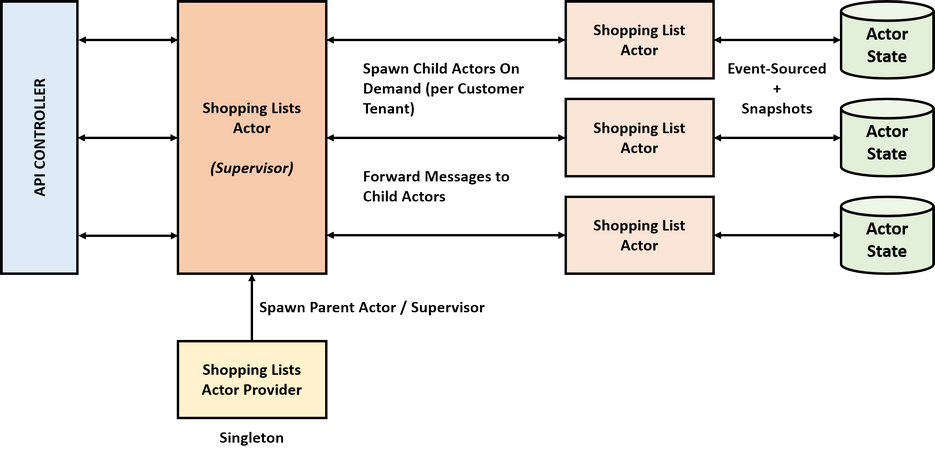
- Actor Monitoring using ELK stack
- Native .NET Core Dependency Injection
- Basic Pagination
Method: POST
URI: /api/shoppingLists/{customerId}/items
Method: GET
URI: /api/shoppingLists/{customerId}/items[?pageNumber=1&pageSize=10]
Method: GET
URI: /api/shoppingLists/{customerId}/items/{itemName}
Method: PUT
URI: api/shoppingLists/{customerId}/items/{itemName}
Method: DELETE
URI: api/shoppingLists/{customerId}/items/{itemName}
- Some Unit Tests are implemented in the Client Library (https://github.com/fkhoda/checkout-net-library)
- The Authentication middleware checks for clients' Authorization request header against this value:
sk_test_32b9cb39-1cd6-4f86-b750-7069a133667d. You may have to specify it manually if you are not using the client library or its Unit Tests.