A command-line argument parser library for Mojo, inspired by Python's argparse, Rust's clap, Go's cobra, and other popular libraries.


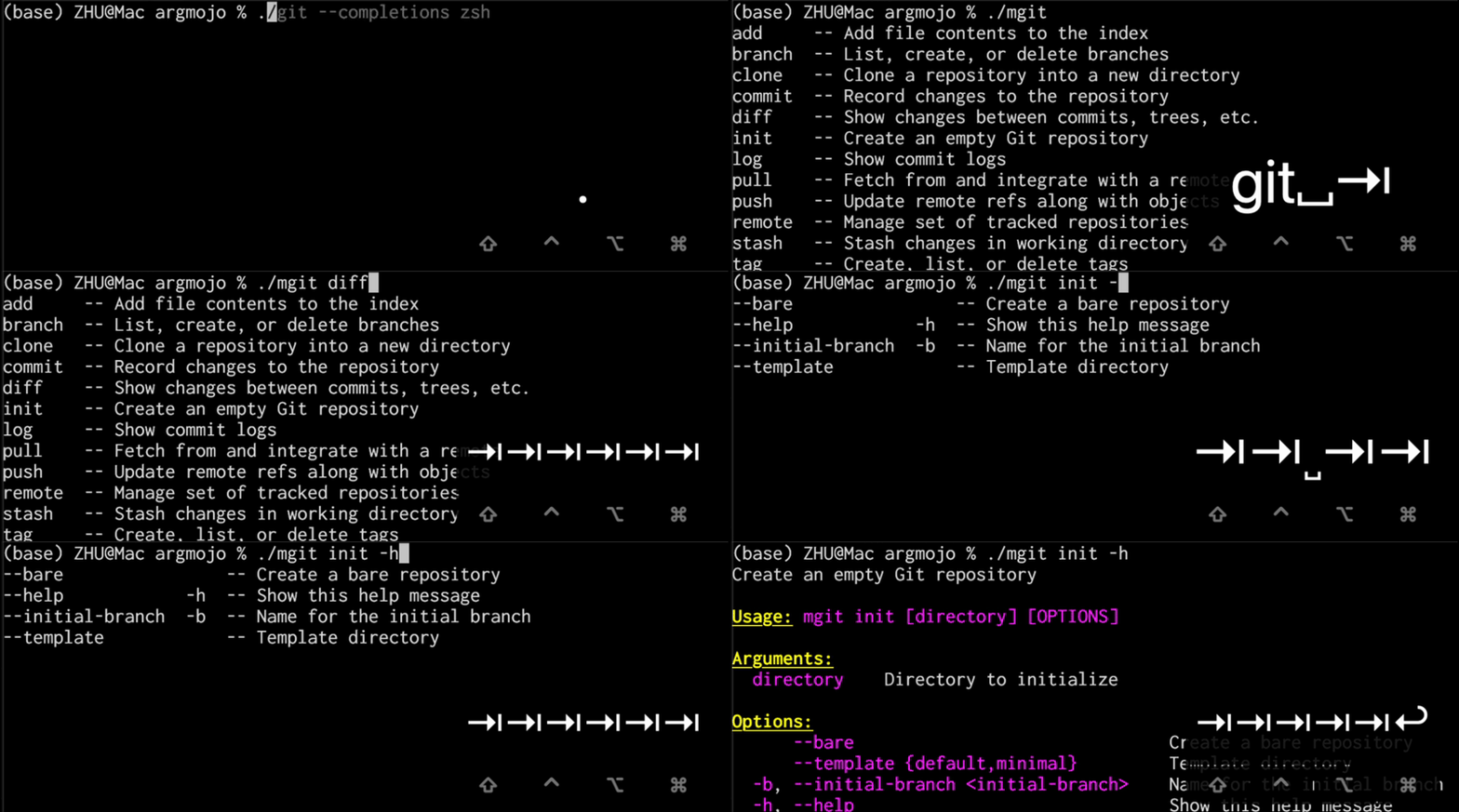
Demo: Shell tab-completion powered by ArgMojo
ArgMojo provides a builder-pattern API for defining and parsing command-line arguments in Mojo. It currently supports:
- Long options:
--verbose,--output file.txt,--output=file.txt - Short options:
-v,-o file.txt - Boolean flags: options that take no value
- Positional arguments: matched by position
- Default values: fallback when an argument is not provided
- Required arguments: validation that mandatory args are present
- Auto-generated help:
--help/-h/-?with dynamic column alignment, pixi-style ANSI colours, and customisable header/arg colours - Help on no args: optionally show help when invoked with no arguments
- Version display:
--version/-V(also auto-generated) --stop marker: everything after--is treated as positional- Short flag merging:
-abcexpands to-a -b -c - Attached short values:
-ofile.txtmeans-o file.txt - Choices validation: restrict values to a set (e.g.,
json,csv,table) - Value name: custom display name for values in help text
- Hidden arguments: exclude internal args from
--helpoutput - Count flags:
-vvv→get_count("verbose") == 3 - Positional arg count validation: reject extra positional args
- Negatable flags:
--color/--no-colorpaired flags with.negatable() - Mutually exclusive groups: prevent conflicting flags (e.g.,
--jsonvs--yaml) - Required-together groups: enforce that related flags are provided together (e.g.,
--username+--password) - Long option prefix matching: allow abbreviated options (e.g.,
--verb→--verbose). If the prefix is ambiguous (e.g.,--vercould match both--verboseand--version-info), an error is raised. - Append / collect action:
--tag x --tag ycollects repeated options into a list with.append() - One-required groups: require at least one argument from a group (e.g., must provide
--jsonor--yaml) - Value delimiter:
--env dev,staging,prodsplits by delimiter into a list with.delimiter[","]() - Multi-value options (nargs):
--point 10 20consumes N consecutive values with.nargs(N) - Shell completion script generation:
generate_completion("bash"|"zsh"|"fish")produces a complete tab-completion script for your CLI
I created this project to support my experiments with a CLI-based Chinese character search engine in Mojo, as well as a CLI-based calculator for Decimo. It is inspired by Python's argparse, Rust's clap, Go's cobra, and other popular argument parsing libraries, but designed to fit Mojo's unique features and constraints.
My goal is to provide a Mojo-idiomatic argument parsing library that can be easily adopted by the growing Mojo community for their CLI applications. Before Mojo v1.0 (which means it is not yet stable), my focus is on building core features and ensuring correctness. "Core features" refer to those who appear in argparse/clap/cobra and are commonly used in CLI apps. "Correctness" means that the library should handle edge cases properly, provide clear error messages, and have good test coverage. Some fancy features will depend on my time and interest.
ArgMojo is available in the modular-community https://repo.prefix.dev/modular-community package repository. To access this repository, add it to your channels list in your pixi.toml file:
channels = ["https://conda.modular.com/max", "https://repo.prefix.dev/modular-community", "conda-forge"]Then, you can install ArgMojo using any of these methods:
-
From the
pixiCLI, run the commandpixi add argmojo. This fetches the latest version and makes it immediately available for import. -
In the
mojoproject.tomlfile of your project, add the following dependency:argmojo = "==0.3.0"
Then run
pixi installto download and install the package.
The following table summarizes the package versions and their corresponding Mojo versions:
argmojo version |
mojo version |
package manager |
|---|---|---|
| 0.1.0 | ==0.26.1 | pixi |
| 0.3.0 | ==0.26.1 | pixi |
Here is a simple example of how to use ArgMojo in a Mojo program. See examples/mgrep.mojo for the full version.
from argmojo import Argument, Command


fn main() raises:
    var app = Command("mgrep", "Search for PATTERN in each FILE.", version="1.0.0")

    # Positional arguments
    app.add_argument(Argument("pattern", help="Search pattern").positional().required())
    app.add_argument(Argument("path", help="Search path").positional().default["."]())

    # Boolean flags
    app.add_argument(
        Argument("ignore-case", help="Ignore case distinctions")
        .long["ignore-case"]().short["i"]().flag()
    )
    app.add_argument(
        Argument("recursive", help="Search directories recursively")
        .long["recursive"]().short["r"]().flag()
    )

    # Count flag (verbosity)
    app.add_argument(
        Argument("verbose", help="Increase verbosity (-v, -vv, -vvv)")
        .long["verbose"]().short["v"]().count()
    )

    # Key-value option with choices
    app.add_argument(
        Argument("format", help="Output format")
        .long["format"]().short["f"]().choice["text"]().choice["json"]().choice["csv"]().default["text"]()
    )

    # Negatable flag — --color enables, --no-color disables
    app.add_argument(
        Argument("color", help="Highlight matching text")
        .long["color"]().flag().negatable()
    )

    # Parse and use
    var result = app.parse()
    print("pattern:", result.get_string("pattern"))
    print("path:   ", result.get_string("path"))
    print("format: ", result.get_string("format"))
print("color: ", result.get_flag("color"))For detailed explanations and more examples of every feature, see the User Manual.
ArgMojo ships with two complete example CLIs:
| Example | File | Features |
|---|---|---|
mgrep — simulated grep |
examples/mgrep.mojo |
Positional args, flags, count flags, negatable flags, choices, value_name, append/collect, value delimiter, nargs, mutually exclusive groups, required-together groups, conditional requirements, numeric range, key-value map, aliases, deprecated args, hidden args, negative-number passthrough, -- stop marker, custom tips |
mgit — simulated git |
examples/mgit.mojo |
Subcommands (clone/init/add/commit/push/pull/log/remote/branch/diff/tag/stash), nested subcommands (remote add/remove/rename/show), persistent (global) flags, per-command args, mutually exclusive groups, choices, aliases, deprecated args, custom tips, shell completion script generation |
Build both example binaries:
pixi run build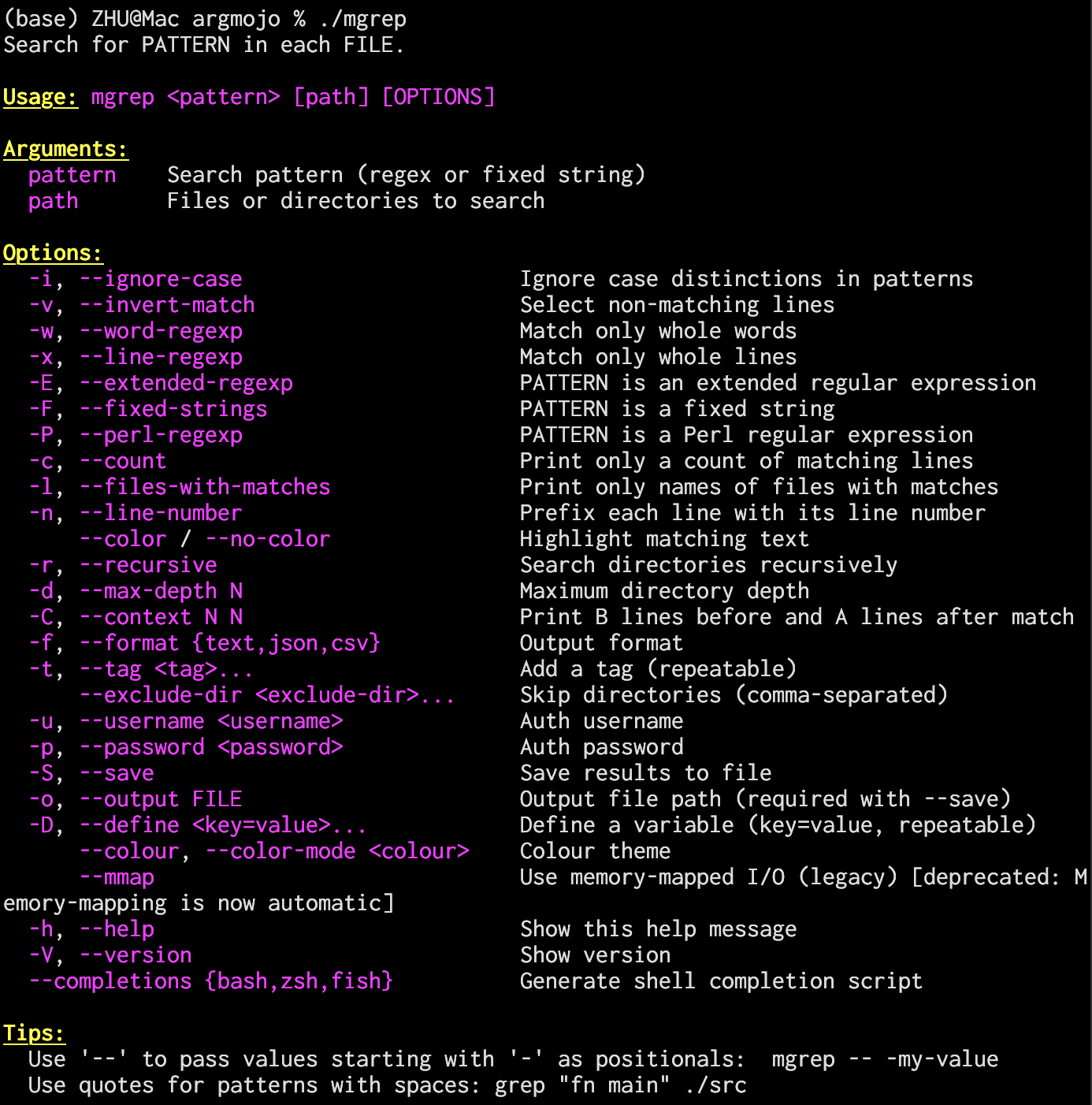
# Help and version
./mgrep --help
./mgrep --version

# Basic search
./mgrep "fn main" ./src

# Combined short flags + options
./mgrep -rnic "TODO" ./src --max-depth 5

# Choices, append, negatable
./mgrep "pattern" --format json --tag fixme --tag urgent --color

# -- stops option parsing
./mgrep -- "-pattern-with-dashes" ./src

# Prefix matching (--exc matches --exclude-dir)
./mgrep "fn" --exc .git,node_modules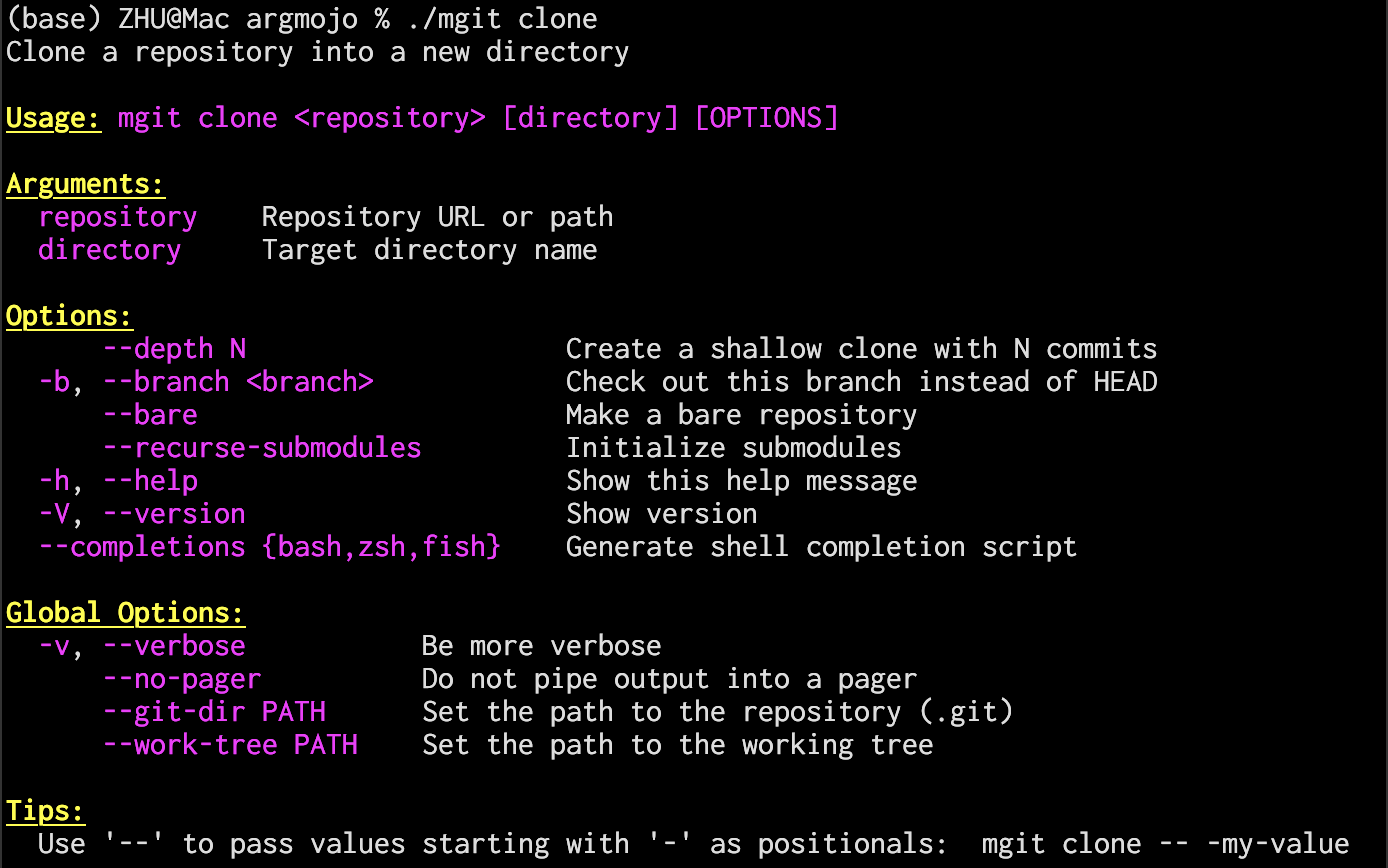
# Root help — shows Commands section + Global Options
./mgit --help

# Child help — shows full command path
./mgit clone --help

# Subcommand dispatch
./mgit clone https://example.com/repo.git my-project --depth 1
./mgit commit -am "initial commit"
./mgit log --oneline -n 20 --author "Alice"
./mgit -v push origin main --force --tags

# Nested subcommands (remote → add/remove/rename/show)
./mgit remote add origin https://example.com/repo.git
./mgit remote show origin

# Unknown subcommand → clear error
./mgit foo
# error: mgit: Unknown command 'foo'. Available commands: clone, init, ...

# Shell completion script generation
./mgit --completions bash   # bash completion script
./mgit --completions zsh    # zsh completion script
./mgit --completions fish # fish completion script# Format code
pixi run format
# Build package
pixi run package
# Run tests
pixi run test
# Clean build artifacts
pixi run cleanargmojo/
├── docs/ # Documentation
│ └── user_manual.md # User manual with detailed examples
├── examples/
│ ├── mgrep.mojo # grep-like CLI (no subcommands)
│ └── mgit.mojo # git-like CLI (with subcommands)
├── src/
│ └── argmojo/ # Main package
│ ├── __init__.mojo # Package exports
│ ├── argument.mojo # Argument struct (argument definition)
│ ├── command.mojo # Command struct (parsing logic)
│ ├── parse_result.mojo # ParseResult struct (parsed values)
│ └── utils.mojo # ANSI colour constants and utility functions
├── tests/ # Test suites
├── pixi.toml # pixi configuration
├── LICENSE
└── README.mdThis project is licensed under the Apache License 2.0. See LICENSE for details.