An elegant, open-source typing test that kept growing — now with vocab cards for English learners, a 3D keyboard design lab, a markdown editor, and a no-signup leaderboard with achievement badges. Your practice history is local. The leaderboard asks only for a display name you pick — no email, no password, no account.





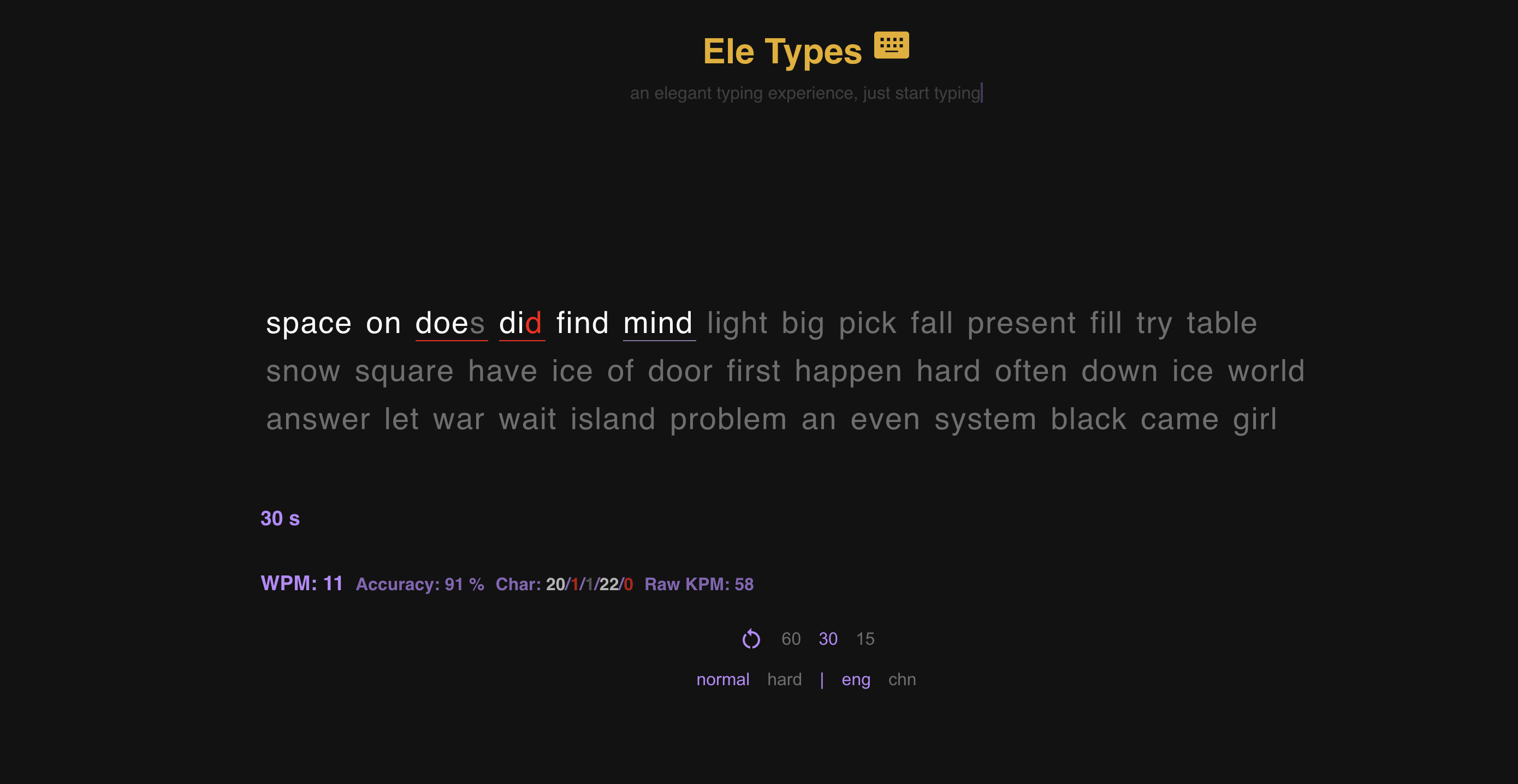
What started as a typing test inspired by monkeytype.com kept growing. Today the four pillars are typing test, vocab cards (widely used by English learners), Keyboard Lab (a 3D keyboard design playground), and a markdown editor — all in one clean, open-source app. Built on React 18 + Vite, with Supabase behind the leaderboard.
- Typing Test — English & Chinese (Pinyin), words + sentence modes, 15/30/60/90s timers, +numbers / +symbols add-ons, pulse & caret pacing
- Vocab Cards (popular with English learners) — GRE, TOEFL, CET4/CET6 word decks; type to learn, with a recite mode that hides the word while the phrase stays visible
- Keyboard Lab at
/keyboardlab(beta) — design custom 3D keyboards in your browser: 7 layouts, 8 keycap profiles, parametric case editor, KLE import, full JSON schema. → deep dive - Markdown Editor at
/markdown— live preview, syntax highlighting, save as.md - QWERTY Trainer — touch-typing practice
- No-signup leaderboard — top 50 WPM per mode; pick any display name; fingerprint used for anti-cheat only
- Badges & ranks — 30+ achievements across speed, accuracy, consistency, exploration
- Stats dashboard — activity heatmap, WPM trend, outlier detection, session history
- Challenge links — deterministic seeded words; send friends the exact same test
- Shareable result cards — auto-rendered image for X / Discord / WhatsApp / LinkedIn / Weibo / WeChat
- 18 themes including dynamic WebGL backgrounds (Tranquiluxe, Lumiflex, Opulento, Velustro)
- Custom themes — build your own with live preview: colors, gradients, font, text shadow all editable, saved locally, listed under "My Themes" alongside the built-ins. Open from the theme selector in the bottom nav or from Profile → Themes.
- Custom word lists — bring your own vocabulary into timed tests (English or Chinese pinyin). Lists run in the order you wrote them and loop to fill the timer; export/import as JSON to keep them across devices. Built-in mechanical-keyboard sample list included. Open from Profile → Word Lists or the custom words button above the test.
- Typing sounds — Cherry Blue, mechanical, typewriter
- Focus / Ultra Zen modes for distraction-free sessions
- PWA — installable, works offline
- i18n — full English & 中文 UI
- Keyboard shortcuts —
Tab+Spaceredo ·Tab+Enterrestart
From the colors to the words on screen — now yours to shape. If you happen to make keyboard videos, Custom themes and Custom words are one more way for them to feel a little more like yours: pick a palette that suits your channel, then choose exactly which words appear on screen (model name, signature switches, your own phrasing) in the order you wrote them. Or maybe, like me, you just love pretty colors.
No accounts. No ads. No tracking. Your practice history and settings live in your browser's localStorage. The only data that leaves your device is opt-in leaderboard submissions — a display name you pick (no email, no password, no account) plus a browser fingerprint used purely for anti-cheat and dedup.
 Keyboard Lab — design custom 3D keyboards |
 Dynamic WebGL themes — Tranquiluxe · Lumiflex · Opulento · Velustro |
 Markdown editor — live preview with syntax highlighting |
 Ultra Zen — auto-highlight, auto-dim, distraction-free |
npm install
npm run dev      # localhost:3000
npm run build    # production bundle to build/
npm run preview  # serve the production bundle locally
Deploying is wherever you want to host static files — push the contents of build/ to your hosting of choice. (npm run deploy is just an alias for npm run build and does not ship anywhere on its own.)
- Discord — click the Discord icon in the app footer
- Issues & feature requests
Huge thanks to @rendi12345678 for continuous contributions — including the data visualization for typing stats.
If Eletypes helps you or just makes you smile, consider supporting development:
GPL-3.0 — free to use, modify, and redistribute. Derivative works must remain open source under the same license.