The AI assistant that actually does the work — right in your browser.

Open WasmHatch — free, no install, no account.
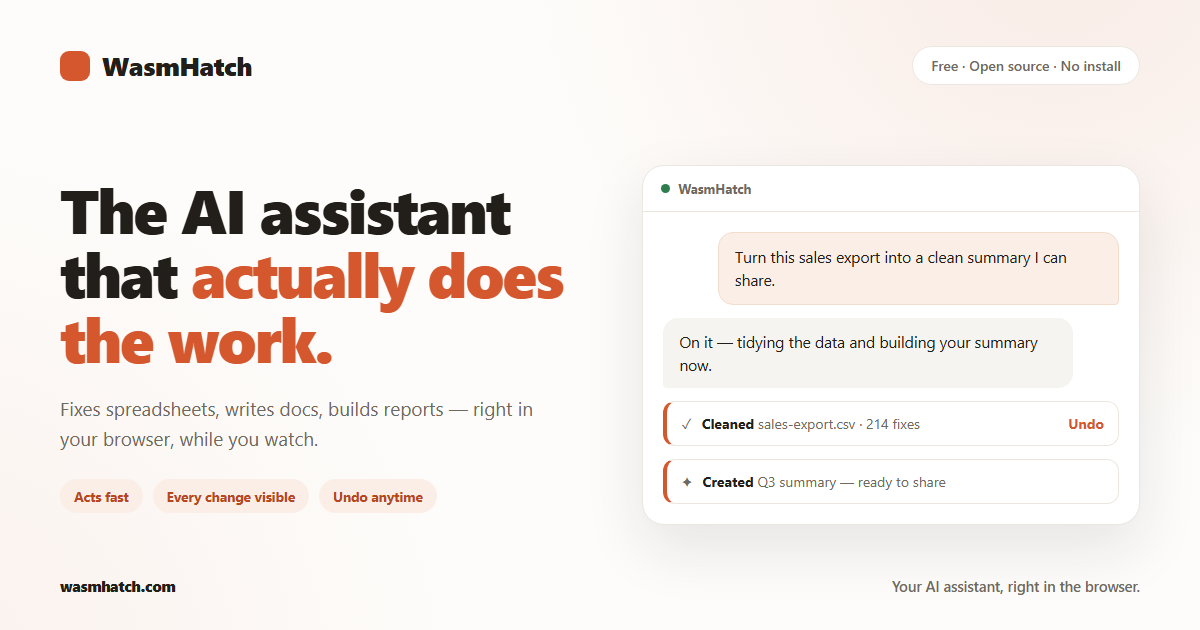
Ask in plain words. WasmHatch fixes messy spreadsheets, writes documents, creates Google Docs / Sheets / Slides, and builds polished reports — while you watch it happen. It acts fast by default: every change appears in the conversation with exactly what changed, and undo is one click. Prefer to approve things first? Switch on Careful mode.
- Clean, transform, and analyze CSV / Excel files you drop in.
- Write and edit files in a private workspace that lives in your browser.
- Create Google Docs, Sheets, and Slides, and keep editing the ones it made (connect Google in a couple of clicks).
- Build one-file HTML reports and dashboards that render beside the chat and download instantly.
- Run a small team of hatchlings — up to eight agents, each with its own name, chat, and isolated workspace — visualized as pixel characters at their desks. A shared ticket board is the work queue, and any hatchling can be put on auto work: while the tab is open, it checks the board on the interval you set, with a visible run budget and one-click pause.
- Package any hatchling as a portable
.agentfile to share it — export it, load one from a file or a trusted URL, or publish and discover them through an optional registry, always behind a plain-language preview before anything hatches. - Reach extra tools through an MCP server on your own machine (Streamable HTTP) — every hatchling shares them.
- Search the web through your AI provider's own search tool (Claude and OpenRouter keys), with sources listed under the answer.
- Post updates to Slack: paste an Incoming Webhook for a 60-second one-channel setup, or connect a tiny Slack app's bot token to list public channels and post to any of them (guide). Either way it's post-only — nothing is read from Slack.
- Run with your own AI key (Claude, OpenAI, or OpenRouter), with Ollama on your own machine, or with Chrome's built-in on-device model — free, no key at all.
- Keep your work safe without an account: pin browser storage so it isn't cleared, and download everything as a ZIP backup in one click.
Honesty beats surprises. WasmHatch currently does not:
- browse or search your existing Google Drive (it only touches files it created or that you hand it — broader access unlocks after Google's verification of our app completes);
- manage your Calendar (same verification gate);
- fetch web pages directly from the tab — the page's CSP allows only audited origins. Web search runs inside your AI provider (Claude or OpenRouter) with cited sources, or over your own Tavily key for every other provider; reading one specific page goes through the Jina Reader with your key. No key connected, no web;
- run anything with the tab closed — auto work is honest polling while the tab is open, not a background service;
- reach remote MCP servers unless a deployment bakes them into its audited allowlist — out of the box, MCP means servers on your own machine (see which remote servers a browser can actually reach);
- work with admin-managed Google Workspace accounts that block new apps.
The hosted app is the product: wasmhatch.com.
Run it yourself (it's just a static page):
npm install
npm run dev
Requirements: Node.js 20+. npm test runs the unit suite, npm run build
produces the deployable dist/.
Want your own hosted copy — fork, enable Pages, done? See the fork guide, including bring-your-own Google client ID.
For the technically curious — this is where WasmHatch is unusual:
- No server. The entire product is a static page. Your files live in browser storage on your device; nothing is uploaded to us, because there is no "us" to upload to.
- Your keys stay yours. Your API key is sent only to the provider you chose. By default it lives just for the open tab, and ticking "Remember on this device" saves it in your browser — and nowhere else. Google tokens are held in the memory of the open tab and never stored.
- Sandboxed execution. Generated data-transform code runs in QuickJS compiled to Wasm inside a Web Worker, with no network, DOM, or credential access.
- Visible, revertible effects. Every write is recorded with its exact diff; workspace changes revert in one click; an optional Careful mode asks before each write.
- A swarm without a server. Each hatchling owns an isolated workspace pair (no cross-agent write conflicts by construction); the ticket board is the only shared work surface; scheduled runs are worker-timer polling with cumulative budgets, failure backoff, and auto-off — and they stop the moment the tab closes, which the UI says out loud. MCP endpoints follow the same audited-registry CSP rule as model providers (see docs/hatchlings-design.md).
Portable agents can be exported, content-verified, and loaded from any allowed HTTPS source. The optional hosted catalog is a distribution service, not a runtime dependency; local and BYOK use remain account-free. See the portable agent contract.
Deeper reading: product plan · roadmap · agent loop design · landscape · privacy policy.
WasmHatch is Apache-2.0 and built in the open. Start with
CONTRIBUTING.md, or open a ready-to-code
Codespace.
npm test and npm run build must pass; keep user-facing language free of
internal jargon.
Apache-2.0. WasmHatch is an independent open-source project, not affiliated with Anthropic, OpenAI, or Google.