A document question-answering system that searches your documents and answers questions using their content.
This system processes documents, stores them in a searchable format, and uses a language model to answer questions based on the retrieved content. It supports PDF, DOCX, and TXT files.
Click the image above to watch the demo video
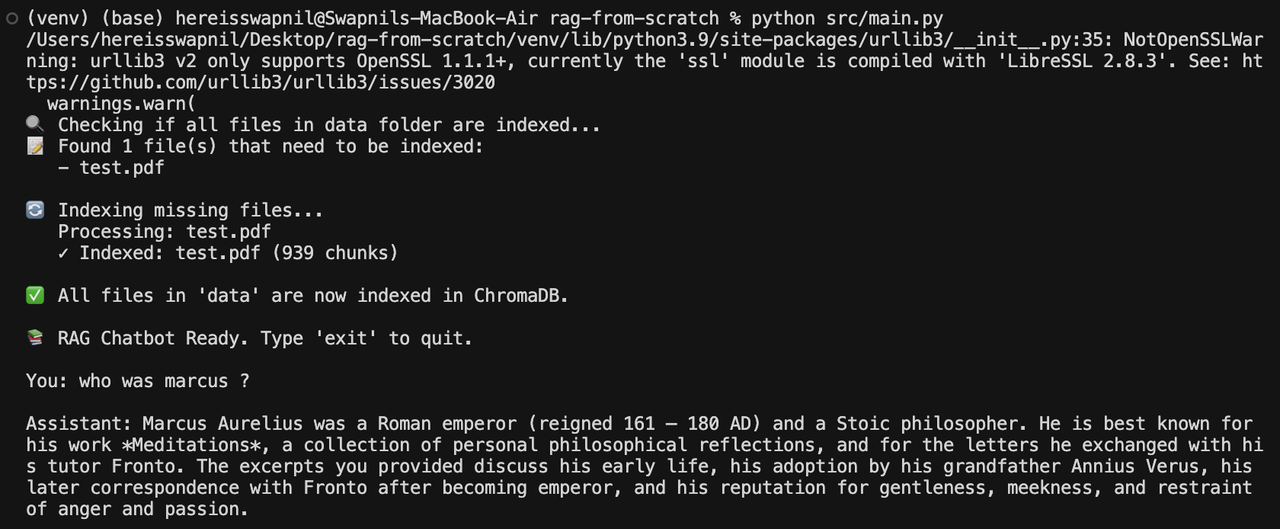
- Document loading for PDF, DOCX, and TXT files
- Automatic text chunking with overlap
- Vector-based search using ChromaDB
- Support for multiple language model providers (Ollama, OpenAI, Groq)
- Conversation memory for context across multiple questions
- Automatic indexing of new documents
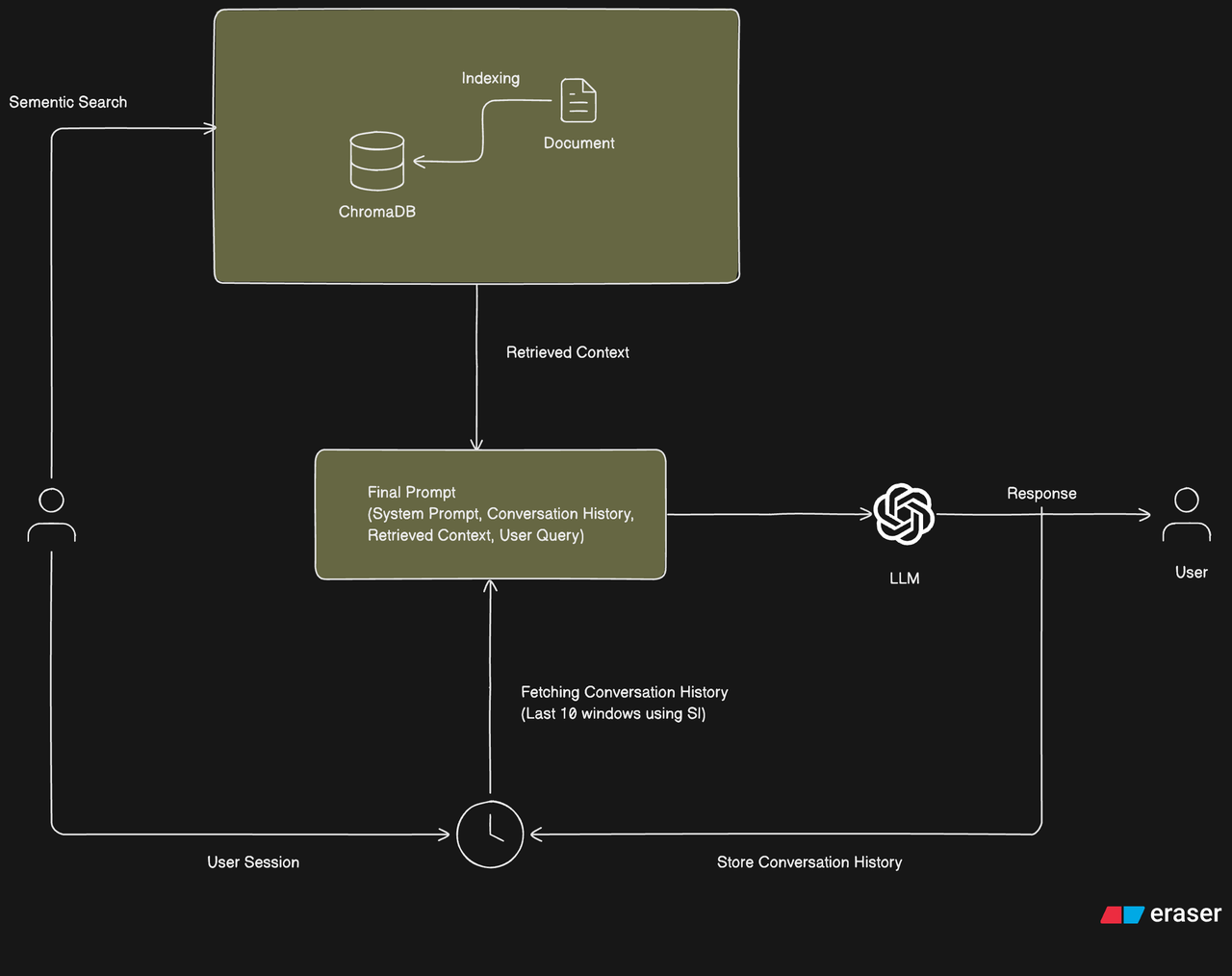
The system follows a Retrieval Augmented Generation (RAG) architecture with conversation history management. The diagram below illustrates the complete system flow:
- User Interaction: Users initiate queries through a session interface
- Semantic Search: The system performs semantic search against the indexed knowledge base (ChromaDB)
- Context Retrieval: Relevant document chunks are retrieved based on semantic similarity
- Conversation History: The last 10 conversation windows are fetched using session information
- Final Prompt Construction: The system combines:
- System Prompt
- Conversation History (last 10 windows)
- Retrieved Context
- User Query
- LLM Processing: The comprehensive prompt is sent to the Large Language Model
- Response Generation: The LLM generates a response based on the provided context
- History Storage: The conversation (query and response) is stored for future context
The document ingestion process follows these steps:
- Load: Raw documents (PDF, DOCX, TXT) are loaded from the data directory
- Split: Documents are split into smaller chunks with overlap for better context preservation
- Embed: Text chunks are converted into numerical vector embeddings using sentence transformers
- Store: Embeddings and metadata are stored in ChromaDB for efficient semantic search

- Python 3.9 or higher
- Ollama (if using Ollama provider) - must be running locally on port 11434
- Clone the repository:
git clone <repository-url>
cd rag-from-scratch- Create and activate a virtual environment:
python -m venv venv
source venv/bin/activate # On Windows: venv\Scripts\activate- Install dependencies:
pip install -r requirements.txtMake sure Ollama is installed and running. Edit src/main.py:
llm = OllamaProvider(model="llama3")Set your API key and update src/main.py:
export OPENAI_API_KEY="your-api-key-here"from provider.openai_provider import OpenAIProvider
llm = OpenAIProvider(model="gpt-4o-mini")Install the package, set your API key, and update src/main.py:
pip install groq
export GROQ_API_KEY="your-api-key-here"
from provider.groq_provider import GroqProvider
llm = GroqProvider(model="llama3.1:8b")- Place your documents in the
data/folder - Run the application:
python src/main.py- Ask questions when prompted. Type
exitorquitto end.
rag-from-scratch/
├── data/              # Place your documents here
├── src/
│   ├── ingest/       # Document loading and chunking
│   ├── vectorstore/  # ChromaDB integration
│   ├── provider/     # LLM providers (Ollama, OpenAI, Groq)
│   ├── memory/       # Conversation memory
│   ├── prompt/       # Prompt templates
│   └── main.py       # Main entry point
├── storage/          # ChromaDB data storage
└── requirements.txt
-
Document Processing: Files in the
data/folder are loaded and split into chunks of 500 characters with 50 character overlap. -
Indexing: Text chunks are converted to embeddings and stored in ChromaDB with metadata about their source file.
-
Search: When you ask a question, the system searches for the 4 most relevant document chunks using semantic similarity.
-
Answer Generation: The retrieved chunks are combined with your question and sent to the language model, which generates an answer based on the provided context.
-
Memory: The conversation history is maintained to provide context for follow-up questions.
chromadb- Vector database for storing embeddingssentence-transformers- Embedding model (all-MiniLM-L6-v2)PyPDF2- PDF file readingpython-docx- DOCX file readingopenai- OpenAI API client (optional)
- Python 3.9+
- Ollama (if using Ollama provider)