
*Advanced WhatsApp Bot *


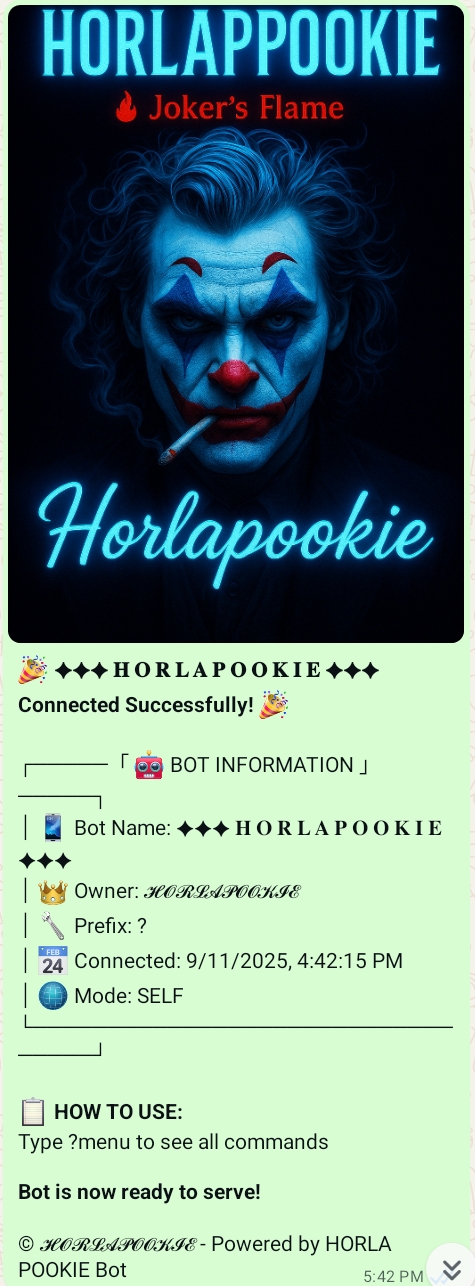
When the bot starts successfully, you'll see this welcome message:
BOT_PREFIX=.                 # Command prefix
BOT_NUMBER=234*****          # owner number
BOT_SESSION_DATA=<session> # WhatsApp session IDThis bot can be deployed on Replit, Railway, or any Docker-enabled platform.
A railway.yaml is included for easy deployment. Ensure you set the required environment variables in your Railway project settings.
- Set
BOT_SESSION_DATAin Secrets. - Run the "Eclipse MD Bot" workflow.
- If you have an existing
auth_infofolder, the bot will prioritize it even ifSESSION-IDis missing.
🚀 One-Click Deploy


- Clone the repository
git clone https://github.com/horlapookie/Eclipse-MD.git
cd Eclipse-MD
npm install
npm startCreated by: Horlapookie
GitHub: @horlapookie
- 🌐 Support Website: www.eclipse-support.zone.id
- 📱 Telegram: t.me/horlapookie
- 💬 WhatsApp Channel: Join Now
⭐ Star this repository if you find it helpful!
🐛 Report bugs via GitHub Issues
💡 Suggest features for future updates
🤝 Contribute to make it even better
This project is licensed under the MIT License - see the LICENSE file for details.
**Made with ❤ **
For any questions or support, feel free to reach out!