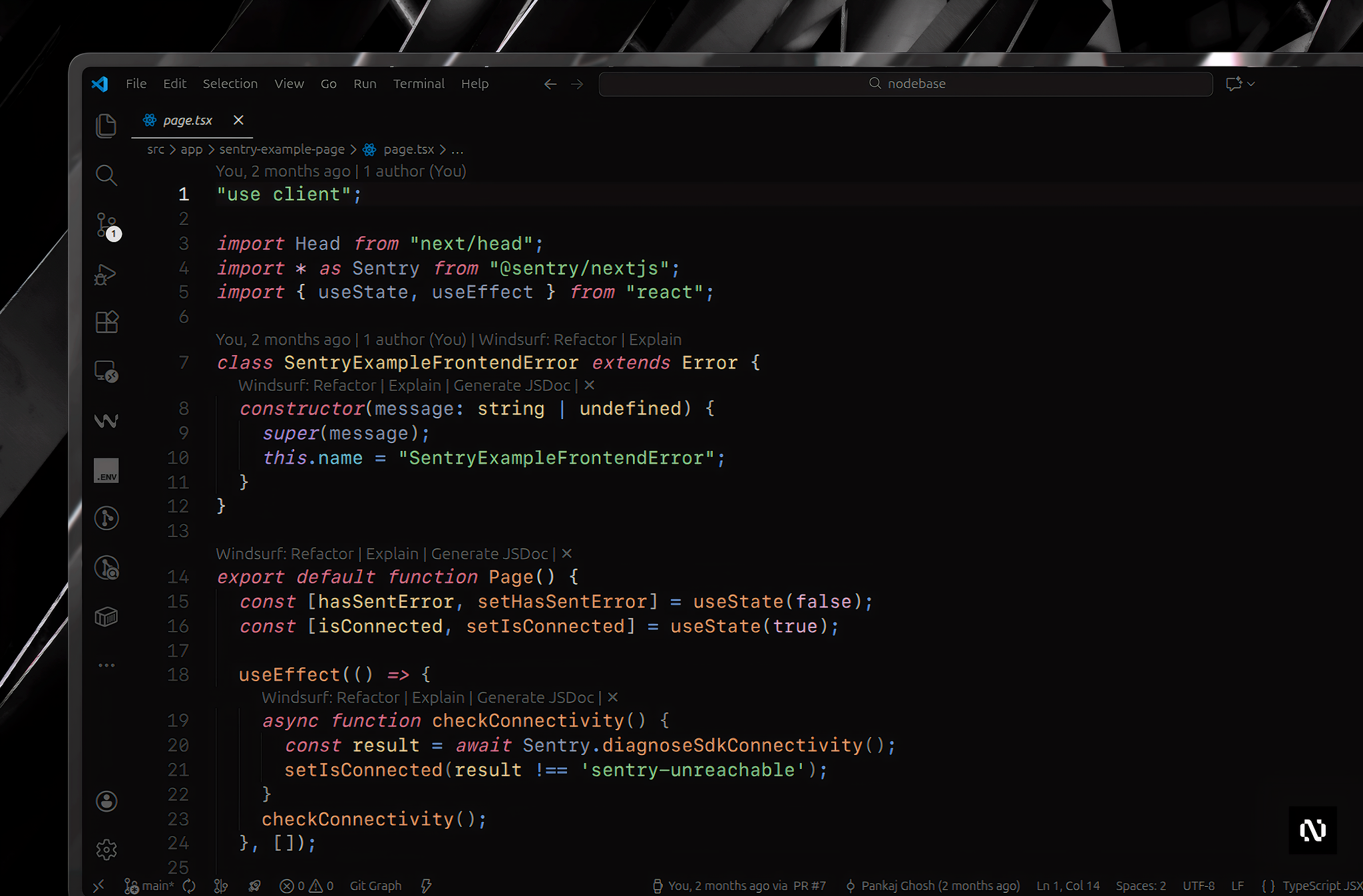

A sleek, modern dark theme for Visual Studio Code with clean aesthetics, focused on clarity, contrast, and developer comfort. Perfect for long coding sessions.
Status: Currently in Beta - We're actively improving based on user feedback!
- Clean & Modern Design - Professional aesthetic with balanced contrast
- Optimized Readability - Thoughtful color usage for reduced eye strain
- Comprehensive Coverage - Full support for editor and UI components
- Modern Syntax Highlighting - Support for popular languages and frameworks
- Semantic Highlighting - Better code understanding with semantic token colors
- Consistent UI - Unified color scheme across all VS Code components
Nexus Dark is designed with a focus on modern development workflows. The theme prioritizes:
- Readability over decoration - Clear, distinct colors for different code elements
- Subtle contrast over harsh colors - Comfortable for extended use
- Consistency across UI and syntax - Cohesive visual experience
- Open Visual Studio Code
- Go to Extensions (
Ctrl+Shift+X/Cmd+Shift+X) - Search for Nexus Dark
- Click Install
- Activate it via
Ctrl+K Ctrl+T/Cmd+K Cmd+Tor go toFile > Preferences > Theme > Color Theme
Direct Link: Install from VS Code Marketplace
For editors that use the Open VSX Registry (VSCodium, Fleet, Windsurf, etc.):
- Open your editor's Extensions view
- Search for Nexus Dark
- Click Install
- Download the
.vsixfile from the Releases page - Open VS Code
- Go to Extensions view
- Click the
...menu and select Install from VSIX... - Select the downloaded file
For the best visual experience, we recommend using the following settings in your settings.json:
{
  "editor.fontFamily": "'SF Mono', 'Fira Code', monospace",
  "editor.fontSize": 16,
  "editor.cursorSmoothCaretAnimation": "on"
}For optimal syntax highlighting when working with modern web stacks:
- vscode-styled-components – Improved highlighting for styled-components
- ES7+ React/Redux/React-Native snippets – Enhanced React & JSX support
After installation:
- Open the Command Palette (
Ctrl+Shift+P/Cmd+Shift+P) - Type
Preferences: Color Theme - Select Nexus Dark (Beta)
Or use the keyboard shortcut: Ctrl+K Ctrl+T / Cmd+K Cmd+T
Note: This theme is currently in Beta. We're actively improving it based on user feedback!
Current version: 0.2.3
See CHANGELOG.md for version history and updates.
Contributions, issues, and feature requests are welcome! Feel free to check the issues page.
- Fork the repository
- Create your feature branch (
git checkout -b feature/AmazingFeature) - Commit your changes (
git commit -m 'Add some AmazingFeature') - Push to the branch (
git push origin feature/AmazingFeature) - Open a Pull Request
This theme is licensed under the MIT License.
Pankaj Ghosh
- GitHub: @iampankajghosh
- VS Code Marketplace: pankajghosh
- Inspired by modern dark themes and developer feedback
- Built with care for the VS Code community
Enjoy coding with Nexus Dark! 🌌
If you find this theme helpful, please consider giving it a ⭐ on GitHub!