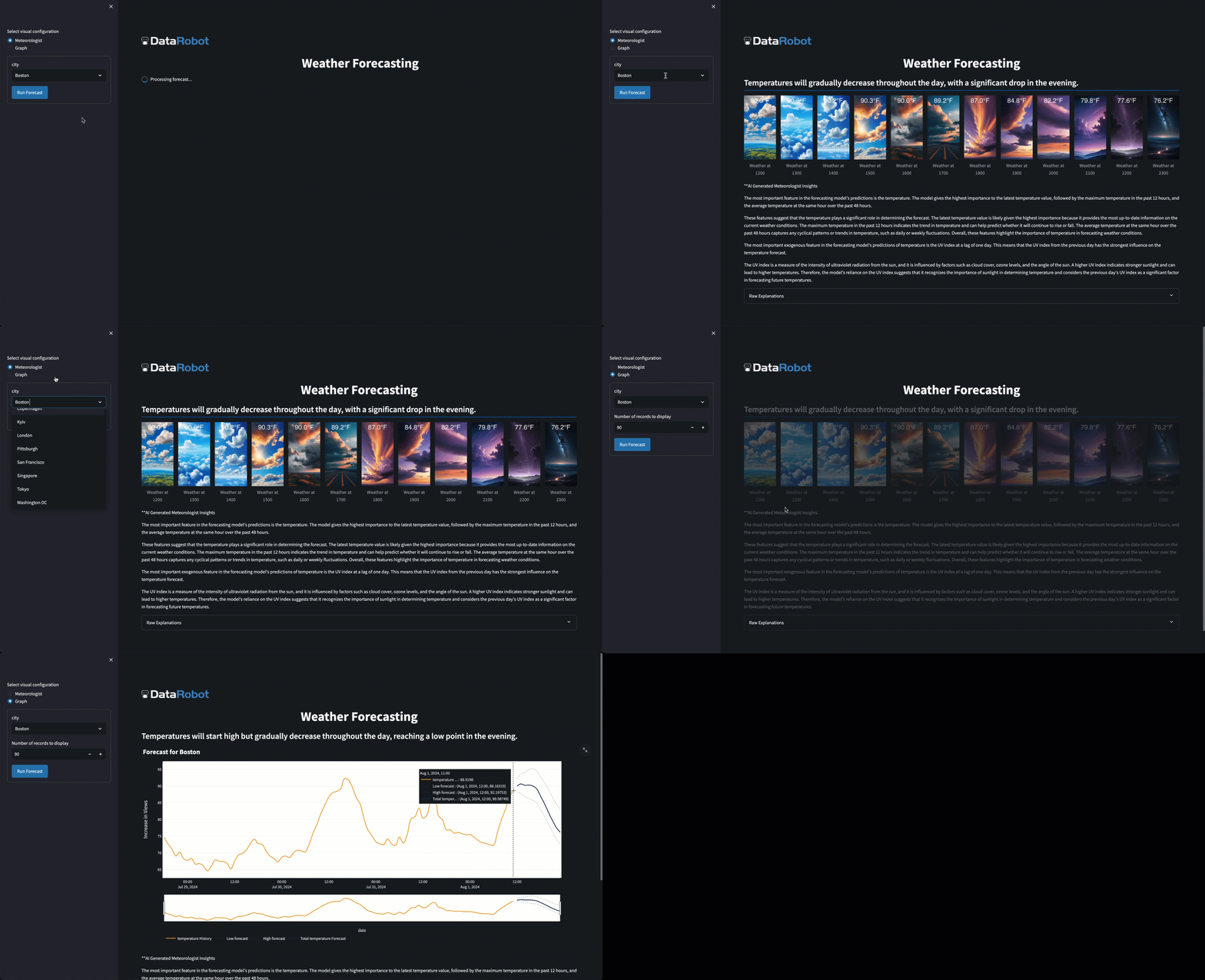
Weather Forecastic allows users to track and predict their favorite cities' weather using Datarobot. This template allows users to connect their data to DataRobot's functionality seamlessly with automated data updates and real-time forecasting. We deploy a model trained on your data, then create a streamlit application for clear visualizations of the deployment's capabilities. We can ensure accurate model performance through scheduled batch predictions and automatic retraining if our model's accuracy drops below a set threshold.
-
Create a Use Case on DataRobot
- Click on "DataRobot NextGen"
- Select Workbench
- In the top right, click "Create New Use Case"
-
Create a new Code Space and navigate into it
- Click the blue "Add" button
-
Open up a terminal (in the bottom-left corner you'll see a ">_" icon) and type the following commands.
pip install kedro
kedro new --starter=https://github.com/j-beastman/WeatherForecastic.git --checkout master
pip install -r your_project_name/requirements.txt
-
cdinto your project folder, then openconf/local/credentials.yml- Fill in your datarobot and OpenAI credentials
- Note: Notebook environment API keys are automatically recycled. It is recommended to use a DataRobot API Token from developer tools rather than from the notebook environment.
-
Navigate to
conf/base/parameters.yml- Add in the cities along with the weather features you want to collect
-
Now, in the terminal type
kedro run -p "setup"This subpipeline...
- Collects historical weather data from the cities you inputted so that we have modeling data ready from the get-go.
- Sets up a scheduled notebook to pull weather data from your cities every 2 hours to ensure your data is up-to-date.
- This incoming data also allows us to pair actuals with predictions made via our batch prediction job which will be setup in the next step.
-
Once the setup pipeline has run, open up the terminal again to type
kedro run
-
Sit back and watch your Datarobot deploy your model, your deployment, and your custom application.
How to install gh GitHub CLI
Run gh auth login in the terminal and answer the following questions with:
? What account do you want to log into?GitHub.com? What is your preferred protocol for Git operations on this host?HTTPS? Authenticate Git with your GitHub credentials?Yes? How would you like to authenticate GitHub CLI?Login with a web browser
Copy the code in: ! First copy your one-time code: XXXX-XXXX
Open a web browser at https://github.com/login/device and enter the above code manually.
You should see in the terminal:
✓ Authentication complete.✓ Logged in as YOUR_USERNAME
More details on GitHub authentication here.
The following files govern pipeline execution. In general, you will not need to modify any other boilerplate files as you customize the pipeline.:
conf/base/parameters.yml: pipeline configuration options and hyperparametersconf/local/credentials.yml: API tokens and other secretsconf/base/catalog.yml: file storage locations that can be used as node inputs or outputs, including locations of supporting assets to build DR custom models, execution environmentssrc/your_project_name/pipelines/*/nodes.py: function definitions for the pipeline nodessrc/your_project_name/pipelines/*/pipeline.py: node names, inputs and outputssrc/datarobotx/idp: directory contains function definitions for for reusable idempotent DR nodesinclude/your_project_name: directory contains raw assets and templates used by the pipeline
For a deeper orientation to kedro principles and project structure visit the Kedro documentation.
-
Install datarobotx-idp locally
git clone https://github.com/datarobot-community/datarobotx-idp
cd datarobotx-idp
pip install -e .
-
Install kedro, install requirements from requirements.txt
-
Fill in your credentials.yml, ensure globals.yml is filled in.
-
Run
kedro run -p "setup" -
Once this is complete, run
kedro run
To ensure that your assets are set up properly, we have tests set up.
-
pip install pytest pytest-cov datarobot-predict -
navigate to root of project directory and run
pytestfrom the terminal