🚀 Launch Meteor and Meteorite inside Atom.io
Either use Atom.io inner packaging tool or the following command line:
apm install meteor-helper
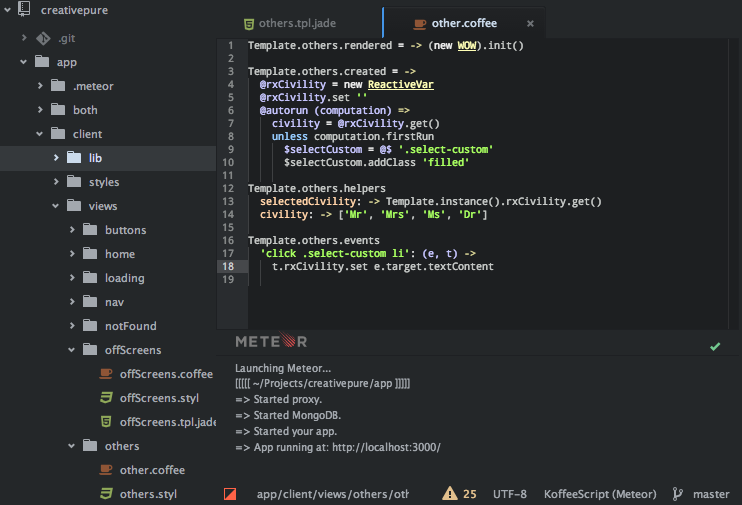
With this package, you can:
- Launch or kill Meteor using: CTRL+ALT+m
- Watch the Meteor's CLI information in a dedicated pane.
- See Meteor's status in a dedicated status bar.
- When Meteor's status goes wrong, the pane automatically shows up and displays the last CLI information.
In the settings, you can customize this package behavior:
- Command and its path. The default is:
/usr/local/bin/meteor. - Main listening port. The default is 3000.
- Production flag. The default is
false. - Debug flag. The default is
false. - MongoDB's URL. Leave it empty to use the default embedded MongoDB in Meteor.
- Customize the color of Meteor's
console.log.
- More informations on my blog site 👓 : Meteor.js from within Atom.io
- Declare your bugs 🐛 or enhancements ☀️ on Github
