Be sure to read all of this document carefully, and follow the guidelines within.
-
We use fvm for managing the flutter version within the project. Using terminal, while being on the test repository, install the tools dependencies by running the following commands:
dart pub global activate fvm
The output of the command will ask to add the folder
./pub-cache/binto your PATH variables, if you didn't already. If that is the case, add it to your environment variables, and restart the terminal.export PATH="$PATH":"$HOME/.pub-cache/bin" # Add this to your environment variables
-
Install the project's flutter version using
fvm.fvm use
-
From now on, you will run all the flutter commands with the
fvmprefix. Get all the projects dependencies.fvm flutter pub get
More information on the approach can be found here:
hhttps://fvm.app/docs/getting_started/installation
From the root directory:
Use with VSCode
If you're a VScode user link the new Flutter SDK path in your settings
$projectRoot/.vscode/settings.json (create if it doesn't exist yet)
{
  "dart.flutterSdkPath": ".fvm/flutter_sdk"
}
Use with IntelliJ / Android Studio
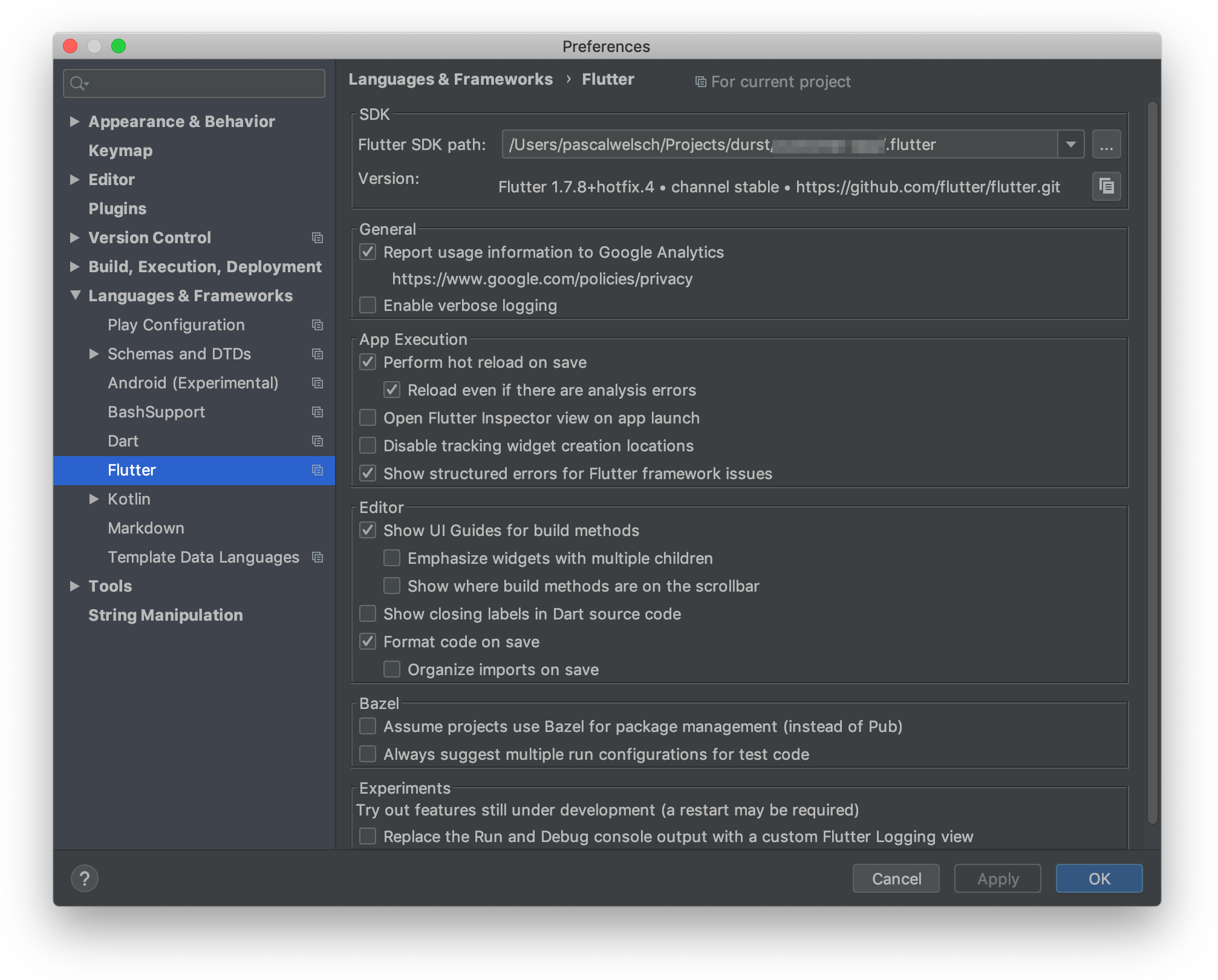
Go to Preferences > Languages & Frameworks > Flutter and set the Flutter SDK path to $projectRoot/.fvm/flutter_sdk
The app is based on the following Figma File. Improvements and new features are welcolme as long as they follow the same visual aspect of the initial design


- Tab Bar
- List of favorites (stored client side)
- List of businesses
- Hero image
- Name
- Price
- Category
- Rating (rounded to the nearest value)
- Open/Closed
- Ability to favorite a business
- Name
- Hero image
- Price and category
- Address
- Rating
- Total reviews
- List of reviews
- User name
- Rating
- User image
- Review Text (These are just snippets of the full review, usually like 3-4 lines long)
The project follows a Domain based architecture, a less rigid form of Clean Architecture. On the domain, sets of features may share same widgets, repositories and logic to acomplish the desired tasks. So far, the only domain is the Restaurant itself since it's a small app, therefore dependencies are declared right on top of widget tree, the top of the domain, and injected when needed through the usage of RepositoryProvider and BlocProvider.
- Restaurant domain
- data
- Restaurant models
- Yelp Repository
- logic
- FavouriteRestaurantsBloc
- RestaurantReviewsCubit
- RestaurantsBloczz
- presentation
- All Restaurants
- Favourite Restaurants
- Restaurant details
- data
This organization also aims to protect core models from change and make the view dependent on models and logic in a way that make the view reflect the desired business rules of the project.
The presentation widgets are splited into two different folders
- common, where widgets used across the Restaurants domain are stored
- views, where widgets representing bigger/complete screen vies are stored
Common and View widgets both may have widget folders within, where minor widgets are stored to enhance code splitting. This helps improve maintainance, code readability and testing.
Whenever view or common widgets get bigger, consider spliting into smaller parts within widgets folder.
Data folder contains models and repositories that will dictate the domain main data types and how the application interacts with the source of data.
The Yelp GraphQL API is used as the API for this Application. To successfully make a request to the Yelp GraphQL API, please follow these steps:
- Please go to https://www.yelp.com/signup and sign up for a developer account.
- Once signed up, navigate to https://www.yelp.com/developers/v3/manage_app.
- Create a new app by filling out the required information.
- Once your app is created, scroll down and join the
Developer Beta. This allows you to use the GraphQL API. - Copy your API Key from your app page and paste it on
line 5yelp_repository.dart replacing the<PUT YOUR API KEY HERE>with your key.
This repository uses Dio and GraphQl notation to fetch data from Yelp GraphQL API. Response models from models folder are used to handle response parsing.
Due to the simplicity of data, local storage of favourite restaurants is being handled under the hood by HydratedBloc. No repository is necessary to handle this source of data.
The logic folder contains the BLoC files to handle the logic and state of the application. BLoC was chosen to better define the desired states and the transition between them, and also HydratedBloc provided a built-in way to handle local storage of states. There are 3 BLoCs, all of them making use of Yelp Repository:
- FavouriteRestaurantsBloc
- RestaurantReviewsCubit
- RestaurantsBloc
- This project follows Conventional Commits guidelines