
Self-hosted WhatsApp Notification Microservice — send WhatsApp notifications from any system via REST API.





WA-Notify is a self-hosted WhatsApp notification microservice. This project allows you to send WhatsApp messages automatically via a REST API — perfect for integration with monitoring systems (Grafana, Uptime Kuma, Netdata), CI/CD pipelines, IoT devices, cron jobs, or any application that can perform an HTTP request.
This microservice uses the WhatsApp Multi-Device protocol via the Baileys library, so it does not require a paid WhatsApp Business API. Simply scan the QR code with a personal WhatsApp account, and the microservice is ready to use.
- 🔗 WhatsApp Multi-Device — Connect to WhatsApp without needing your phone to stay online.
- 📡 REST API — Send messages via
POST(JSON body) orGET(query string). - 🪝 Webhook Receiver — Receive alerts from Grafana, Uptime Kuma, Netdata, etc. automatically.
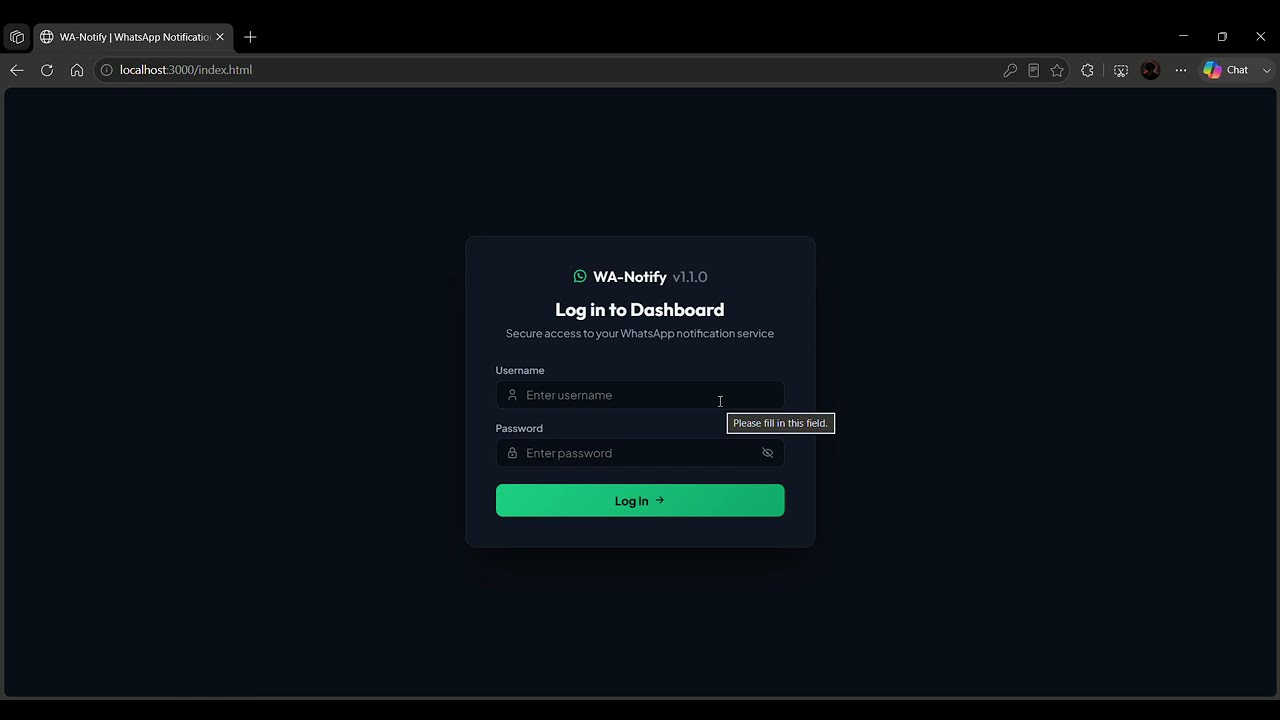
- 🖥️ Web Dashboard — Manage connections, scan QR codes, send test messages, and view API docs directly from the browser.
- 🔄 Auto-Reconnect — Connection automatically restores if disconnected.
- 💾 Persistent Session — Session is saved on disk, no need to rescan the QR code on every restart.
- 📱 Smart Number Format — Automatically formats local numbers to international format.
| Component | Technology | Description |
|---|---|---|
| Runtime | Node.js ≥ 18 | JavaScript runtime |
| Framework | NestJS v11 | Modular & scalable backend framework |
| Language | TypeScript 5.x | Static typing for JavaScript |
| WhatsApp Client | @whiskeysockets/baileys v7 | WhatsApp Web API (Multi-Device) |
| QR Code | qrcode | Generate QR codes as base64 Data URLs |
| Logger | Pino | High-performance JSON logger |
| Validation | class-validator + class-transformer | DTO request validation |
| Config | @nestjs/config | Environment variable management |
| Static Files | @nestjs/serve-static | Serve the web dashboard |
| Linting | ESLint + Prettier | Code formatting & linting |
| Testing | Jest + Supertest | Unit & e2e testing |
- Node.js ≥ 18 (download)
- npm ≥ 9 (bundled with Node.js)
- Active WhatsApp account on your smartphone
git clone https://github.com/jojixyz666/WhatsappNotify-API.git
cd WhatsappNotify-APInpm installCopy the .env.example file or create a .env file in the project root:
PORT=3000
WHATSAPP_SESSION_DIR=sessions
DEFAULT_COUNTRY_CODE=62
DEFAULT_RECIPIENT=| Variable | Default | Description |
|---|---|---|
PORT |
3000 |
Server port |
WHATSAPP_SESSION_DIR |
sessions |
Directory where WhatsApp sessions are stored |
DEFAULT_COUNTRY_CODE |
62 |
Default country code (62 = Indonesia) |
DEFAULT_RECIPIENT |
(empty) | Default recipient phone number for webhooks & GET sends (optional) |
# Development (with auto-reload)
npm run start:dev

# Production
npm run build
npm run start:prodOnce the server is running:
- Open your browser and go to →
http://localhost:3000 - Or view the QR code in the terminal
- Open WhatsApp on your phone → Linked Devices → Link a Device
- Scan the QR code
- Status changes to Connected ✅
Note: The session is saved in the
sessions/folder. As long as this folder is not deleted, you do not need to scan the QR code again after restarting the server.
Base URL: http://localhost:3000
GET /api/whatsapp/statusResponse:
{
  "status": "CONNECTED",
  "isLoggedIn": true
}
Possible statuses: CONNECTED, CONNECTING, DISCONNECTED, SCAN_QR
POST /api/whatsapp/send
Content-Type: application/json
Body:
{
  "to": "628123456789",
  "message": "Hello from WA-Notify! 🚀"
}
Response:
{
  "success": true,
  "message": "Message queued/sent successfully",
  "data": {
    "id": "ABCDEF123456",
    "to": "628123456789@s.whatsapp.net",
    "status": "SENT"
  }
}GET /api/whatsapp/send?to=628123456789&message=Hello+WorldSuitable for simple integrations, browser redirects, or webhooks without a body.
| Parameter | Required | Description |
|---|---|---|
to |
No* | Recipient number. If empty, uses DEFAULT_RECIPIENT from .env |
message or msg |
Yes | Message body |
POST /api/whatsapp/webhook?to=628123456789
Content-Type: application/json
This endpoint automatically parses payloads from various monitoring systems. Supports the following body keys:
message,msg,text,body,content— for message contentto,phone,number— for recipient numbertitle— combined with the message if present
If to is not found in either the body or the query, it falls back to DEFAULT_RECIPIENT.
Example: Uptime Kuma
{
  "msg": "🔴 Server Production DOWN!",
  "to": "628123456789"
}
Example: Grafana Alert
{
  "title": "High CPU Usage",
  "message": "CPU usage exceeded 90% on server-01"
}GET /api/whatsapp/qrResponse (when status is SCAN_QR):
{
  "qr": "data:image/png;base64,..."
}POST /api/whatsapp/logoutClears the session and restarts the connection flow (a new QR code will be generated).
Access the dashboard at http://localhost:3000 after the server starts.
| Tab | Function |
|---|---|
| Dashboard | Real-time connection status, QR code display, session metrics, disconnect button |
| Test Console | Form to send test messages with an activity log |
| API Reference | Complete endpoint documentation with payload examples |
The dashboard uses a dark theme with auto-polling (status every 3 seconds, QR every 5 seconds).
WhatsappNotify-API/
├── public/
│   └── index.html            # Web dashboard (single-page)
├── sessions/                  # WhatsApp session data (auto-generated, gitignored)
├── src/
│   ├── main.ts                # Application entry point
│   ├── app.module.ts          # Root module (config, static files, whatsapp)
│   ├── app.controller.ts      # Root controller
│   ├── app.service.ts         # Root service
│   └── whatsapp/
│       ├── whatsapp.module.ts     # WhatsApp feature module
│       ├── whatsapp.controller.ts # REST API endpoints & DTO validation
│       └── whatsapp.service.ts    # Baileys connection, QR, send logic
├── test/                      # E2e test files
├── .env                       # Environment variables (gitignored)
├── .gitignore
├── .prettierrc
├── CHANGELOG.md
├── eslint.config.mjs
├── nest-cli.json
├── package.json
├── tsconfig.json
└── tsconfig.build.json
| Command | Description |
|---|---|
npm run start |
Start the server |
npm run start:dev |
Start the server with auto-reload (watch mode) |
npm run start:debug |
Start the server in debug mode |
npm run start:prod |
Run the compiled production build |
npm run build |
Compile TypeScript to JavaScript |
npm run lint |
Run ESLint |
npm run format |
Format code with Prettier |
npm run test |
Run unit tests |
npm run test:e2e |
Run end-to-end tests |
npm run test:cov |
Run tests and generate coverage report |
WA-Notify is designed to be easily integrated with various systems:
- Uptime Kuma — Add a "Webhook" notification type with URL
http://server:3000/api/whatsapp/webhook?to=628xxx - Grafana — Use a "Webhook" contact point pointing to the webhook endpoint
- Netdata — Configure alarm notifications via webhook
- Cron Job — Call the GET endpoint from a crontab:
curl "http://localhost:3000/api/whatsapp/send?to=628xxx&msg=Backup+completed" - Custom App — Send an HTTP POST to
/api/whatsapp/sendfrom any programming language
This project uses an unofficial library to communicate with WhatsApp. Any usage beyond WhatsApp's Terms of Service is the user's responsibility. It is recommended to use a dedicated WhatsApp account specifically for notifications.