v0.1.4

v0.1.4 [2026-01-13]
Release v0.1.4 of Open Backup UI introduces Veeam ONE Analytics Integration with dynamic report rendering, Customizable Sidebar Section Names for organizational branding, and a fundamental Platform Independence architecture allowing deployment with any combination of VBR, VB365, VRO, or Veeam ONE.
Highlights
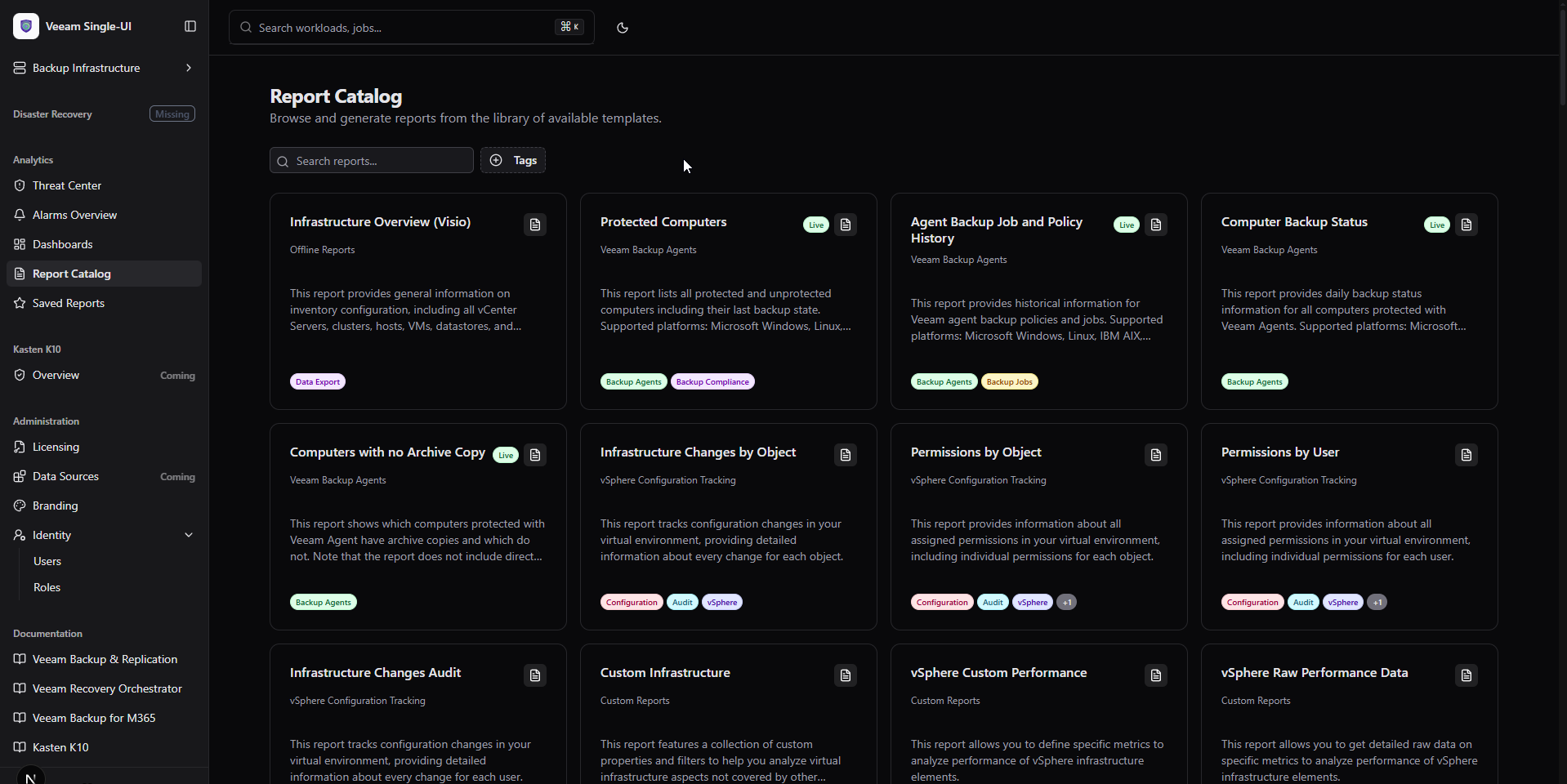
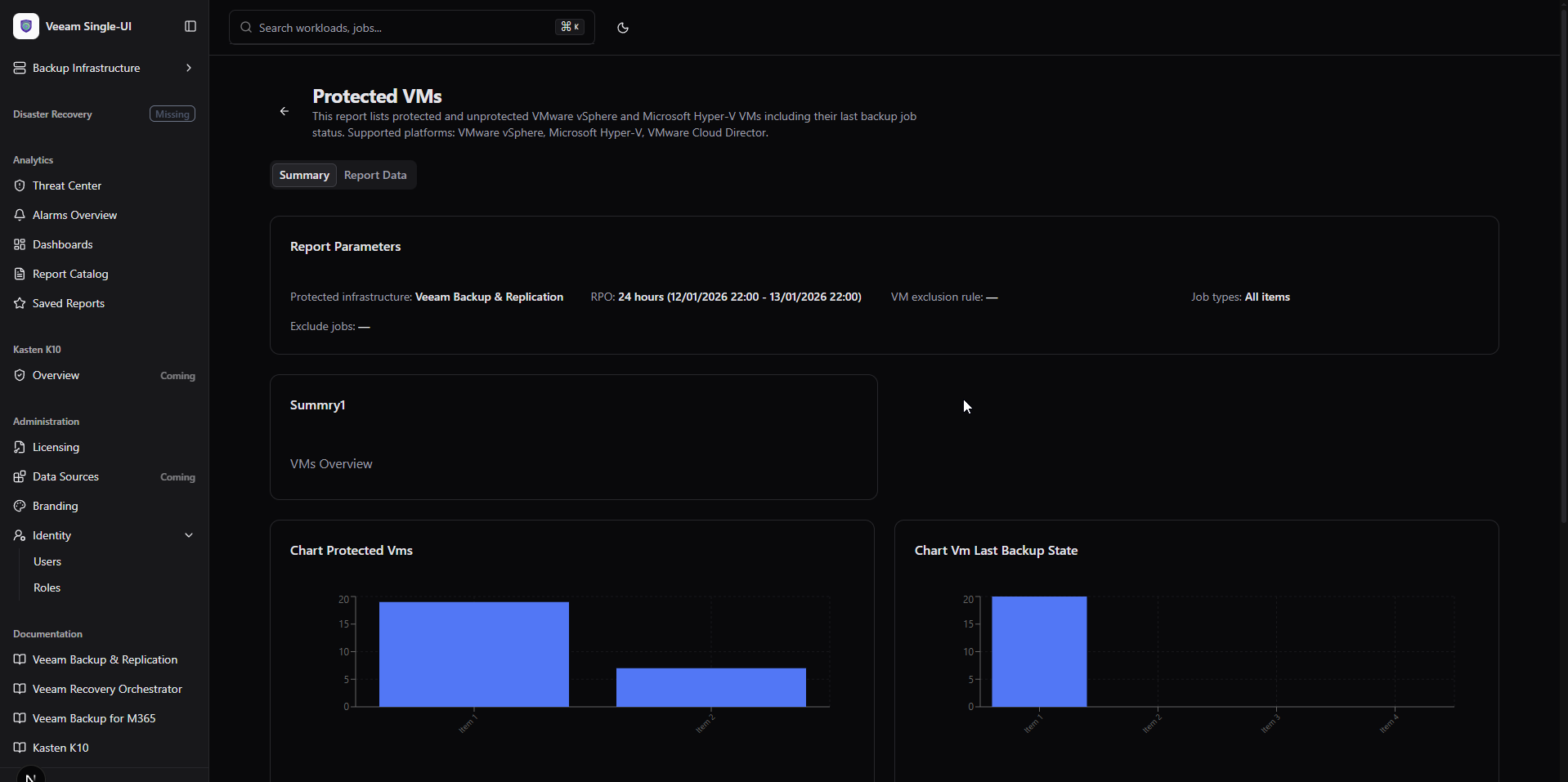
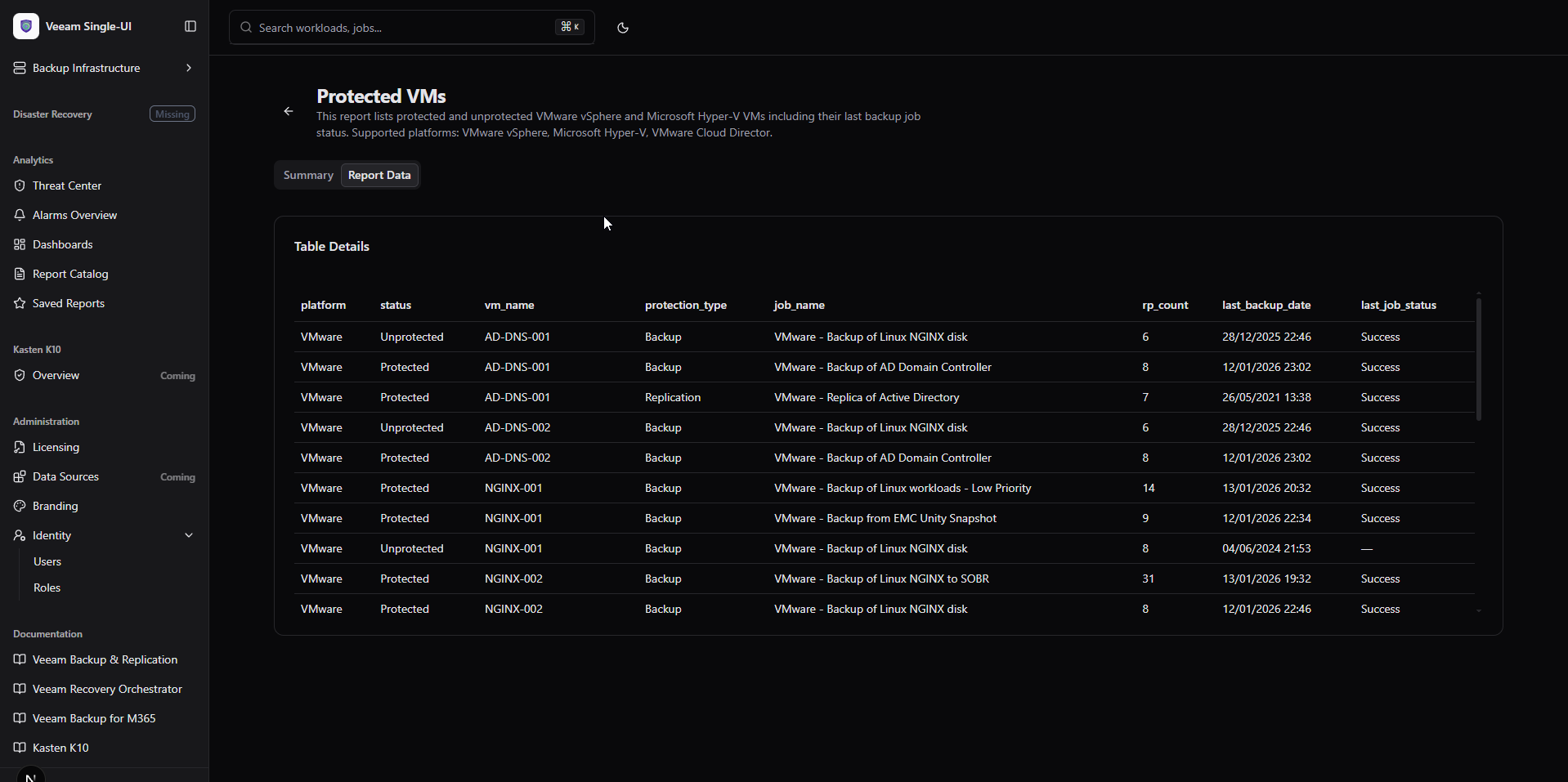
- Veeam ONE Analytics: Browse report catalog, render reports dynamically with charts, tables, and parameters.
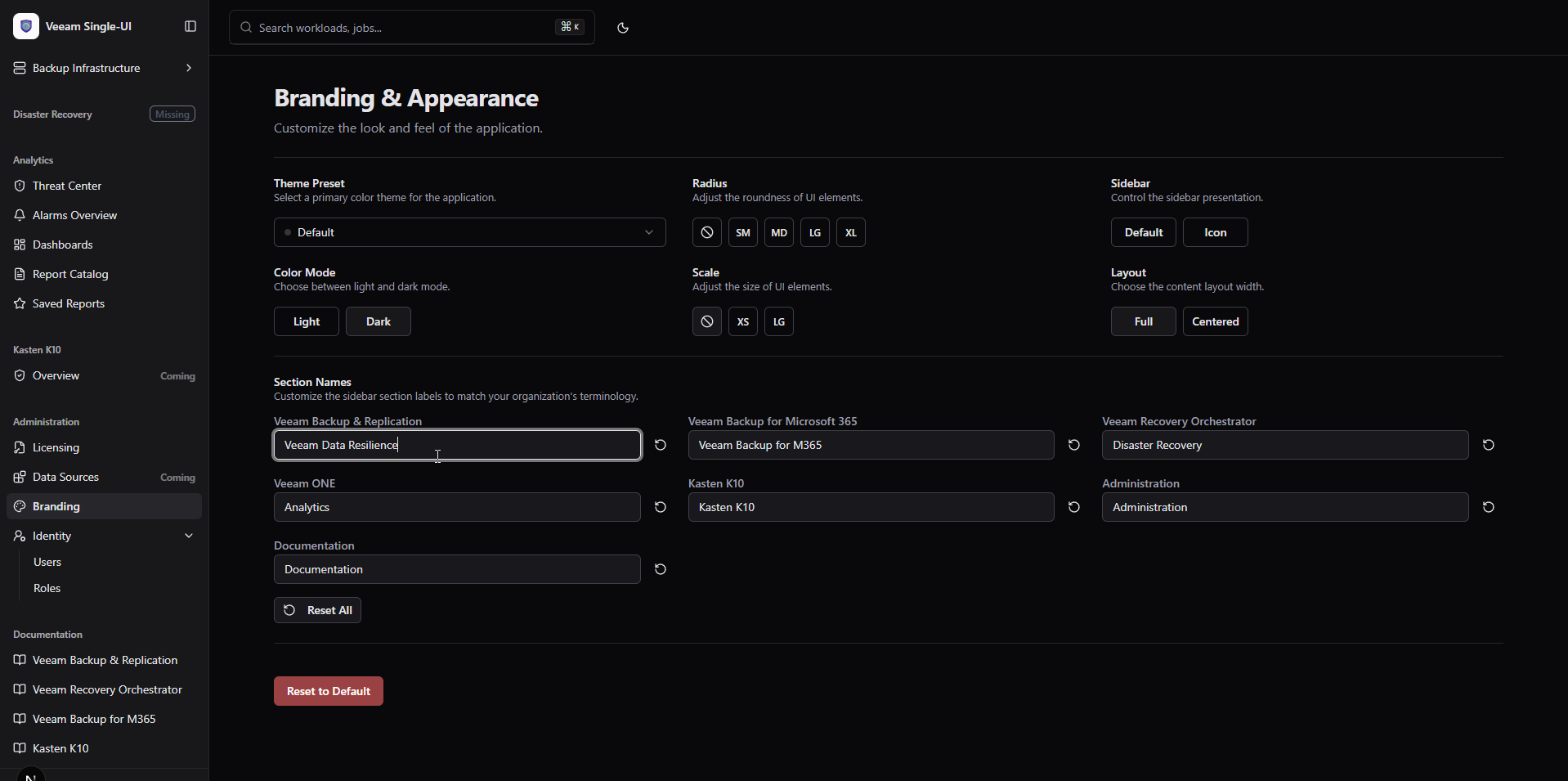
- Customizable Sidebar: Rename sidebar sections to match your organization's terminology, persisted in localStorage.
- Platform Independence: All platforms are now optional - deploy with any combination you need.
- Smart Conditional UI: Unconfigured platforms show "Missing" badge and skip API calls automatically.
What's included (v0.1.4 Updates)
Veeam ONE Analytics Integration (New)
Report Catalog
- Template Browser: Grid view of all available Veeam ONE report templates.
- Tag Filtering: Filter reports by category tags.
- Search: Quick search across report names and descriptions.
- Preview Badge: Visual indicator for reports supporting dynamic rendering.
Dynamic Report Rendering
- Charts: Area, Bar, Line, and Pie charts rendered with Recharts.
- Tables: Sortable data tables with column visibility controls.
- Parameters: Display report parameters with current values.
- Summaries: Key metric widgets with trend indicators.
Saved Reports
- Report Browser: Access previously generated reports.
- Folder Navigation: Browse report hierarchy.
Customizable Sidebar Section Names (New)
Branding Integration
- Section Names Editor: New section in Administration → Branding.
- 7 Configurable Sections: VBR, VB365, VRO, Veeam ONE, K10, Administration, Documentation.
- Responsive Grid: Clean 2-3 column layout matching other branding options.
Persistence
- localStorage: Custom names persist across browser sessions.
- Individual Reset: Reset each section name independently.
- Bulk Reset: One-click restore all defaults.
Platform Independence (New)
Optional Platforms
- VBR: Configure with
VEEAM_API_URL. - VB365: Configure with
VBM_API_URL. - VRO: Configure with
VRO_API_URL. - Veeam ONE: Configure with
VEEAM_ONE_API_URL.
Smart Sidebar
- Missing Badge: Unconfigured platforms display "Missing" indicator.
- Hidden Items: Sub-menu items hidden when platform not configured.
- Identity Visibility: Only shown when VBR is configured.
Conditional API Calls
- No 500 Errors: Pages check configuration before making API calls.
- Graceful Fallback: Informative alerts instead of error pages.
- Dynamic Licensing: Only shows tabs for configured platforms.
Licensing Page Enhancements
Refactored Architecture
- Platform-Aware: Licensing page adapts to configured platforms.
- VBR-Only Mode: When only VBR configured, shows VBR tab only.
- VB365-Only Mode: When only VB365 configured, shows VB365 tab only.
- Both Mode: Shows both tabs when both platforms configured.
Error Prevention
- No Unconfigured Calls: Never attempts to fetch from missing platforms.
- Clear Messaging: "No Platforms Configured" alert when neither configured.
Environment Variables
| Variable | Description |
|---|---|
VEEAM_API_URL |
VBR REST API URL (optional) |
VBM_API_URL |
VB365 REST API URL (optional) |
VRO_API_URL |
VRO REST API URL (optional) |
VEEAM_ONE_API_URL |
Veeam ONE REST API URL (optional) |
VEEAM_ONE_USERNAME |
Veeam ONE credentials (required if VONE) |
VEEAM_ONE_PASSWORD |
Veeam ONE credentials (required if VONE) |
Note: At least one platform should be configured for meaningful functionality.
Getting started
Prerequisites
- Node.js 20.x or later
- At least one Veeam platform REST API accessible
Quick run (dev)
npm install
npm run dev
Production
npm run build
npm start
Notes
- Veeam ONE Reports: Requires Veeam ONE v12+ with REST API v2.3 enabled.
- Dynamic Rendering: Only reports with
hasWebPreview: truesupport in-browser rendering. - Section Names: Stored in browser localStorage, not synchronized across devices.
Full Changelog: v0.1.3...v0.1.4
What's Changed
- Features/v0.1.4 by @jorgedlcruz in #4
Full Changelog: v0.1.3...v0.1.4
Contributors

jorgedlcruz