I now have an improved stand-alone Android application with no Python dependencies. Google Glass now communicates with the ARDrone directly. Check it out here
Google Glass application to fly an ARDrone quadcopter. The application gets head position from Google Glass sensor data and maps it to drone commands.

-
In your computer:
- Install Android Studio or Android Developer Tools (ADT).
- Install the python ARDrone library:
git clone https://github.com/venthur/python-ardronemv python-ardrone ardrone_pycd ardrone_pytouch __init__.py- Add the parent directory of
ardrone_pyto the PYTHONPATH environment variable (e.g. addexport PYTHONPATH=$HOME/<ardrone_py_parent_directory>in$HOME/.bash_profile)
-
In Google Glass:
- Install (deploy) Launchy, so you can easily launch custom Android applications
-
Set up a Bluetooth serial port connection between your computer and Google Glass:
- In Mac, go to System Preferences > Bluetooth > Advanced...
- Click on the
+icon to add a new serial port connection with the following properties:- Check only the first checkbox (On)
- Serial Port Name: Bluetooth-SerialPort
- Type: Modem
- In Glass, go to Settings > Bluetooth card (should state "Now discoverable")
- In Mac, click the Bluetooth icon in the top menu bar and select
Set Up Bluetooth Device... - Pair Mac Bluetooth with Google Glass
For more specific details and screenshots read detailed prerequisites.
- Clone this repo
- With Android Studio or Android Developer Tools, compile and deploy this application to Google Glass
- In your computer, listen on the Bluetooth serial port and pipe it to
ardrone_commander.py:
    cd GlassARDroneCommanderPy
    adb install -r out/production/GlassARDroneCommanderPy/GlassARDroneCommanderPy.apk
    cat < /dev/tty.Bluetooth-SerialPort | ./ardrone_commander.py
-
In Google Glass:
- Tap on the Settings card and the select/launch
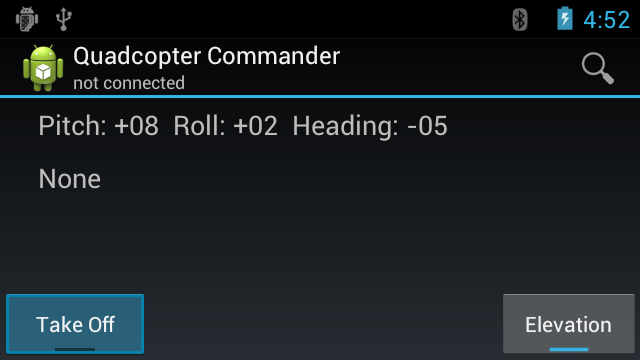
Quadcopter Commander - In
Quadcopter Commandertap on the menu option to connect to your computer's Bluetooth serial port - Take off and pilot your ARDrone!
- Tap on the Settings card and the select/launch