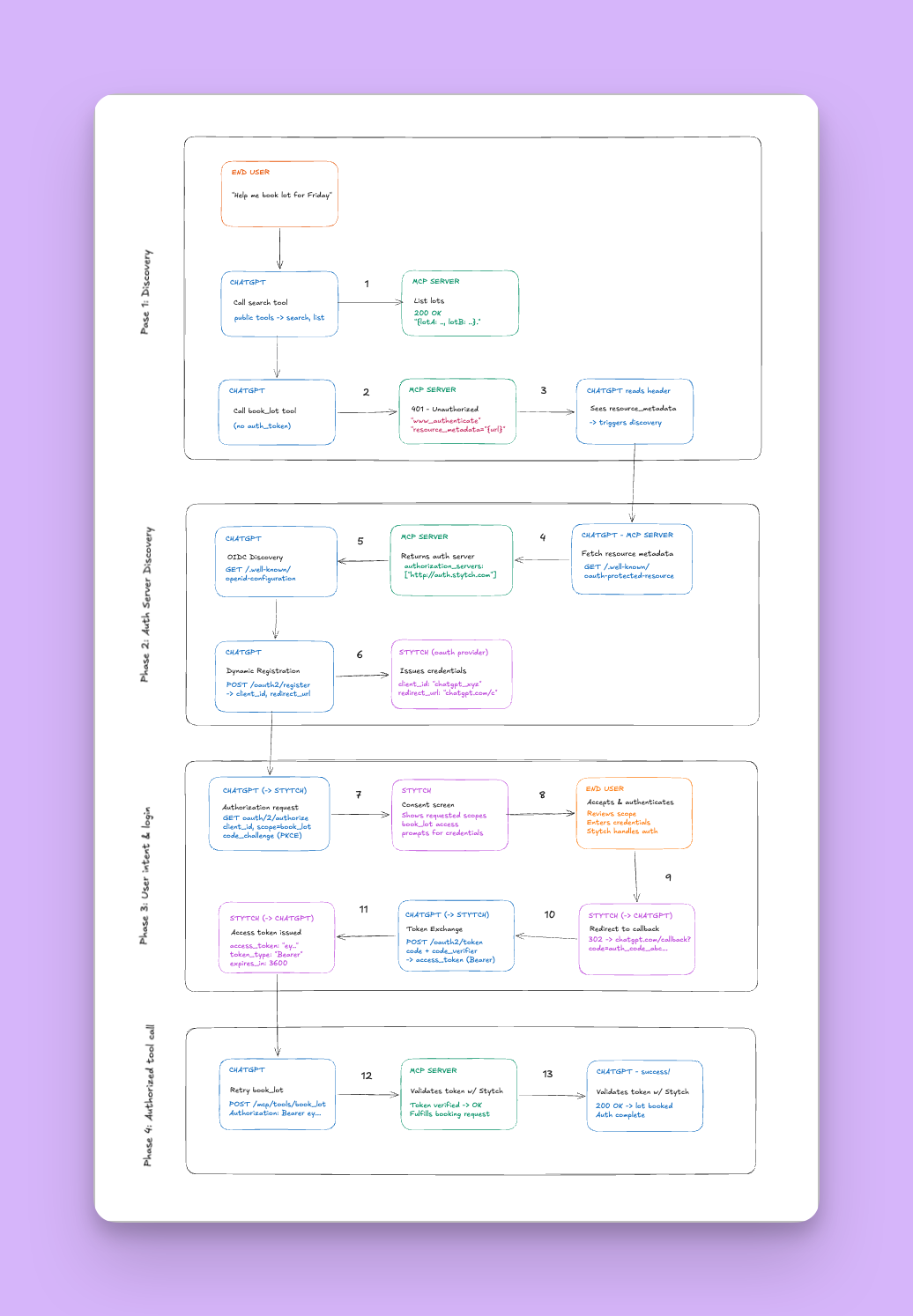
ACME Parking Assistant is a ChatGPT app built using OpenAI Apps SDK with a remote MCP server and an embedded React UI for parking search and booking.
- Node.js 20+
- a Mapbox public token
npm install
npm --prefix web installcp .env-example .envAdd your Mapbox public token or use mine. Sentry setup is optional.
For local development, run the app locally and expose it through a tunnel using a tool like ngrok.
npm run build:server
npm run build:web
npm run devExample with ngrok:
ngrok http 3000From your terminal, copy the public HTTPS URL with /mcp appended, for example:
https://abc123.ngrok.app/mcp
In ChatGPT web:
- Open
Settings → Apps → Advanced settings - Enable developer mode
- Open
Settings → Apps → Create app - Register the app with values like:
- Name:
Acme - Description:
Browse ACME parking options and inspect lot details. - URL:
https://<your-public-host>/mcp - Authentication:
No auth
Open a new chat, type /acme and press enter. Then ask for parking availability through the chat.
Use these prompts to validate the experience quickly:
Help me book parking for WednesdayHow far is this from HQ?Is this covered?What’s the nearest alternative if this fills up?Show me only covered parking with EV charging.Is this lot booked?Book this lot.
These cover:
- initial booking intent
- in-chat follow-up questions about a selected lot
- nearest-alternative reasoning after search
- in-chat originated booking
- booking-aware follow-up questions about the selected lot
The server is implemented in server/index.ts and registers:
- three tools:
search,book_lot,refine_widget_results - one UI resource:
ui://parking/parking-browser.v4.html
search- chat/composer discovery entrypoint
- the only widget-producing tool
refine_widget_results- widget-only refresh path for fullscreen filters and date changes
- keeps the mounted fullscreen widget in sync without depending on a fresh chat turn
book_lot- mutation tool for booking
- if done through the widget, booking succeeds first, then the widget refreshes its current filtered view
- if done through chat, booking succeeds and sends a confirmation message in text
- The search service in
server/lib/parking-service.ts:
- reads live inventory from SQLite,
- resolves the target date, applies filters, computes distance to HQ
- Returns:
structuredContentfor the widget- concise text output for the model transcript
- The booking service in
server/lib/booking-service.ts:
- persists bookings in SQLite
- enforces one booking per
bookingContextIdper date - decrements availability by incrementing
reserved - returns refreshed results for widget-initiated updates
The widget entrypoint is web/src/component.tsx.
The built assets are read from web/dist and inlined into the MCP resource response.
- reads tool output from
window.openai - renders Mapbox markers and a carousel inline for lots that match the current search request
- opens a fullscreen inspector view for deeper comparison
- shows a fullscreen-only refinement bar for date, covered, EV, and accessibility filters
- applies fullscreen refinements through
refine_widget_resultsto showcase filtered lots - allows booking from the fullscreen inspector
- handles the selected lot and changes it in the map, carousel, inspector panel, and for chat
- enables widget-triggered bookings
- showcases booking success and error notifications at the fullscreen layout
Fullscreen is the primary browse-and-book surface:
- the left options panel lists lots
- the map shows pins/markers of lots that match the current search request
- the right inspector shows the currently selected lot
- seeded SQLite inventory rather than a live parking system
- no auth, no payment
- no automated tests configured yet, although Sentry is enabled for telemetry