This project is Built as a part of Code for Gov tech - Dedicated Mentoring Program 2025
Project Ticket - Code4GovTech/C4GT#471
Orginization - ADC Karnal
Technical Documentation - view here
User Guide - view here
Project Walkthrough - https://www.youtube.com/watch?v=i6OvJOJDn0E
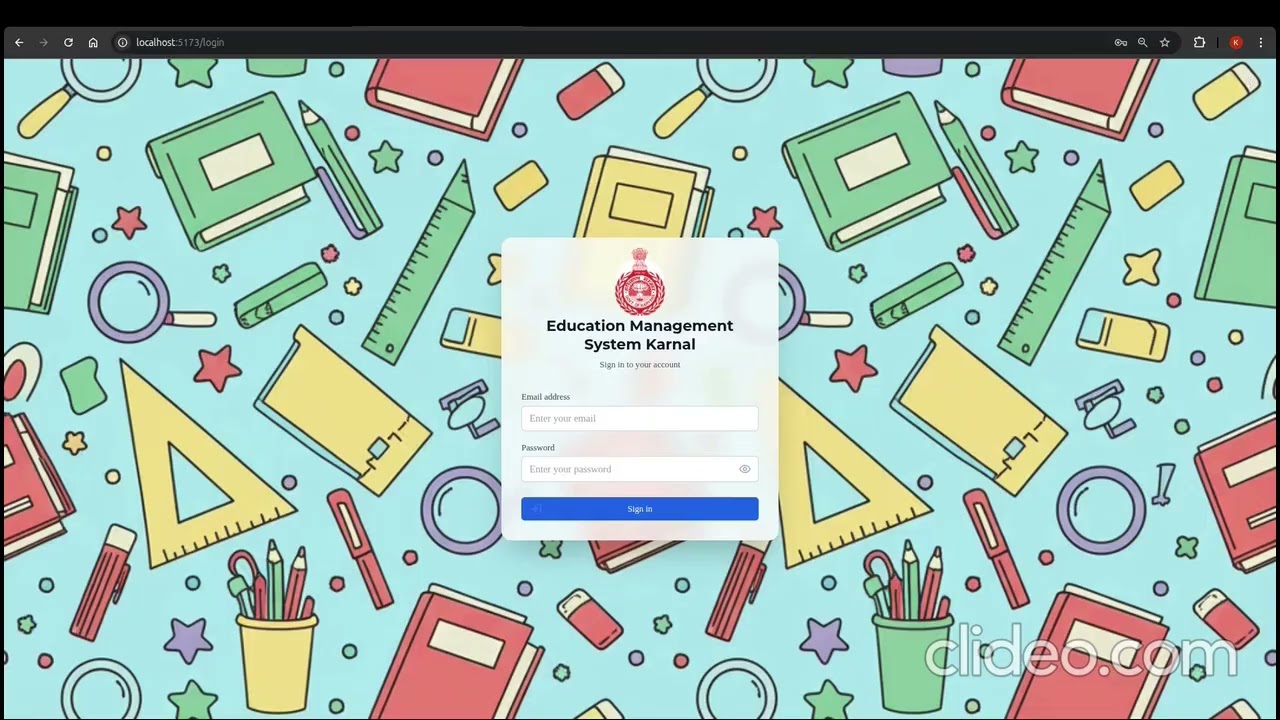
Project Description: This project aims to enhance the management and monitoring of schools by providing insights into academic performance at different levels. District administrators will be able to view overall school performance, while schools can track the performance of their classes, and teachers can monitor individual student progress. The system will track daily attendance, student marks, and subject-level performance, helping educators make informed decisions to improve learning outcomes. The project is currently under development and will provide a structured platform for managing classes, teachers, students, and their academic data.
This project is built with a modern full-stack architecture combining FastAPI (Python) for the backend and React (Vite) for the frontend.
- React 18 – UI library for building dynamic user interfaces
- Vite – Next-gen frontend tooling for fast development & builds
- TailwindCSS – Utility-first CSS framework for styling
- shadcn/ui + Radix UI – Accessible, composable UI components
- React Router v6 – Routing & navigation
- React Hook Form + Zod – Form validation & schema enforcement
- TanStack Table – Data table handling & complex data rendering
- Recharts – Data visualization and charts
- PapaParse + xlsx + FileSaver – CSV/XLSX import/export handling
- Axios – API requests
- FastAPI – High-performance Python web framework
- SQLModel – ORM + Pydantic + SQLAlchemy integration
- PostgreSQL – Relational database (SQLite supported for local dev)
- Alembic – Database migrations
- Pydantic v2 – Data validation & settings management
- Uvicorn + Gunicorn – ASGI server for production & development
- Auth stack
- JWT (PyJWT + python-jose)
- Passlib + bcrypt for password hashing
- OAuth2 for secure authentication flows
- TypeScript – Type safety for frontend
- ESLint + TypeScript-ESLint – Linting & code quality
- Prettier (optional) – Code formatting
- Rich – Better logging in backend
- dotenv / pydantic-settings – Config & environment variable management
The system is designed with role-based access control (RBAC). Each role has specific features tailored to their responsibilities.
- View overall district performance across all schools.
- Monitor and compare school-wise performance trends.
- Access high-level analytics to support decision-making.
- View the overall performance of their school.
- Create and manage classes.
- Assign teachers to classes.
- Track class-level performance.
- Manage school-wide timetable and schedules.
- Add and manage students in assigned classes.
- Record daily attendance for their classes.
- Upload and update student marks across subjects.
- Track student-level performance and progress.
- Upload and manage class timetables & schedules.
- Node.js >= 18
- Python >= 3.10
- PostgreSQL installed (SQLite works for local dev)
Follow these steps to set up the backend locally.
- Navigate to backend directory
cd backend
- Create & activate a virtual environment
This isolates project dependencies from your system Python.
python -m venv venv

# Linux / macOS
source venv/bin/activate

# Windows
venv\Scripts\activate
- Install dependencies
pip install -r requirements.txt
- Configure environment variables
Copy the example .env file and update it with your local settings.
cp .env.example .env
- Run database migrations
Apply the database schema and ensure tables are created.
alembic upgrade head
- Start the Development Server
Run the FastAPI backend locally. You have two options:
Option 1: Using Uvicorn
python -m uvicorn src:app --reload --host 0.0.0.0 --port 8000
Option 2: Using FastAPI CLI
fastapi run src
💡 Tip: Both commands start the server with hot reload. Use FastAPI CLI if installed for convenience.
Follow these steps to set up the frontend locally. By default, the React frontend runs on localhost:5173 (Vite dev server) and communicates with the FastAPI backend on localhost:8000.
- Install dependencies
npm install
- Start the development server
npm run dev
Use Docker to run both the backend and frontend in isolated containers. Make sure you have Docker and Docker Compose installed.
- Create and configure environment files.
Create .env files in both the backend and frontend directories by copying from their respective .env.example files.
- Run the services.
From the root directory of the project, run the following command to build and start the containers. This will start both the backend and frontend services.
docker compose up --build
- Access the application.
The frontend will be accessible at http://localhost:5173. The backend API will be running at http://localhost:8000.
To stop the services, press Ctrl + C in the terminal and then run:
docker compose down
This repository contains both frontend and backend code for the Education Management System for Karnal. Below is a high-level overview of the folder and file structure:
ADC_KARNAL_EMIMS/
├── backend/ # FastAPI + SQLModel backend code
│ ├── src/ # Application source code
│ ├── alembic/ # Database migrations
│ ├── requirements.txt # Python dependencies
│ └── .env.example # Example environment variables
| └── README.md  #APIs, models, migrations, and coding standards.
│
├── frontend/ # React (Vite) frontend code (lives at root level)
│ ├── src/ # React components, pages & utilities
│ ├── public/ # Static assets
│ ├── package.json # Frontend dependencies
│ └── vite.config.ts # Vite configuration
│ └── README.md #components, styling conventions, and dev workflow.
│
├── docs/ # Technical documentation & handover files
├── README.md # Main project overview & setup guide
├── LICENSE # Project license file
└── .gitignore # Git ignore rules
This main README provides an overview. For detailed development and contribution guidelines, please check the specific READMEs:
- Backend README – APIs, models, migrations, coding standards.
- Frontend README – Components, styling conventions, developer workflow.
We welcome contributions! Please follow these steps:
- Fork the repository.
- Create a new feature branch (
git checkout -b feature/my-feature). - Commit your changes (
git commit -m "Add new feature"). - Push to your branch (
git push origin feature/my-feature). - Open a Pull Request.