







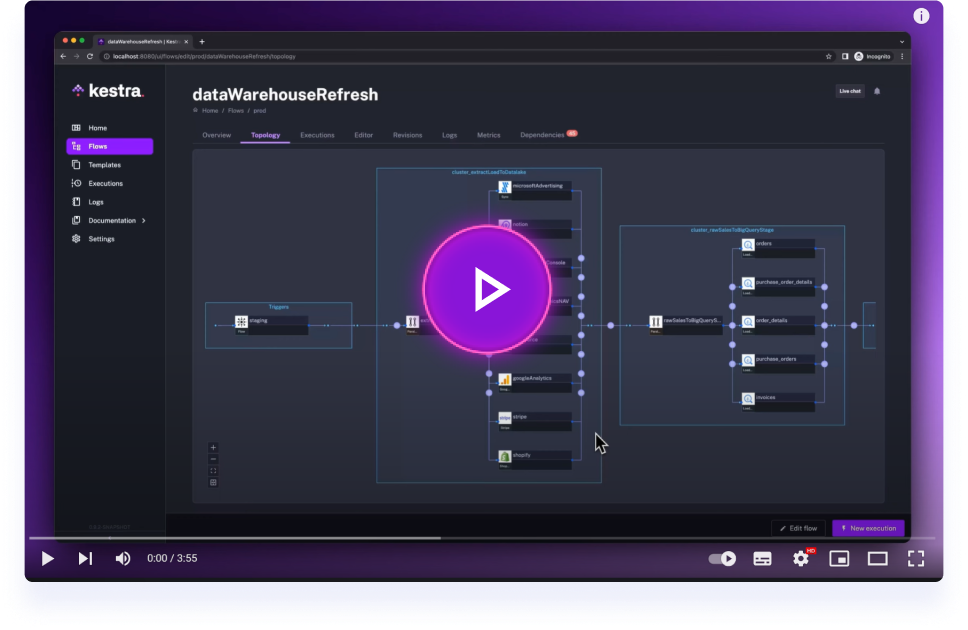
Get started with Kestra in 4 minutes.
Integrate with DocumentDB - Microsoft's open-source, MongoDB-compatible document database
This plugin provides integration with DocumentDB, Microsoft's open-source document database built on PostgreSQL. DocumentDB is now part of the Linux Foundation and offers MongoDB compatibility with the reliability and ecosystem of PostgreSQL.
- Document Operations: Insert single or multiple documents with automatic ID generation
- Advanced Querying: Find documents with MongoDB-style filters and pagination
- Aggregation Pipelines: Execute complex aggregation operations for data analysis
- MongoDB Compatibility: Use familiar MongoDB query syntax and operators
- Flexible Output: Support for FETCH, FETCH_ONE, STORE, and NONE output types
- PostgreSQL Backend: Built on the reliability and performance of PostgreSQL
- Open Source: Fully MIT-licensed with no vendor lock-in
| Operation | Description | Required Parameters |
|---|---|---|
Insert |
Insert single or multiple documents | host, database, collection, username, password, document or documents |
Read |
Find documents with filtering and aggregation | host, database, collection, username, password, optional: filter, aggregationPipeline, limit, skip |
All tasks require these basic connection parameters:
tasks:
  - id: documentdb_task
    type: io.kestra.plugin.documentdb.Insert
    host: "https://my-documentdb-instance.com"              # DocumentDB HTTP endpoint
    database: "myapp"                                        # Database name
    collection: "users"                                      # Collection name
    username: "{{ secret('DOCUMENTDB_USERNAME') }}"         # Username
password: "{{ secret('DOCUMENTDB_PASSWORD') }}" # Passwordid: insert_user
namespace: company.documentdb
tasks:
- id: create_user
type: io.kestra.plugin.documentdb.Insert
host: "https://my-documentdb-instance.com"
database: "myapp"
collection: "users"
username: "{{ secret('DOCUMENTDB_USERNAME') }}"
password: "{{ secret('DOCUMENTDB_PASSWORD') }}"
document:
name: "John Doe"
email: "john.doe@example.com"
age: 30
created_at: "{{ now() }}"
roles: ["user", "editor"]id: insert_products
namespace: company.documentdb
tasks:
- id: create_products
type: io.kestra.plugin.documentdb.Insert
host: "https://my-documentdb-instance.com"
database: "inventory"
collection: "products"
username: "{{ secret('DOCUMENTDB_USERNAME') }}"
password: "{{ secret('DOCUMENTDB_PASSWORD') }}"
documents:
- name: "Laptop"
price: 999.99
category: "Electronics"
in_stock: true
- name: "Mouse"
price: 29.99
category: "Electronics"
in_stock: false
- name: "Desk"
price: 299.99
category: "Furniture"
in_stock: trueid: find_active_users
namespace: company.documentdb
tasks:
- id: query_users
type: io.kestra.plugin.documentdb.Read
host: "https://my-documentdb-instance.com"
database: "myapp"
collection: "users"
username: "{{ secret('DOCUMENTDB_USERNAME') }}"
password: "{{ secret('DOCUMENTDB_PASSWORD') }}"
filter:
status: "active"
age:
$gte: 18
roles:
$in: ["editor", "admin"]
limit: 100
fetchType: FETCHid: user_statistics
namespace: company.documentdb
tasks:
- id: aggregate_users
type: io.kestra.plugin.documentdb.Read
host: "https://my-documentdb-instance.com"
database: "myapp"
collection: "users"
username: "{{ secret('DOCUMENTDB_USERNAME') }}"
password: "{{ secret('DOCUMENTDB_PASSWORD') }}"
aggregationPipeline:
- $match:
status: "active"
- $group:
_id: "$department"
count: { $sum: 1 }
avgAge: { $avg: "$age" }
- $sort:
count: -1
fetchType: FETCHid: get_user
namespace: company.documentdb
tasks:
- id: find_user
type: io.kestra.plugin.documentdb.Read
host: "https://my-documentdb-instance.com"
database: "myapp"
collection: "users"
username: "{{ secret('DOCUMENTDB_USERNAME') }}"
password: "{{ secret('DOCUMENTDB_PASSWORD') }}"
filter:
email: "john.doe@example.com"
fetchType: FETCH_ONEAdd this plugin to your Kestra instance:
./kestra plugins install io.kestra.plugin:plugin-documentdb:LATEST- Java 21
- Docker
This plugin includes a test mock server (api-server.py) that simulates DocumentDB's REST API for testing purposes. The server bridges HTTP requests to MongoDB operations, providing a realistic testing environment without requiring a real DocumentDB instance.
Automatic Setup (Recommended):
# Setup test environment and run tests
./.github/setup-unit.sh
./gradlew test
Manual Setup:
# Start DocumentDB mock server and MongoDB
docker-compose -f docker-compose-ci.yml up -d

# Run tests
./gradlew check --parallel

# Cleanup
docker-compose -f docker-compose-ci.yml down
The mock server (api-server.py) provides:
- DocumentDB REST API simulation: Endpoints matching real DocumentDB HTTP API
- MongoDB backend: Uses MongoDB as the underlying database (DocumentDB-compatible)
- Test authentication: Uses
testuser:testpasscredentials for testing - Local endpoint: Available at
http://localhost:10260
Test Environment Details:
- Mock API Server:
http://localhost:10260(simulates DocumentDB REST API) - MongoDB Instance:
localhost:27017(backend storage) - Test Credentials: Username:
testuser, Password:testpass - Test Database:
test_db
VSCode: Follow the README.md within the .devcontainer folder for development setup.
Other IDEs:
./gradlew shadowJar && docker build -t kestra-documentdb . && docker run --rm -p 8080:8080 kestra-documentdb server localVisit http://localhost:8080 to test your plugin.
- Full documentation can be found under: kestra.io/docs
- Documentation for developing a plugin is included in the Plugin Developer Guide
Apache 2.0 © Kestra Technologies
We release new versions every month. Give the main repository a star to stay up to date with the latest releases and get notified about future updates.