



A Home Assistant card for Steam integrations
(Theme used in screenshots)
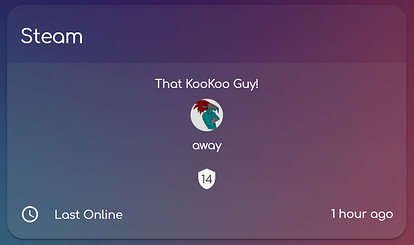

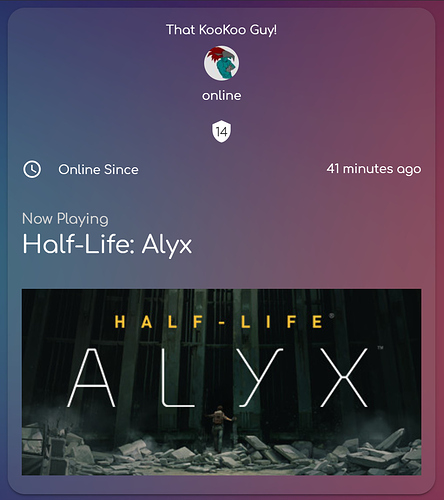
You need at least one steam integration to use with this card.
- Go to the Community Store.
- Search for
steam card. - Press
Install.
resources:
  url: '<url-to-card.js>'
type: modulefor a single user card, use entity:
entity: sensor.steam_<steam-id>
type: 'custom:kb-steam-card'
you can change the username using the following:
entity: sensor.steam_<steam-id>
friendly_name: Myself
type: 'custom:kb-steam-card'
for multiple users, use the entities attribute:

entities:
  - sensor.steam_<steam-id>
  - sensor.steam_<steam-id>
  - sensor.steam_<steam-id>
type: 'custom:kb-steam-card'
you can also use a prefix selector to select all steam sensors:
type: 'custom:kb-steam-card'
entities: sensor.steam_
to show only online users, add the online_only attribute:
type: 'custom:kb-steam-card'
entities: sensor.steam_
online_only: true
you can also show the game header image as background with game_background: true:

entities:
  - sensor.steam_<steam-id>
  - sensor.steam_<steam-id>
  - sensor.steam_<steam-id>
friendly_name: hello
game_background: true
type: 'custom:kb-steam-card'
to adjust the card title you can use the title attribute:
type: 'custom:kb-steam-card'
entities: sensor.steam_
title: Steam Friends- Author - Neil Kalman
- Website - https://github.com/kibibit
- StackOverflow - thatkookooguy
- Twitter - @thatkookooguy
- Twitter - @kibibit_opensrc
Hey dude! Help me out for a couple of 🍻 or a ☕ by clicking on the sponsering link!