This app is offering real time chat.
- Login
- Starting new conversations with the contacts saved in with your id
- Adding & removing contacts
- Group Chatting
This is where the user can either Login with a pre-existing Id or create a new one

Here is the dashboard. It has a side bar with 2 tabs, the current user Id, CTA button and a main chat screen.

A contact can be created by clicking on the 'Contacts' tab -> then clicking on the 'New Contacts' button on the bottom left. A modal will pop-up asking for an Id and a Name. The Id must correspond to the Id given by the other users.

Once the contact is saved there will be an option for removing in the 'Contacts' tab.

Once the contacts are available, the desired contact/s can be selected via the 'New Conversation' button found on the 'Contacts' tab.
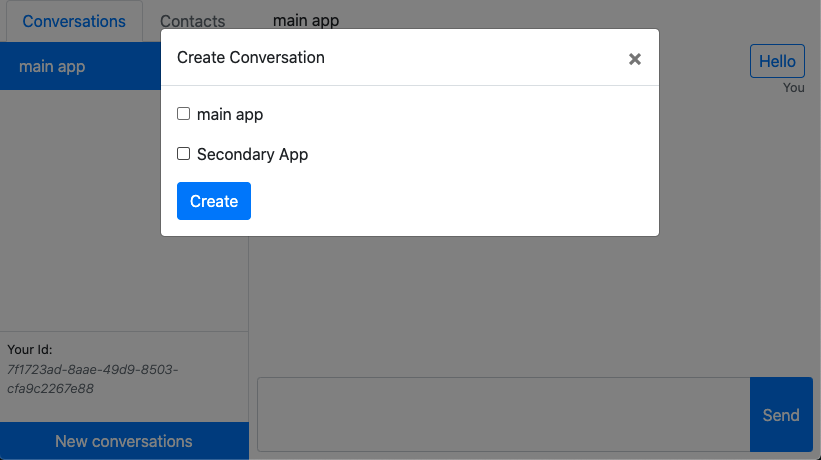
The main chat window will open the chat after the contact/s is/are submitted.

Below are 3 windows open at the same time with different Ids. Note that at the top of the chat section are looking different for each Id. This is due to the fact that 1 chat has all the contacts added, another has only 1 contact added and the other has none. The user can also add unknown contacts to via the 'ADD' button after each unknown Id. This button will open the same module as the 'Create Contact' however the 'Id' field is already pre-populated.
