Skip to content

Latest commit


History

1 Commit

Folders and files

NameName
Last commit message
Last commit date


Repository files navigation

Quiet Canvas Logo

Quiet Canvas

Minimal, quiet, and distraction-less theme for VS Code


Version Downloads Installs

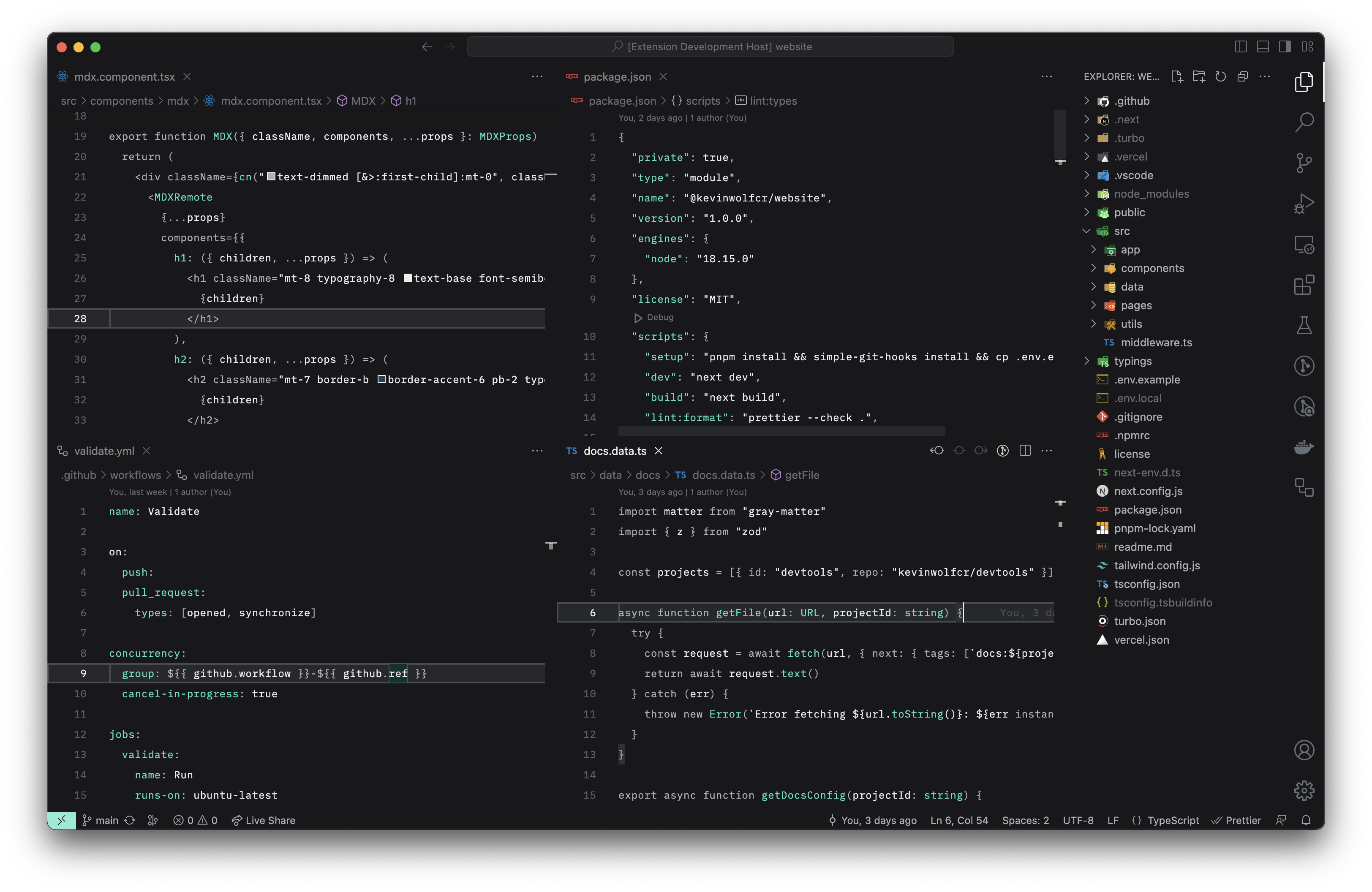
Quiet Canvas — Dark

Dark version screenshot

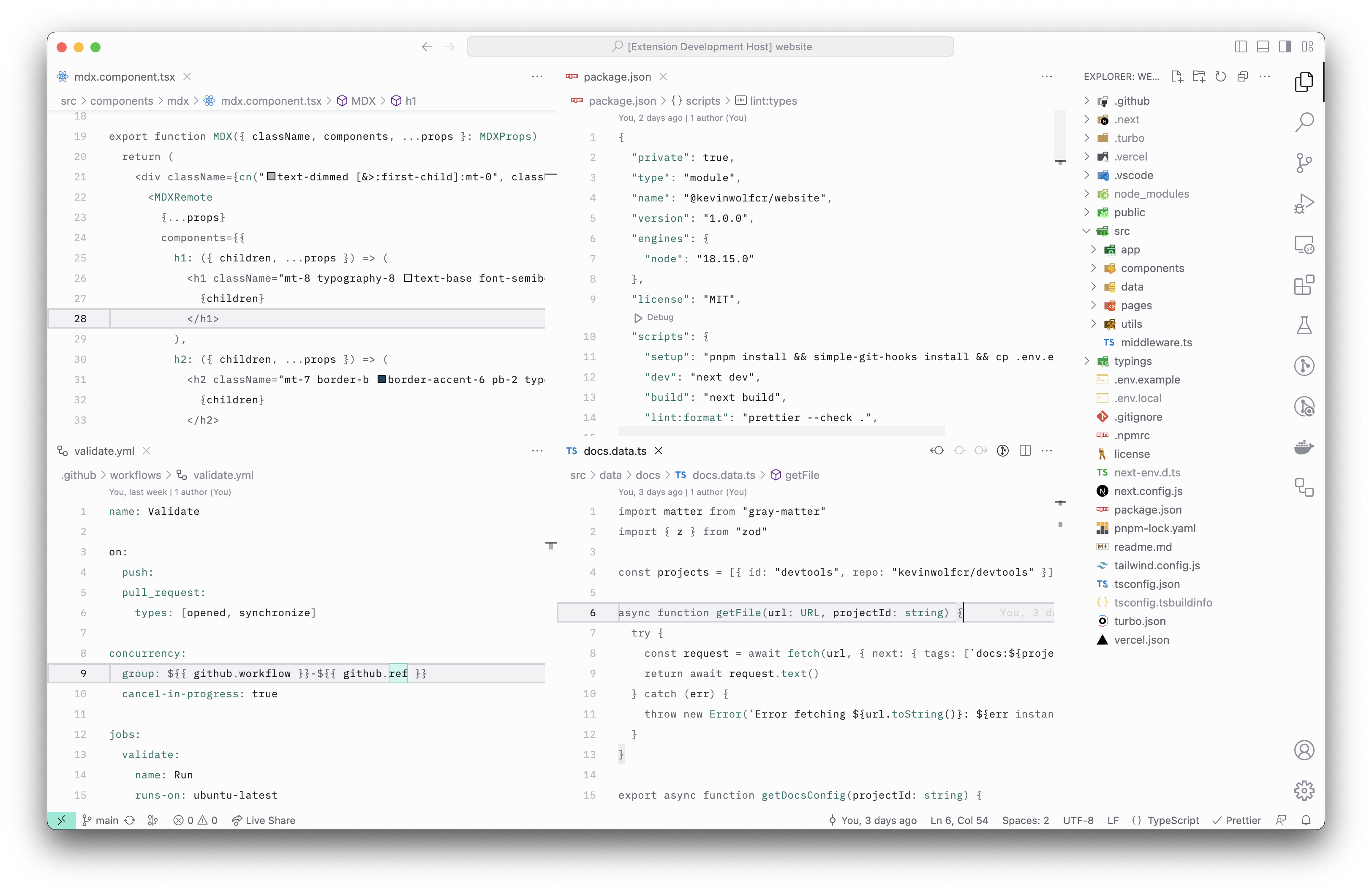
Quiet Canvas — Light

Dark version screenshot

Installation via VS Code

  1. Open the Extensions sidebar panel in VS Code.
  2. Search for Quite Canvas
  3. Click Install
  4. Select either Quiet Canvas — Dark or Quiet Canvas — Light from the menu
  5. Click Reload

Contributing

If you wish to contribute to this project, please read the Contributing Guidelines first.

License

This project is licensed under the MIT license.

About

🎨 Minimal, quiet, and distraction-less theme for VS Code.

Resources

Stars

6 stars

Watchers

1 watching

Forks

Releases

Used by

Contributors

Languages